BSNL VoWiFi (Wi-Fi Calling): How to Enable It and Fix Common Issues
A weak BSNL signal inside your home is annoying. Calls break up. You walk to the balcony just to say hello.
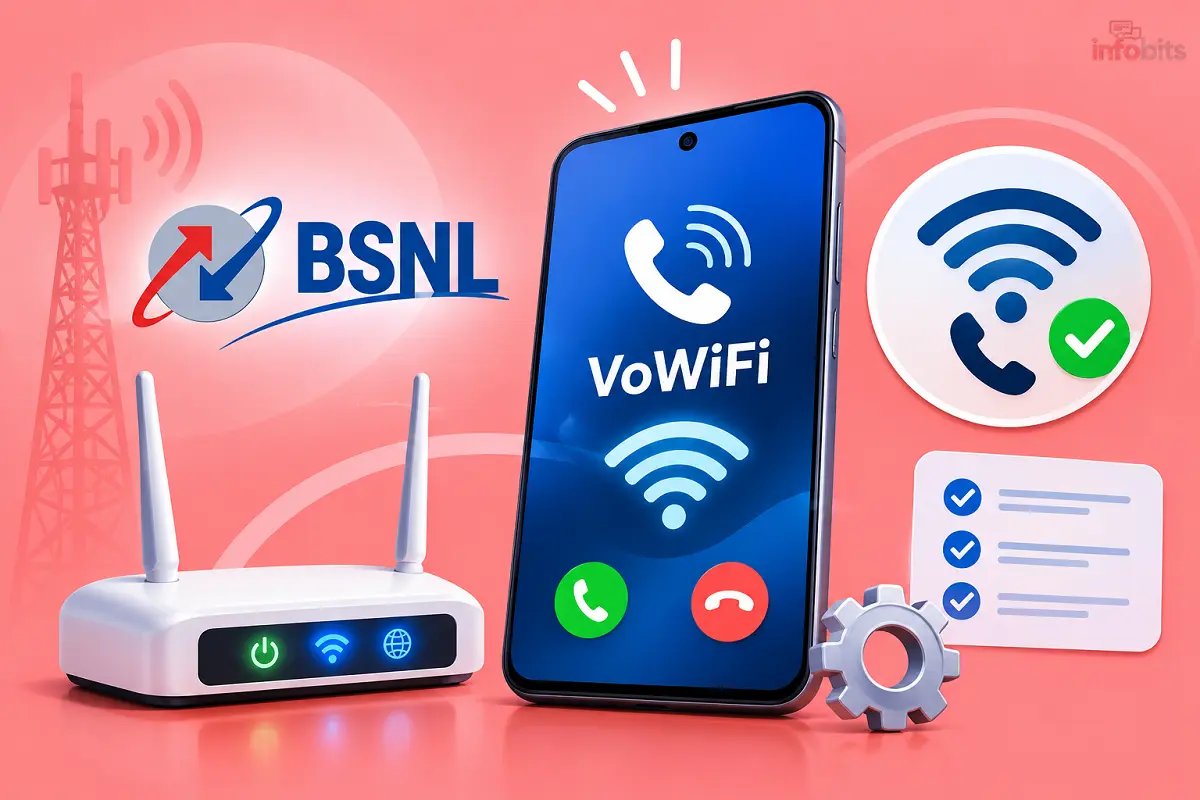
BSNL VoWiFi fixes this by carrying your call over your Wi-Fi. It uses your normal number and your normal dialer. You don’t need an app.
The catch is that the toggle doesn’t show up on every phone. This guide shows you how to turn it on, how to confirm it’s working, and how to fix the usual problems.
Quick answer: Update your phone, open your SIM settings, and turn on Wi-Fi Calling for the BSNL SIM. If you can’t see the option, your phone maker may not have added BSNL support yet. Read the troubleshooting section below.
What Is BSNL VoWiFi?
BSNL VoWiFi (Voice over Wi-Fi), also called Wi-Fi Calling, lets you make and receive calls and SMS over a Wi-Fi network instead of a mobile tower. It runs on IMS, the same core technology behind VoLTE.
BSNL announced the nationwide rollout on 1 January 2026 for all circles. Before that, it was limited to some regions.
BSNL Wi-Fi Calling: Quick Facts
| Question | Answer |
|---|---|
| Is it free? | BSNL says there are no extra charges for Wi-Fi calls |
| Do I need an app? | No, it works from your phone’s dialer |
| Which number is used? | Your existing BSNL number |
| Which Wi-Fi works? | BSNL Bharat Fibre or any stable broadband |
| Does the other person need it? | No |
| Biggest hurdle | Phone software support, not the network |
How BSNL Wi-Fi Calling Works
Your phone connects to BSNL’s core network through your internet connection. The call then runs over Wi-Fi.
If your Wi-Fi weakens and mobile signal is available, the call can hand over to the mobile network. The person on the other end notices nothing.
Before You Start: Quick Checklist
- A working BSNL 4G SIM. Very old SIMs may not support it. See BSNL SIM replacement.
- VoLTE turned on. See how to turn VoLTE on or off.
- The latest software update on your phone.
- A stable Wi-Fi connection.
- Your BSNL SIM set as the calling SIM if you use dual SIM.
How to Enable BSNL VoWiFi on Android and iPhone
General steps (most Android phones):
- Connect to your Wi-Fi.
- Open Settings and go to your SIM or mobile network settings.
- Select the BSNL SIM.
- Turn on Wi-Fi Calling.
- Choose Wi-Fi preferred if your phone offers a preference.
Menu names change from brand to brand. Use this table to find yours.
| Phone | Where to look |
|---|---|
| Samsung Galaxy | Settings → Connections → Wi-Fi Calling |
| Google Pixel/stock Android | Settings → Network & internet → SIMs → BSNL → Wi-Fi calling |
| OnePlus | Settings → Mobile network → SIM (BSNL) → Wi-Fi calling |
| Xiaomi / Redmi / Poco | Settings → SIM cards & mobile networks → BSNL SIM → Wi-Fi calling |
| Realme / Oppo / Vivo | Settings → Mobile network → BSNL SIM → Wi-Fi calling |
| iPhone | Settings → Mobile Service (or Mobile Data) → Wi-Fi Calling → Wi-Fi Calling on This iPhone |
On an iPhone, you may be asked for an emergency address. Fill it in. Accept any carrier settings update that pops up.
How to Check That It’s Working
Look for a Wi-Fi icon or a “VoWiFi” or “Wi-Fi Calling” label near your network name in the status bar. Many phones show this during a call.
The best test is to try it in the weak-signal spot at home. Make a call and see if it stays clear.
Which Phones Support BSNL VoWiFi?
BSNL says VoWiFi works on “most modern smartphones.” In real life, it depends on whether your phone maker has pushed BSNL’s network profile.
BSNL has not published a full model list. This table reflects what users have been reporting. It can change quickly.
| Brand | What users report | What to do |
|---|---|---|
| iPhone | Generally working | Update iOS and carrier settings |
| Samsung Galaxy | Toggle is missing on many models. Some users report it after the One UI 8.5 update. | Install the latest update and wait for your model’s patch |
| Realme | Works on some models; others are pending an update | Check Realme’s community page for your model |
| OnePlus, Vivo | Users report updates have arrived | Update your phone and check SIM settings |
| Xiaomi / Redmi | The option is often hidden | Update the system and restart |
Tip: If your phone is not in your hands yet, don’t rely on a “supports Wi-Fi calling” line in the spec sheet. That usually refers to Jio or Airtel. Ask the seller or search the brand’s forum for your model plus “BSNL Wi-Fi calling.”
Wi-Fi Preferred or Cellular Preferred?
Many phones let you choose a calling preference. Here’s how to decide.
- Wi-Fi preferred: Choose this if your home or office has weak BSNL signal but good Wi-Fi.
- Cellular preferred: Choose this if your Wi-Fi is patchy or shared by many people.
If your phone shows no choice, don’t worry. It decides on its own.
Troubleshooting: Common BSNL VoWiFi Problems
1. The Wi-Fi Calling option is missing
This is the most common complaint. It usually means your phone doesn’t have BSNL’s network profile yet.
Try these steps in order:
- Install the latest system update.
- Make sure VoLTE is on.
- Restart the phone with the BSNL SIM in SIM slot 1.
- Check that you have a BSNL 4G SIM. If not, see how to activate a BSNL 4G SIM or BSNL SIM replacement.
- If the SIM shows errors, read SIM not provisioned.
- If it’s still missing, your phone maker may not have released support. Check their community page or contact BSNL.
2. The toggle is on, but calls don’t use Wi-Fi
- Turn Wi-Fi calling off and on.
- Toggle aeroplane mode on, then off, with Wi-Fi connected.
- Turn off any VPN or private DNS app. They can block the connection.
- Don’t use public Wi-Fi that needs a login page. Calls won’t register until you’ve signed in.
- Check your router. Some routers block the secure tunnel that Wi-Fi calling uses. Look for an IPsec or VPN passthrough setting and enable it.
3. Calls drop when you leave the house
The handover from Wi-Fi to mobile needs a signal on both sides. If either is weak, the call can drop.
Keep VoLTE on and stay close to the router while the call starts. If you live in a low-coverage area, check BSNL 4G coverage for your location.
4. Choppy or one-way audio
This is almost always a Wi-Fi quality problem. Run a speed test and look at stability, not just speed. Our BSNL speed test guide explains how.
Switch to the 5 GHz band if your router has it, and move closer. If one room is a dead spot, a range extender or mesh system helps. Our mesh Wi-Fi guide covers the options.
A dual-band extender from TP-Link is an easy and affordable fix, as long as you place it where it still gets a strong signal from the main router.
5. Dual-SIM confusion
Your phone may allow Wi-Fi calling on only one SIM. If BSNL is in the second slot, move it to slot 1 or set it as the default calling SIM.
6. It stops during a power cut
No power means no router, and no router means no Wi-Fi call. If you depend on it, a small router UPS keeps your Wi-Fi alive for hours. See our best UPS for Wi-Fi router guide. A compact DC mini UPS such as the Cuzor (view on Amazon) range is a popular choice for this.
Warning Signs Your Problem Is the Wi-Fi, Not the Phone
- Videos buffer on the same network.
- Other devices disconnect often.
- Your internet speed drops at certain hours.
- The call sounds robotic only in certain rooms.
If you see these, fix the Wi-Fi first. An old single-band router can also be the weak link. If yours is several years old, see Wi-Fi 6 vs Wi-Fi 7 before you upgrade, and pick a good dual-band Wi-Fi 6 router from a known brand.
Common Mistakes to Avoid
- Waiting for the toggle without updating the phone.
- Using a very old 3G-era SIM.
- Leaving VoLTE off.
- Testing it in a spot with strong mobile signal and thinking it isn’t working.
- Forgetting that dual SIM can limit Wi-Fi calling to one SIM.
- Relying on Wi-Fi calling during power cuts.
Myth vs Fact
| Myth | Fact |
|---|---|
| “I need BSNL broadband for it.” | BSNL says Bharat Fibre or other broadband works |
| “It’s an app like Wings.” | It’s built into your phone’s dialer. See BSNL Wings for the old app-based service |
| “The other person needs Wi-Fi calling.” | They can call from any network |
| “It’s the same as WhatsApp calling.” | It uses your mobile number. See VoIP vs Wi-Fi calling |
| “If it’s missing, BSNL is blocking me.” | Often the phone maker hasn’t enabled it yet |
VoWiFi vs VoLTE vs Calling Apps
| Feature | BSNL VoWiFi | BSNL VoLTE | WhatsApp calling |
|---|---|---|---|
| Runs over | Wi-Fi | 4G mobile network | Internet (Wi-Fi or data) |
| Uses your mobile number | Yes | Yes | No, uses an app account |
| Works in weak mobile signal | Yes, if Wi-Fi is good | No | Yes, if internet is good |
| Needs app | No | No | Yes |
| Other person needs it | No | No | Yes |
Emergency Calls and Safety
Do not rely on Wi-Fi calling for emergencies. A power cut, router failure or weak Wi-Fi can end the call.
If your phone asks for an emergency address, enter the correct one. Keep your address updated if you move. For emergencies, always use a mobile network if you can.
When to Contact BSNL
Call BSNL if the option is missing on a phone that should support it, or if you see errors after trying the fixes above. The BSNL announcement lists the helpline as 18001503.
Keep these ready when you are contacting BSNL. Your phone model, software version, SIM type, your circle, and a short description of the problem. This saves time. For other short codes, see BSNL USSD codes.
Is It Worth Using?
Yes, if you have weak signal at home or in the office, and your phone shows the option. It costs nothing extra and needs no setup beyond the toggle.
If your phone maker hasn’t released support yet, be patient. Update regularly, and check your brand’s community page. If BSNL coverage is poor everywhere you go, read about mobile number porting before you decide.
Frequently Asked Questions
It’s BSNL’s Wi-Fi calling service. It lets you make and receive calls and SMS over Wi-Fi using your normal BSNL number.
BSNL says there are no extra charges for Wi-Fi calls. Your calls are still counted under your plan.
Connect to Wi-Fi, open your SIM or mobile network settings, select the BSNL SIM, and turn on Wi-Fi Calling.
Your phone may not have BSNL’s network profile yet. Update the software, enable VoLTE, restart, and check with your phone maker.
BSNL says most modern smartphones do. Real support varies by brand and model, and there’s no official model list.
Support has been uneven. Some users report it after the One UI 8.5 update, while others are still waiting.
Users generally report that it does. Update iOS and your carrier settings first.
No. BSNL says Bharat Fibre or any stable broadband works.
No. It works from your phone’s built-in dialer.
It’s designed for weak-signal spots. Activate it while you have signal, then test it in your weak spot.
No. They can be on any network or landline.
It uses your Wi-Fi internet connection, not your mobile data pack.
I couldn’t find clear BSNL details on this. Ask the helpline before you travel.
No. VoLTE runs over the 4G mobile network. Wi-Fi calling runs over your Wi-Fi.
Yes, but some phones allow it on one SIM only. Put the BSNL SIM in slot 1 if you can.
Weak Wi-Fi or a weak mobile signal during handover is the usual cause. Move closer to the router and keep VoLTE on.
You need a working BSNL 4G SIM. Very old SIMs may need replacing.
Phones may allow it, but don’t rely on it. Power cuts or weak Wi-Fi can end the call.
Look for a Wi-Fi icon or “VoWiFi” label in your status bar.
BSNL’s announcement lists the helpline as 18001503. Keep your phone model and SIM details ready.
We hope you are interested in our articles and consider following our Facebook, Instagram, and Twitter pages for regular updates.
Also, share this article with your friends and relatives. Bookmark this page for future reference.
Subscribe to our free newsletter to get similar articles and regular updates directly in your Email Inbox.
Subscribe to be the first to learn about new information
Disclosure: If you follow our links to a retailer’s website and make a purchase, we will get an affiliate commission on some, but not all, of the items or services we promote. This will cause no price change for you.
You May Be Interested to Read:
- BSNL APN Settings: Correct Internet APN for 4G & 5G (Step-by-Step)
- How to Set Up Your Own Router With a BSNL ONT (Bridge Mode Guide)
- BSNL Quantum 5G FWA: Plans, Price, Speed, Availability and Is It Worth It?
- Does a 5G Phone Support a 4G SIM Card? Everything You Need to Know
- Uses and Misuses of Mobile Phones: The Complete Guide