Wi-Fi 6 vs Wi-Fi 7: Which Should You Buy in India? (2026 Comparison)
Wi-Fi 7 routers are now easy to find, and the box says things like “up to 46 Gbps.” Your broadband plan says 200 Mbps. So is the upgrade real, or just a bigger number on a bigger box?
The honest answer is “it depends,” and this guide shows you exactly what it depends on. We’ll compare the two standards, look at what you’ll actually notice in an Indian home, and help you decide whether to buy now, buy Wi-Fi 6, or wait.
Quick verdict: For most Indian homes on a 100–500 Mbps plan, Wi-Fi 6 is enough and gives the best value. Choose Wi-Fi 7 if you have a 1 Gbps+ plan, 15+ active devices, Wi-Fi 7 phones or laptops, or want a router that lasts 5+ years. Don’t pay extra for Wi-Fi 7 if your plan is small and your devices are older, and check that the “Wi-Fi 7” router isn’t a stripped-down model.
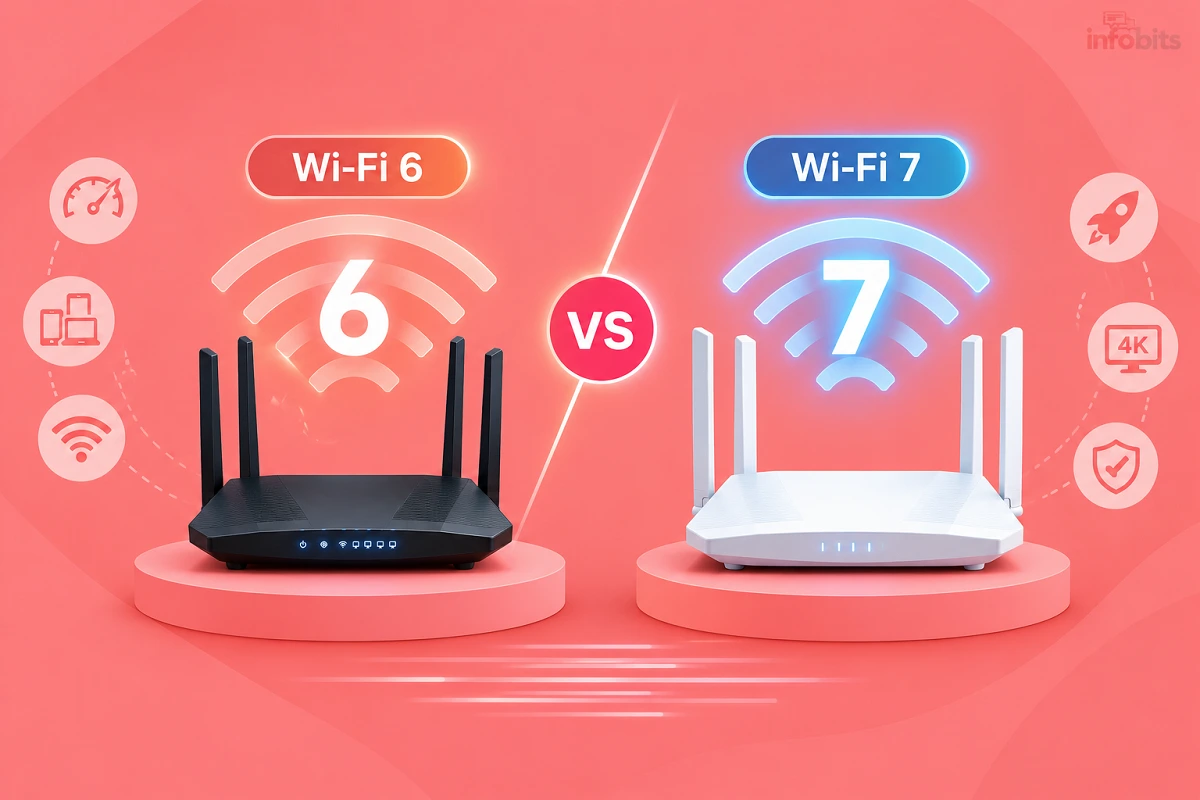
Wi-Fi 6 vs Wi-Fi 7 at a Glance
| Feature | Wi-Fi 6 (802.11ax) | Wi-Fi 7 (802.11be) |
|---|---|---|
| Bands | 2.4 + 5 GHz (Wi-Fi 6E adds 6 GHz) | 2.4 + 5 GHz, plus 6 GHz on tri-band models |
| Widest channel | 160 MHz | 320 MHz (needs 6 GHz) |
| Modulation | 1024-QAM | 4096-QAM (4K-QAM) |
| Multi-Link Operation (MLO) | No | Yes |
| Theoretical max speed | ~9.6 Gbps | Up to ~46 Gbps (lab figure) |
| Latency and stability | Good | Better, especially under load |
| Backward compatible | Yes | Yes |
| Router price in India | Roughly ₹2,800–10,000 | Roughly ₹9,500 and up |
| Device support | Very wide | Mostly flagships so far |
The theoretical maximum is a lab figure that assumes the widest channel and many antennas. You will essentially never see it on a single phone or laptop.
What Wi-Fi 7 Actually Improves
1. Multi-Link Operation (MLO)
This is the most useful new feature. Wi-Fi 6 uses one band at a time. With MLO, a Wi-Fi 7 device can use two or more bands at once, such as 5 GHz and 6 GHz.
The result is lower delay and steadier speeds, which helps with video calls, cloud gaming and busy homes. It improves reliability more than peak speed.
2. 320 MHz Channels
Wi-Fi 7 supports 320 MHz channels, which is twice the width of Wi-Fi 6’s biggest channel. A wider channel is like a wider road, so more data fits through at once.
The catch: 320 MHz channels need the 6 GHz band. A dual-band Wi-Fi 7 router (2.4 + 5 GHz) can’t use them.
3. 4K-QAM
Wi-Fi 7 packs more data into each signal (4096-QAM instead of 1024-QAM). It helps at close range with a strong signal. It doesn’t help much in far rooms or through walls.
4. Better Use of Crowded Spectrum
Wi-Fi 7 adds smarter ways to share a channel among many devices and keep working when part of the channel is busy. These help in apartment blocks and homes full of gadgets. You won’t notice them in a simple speed test.
5. 6 GHz Access (Shared with Wi-Fi 6E)
Wi-Fi 7 routers that are tri-band can use the 6 GHz band, which is cleaner and less crowded. Wi-Fi 6E already offers this. Wi-Fi 6 doesn’t.
What Wi-Fi 7 Does Not Change
This section saves people the most money.
- It won’t make your internet plan faster. Your ISP sets that speed. Wi-Fi 7 only improves the Wi-Fi between the router and your devices.
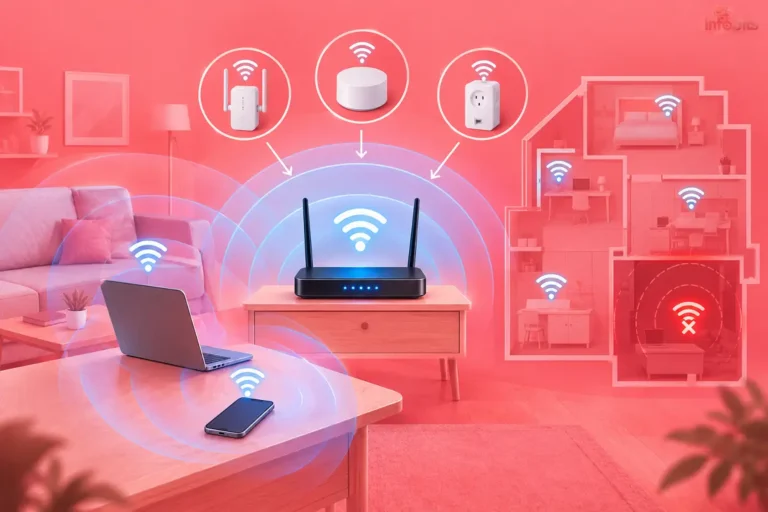
- It won’t fix dead zones. Wall penetration depends on the frequency band, not the Wi-Fi standard, and both use the same bands. If a room is weak, you need better placement or a mesh system.
- It won’t help older devices. Wi-Fi 7 features work only when both the router and the device support Wi-Fi 7. A Wi-Fi 5 phone on a Wi-Fi 7 router still connects at Wi-Fi 5 speeds.
- It’s backwards compatible. Your older devices keep working. You don’t have to replace everything at once.
What You’ll Notice in Real Life
On a sub-gigabit plan with a handful of everyday devices, most homes feel almost no difference between Wi-Fi 6 and Wi-Fi 7. Here’s how it plays out.
| Situation | Wi-Fi 6 | Wi-Fi 7 | Difference you’d notice |
|---|---|---|---|
| 100 Mbps plan, phones and TV | Fine | Fine | None |
| 300 Mbps plan, 20 devices | Fine | Slightly smoother | Small |
| 1 Gbps plan, Wi-Fi 7 laptop near router on 6 GHz | Good | Better | Noticeable at close range |
| Video calls and cloud gaming in a busy home | Good | More stable (MLO) | Noticeable if devices support it |
| Weak signal in a far bedroom | Weak | Weak | None; use mesh or a cable |
| Big file transfers between local devices | Good | Faster | Noticeable with 6 GHz devices |
Wi-Fi 7 pays off when several things line up. You need a fast plan, Wi-Fi 7 devices, use of 6 GHz, and latency-sensitive tasks. If only one of those is true, the gain is small.
Not All Wi-Fi 7 Routers Are Equal
A “Wi-Fi 7” sticker doesn’t guarantee every feature. Cheaper models cut corners.
| Router type | Bands | 320 MHz | 6 GHz | MLO | Typical use |
|---|---|---|---|---|---|
| Entry dual-band Wi-Fi 7 (e.g. BE3600) | 2.4 + 5 GHz | No | No | Yes | Small–medium homes, future-proofing on a budget |
| Tri-band Wi-Fi 7 (e.g. BE9300 and up) | 2.4 + 5 + 6 GHz | Yes | Yes | Yes | Fast plans, many devices |
| High-end / gaming | Tri-band or more | Yes | Yes | Yes | Power users, multi-gig plans |
The TP-Link Archer BE230 is a good example of an entry model. It lacks 320 MHz channels and 6 GHz, but still has MLO and 4K-QAM. That makes it a good value, but it isn’t the full Wi-Fi 7 experience.
Tri-band models tend to perform noticeably better than dual-band ones. If you pay for Wi-Fi 7 mainly for 6 GHz and 320 MHz, make sure the router actually has them.
Reading the label: the number after the letters is the combined theoretical speed of all bands. For example, AX3000 is Wi-Fi 6, and BE3600 is Wi-Fi 7. Use it only to compare routers of the same generation.
India-Specific Factors
1. Most Indian plans are still 100–300 Mbps
Entry and mid-range fibre plans from BSNL, Jio, Airtel and regional ISPs are mostly in the 100–300 Mbps range, with 1 Gbps at the top. On these plans, the router is rarely the bottleneck. Our guides to BSNL, Jio Fiber, Asianet, Kerala Vision and KFON show current tiers.
2. 6 GHz is legal now, but only half of it
In January 2026, India’s Department of Telecommunications de-licensed the lower part of the 6 GHz band for Wi-Fi. That covers 5925–6425 MHz, while the upper part is reserved for mobile services.
This matters for Wi-Fi 7. The 500 MHz block leaves room for only one 320 MHz channel, or three 160 MHz channels.
In a crowded apartment, a single wide channel leaves little room to avoid your neighbours, so 160 MHz may be the practical setting. India therefore doesn’t get the full range of channels that some other countries have.
3. Device support is still mostly premium
Most Wi-Fi 7 devices are flagships. Apple’s iPhone 16 and 17 series (excluding the “e” models) and Samsung’s Galaxy S25 and S26 lineups (excluding FE models) support Wi-Fi 7. The last few generations of flagship Google Pixel and OnePlus phones do too.
On laptops, Wi-Fi 7 appears on higher-end models with newer Intel Core Ultra, AMD Ryzen and Qualcomm Snapdragon X chips. Some flagship phones, such as the Galaxy S24 and S24+, have Wi-Fi 7-capable chips but ship with Wi-Fi 6E only.
If your phones and laptops are mid-range or older, the router upgrade won’t unlock much. See our smartphone buying guide and laptop buying guide when you next upgrade a device.
4. Prices
| Type | Approximate price in India |
|---|---|
| Entry Wi-Fi 6 router | ~₹2,800–4,500 |
| Mid-range Wi-Fi 6 router | ~₹5,000–8,000 |
| Entry dual-band Wi-Fi 7 router | ~₹9,500 |
| Mid-range Wi-Fi 7 (e.g. Archer BE400 class) | ~₹14,000 |
| Premium Wi-Fi 7 | ₹45,000 and above |
These are rough bands. Check current prices before you buy.
5. Concrete walls and multi-storey homes
Indian homes with RCC walls and slabs need coverage more than they need a new standard. A Wi-Fi 6 mesh with an Ethernet cable between nodes often beats a single Wi-Fi 7 router in such a home. See our mesh Wi-Fi guide.
Wi-Fi 6 vs Wi-Fi 6E vs Wi-Fi 7 vs Wi-Fi 8
| Wi-Fi 6 | Wi-Fi 6E | Wi-Fi 7 | Wi-Fi 8 (coming) | |
|---|---|---|---|---|
| Standard | 802.11ax | 802.11ax + 6 GHz | 802.11be | 802.11bn |
| 6 GHz | No | Yes | Tri-band models | Expected |
| MLO | No | No | Yes | Yes |
| Focus | Efficiency | Clean spectrum | Speed + capacity + stability | Reliability |
| Status | Mature | Mature | Mature, growing | Draft; early products only |
Wi-Fi 6E as the middle step. If your plan is under 500 Mbps and things work well, Wi-Fi 6E is a solid middle option. It adds the 6 GHz band without paying the Wi-Fi 7 premium, and it is now usable in India. It’s most useful when your devices support 6 GHz.
Should you wait for Wi-Fi 8? For almost everyone, no. Wi-Fi 8 (IEEE 802.11bn) aims at reliability, with steadier speeds and fewer dropouts, rather than higher peak speed. The standard isn’t expected to be finalised until around 2028.
TP-Link showed its first Wi-Fi 8 products, the Archer 8 Ultra router and Deco 8 Ultra mesh, at IFA 2026, and they are based on draft specifications. Early devices usually cost the most, and India availability is unclear as of now.
Which Should You Buy? A Simple Decision Guide
Answer these five questions.
- Is your broadband plan 500 Mbps or faster?
- Do you have 15+ active devices (phones, TVs, cameras, smart plugs)?
- Do you own two or more Wi-Fi 7 devices (phone, laptop, console)?
- Is your current router 5+ years old or slow?
- Do you want the router to last 5+ years?
Three or more “yes”: Wi-Fi 7 is worth considering.
Fewer than three: Wi-Fi 6 (or 6E) will serve you better for the money.
By scenario:
| Your situation | Best choice |
|---|---|
| 1 BHK, plan up to 150 Mbps | Entry Wi-Fi 6 |
| 2–3 BHK, 200–500 Mbps, mixed devices | Mid-range Wi-Fi 6 |
| Large or multi-storey home | Wi-Fi 6 mesh with a cable between nodes |
| 1 Gbps plan, 20+ devices | Tri-band Wi-Fi 7 (or 6E) |
| Old router (Wi-Fi 4/5), budget around ₹10,000 | Entry Wi-Fi 7 for longevity |
| Buying a new flagship phone or laptop soon | Wi-Fi 7 makes sense over the next 1–2 years |
| 100 Mbps plan, older phones | Wi-Fi 6; don’t pay for Wi-Fi 7 |
A budget-smart path: Wi-Fi 7 devices connect fine to a Wi-Fi 6 network, so you don’t have to upgrade everything together. You can buy a Wi-Fi 7 phone now and upgrade the router later. And if your router is more than a few years old and struggling, replacing it with Wi-Fi 7 can be worthwhile even before your devices catch up.
For a 2–3 BHK home on a 200–500 Mbps plan, the TP-Link Archer AX53 (view on Amazon) is a popular mid-range Wi-Fi 6 router at roughly ₹6,000. On a tighter budget, the Archer AX12 (available on Amazon) gives you Wi-Fi 6 for around ₹4,000.
If your router is old and you want to step into Wi-Fi 7 without overspending, the TP-Link Archer BE230 (see on Amazon) costs around ₹12,500 and brings dual 2.5G ports and MLO, though it lacks 6 GHz and 320 MHz channels.
For a large home with a 1 Gbps plan and many devices, a higher-end model like the TP-Link Archer BE400, available on Amazon at around ₹15,000, adds six antennas and 320 MHz channel support.
For a multi-storey home, a Wi-Fi 6 mesh such as the TP-Link Deco X50 (available on Amazon), connected with a cable between nodes, is usually a smarter buy than a single premium router.
How to Check What Your Devices Support
Don’t guess. Check before you spend.
Windows laptop: open Command Prompt and type netsh wlan show drivers. Look for the “Radio types supported” line. “802.11ax” means Wi-Fi 6, and newer Windows builds may list “802.11be” for Wi-Fi 7.
Android phone: on many phones, open your connected Wi-Fi network’s details and look for a “Wi-Fi standard” line. You can also look up your model’s spec sheet.
iPhone: check Apple’s specification page for your model. As a guide, iPhone 16 and 17 models (excluding the “e” versions) support Wi-Fi 7.
Mac: hold the Option key and click the Wi-Fi icon to see the connection details, including the standard.
Router: look at the product listing or label for “802.11ax” (Wi-Fi 6) or “802.11be” (Wi-Fi 7), and check for tri-band, 6 GHz and MLO.
Buying Tips for Wi-Fi 7 in India
- Check for 6 GHz and 320 MHz if those are why you’re upgrading. Dual-band Wi-Fi 7 skips both.
- Look at the ports. A 2.5G WAN port only helps on plans above 1 Gbps, and you need Gigabit LAN ports at minimum.
- Confirm MLO support on both the router and your devices.
- Check mesh support. EasyMesh or the brand’s own mesh option lets you expand later.
- Buy from an authorised seller with a GST invoice and local service. Routers sold in India typically need BIS, WPC and TEC approvals, and grey-market imports may lack them.
- Plan for power cuts. Match a mini UPS to the router’s adapter rating, since newer routers can draw more power. See our best UPS for Wi-Fi router guide.
If your old PC has no Wi-Fi 7 support, a Wi-Fi 7 PCIe card such as the TP-Link Archer TX50E adds it without a new machine. A Wi-Fi 6 USB adapter like the Archer TX20U Plus is a cheaper way to get most of the benefit on a modest plan. Both are available on Amazon.
To use a 2.5G port properly, connect it with a good Cat6 Ethernet cable from a brand like UGREEN (find on Amazon), since a poor cable can limit the link speed.
Get the most out of Wi-Fi 7 once you own it:
- Put Wi-Fi 7 devices on the 6 GHz band when they’re in the same room as the router
- Keep smart plugs and cameras on 2.4 GHz, or a guest network
- Turn on MLO in the router settings if it isn’t already on
- Update the firmware, since early Wi-Fi 7 models have improved through updates
- Use a cable to your router for fixed devices where you can
For placement and settings that matter regardless of the standard, see our guide on how to boost your home Wi-Fi speed.
Common Mistakes
- Buying Wi-Fi 7 for a 100 Mbps plan. You’d pay for speed your ISP doesn’t deliver.
- Assuming any “Wi-Fi 7” router has 6 GHz. Many entry models don’t.
- Expecting Wi-Fi 7 to fix dead zones. It doesn’t change wall penetration.
- Ignoring your devices. Without Wi-Fi 7 phones or laptops, most features stay idle.
- Skipping placement and cable fixes. They cost less and often help more.
- Waiting for Wi-Fi 8. There will always be a next generation, and early products are pricey.
- Ignoring port speed. A router with 100 Mbps LAN ports limits wired devices no matter what the standard says.
Myth vs Fact
| Myth | Fact |
|---|---|
| Wi-Fi 7 makes my internet 5x faster | Your ISP plan sets the speed; Wi-Fi 7 improves the wireless part |
| Wi-Fi 7 has better range and wall penetration | Range depends on the band, which is the same as Wi-Fi 6 |
| My old devices won’t work with Wi-Fi 7 | They will; Wi-Fi 7 is backwards compatible |
| All Wi-Fi 7 routers are the same | Dual-band models lack 6 GHz and 320 MHz |
| Wi-Fi 6 is obsolete now | Wi-Fi 6 is still fast, mature and great value |
| I must wait for Wi-Fi 8 | Wi-Fi 8 is a reliability upgrade, still on draft standards |
Troubleshooting: Bought Wi-Fi 7 but Nothing Changed?
- Check the plan. If your wired speed is the limit, the router can’t help.
- Check your device. A Wi-Fi 6 or older device won’t use Wi-Fi 7 features.
- Check the band. Connect to 5 GHz or 6 GHz, not 2.4 GHz, and stay close for the 6 GHz test.
- Check MLO. Make sure it is enabled on the router and supported by the device.
- Test properly. Use a wired test first, then Wi-Fi, on our Infobits speed test.
- Check for a bottleneck. 100 Mbps LAN ports or a poor cable can cap speeds.
Final Verdict
Wi-Fi 7 is a real step up from Wi-Fi 6, especially for latency, capacity and multi-gigabit plans. But for most Indian homes, on most plans, the difference is small today.
If I had to pick for a typical 2–3 BHK on a 200–300 Mbps plan, I’d buy a good Wi-Fi 6 router and spend what I saved on a cable and a UPS.
If my router were five years old, my budget were around ₹10,000, and my next phone or laptop were Wi-Fi 7, I’d buy Wi-Fi 7 for its longer life. For the full buying checklist, see our Wi-Fi router buying guide.
Frequently Asked Questions
Wi-Fi 7 adds Multi-Link Operation (using several bands at once), 320 MHz channels, and 4K-QAM. That means lower delay, better performance under load, and higher peak speeds. Wi-Fi 6 is slower and less flexible, but still very capable.
For most homes on 100–500 Mbps plans, not yet. It’s worth it with a 1 Gbps+ plan, many devices, or Wi-Fi 7 phones and laptops. It also makes sense if you want a router that lasts 5+ years.
No. Your ISP sets your internet speed. Wi-Fi 7 improves the wireless link inside your home, and only when your device supports it too.
Yes, to get Wi-Fi 7 features. Older devices still connect, but at their own Wi-Fi 5 or Wi-Fi 6 speeds.
Yes. Wi-Fi 7 routers work with Wi-Fi 6, Wi-Fi 5 and older devices, so you don’t have to replace everything.
Not significantly. Range depends on the frequency band, and both use the same ones. For dead zones, use better placement or a mesh system.
MLO lets a Wi-Fi 7 device use two or more bands at once, such as 5 GHz and 6 GHz. It improves stability and reduces delay, which helps with calls and gaming. It needs support on both the router and the device.
It is a channel twice as wide as Wi-Fi 6’s biggest one, so more data fits through. It needs the 6 GHz band, so dual-band Wi-Fi 7 routers can’t use it.
Partly. In January 2026, India de-licensed the lower 6 GHz band (5925–6425 MHz) for Wi-Fi. The upper part remains reserved for mobile services.
No. Dual-band Wi-Fi 7 routers use only 2.4 and 5 GHz. Only tri-band models add 6 GHz, so check the specs.
If your plan is under 500 Mbps and things work well, Wi-Fi 6E is a good middle step. It adds 6 GHz without the Wi-Fi 7 price. Choose Wi-Fi 7 for fast plans or long-term use.
Mostly flagships, such as iPhone 16 and 17 models (excluding the “e” versions) and Galaxy S25 and S26 models (excluding FE). Recent flagship Pixel and OnePlus phones also support it. Always check your model’s spec sheet.
On Windows, run netsh wlan show drivers and look at “Radio types supported.” “802.11be” means Wi-Fi 7, and “802.11ax” means Wi-Fi 6. Newer Intel, AMD and Snapdragon laptops are more likely to support it.
Not always. Entry dual-band models still offer MLO and 4K-QAM, but usually lack 6 GHz and 320 MHz channels. They’re good value, but not the full Wi-Fi 7 experience.
Yes. Wi-Fi 6 is fast, mature and widely supported. For everyday use on 100–500 Mbps plans, it delivers nearly the same experience as Wi-Fi 7 for less money.
Entry dual-band models start around ₹9,500. Mid-range ones run around ₹14,000, and premium models go past ₹45,000. Wi-Fi 6 routers are much cheaper, roughly ₹2,800–8,000.
For most people, no. Wi-Fi 8 focuses on reliability, not speed, and the standard isn’t expected to be final until around 2028. Early products are draft-based and will be expensive.
It can be, thanks to lower latency from MLO, but only when your gaming device supports Wi-Fi 7. A wired connection is still the best choice for competitive gaming.
Usually not. Weak signal in far rooms comes from distance and walls, which the standard doesn’t change. A mesh system with cable between nodes fixes it better.
For a big or multi-storey home, a Wi-Fi 6 mesh with a cable between nodes usually beats a single Wi-Fi 7 router. Coverage matters more than the standard in such homes.
We hope you are interested in our articles and consider following our Facebook, Instagram, and Twitter pages for regular updates.
Also, share this article with your friends and relatives. Bookmark this page for future reference.
Subscribe to our free newsletter to get similar articles and regular updates directly in your Email Inbox.
Subscribe to be the first to learn about new information
Disclosure: If you follow our links to a retailer’s website and make a purchase, we will get an affiliate commission on some, but not all, of the items or services we promote. This will cause no price change for you.
You May Be Interested in Reading:
- Samsung Galaxy Watch 8 Review: Is It Worth Buying in 2026?
- Top Streaming Devices in India: Turn Any TV into a Smart TV
- Dolby Atmos vs DTS:X in India: Which Surround Format Actually Matters for You
- Wi-Fi vs Bluetooth Speakers: Which One Should You Buy?
- How to Turn Your Old PC into a Media Centre (2026 Guide)