
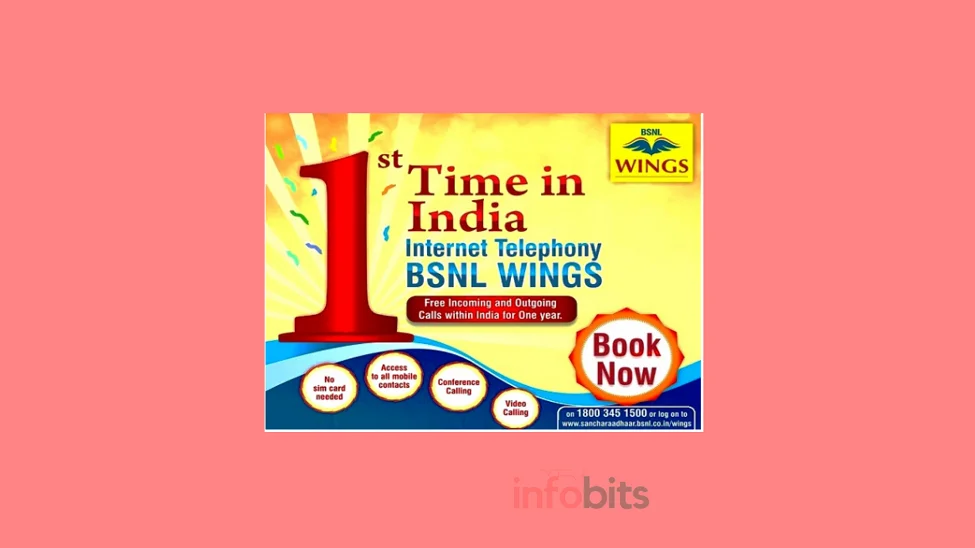
BSNL Wings: India’s SIM-less VoIP Calling Service Explained
Imagine having a working phone number that doesn’t need a SIM card at all; just an internet connection, on any device you choose. That’s BSNL Wings, and it’s still one of the more underrated services in India’s telecom landscape, even years after its launch.
If you travel often, work somewhere with patchy mobile signal but solid Wi-Fi, or want a backup number that isn’t tied to a physical SIM, this guide covers what Wings does, what it costs in 2026, and how it stacks up against the Wi-Fi calling most private carriers now offer.
Quick answer: BSNL Wings is a VoIP (Voice over Internet Protocol) service that gives you a 10-digit number without a SIM card, usable on any phone, laptop, or tablet with an internet connection from any operator. Registration costs ₹1,099 plus GST as a one-time charge, and standard customers currently get a full year of free calling to any network in India.
What Is BSNL Wings?
BSNL Wings is India’s Internet Telephony (VoIP) service, letting you make and receive voice and video calls through a smartphone, laptop, or PC app connected to any internet source: mobile data, broadband, or Wi-Fi, regardless of which operator provides it. You get a standard 10-digit number, but there’s no SIM card involved at all.
Technically, it runs on SIP (Session Initiation Protocol) over BSNL’s IMS NGN core network. The same open-standard packet technology used by most modern VoIP systems, but tied into BSNL’s national telephony backbone so you can call any landline or mobile number in India, not just other app users.
This is what sets Wings apart from typical consumer VoIP apps: with a generic SIP calling app, you can usually only call other people using that same app. With Wings, you can call and receive calls from any Wings user, any BSNL or non-BSNL mobile number, any landline, and international numbers. The call just terminates onto the regular telephone network at BSNL’s end.
How Wings Is Different From LFMT and WiFi Calling
BSNL actually had an earlier, more limited version of this idea called LFMT (Limited Fixed Mobile Telephony), which only worked over BSNL’s own broadband connection or BSNL Wi-Fi hotspots. Wings removed that restriction entirely. You can use any operator’s mobile data, any broadband connection, or any public Wi-Fi network to place and receive calls.
It’s also worth clarifying the difference between Wings and true VoWiFi (Wi-Fi Calling), since the two get confused constantly. VoWiFi is a native network feature. Your existing SIM’s number rings over Wi-Fi automatically when cellular signal is weak, no separate app required, and Jio and Airtel both support it on compatible phones.
BSNL doesn’t currently offer that native VoWiFi feature. Wings achieves a similar practical outcome ( calling over Wi-Fi when cellular coverage is poor ) but through a separate app and a separate 10-digit number rather than your existing mobile connection.
If you specifically want calls on your existing SIM to work over Wi-Fi, see our comparison of VoIP vs WiFi Calling for the fuller picture.
Related: What is BSNL Fixed Mobile Telephony (FMT- VoIP)?
Key Features of BSNL Wings
- No SIM card required: the 10-digit Wings number is issued and activated entirely over IP.
- Works on any device: smartphone, laptop, or PC running Windows, Android, or iOS.
- Works on any internet connection: 3G/4G, broadband, or Wi-Fi hotspot, from any operator, anywhere.
- Voice and video calling, plus conferencing and instant messaging in supported apps.
- Free domestic roaming: your Wings number works the same anywhere in India with no roaming charges.
- Free incoming international calls: you can receive calls from anywhere in the world at no cost to you.
- Multiple Wings numbers on one device: you can register more than one Wings connection using different SIP client apps on the same phone or laptop.
- Address book integration: you can use your existing mobile contacts while calling through the Wings app.
- Available to Internet Leased Line (ILL) customers who don’t otherwise have voice service on their connection.
BSNL Wings Tariff 2026
| Particular | Description |
|---|---|
| Registration charge (one-time) | ₹1,099 + GST |
| Monthly rental | NIL |
| Installation/Activation | NIL (no handset provided by BSNL) |
| ISD deposit (for outbound international calls) | ₹2,000 (refundable deposit) |
| Domestic call charges | Free to any network in India for one year |
| International incoming roaming charges | ₹1.20/minute (calls from abroad routing to your Wings number in India) |
| Outbound international calls | Billed as per existing BSNL landline MOU tariff |
Note: All charges are exclusive of applicable GST. Confirm current figures on BSNL’s official site before registering, since telecom tariffs are revised periodically.
Discounted Category Plans
BSNL offers reduced registration rates for specific customer categories:
| Category | Annual Charge |
|---|---|
| Central/State Govt. and PSU employees | ₹599 + GST |
| Students | ₹880 + GST |
| BSNL employees | ₹250 + GST |
| Casual connection (30 days) | ₹125 + GST |
| Casual connection (90 days) | ₹294 + GST |
| Internet Service Providers and their clients | Special tariff (contact BSNL directly) |
The casual connection options are worth noting if you just need short-term coverage. For a work trip, a temporary posting, or testing the service before committing to the standard annual registration.
Related: BSNL FTTH Plans 2026: Bharat Fiber Prices
How to Register for BSNL Wings
- Visit your nearest BSNL Customer Service Centre (CSC), or register online through BSNL’s Sanchar Aadhaar self-service portal.
- Fill out the Customer Application Form (CAF). You’ll need a valid email ID and phone number for registration, along with standard KYC documents (ID and address proof).
- Choose your registration category (general, student, government employee, etc.) if you qualify for a discounted plan.
- Pay the applicable registration charge.
- Once activated, you’ll receive your 10-digit Wings number along with SIP login credentials to configure your calling app.
For a fuller walkthrough of the digital KYC and online activation flow specifically, see our step-by-step guide to registering and activating BSNL Wings.
Setting Up the App
Once registered, you’ll need a SIP soft client app to actually make and receive calls. BSNL’s official Wings service currently points customers toward the Grandstream Wave app, though other standard SIP clients like Zoiper and Linphone are also compatible if you prefer them. All are free to download from the Google Play Store or Apple App Store.
Basic setup:
- Download your chosen SIP client app.
- Enter the SIP credentials (username, password, and server details) provided to you at registration.
- Once the app registers successfully with BSNL’s IMS core, your Wings number is live and ready to make and receive calls over any internet connection.
Who Should Actually Use Wings?
- Frequent domestic travellers who want one number that works identically whether they’re in Kerala or Kashmir, with zero roaming charges.
- People in low mobile-coverage areas with decent broadband or Wi-Fi. A common scenario in parts of rural India where fibre or satellite broadband has arrived ahead of a strong cellular signal.
- Anyone needing a second number for work or privacy reasons without buying a second SIM or phone.
- NRIs and frequent international travellers who want to receive calls from India for free while abroad, provided the destination country permits VoIP traffic.
- Businesses or ISPs wanting a lightweight, app-based voice line for staff without issuing physical SIM cards.
Related: BSNL Landline Plans 2026: Prices & Unlimited Calls
Limitations to Know Before You Sign Up
- No SMS support. Wings is a voice and video calling service only. You can’t send or receive text messages on your Wings number.
- Not true WiFi Calling (VoWiFi). It requires a dedicated app and a separate number rather than extending your existing SIM’s connectivity.
- Not usable everywhere abroad. VoIP is restricted or blocked in some countries. For instance, it currently doesn’t work in the UAE, where VoIP calling is not permitted by local regulation. Always check the destination country’s stance on VoIP before relying on Wings for international roaming.
- Depends entirely on internet quality. Since there’s no fallback to a cellular voice network, a weak or unstable internet connection directly affects call quality. Unlike a regular SIM, which can drop to a basic voice-only connection when data is poor.
- ISD requires a refundable deposit. International outbound calling isn’t available by default. You need to pay the ₹2,000 ISD deposit first.
Conclusion
BSNL Wings remains a genuinely useful, low-cost way to get a working Indian phone number that isn’t tethered to a physical SIM card. Particularly true if you travel a lot within India, spend time in areas with weak mobile signal but decent Wi-Fi, or want a backup line without the hassle of managing a second SIM.
It’s not a replacement for a full mobile plan, since there’s no SMS support and call quality leans entirely on your internet connection, but as a supplementary line or an emergency backup when cellular coverage fails, it’s hard to beat for the price.
If you’re deciding between Wings and simply switching on WiFi calling with your existing Jio or Airtel SIM, the honest answer depends on what you need: WiFi calling keeps your existing number and requires zero setup, while Wings gives you an entirely separate number with a longer feature list, including video calling and free domestic roaming.
Frequently Asked Questions
BSNL Wings is an Internet Telephony (VoIP) service that provides a SIM-less, 10-digit calling number usable on any device with an internet connection from any operator, supporting voice calls, video calls, and messaging.
Registration isn’t free. It costs ₹1,099 plus GST as a one-time charge under the standard plan, with lower-cost options available for students, government employees, and short-term casual connections. Once registered, there’s no monthly rental, and domestic calling is currently free for one year.
You can register at a BSNL Customer Service Centre or through BSNL’s online self-service portal, submit KYC documents, pay the registration fee, and receive SIP credentials to configure your calling app. See our full Wings registration walkthrough for the complete process.
Yes, as long as the country you’re in permits VoIP traffic. Incoming calls to your Wings number are free from anywhere in the world, while outbound international calls require a ₹2,000 refundable ISD deposit and are billed per BSNL’s landline international tariff.
No. VoIP calling is currently restricted in the UAE, so Wings won’t function there under normal circumstances.
No, Wings is strictly a voice and video calling service and does not support SMS messaging.
Not natively. BSNL does not currently support VoWiFi, the network-level feature where your existing SIM number rings over Wi-Fi automatically. Wings achieves a similar practical result through a separate app and a separate number.
BSNL’s Wings service currently recommends the Grandstream Wave app as the primary SIP client, though other compatible apps like Zoiper and Linphone also work.
Yes. You can register more than one Wings connection and run them through different SIP client apps on the same device.
You’ll need a valid email ID, phone number, and standard KYC documents (ID and address proof) to complete the Customer Application Form at registration.
For many use cases, yes. It gives you a working number without needing a second physical SIM or device, and works over any internet connection, though it’s worth remembering it can’t send SMS and depends entirely on a stable internet connection for call quality.
Incoming calls from anywhere abroad to your Wings number are free. If you’re calling India from abroad using your Wings number while roaming internationally, it costs ₹1.20 per minute; outbound international calls from India are billed per BSNL’s standard landline tariff.
We hope you are interested in this article, and don’t forget to share it with your friends and relatives.
Used BSNL Wings yourself? Let us know how it’s held up for you in the comments, and don’t forget to subscribe to our newsletter for more practical telecom guides.
Also, please follow our Facebook and Twitter pages for regular updates.
Subscribe to be the first to learn about new information
Disclosure: If you follow our links to a retailer’s website and make a purchase, we will get an affiliate commission on some, but not all, of the items or services we promote. This will cause no price change for you.



Bsnl wings service good aap