Phone Fell in Water? Here’s Exactly What to Do (And What Not To)
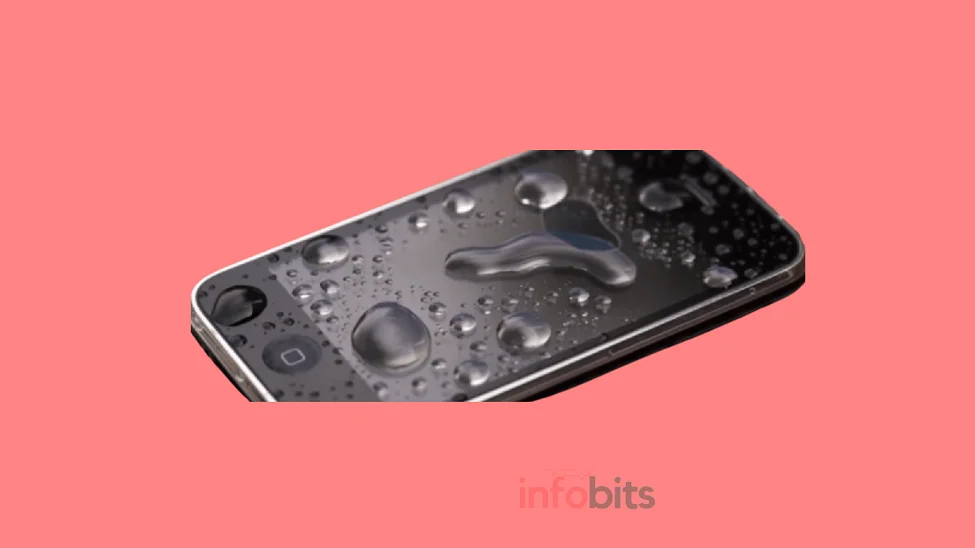
Your phone just slipped out of your hand into the sink, the toilet, a bucket, or a puddle on a rainy Mumbai street. Your stomach drops. What you do in the next five minutes matters more than almost anything you’ll do afterwards, so let’s skip the panic and get straight to it.
Quick Answer:
Take the phone out of the water immediately. Turn it off; don’t just lock the screen. Remove the case, SIM tray, and any accessories. Dry the outside gently. Do not charge it, shake it, blow into it, or use heat. Then let it sit in silica gel (not rice) for 24-48 hours before you try switching it on.
If you only read one paragraph of this guide, that’s the one. Everything below explains the “why” and covers the situations most articles skip: different liquids, warranty rules, repair costs in India, and how to actually tell if your phone is water-resistant or genuinely waterproof.
Water-Resistant Is Not the Same as Waterproof
This mix-up causes more damage than almost anything else. Most phones sold in India today, including budget models, carry some kind of IP (Ingress Protection) rating, and it’s easy to assume that means you’re safe.
An IP68 rating, common on flagship and upper-mid-range phones, typically means the device can survive submersion in up to 1.5 metres of fresh water for around 30 minutes under lab conditions. That’s a controlled test, though, not a guarantee. Real-world drops involve impact, water pressure changes, soap, chlorine, or salt, none of which the lab test accounts for.
Here’s the part manufacturers bury in the fine print: almost no phone brand covers water damage under standard warranty, even on an IP68-rated device. Samsung, Apple, and Xiaomi all treat liquid damage as accidental damage, not a manufacturing defect, so you’re on your own for repair costs regardless of the rating on the box.
The practical takeaway: treat every phone as if it isn’t waterproof, because for warranty and insurance purposes, it effectively isn’t.
Related: SIM Not Provisioned Error: How to Fix It on Jio, Airtel, Vi & BSNL
What to Do Immediately (Step-by-Step)
1. Get It Out of the Water Right Now
Every second submerged increases the risk. Don’t pause to grab a towel first. Retrieve the phone immediately, even if your hands are wet or you have to reach into something unpleasant like a toilet.
If the phone is genuinely IP68-rated and you pull it out within a few seconds, you may have avoided the worst of it. Still follow every step below regardless, because you can’t be sure how much water actually got in.
2. Turn It Off: Don’t Just Lock the Screen
If the screen is still responsive, power the phone down properly. If it’s unresponsive or already off, do not attempt to turn it on to “check if it works.” That single impulse causes more permanent damage than the initial dunk itself.
Water bridges tiny gaps between circuit contacts that are normally isolated. A phone that’s powered on with water inside can short-circuit components that would otherwise have survived just fine once dried.
3. Identify What Kind of Liquid It Was
This is a step almost every guide skips, and it genuinely changes what you should do next. Plain tap water or rainwater is relatively low-risk once you dry the phone properly.
Saltwater, pool water, soda, coffee, or any sugary or chlorinated liquid is a different problem entirely, because dried residue left behind is conductive and corrosive.
If the phone was exposed to something other than plain water, a quick rinse may help. First, switch off the phone. Then, gently rinse it with a small amount of clean, fresh water. This can help remove salt, sugar, or other residues that may cause corrosion later.
It may sound strange to use more water, but removing these residues can reduce the risk of long-term damage.
If the phone was exposed only to tap water or rainwater, you can skip this step. There is usually no sticky or salty residue that needs to be removed.
Related: Best Free Antivirus Apps for Android in 2026
4. Remove the Case, SIM Tray, and Anything Detachable
Take off any protective case, and eject the SIM/microSD tray immediately. Trapped water under a case or inside the tray slot has nowhere to evaporate and will sit against the phone’s body for days.
If your phone has a genuinely removable back panel and battery (rare on modern phones but common on some budget devices still sold in India), take those out too. Cutting off every possible path for residual current reduces short-circuit risk further.
5. Dry the Outside Gently
Use a soft, lint-free cloth or paper towel to blot ( not rub) visible water off the phone’s surface, charging port, speaker grilles, and headphone jack if it has one. The goal is removing surface moisture, not forcing water further in.
6. Do Not Shake, Blow, Heat, or Vacuum It
Each of these feels like it should help and actively makes things worse:
- Shaking pushes water deeper into gaps rather than out.
- Blowing into ports (with your mouth or compressed air) forces water further inside and can introduce moisture from your breath.
- Hair dryers, microwaves, ovens, or direct sunlight apply heat that can warp internal components, damage the battery, or in rare cases cause a lithium-ion battery to swell or catch fire.
- Freezers don’t dry anything; they just add condensation to the mix once the phone warms back up.
- Household vacuum cleaners create static electricity that can damage circuitry, and the suction rarely reaches water that’s already inside sealed compartments.
If you genuinely need to draw water out of a stubborn gap, a phone-specific USB-C or Lightning port vacuum tool (sold cheaply online) is the only device-safe option; a kitchen or shop vacuum is not.
If you’re worried about repeated exposure, say you work outdoors or commute in monsoon season, a genuinely IP68-rated phone like REDMI Turbo 5 (available on Amazon)with an official waterproof case is a far more reliable long-term fix than repeated drying sessions.
Related: BSNL 4G SIM Upgrade & Activation 2026: Complete Steps
Myth vs Fact: Does Rice Actually Work?
Myth: Burying your phone in a bowl of uncooked rice for a day or two will dry it out completely.
Fact: Rice absorbs some surface moisture, but it’s genuinely one of the weaker options available, and it comes with its own risk. Rice starch and dust can work their way into charging ports, speaker grilles, and button gaps, sometimes causing more blockage than the water did.
It also can’t reach moisture trapped deep inside the device, where the real damage risk lives.
| Drying Method | Effectiveness | Risk |
|---|---|---|
| Uncooked rice | Low-moderate | Dust/starch can enter ports |
| Silica gel packets | High | Minimal, if kept sealed |
| Silica cat litter (unscented) | High | Dust; use food-grade or fragrance-free only |
| Dedicated phone-drying pouch/kit | Highest | None significant |
| Air-drying near a fan (no heat) | Moderate | Slower, but safe |
| Hair dryer/oven/microwave | None; actively harmful | Battery damage, warping, fire risk |
Bottom line: silica gel packets, the kind that come in shoeboxes and electronics packaging, genuinely outperform rice, and a dedicated phone-drying pouch outperforms both. If you’ve got any of these lying around, use them instead of raiding the kitchen.
The Right Way to Dry a Wet Phone
Once you’ve powered it off, removed accessories, and dried the visible surface, here’s the actual drying process:
- Place the phone in an airtight container or a sealed ziplock bag along with several silica gel packets, or use a dedicated phone-drying pouch if you have one.
- Position the phone so its ports face downward or sideways, not upward, so gravity helps rather than trapping moisture.
- Seal the container and leave it in a cool, dry spot; not direct sunlight, which can overheat the battery.
- Leave it undisturbed for at least 24 hours, and ideally 48 hours if the phone was fully submerged for more than a few seconds.
- Resist every urge to open the bag and check on it. Opening and closing the container repeatedly introduces fresh humidity each time.
A reusable silica gel phone-drying pouch (available on Amazon) is worth keeping in your bag if you regularly travel during monsoon season or spend time near water. It costs less than a single repair visit and works far better than the rice-bowl method.
Related: Samsung Galaxy M14 5G Review: Is It Worth Buying?
Signs Your Phone Has Water Damage
Even if your phone seems to power on fine afterwards, watch for these warning signs over the following week:
- Fogging or condensation visible under the camera lens or screen
- A musty smell from the speaker or charging port
- Touchscreen behaving erratically or registering phantom taps
- Battery draining unusually fast or the phone overheating during normal use
- Speaker or microphone sounding muffled or distorted
- The phone randomly restarting or freezing
Most phones also have a small Liquid Damage Indicator (LDI) sticker inside the SIM tray slot or under the battery. It’s typically white or silver when dry and turns pink, red, or a dark colour on contact with moisture.
Technicians check this sticker first when you bring a phone in for any kind of repair, water-related or not. A triggered LDI is often grounds to deny warranty coverage even for an unrelated issue.
Testing Your Phone After Drying
Don’t rush this part. After the full 24-48 hour drying period:
- Reinsert the battery if it’s removable, but don’t plug it into a charger yet.
- Press the power button once. If it turns on and boots normally, that’s a good sign, but not a guarantee that everything is fine internally.
- Check the touchscreen responsiveness across the entire display, not just a few taps.
- Test the speaker, microphone, camera, and any physical buttons.
- Only connect it to a charger after you’ve confirmed it powers on and behaves normally on battery power alone.
- If everything checks out, back up your data immediately. Corrosion can develop over days or weeks even in a phone that initially seems fine.
If the phone doesn’t turn on at all, or shows any of the warning signs above, stop testing further and get it looked at professionally rather than repeatedly trying to force it on.
Related: How to Unlist Your Number from Truecaller Permanently
What a Water-Damage Repair Actually Costs in India
Repair costs vary significantly by brand, model, and how far the water travelled inside the device. Here’s a realistic range based on current Indian service-centre pricing:
| Phone Type | Typical Liquid Damage Repair Cost in India |
|---|---|
| Budget Android (Xiaomi, Realme, etc.) | ₹1,500 – ₹4,000 |
| Mid-range Android | ₹2,500 – ₹8,000 |
| Flagship Android (Samsung, OnePlus) | ₹5,000 – ₹15,000 |
| iPhone | ₹7,000 – ₹30,000, depending on model and damage extent |
These figures assume a straightforward cleaning-and-inspection job. If the motherboard, battery, or display took direct water damage, costs climb quickly, and on older phones it can genuinely be cheaper to replace the device than repair it.
Get a diagnostic quote before authorising any repair. Most authorised centres and reputable third-party repair chains offer this for free.
Does Warranty or Insurance Cover Water Damage?
Standard manufacturer warranty: No, in almost every case. Apple, Samsung, Xiaomi, and virtually every other brand classify liquid damage as accidental, user-caused damage rather than a manufacturing defect, so it falls outside standard warranty coverage, regardless of the phone’s IP rating.
Extended protection plans: Many brands and third-party providers in India sell accidental damage protection (ADP) plans specifically because standard warranty excludes this. If you bought one when you purchased the phone, check its terms. Liquid damage is often covered, sometimes with a deductible.
Mobile insurance: Standalone mobile insurance policies, sold by companies like OneAssist or through bank credit-card add-ons, frequently cover liquid damage as a named peril. If you have one, this is the moment to check your policy documents before paying out of pocket.
How to Prevent This From Happening Again
Prevention is genuinely the cheapest fix here. A few practical options:
- Waterproof pouches: Inexpensive clear pouches with a sealed window let you use your phone’s touchscreen even while it’s protected, and they’re worth carrying during monsoon season, at the beach, or around a pool. [Affiliate Opportunity] A clear waterproof phone pouch costs a fraction of a single water-damage repair and takes seconds to use before you head out in the rain.
- IP68-rated phones: If you’re due for an upgrade and regularly find yourself near water, prioritising a genuinely IP68-rated model gives you real (if not unlimited) protection against splashes, spills, and brief submersion.
- Rugged cases: For anyone working outdoors, on a boat, or on a construction site, a dedicated rugged case with sealed port covers adds a meaningful extra layer even on top of an already water-resistant phone.
- Habit changes: Keep your phone out of back pockets near pools, set it down before doing dishes, and avoid using it in the bathroom near the sink or bathtub. Most water-damage incidents come from entirely preventable moments of habit, not freak accidents.
Related: Fake Video Call Using AI: How to Spot a Deepfake Call
Common Mistakes People Make
- Turning it on “just to check.” This is the single most damaging thing you can do to a wet phone.
- Plugging it in to charge immediately. Charging introduces active current into a device that may still have water bridging internal contacts.
- Assuming an IP68 rating means it’s fine. It reduces risk; it doesn’t eliminate it, and it doesn’t protect your warranty either way.
- Using rice as the only drying method. It’s better than nothing, but meaningfully weaker than silica gel or a proper drying pouch.
- Not checking for a different liquid type. Treating a soda spill the same as a rainwater splash skips a step that meaningfully reduces corrosion risk.
- Giving up too early or waiting too long. Testing before 24 hours risks a short circuit; waiting weeks before addressing early warning signs risks corrosion setting in permanently.
Conclusion
The five minutes right after your phone hits water decide most of the outcome: get it out fast, power it off, strip away the case and SIM tray, and resist every urge to charge it, heat it, or turn it on to check.
Skip the rice bowl if you have silica gel or a drying pouch on hand, and if the liquid wasn’t plain water, don’t skip the quick fresh-water rinse to flush out salt or sugar residue.
Give it the full 24-48 hours before testing, watch for delayed warning signs over the following week, and back up your data the moment it’s confirmed working.
If it doesn’t recover, a diagnostic at a repair centre will tell you honestly whether it’s worth fixing, and going forward, a waterproof pouch or a genuinely IP68-rated phone is a lot cheaper than the repair bill you just avoided.
Related: How to Convert an eSIM to a Physical SIM in India
Frequently Asked Questions
Get it out of the water immediately, then turn it off completely. Don’t press random buttons or try to check if it still works. Power it down and move straight to removing accessories.
Yes, leave it off and don’t try to turn it on to test it. Follow the same drying process before attempting to power it up.
No. Charging a wet phone significantly raises the risk of a short circuit. Wait until it has fully dried, ideally 24-48 hours, and you’ve confirmed it powers on normally without a charger first.
It works to some extent by absorbing surface moisture, but silica gel packets and dedicated phone-drying pouches are meaningfully more effective and don’t carry the risk of rice dust entering your ports.
A minimum of 24 hours, and ideally 48 hours if the phone was submerged for more than a few seconds or dropped in something other than plain water.
No. Heat from a hair dryer can warp internal components, damage the battery, and in some cases cause it to swell or overheat. Stick to air-drying at room temperature.
Yes. An IP68 rating means the phone was tested to survive brief submersion under controlled lab conditions, not that it’s immune to real-world water damage. It also doesn’t guarantee warranty coverage for water-related issues.
Rarely. Manufacturers classify liquid damage as accidental, user-caused damage rather than a defect, so it’s excluded from standard warranty regardless of the phone’s water-resistance rating.
Watch for fogging under the camera or screen, a musty smell from the speaker or port, erratic touchscreen behaviour, fast battery drain, muffled audio, or random restarts in the days after the incident.
It’s a small sticker inside the SIM tray or under the battery that changes colour, usually to pink or red, when it contacts moisture. Technicians check it during any repair to determine whether water damage occurred.
Yes. Salt and chlorine residue is corrosive once it dries inside the device. Rinse the powered-off phone briefly in clean, still fresh water to dilute the residue before starting the drying process.
A household or shop vacuum isn’t recommended. It can generate static electricity that damages circuitry, and it rarely reaches water trapped in sealed sections. A dedicated phone-port vacuum tool is a safer, purpose-built alternative.
Costs typically range from ₹1,500–₹4,000 for budget Android phones, ₹5,000–₹15,000 for flagship Android devices, and ₹7,000–₹30,000 for iPhones, depending on the model and extent of damage.
Many phones do recover fully if you act quickly, power them off immediately, and dry them properly. Some develop delayed issues like corrosion or battery problems weeks later, which is why it’s worth monitoring performance closely for a few weeks afterwards.
Back it up as soon as the phone powers on successfully and appears to work normally, even before you’re fully confident it’s undamaged. Corrosion can develop later, so don’t wait to secure your data.
Stop trying to force it on and take it to an authorised service centre or a reputable repair shop for a professional diagnostic. Continuing to press the power button repeatedly won’t help and can occasionally cause further damage.
Many standalone mobile insurance plans and bank-card-linked device protection plans do cover liquid damage as a named peril, though standard manufacturer warranty does not. Check your specific policy terms.
Yes, as long as they haven’t already absorbed significant moisture from a previous use. Some silica gel packets can be dried out in a low oven (not with the phone inside) and reused.
Beyond the standard steps, gently wipe away visible dirt or debris from the exterior with a slightly damp, clean cloth before drying, and pay extra attention to speaker grilles and ports where sediment can settle and cause blockages.
Yes. Slow-developing corrosion on internal circuitry is a real risk, which is why unexplained battery drain, random restarts, or connectivity issues appearing weeks or months later are worth investigating, especially if you know the phone had a past water incident.
Related: Why does the mobile battery blast?
Hope this article is helpful to you. Stay updated about our new articles by following our Facebook and Twitter pages.
Subscribe to our free newsletter so that you will get regular updates directly in your Email.
Also, don’t forget to share the same with your relatives and friends.
Subscribe to be the first to learn about new information
Disclosure: As an affiliate, we may earn a commission on qualifying purchases made through some of the links in this blog post without changing the amount you paid.