How to Track Amazon Price History Before You Buy (2026 India Guide)
That “70% off” tag looks great. But was the product ever really sold at the crossed-out MRP? Amazon price history answers this in about 30 seconds.
I use a simple rule. I never buy anything above ₹2,000 without checking its price chart first. It takes less time than reading reviews, and it’s saved me from more bad deals than any coupon.
This guide shows you how to check price history, read the chart and set alerts. It also covers what to do during big sales like the Great Indian Festival.
Quick answer: Copy the Amazon product link and paste it into a price tracker such as Keepa, Price History or SpendMitra. Look at three numbers: the all-time low, the average price and today’s price. If today’s price is close to the lowest, buy it. If it’s far above, set a price drop alert and wait. Amazon itself offers a 30-day price history on its product page.
Why price history matters more in India
Indian e-commerce runs on big sale events. Prices go up and down all the time, and the “original price” shown on a listing doesn’t tell you what people actually paid.
The next big event is close. Amazon India has announced that the Great Indian Festival starts on October 8, 2026. Early Deals are already live across categories.
Sale pages are designed to make you hurry. A price chart slows you down just enough to check whether the deal is real.
What is Amazon price history?
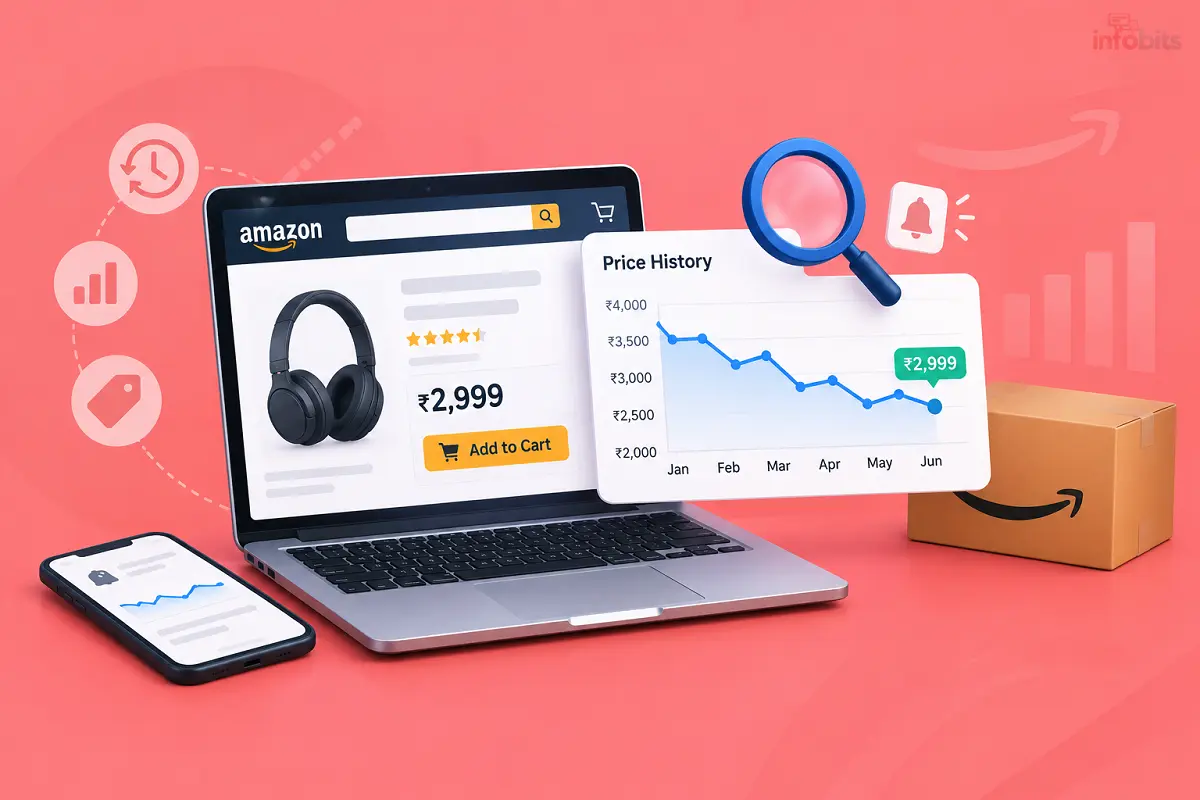
Amazon price history is a record of how a product’s price has changed over time. It is usually shown as a line chart. The chart marks the lowest price, the highest price and the average.
Think of it as a product’s past bills. You can see what it cost last month, during last year’s festive sale and on a random Tuesday.
Does Amazon show price history itself?
Yes. Amazon shows a built-in price history chart of the last 30 days on its product pages. You need a third-party tool to understand the long-term price change.
Amazon may also send price drop notifications for items in your cart or lists. That tells you the price fell. It doesn’t tell you whether the new price is actually good.
4 ways to track Amazon price history
| Method | Best for | Works on mobile? | Effort |
|---|---|---|---|
| Paste the link into a tracker website | Quick one-off checks | Yes | Very low |
| Browser extension (e.g. Keepa) | Frequent shoppers on laptop | Limited | Low, after setup |
| Share button from the Amazon app | Phone-only users | Yes | Very low |
| Link-prefix trick | Fast checks on desktop | Yes | Very low |
1. Paste the link into a tracker website. This is the easiest method. You don’t need to install anything. India-focused tools such as Price History and SpendMitra take an Amazon link and show the chart. SpendMitra says it shows up to one year of price data, plus the all-time low, average and current price.
2. Use a browser extension. Extensions add the chart right below the product on Amazon. Keepa is the best-known one. Its add-on supports many Amazon stores, including Amazon, and offers charts and price drop alerts.
3. Use the share button in the Amazon app. Some tools appear in your phone’s share menu. The Price History app, for example, lets you tap Share on the Amazon product page and pick the app to see the chart.
4. Use a link shortcut. Price History also offers a shortcut where you add “ph.live/” in front of an Amazon product link and press enter. The page then redirects to the price history of that product.
How to check Amazon price history, step by step
- Open the product page in the Amazon app or browser.
- Copy the product link. In the app, tap Share and then Copy link.
- Paste it into a tracker such as Price History, SpendMitra or Keepa.
- Wait a few seconds for the chart to load.
- Note the lowest price, the average price and today’s price.
- Decide using the rules in the next sections.
Some tools let you view history without an account. You usually need to sign up only when you set an alert.
How to set a price drop alert
Alerts do the waiting for you. You set a target price, and the tool notifies you when the price reaches it.
- Open the product’s chart on your tracker.
- Enter your target price. Pick something near the historical low, not a fantasy number.
- Choose how to be notified (email, app notification or Telegram, depending on the tool).
- Check that the alert is saved.
A good target is slightly above the all-time low. Hitting the exact lowest price is rare. A target within a few per cent of it is usually enough.
One more thing. Keep Amazon open in your cart or wishlist too, so you can buy within minutes of the alert. Festive-sale prices can disappear fast.
If you shop on Amazon regularly, a Prime membership can be worth it, because Prime members have historically got early access to big sales. That matters when a tracked product is popular and stock runs out quickly.
Keeping a small Amazon Pay balance topped up also helps you check out quickly the moment your alert fires.
How to read a price history chart
Don’t just glance at the line. Check these five things.
The all-time low. This is your benchmark. Compare today’s price to it.
The average price. If today’s price is below average, it’s a decent deal. If it’s above average, wait.
Sudden spikes before sales. Sometimes the price rises a few days before a sale and then “drops” to a number it already had. That’s a fake discount.
Who is selling? A product sold by Amazon itself and one sold by a third-party seller can have different prices. Some trackers follow the buy-box price, which is the price you’d actually pay when you click Add to Cart. That’s the number that matters.
Stock gaps. On Keepa charts, a shaded area shows when Amazon was selling the item, and white gaps between shaded areas mean Amazon was out of stock. Frequent gaps can mean unreliable supply.
Is it a real deal? A quick decision guide
Use this as a rule of thumb. It isn’t a law.
| Where today’s price sits | What it usually means | What to do |
|---|---|---|
| At or near the all-time low | Genuine deal | Buy if you need it |
| Below the 6-12 month average | Decent deal | Buy, or wait for a bigger sale |
| Around the average | Normal price | Set an alert |
| Above the average | Inflated or normal premium | Wait |
| Price jumped just before the sale | Likely a fake discount | Skip |
A worked example
Let’s say you want an Echo Dot. The numbers below are made up to show the method.
Listed MRP is ₹6,000. The sale price shows ₹3,999, which looks like a 33% discount. Now you check the chart.
The chart shows the usual price over the past year was ₹4,200. The all-time low was ₹3,499. So today’s “deal” is only slightly below normal and well above the lowest price.
The smart move is to set an alert at ₹3,600 and wait. You didn’t lose anything by checking.
If you’re eyeing a smart speaker, the Amazon Echo Dot is a good one to track, since Amazon often discounts its own devices during sales.
Seasonal products need extra care. Items like ACs and fans often get cheaper in the off-season.
If you’re planning a ceiling fan upgrade, check the chart of an energy-saving BLDC ceiling fan in winter before you commit, because off-season prices can be better.
Your plan for the Amazon Great Indian Festival 2026
Here’s a simple plan. Start a few days early, and don’t wait for sale day.
- Make a short list. Pick 3 to 5 products you really need. A long list leads to impulse buying.
- Check each chart now. Note the average price and the all-time low.
- Set alerts. Use a target close to the historical low.
- Check Early Deals. Some prices are already live before the main sale.
- Add bank offers last. Amazon has announced a 10% SBI discount and Prime member benefits for the festival. Subtract these from the price to get your real cost.
- Compare with Flipkart. The same product often has a different price there. Check both before paying.
For a running list of live offers, see our page on Amazon offers and our guide to the Flipkart Big Shopping Days.
What price history can’t tell you
Price history is powerful, but it has limits.
- Bank offers and coupons. The chart shows the listed price. Card discounts and coupons are applied at checkout.
- No-cost EMI details. The price may be the same, but check the EMI terms yourself.
- New models. A new product has little history. A price drop on an old model may just mean a new version is coming.
- Variants. A 128 GB phone and a 256 GB phone have different charts. Make sure the tracker shows your exact variant.
- Seller quality and warranty. A low price from an unknown seller isn’t a bargain. Read our explainer on what an onsite warranty means before buying appliances.
Common mistakes to avoid
- Trusting the “% off” label instead of the chart.
- Checking only the last 30 days. Look at 6 to 12 months.
- Waiting forever for the all-time low and missing a good price.
- Ignoring the seller name.
- Not checking if the tracker shows the right variant or colour.
- Buying on day one of a sale without checking, just because of urgency.
Warning signs of a fake discount
- The price rose sharply a few days before the sale.
- The “original price” has never actually appeared on the chart.
- The discount is huge, but the final price is above the usual selling price.
- Only one unknown seller offers the lowest price.
- The listing has few reviews but a very high rating.
Myth vs fact
| Myth | Fact |
|---|---|
| Sale day always has the lowest price | Not always. Many products are sold for less on ordinary days |
| A bigger discount % means a better deal | Only the final price vs history matters |
| Price trackers are 100% accurate | They’re good, not perfect. Treat them as a strong guide |
| All trackers show the same chart | Data sources and update times differ |
| Waiting always saves money | Sometimes stock runs out or the price rises. Use alerts, not endless waiting |
Troubleshooting
The chart doesn’t load. Check that you pasted an Amazon link, not a shortened or broken one. Try another tracker.
There’s no history for my product. The product may be new. Check similar products or wait a few weeks.
The tracker price differs from Amazon. Prices can vary by seller, pincode or Prime-only deals. Trust the price shown at checkout.
My alert never came. Check spam folders and notification settings. Make sure your target price is realistic.
The chart shows a different variant. Select the right size, colour or storage on Amazon first, then copy the link again.
Stay safe while using price trackers
Only install extensions and apps from official stores. Check the permissions they ask for. Never enter your Amazon password on a tracker site.
Fake shopping apps and clone extensions exist. Read our guide on smartphone malware and our tips to protect your bank account from hackers.
Your pre-buy checklist
- [1] I checked the all-time low and the average price.
- [2] Today’s price is close to the low, or I’ve set an alert.
- [3] I checked the exact variant and seller.
- [4] I subtracted bank offers and coupons to find my real cost.
- [5] I compared the price on Flipkart.
- [6] I read recent reviews and the return policy.
Conclusion
Checking Amazon price history takes less than a minute. It protects you from fake discounts and impulse buys.
Paste the link, read the chart and set an alert. Then buy when the price makes sense, not when the banner makes you nervous.
Frequently Asked Questions
Copy the product link from Amazon and paste it into a price tracker such as Keepa, Price History or SpendMitra. The chart shows the lowest, highest and average prices.
No. Amazon doesn’t show a built-in price history chart on product pages. You need a third-party tool.
Many tools let you view charts for free. Some ask you to sign up only when you set an alert.
There isn’t one best tool for everyone. Keepa supports Amazon and gives detailed charts, while India-focused tools are simpler to use.
Yes. Keepa’s add-on lists Amazon among its supported stores.
It’s built mainly for other Amazon stores. Check whether it covers Amazon before relying on it.
Open the product’s chart on your tracker, enter a target price and choose how to be notified. Pick a target near the historical low.
Compare the sale price with the chart. If the price rose just before the sale, or the “original price” never appeared on the chart, it’s likely fake.
A price slightly above the all-time low is usually realistic. Hitting the exact lowest price is rare.
Check 6 to 12 months. That covers last year’s festive sale and seasonal changes.
No. Many products have sold for less on ordinary days. Always check the chart.
Amazon India has announced that it starts on October 8, 2026. Amazon hasn’t announced an end date yet.
Only if the price matches your target. Use alerts and the chart instead of rushing.
Usually not. They show the listed price. Subtract card offers and coupons yourself to find your final cost.
Prices can differ by seller, pincode, variant or Prime-only deals. The price at checkout is the one you pay.
Install them only from official stores and check their permissions. Never enter your Amazon password on a tracker site.
Yes. Several India-focused tools track both Amazon and Flipkart. Compare both before you buy.
The product may be new or recently listed. Wait a few weeks or check an older, similar model.
It can show patterns, such as seasonal drops. It can’t guarantee what happens next.
For non-urgent items, yes. For things you need now, a price near the average is usually fine.
We hope you are interested in our articles and consider following our Facebook, Instagram, and Twitter pages for regular updates.
Also, share this article with your friends and relatives. Bookmark this page for future reference.
Subscribe to our free newsletter to get similar articles and regular updates directly in your Email Inbox.
Subscribe to be the first to learn about new information
Disclosure: If you follow our links to a retailer’s website and make a purchase, we will get an affiliate commission on some, but not all, of the items or services we promote. This will cause no price change for you.
You May Be Interested to Read:
- Best Amazon Echo (Alexa) Devices in India: Complete Buying Guide
- AC Buying Guide India: New BEE Ratings, GST Cut & What Really Matters
- Wi-Fi Router Buying Guide for India: How to Pick the Right One
- Mobile Buying Guide: How to Choose the Right Smartphone in India
- Best GPS Trackers for Cars & Bikes in India (Tested Picks + Buying Guide)