VoIP vs WiFi Calling: What’s the Real Difference?
You’ve probably used both without realising you were switching between them.
That WhatsApp call you made last night? VoIP. That call you made on your Jio or Airtel number while connected to your home Wi-Fi without needing any extra app? WiFi calling (also called VoWiFi).
Both technologies carry your voice over the internet instead of traditional phone networks. But they work quite differently under the hood, and those differences determine what each is good for, where each fails, and which one serves your needs better.
This guide explains everything clearly, without unnecessary jargon, with specific examples from the Indian telecom landscape.
Quick Answer: VoIP is a broad technology for making voice calls over the internet using apps like WhatsApp, Google Meet, Skype, or Zoom. It works on any internet connection (Wi-Fi, 4G, 5G, or even wired broadband) and routes calls through the internet , bypassing your mobile carrier’s network entirely.
WiFi calling (VoWiFi) is a specific feature provided by your mobile carrier (Jio, Airtel, Vi) that lets you make and receive regular phone calls through Wi-Fi instead of cell towers. It uses your phone’s native dialer, works with any phone number (not just smartphones with the app), and routes calls through your carrier’s network via your Wi-Fi connection.
The key difference: VoIP bypasses your carrier; WiFi calling extends your carrier’s service through your Wi-Fi.
The Simplest Way to Understand the Difference
Before getting into technical details, here’s the clearest way to understand the distinction:
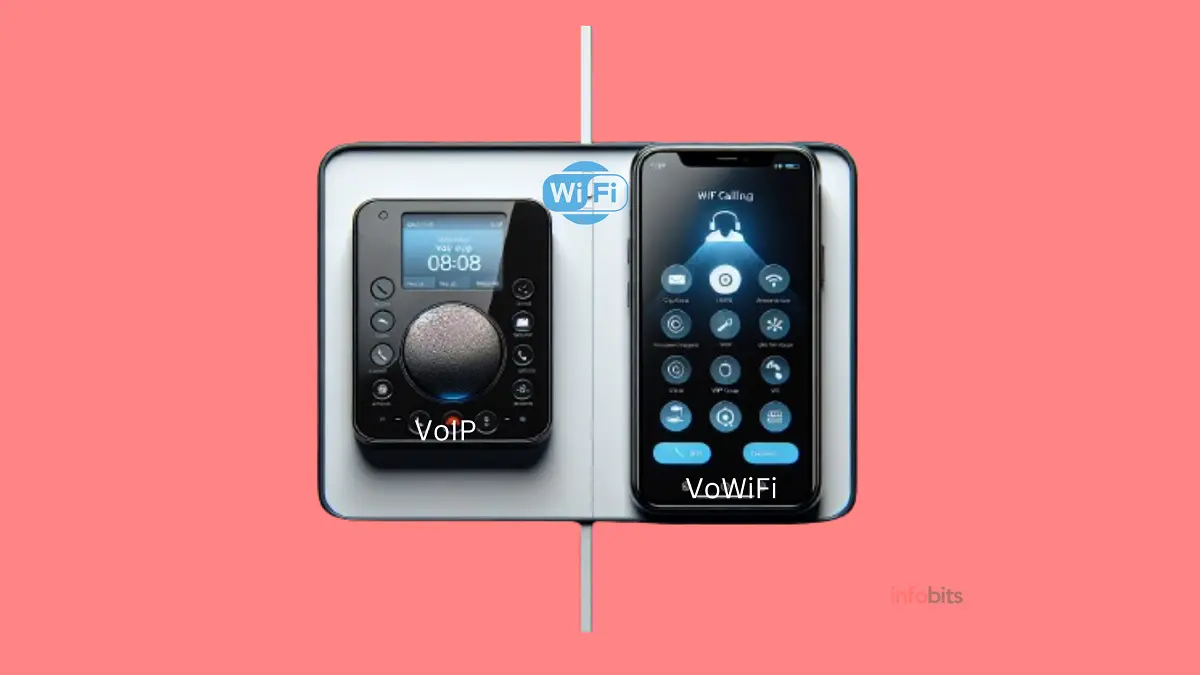
VoIP is the technology. WiFi calling is one application of that technology.
Think of it this way:
- “Transport” is the broad concept (VoIP = broad technology for voice over the internet)
- “Bus” is a specific type of transport (WiFi calling = a specific implementation of VoIP for carrier calls)
Both use VoIP principles at their core; voice is converted to digital data packets and sent over the internet. The crucial difference is who routes the call and where it ends up:
- VoIP apps (WhatsApp, Google Meet, Skype) route your call through the app company’s servers, bypassing your carrier network. The person on the other end needs the same app.
- WiFi calling routes your call through your carrier’s core network (Jio, Airtel, Vi) via your Wi-Fi connection. The call uses your phone number, and the other person just needs a regular phone, no app, no setup required on their end.
This single distinction explains most of the practical differences between the two.
What Is VoIP? A Clear Explanation
Voice over Internet Protocol (VoIP) is a technology that converts your voice into digital data packets and transmits them over the internet, rather than through traditional telephone copper wire networks (PSTN; Public Switched Telephone Network).
When you make a VoIP call:
- Your microphone captures your voice as an analogue signal
- The VoIP software on your device digitises and compresses the audio using an audio codec (commonly Opus, G.711, or G.722)
- The compressed audio is split into small data packets and sent over the internet
- At the receiving end, the packets are reassembled, decoded, and converted back to audio
This process happens continuously in near-real-time, resulting in a live voice conversation.
VoIP Is a Technology, Not a Single Service
This is an important distinction. VoIP isn’t one product; it’s a technology that underlies dozens of different communication services:
Consumer VoIP apps used in India:
- WhatsApp; 500+ million users in India; most popular VoIP app
- Google Meet / Duo; widely used for video and audio calls
- Zoom; dominant in business and education
- Skype; popular for international calls, especially to landlines
- Telegram; increasingly used for calls alongside messaging
- Microsoft Teams; enterprise communication
Carrier and business VoIP in India:
- BSNL WINGS; India’s first internet telephony service from a public sector carrier; allows you to make and receive calls on a virtual phone number via an app
- Jio (as VoLTE); Jio’s entire network was built on VoIP technology; every Jio call is technically a VoIP call over their LTE network.
- Business PBX systems (Zoho Voice, Exotel, Knowlarity, Servetel); widely used by Indian businesses for cloud telephony
Key Characteristics of VoIP
- Works on any internet connection; Wi-Fi, 4G, 5G, or wired broadband
- Works on any device; smartphone, laptop, desktop, tablet, VoIP desk phone
- Usually requires the same app on both ends (for consumer apps like WhatsApp)
- Bypasses your carrier; the carrier network is not involved in the call
- Uses your data balance (when using cellular data) or your Wi-Fi connection
- Not carrier-dependent; you can use WhatsApp calling with any SIM or even without a SIM
What Is WiFi Calling (VoWiFi)? A Clear Explanation
WiFi calling (officially called VoWiFi, Voice over Wi-Fi) is a specific feature provided by mobile network operators that lets you make and receive calls through a Wi-Fi connection instead of (or in addition to) a cellular tower connection.
The crucial thing to understand: WiFi calling is an extension of your regular mobile service. When you make a WiFi call through Jio or Airtel, the call:
- Leaves your phone over your Wi-Fi connection
- Reaches your carrier’s core network (IMS, IP Multimedia Subsystem infrastructure)
- Is routed exactly like a normal phone call from there
- Arrives at the recipient’s phone as a completely normal call
From the recipient’s perspective, a WiFi call is completely indistinguishable from a regular cellular call. No app. No account. Nothing special needed on their end.
The IMS Technology Behind WiFi Calling
WiFi calling is powered by IMS (IP Multimedia Subsystem), a framework developed by 3GPP (the global telecom standards body) specifically for delivering multimedia services, including voice, over IP networks while maintaining integration with existing carrier infrastructure.
IMS is what makes WiFi calling feel seamless: the same phone number, the same call quality standards (including HD Voice where supported), automatic handoff between Wi-Fi and cellular, and compatibility with every phone number in the world, not just smartphones with specific apps.
How WiFi Calling Works Step by Step
- Your phone is connected to Wi-Fi, and your carrier (Jio, Airtel, or Vi) has enabled VoWiFi on your account and device.
- You dial a number on your phone’s regular dialer, exactly as you would for any cellular call.
- Your phone detects that the Wi-Fi connection is available and strong enough to carry the call.
- Instead of connecting to a cell tower, the call is routed over your Wi-Fi to your carrier’s VoWiFi gateway.
- From the gateway, the call connects to the recipient through normal carrier infrastructure.
- The recipient’s phone rings normally; they have no idea the call came via Wi-Fi.
Key Characteristics of WiFi Calling
- Works only on Wi-Fi (not on 4G/5G or wired broadband)
- Works only on mobile phones (not laptops, desktops, or tablets)
- Requires carrier support; your operator (Jio, Airtel, Vi) must have enabled VoWiFi
- Requires device support; your phone must have VoWiFi capability (most smartphones after 2018 do)
- No additional app required; uses your phone’s native dialer
- The other person needs no app; works with any phone number worldwide
- Uses your regular talk plan; WiFi calling minutes count against your plan like normal calls
- Calls can seamlessly hand off between Wi-Fi and cellular as you move
VoIP vs WiFi Calling: Side-by-Side Comparison
| Feature | VoIP (WhatsApp / Meet / Skype etc.) | WiFi Calling (VoWiFi by Jio / Airtel / Vi) |
|---|---|---|
| What it is | Technology for voice calls over internet via apps | Carrier feature extending mobile service over Wi-Fi |
| Works on which networks | Any internet: Wi-Fi, 4G, 5G, wired broadband | Wi-Fi only |
| Device compatibility | Smartphones, laptops, desktops, tablets | Mobile phones only |
| Requires an app? | Yes, both caller and receiver need the same app | No, uses phone’s native dialer |
| Does receiver need to install anything? | Yes, same app required | No, works with any phone number |
| Carrier involvement | None, carrier is bypassed | Yes, call routes through carrier’s network |
| Uses carrier talk plan? | No, separate from your call plan | Yes, counted like a regular call |
| Uses internet data? | Yes, from your data plan or Wi-Fi | Yes, uses your Wi-Fi data, not cellular data |
| Phone number shown to receiver | App account name / linked number | Your regular mobile number |
| Works with landlines? | Skype to landline (paid) / some VoIP services | Yes, can call any landline or mobile |
| Handoff between Wi-Fi and cellular | No, stays on chosen network | Yes, seamless automatic handoff |
| Cost | Free (app-to-app); paid for landline calls | Usually included in carrier plan at no extra cost |
| Setup required | Download app, create account | Enable VoWiFi toggle in phone settings + carrier support |
| Available in India | Yes, all major apps available | Jio -Yes, Airtel-Yes, Vi-Yes, BSNL-Just started |
| Best for | International calls, group calls, video, cross-platform | Weak cellular signal areas, basements, rural coverage gaps |
VoIP and WiFi Calling in 2026
VoIP in India: The WhatsApp Factor
India has the world’s largest WhatsApp user base, over 500 million active users. For hundreds of millions of Indians, WhatsApp calls are VoIP calls in practical terms. WhatsApp calling has fundamentally changed how Indians communicate, particularly for:
- Free international calls to family members abroad (Indian diaspora in Gulf countries, US, UK, Canada)
- Group calls with extended family spread across states
- Video calls for remote work and online education
- Business communication (WhatsApp Business for customer service)
Beyond WhatsApp, Google Meet and Zoom became household names during and after the COVID-19 pandemic, and are now deeply embedded in India’s education and corporate sectors.
BSNL WINGS: India’s first internet telephony service from a public sector carrier deserves specific mention. BSNL WINGS provides a virtual phone number (with 0120 area code) through which you can make and receive calls over the internet using an app.
It’s available across India and is particularly useful in rural areas where BSNL has broadband coverage but limited cellular signal strength.
Related: Know About India’s First Internet Telephony (VoIP) Service – BSNL WINGS
WiFi Calling in India: Which Carriers and Phones Support It?
Carriers offering VoWiFi in India (as of 2026):
| Carrier | WiFi Calling Status | Notes |
|---|---|---|
| Jio | Available | Works on a wide range of devices; automatically activates on compatible phones |
| Airtel | Available | First Indian carrier to launch VoWiFi; broad device support |
| Vi (Vodafone Idea) | Available | Available on most compatible smartphones |
| BSNL | Just started in some areas | Rolling out in some states; BSNL 4G rollout ongoing |
Phone compatibility for WiFi calling in India: Most smartphones released after 2018 support VoWiFi.
Major manufacturers whose India variants support WiFi calling: Samsung, Apple (iPhone 6 and later with supported carriers), OnePlus, Xiaomi (most recent models), Realme, Vivo, OPPO, Motorola.
Note: The phone must be the Indian variant (or a variant that includes the relevant frequency bands and carrier certifications). International variants of phones sometimes lack carrier-specific VoWiFi certifications for Indian operators.
How to Enable WiFi Calling on Your Phone in India
On Android (Samsung, OnePlus, Xiaomi, etc.):
- Open Settings
- Go to Connections (or Network & Internet)
- Tap Mobile Network → Advanced → Wi-Fi Calling (or look for VoWiFi or Calls over Wi-Fi)
- Toggle it ON
On iPhone:
- Open Settings
- Tap Cellular (or Mobile Data)
- Tap Wi-Fi Calling
- Toggle Wi-Fi Calling on This iPhone to ON
Note: If you don’t see the WiFi calling option in your phone’s settings, one of two things is true: (a) your carrier hasn’t activated the feature for your SIM, or (b) your specific phone model isn’t supported for VoWiFi by your carrier. Try calling your carrier’s customer care to confirm.
The Relationship Between VoIP, VoLTE, and VoWiFi
This is a concept many people find confusing, and it’s worth clarifying precisely.
VoIP (Voice over Internet Protocol) is the parent technology, the broad principle of sending voice as internet data packets.
VoLTE (Voice over LTE) and VoWiFi (Voice over Wi-Fi / WiFi calling) are both specific implementations of VoIP technology; they use VoIP principles but are delivered through your carrier’s network.
Think of it as a family tree:
VoIP (parent technology)
├── Consumer VoIP apps (WhatsApp, Skype, Zoom, Google Meet)
│   └── Bypass carrier; require same app on both ends
└── Carrier VoIP implementations
    ├── VoLTE (Voice over LTE) - calls over 4G/5G cellular data
    └── VoWiFi (WiFi Calling) - calls over Wi-Fi via carrier
        └── Uses same carrier infrastructure, just different access method
In practice, Jio was built from the ground up as an all-VoIP carrier; there was never a 2G or 3G voice network. Every Jio call is a VoLTE call (VoIP over their 4G network). When Jio extended this to Wi-Fi, that became VoWiFi/WiFi calling.
Airtel similarly uses VoLTE for 4G calls and extended to VoWiFi for Wi-Fi coverage. The “handoff” feature, where your call switches seamlessly from cellular to Wi-Fi as you walk into your home, works because both VoLTE and VoWiFi use the same IMS infrastructure underneath.
Related: How to Turn VoLTE On or Off on Your Smartphone
When Should You Use VoIP Apps vs WiFi Calling?
Use VoIP Apps (WhatsApp, Meet, Zoom) When:
Making international calls: Calling family abroad? WhatsApp, Google Meet, FaceTime, and Telegram calls are free, regardless of the country.
A WhatsApp call from Mumbai to a number in the UK or Dubai costs ₹0. A regular international call or even a WhatsApp Business call to a landline costs money. For personal calls to people who have a smartphone, VoIP apps are unbeatable for international communication.
Video calls: VoIP apps like Google Meet, Zoom, WhatsApp, and Teams support video calling natively. WiFi calling is voice-only, with no video.
Group calls: WhatsApp, Google Meet, and Zoom support group calls with many participants simultaneously. WiFi calling is limited to standard one-to-one or conference calls through carrier infrastructure.
Using from a laptop or desktop: Need to take a call on your PC during a meeting? VoIP apps work on every device. WiFi calling only works on mobile phones.
When you don’t have a SIM: VoIP apps work independently of having a mobile SIM. If you’ve just arrived in a new country or your SIM is inactive, WhatsApp and similar apps still work over any Wi-Fi.
Business features: Cloud VoIP business systems (Exotel, Knowlarity, Zoho Voice, Freshdesk Contact Centre) provide call recording, IVR, call queuing, analytics, and CRM integration, features that WiFi calling cannot provide.
Use WiFi Calling (VoWiFi) When:
You have a weak cellular signal but strong Wi-Fi: The primary use case. If you’re in a basement, a building with thick walls, a hospital, or a rural area with poor tower coverage, but you have Wi-Fi, WiFi calling seamlessly routes your regular calls and SMS through that Wi-Fi.
No app switching, no explaining to the other person, no new account. Your number works normally.
Calling someone who doesn’t use WhatsApp or any VoIP app: You can’t WhatsApp-call someone who doesn’t have WhatsApp. WiFi calling works with any phone number on earth, mobile or landline, just like a regular call.
Calling emergency services (112): Emergency calls (112, India’s unified emergency number) routed through regular carrier infrastructure work reliably. VoIP apps are not a reliable substitute for emergency calling; their connectivity depends on app servers and internet stability.
WiFi calling, being carrier-based, handles emergency calls properly.
You want zero setup for the other person: If the person you’re calling is elderly or not tech-savvy, WiFi calling is invisible; their phone just rings normally. No “download WhatsApp” conversation required.
SMS over Wi-Fi: WiFi calling also enables SMS delivery over Wi-Fi in areas with no cellular signal (carrier-dependent; works with Jio and Airtel).
Sound Quality: Which Is Actually Better?
Both VoIP apps and WiFi calling have improved dramatically in recent years, and in ideal conditions- strong Wi-Fi, good internet bandwidth- both can sound excellent.
VoIP apps: Quality varies widely by app and network conditions. WhatsApp uses the Opus codec, which adapts to available bandwidth.
Google Meet and Zoom use proprietary codecs optimised for conferencing. Background noise suppression and echo cancellation in modern VoIP apps are genuinely impressive.
WiFi calling: Uses the same HD Voice (AMR-WB codec or EVS codec) that VoLTE calls use, carrier-grade voice quality that is slightly better than standard phone calls. Consistent quality because it’s managed by carrier QoS (Quality of Service) mechanisms.
Practical difference in India:
- In cities with strong JioFibre or Airtel Xstream broadband, both sound excellent
- In areas with unstable internet (common in semi-urban and rural areas), WiFi calling tends to be more consistent because carriers prioritise and manage the voice traffic
- For video calls over unstable connections, WhatsApp’s adaptive codec often handles packet loss better than video conferencing apps
Security and Privacy: What to Know
VoIP apps:
- WhatsApp uses end-to-end encryption (E2EE); even WhatsApp’s servers cannot access the content of your calls
- Signal offers even stronger privacy guarantees
- Zoom, Google Meet, and Teams have improved encryption but have had historical privacy concerns in enterprise contexts
- However, these apps do collect metadata (who you called, when, for how long) even if call content is encrypted
WiFi calling:
- Calls are encrypted between your phone and the carrier’s VoWiFi gateway using IPSec tunnelling
- Beyond the carrier’s gateway, calls travel through standard carrier infrastructure, subject to lawful interception as with any mobile call.
- Carriers in India are required to provide call data records and interception capability to law enforcement under TRAI and DoT regulations.
Bottom line: For calls you want to be private from your carrier and potentially from the government, E2EE VoIP apps like WhatsApp or Signal are more private.
For regular business and personal calls where the content isn’t sensitive, WiFi calling’s carrier-managed security is more than adequate.
Common Use Cases for Indian Users: Summary
| Situation | Best Choice |
|---|---|
| Calling family in UAE, US, UK for free | VoIP- WhatsApp, Google Meet |
| Calling someone who doesn’t have a smartphone | WiFi Calling (VoWiFi) |
| Making calls in a building with poor signal | WiFi Calling (VoWiFi) |
| Video conference for work/education | VoIP- Zoom, Google Meet, Teams |
| Emergency call (112) in weak signal area | WiFi Calling (VoWiFi) |
| Running a business phone system | Business VoIP (Exotel, Zoho Voice, BSNL Wings) |
| Making free calls without a SIM | VoIP – WhatsApp, Skype |
| Calling a landline number cheaply | Skype (paid), Google Voice, BSNL Wings |
| Group call with 10+ people | VoIP – WhatsApp, Google Meet, Zoom |
| Calling while travelling internationally on own number | WiFi Calling (avoids roaming charges for incoming domestic calls) |
Common Mistakes and Misconceptions
Misconception 1: “WiFi calling is the same as WhatsApp calling” They’re both internet-based, but they work very differently. WhatsApp calling requires both parties to have WhatsApp installed. WiFi calling uses your carrier’s network and works with any phone number. Jio/Airtel WiFi calling through your phone’s dialer is fundamentally different from WhatsApp calling.
Misconception 2: “WiFi calling uses my mobile data” WiFi calling specifically uses your Wi-Fi network, not your cellular data. Minutes count against your call plan, but the data bandwidth comes from your Wi-Fi connection; your mobile data is not consumed.
Misconception 3: “VoIP calls are always free” App-to-app calls (WhatsApp to WhatsApp, Zoom to Zoom) are typically free. However, calling a landline or a non-app number from VoIP apps usually costs money (Skype credits, for example). BSNL WINGS charges per-minute rates for calls to regular phone numbers.
Misconception 4: “WiFi calling will always be better quality than regular cellular” WiFi calling improves quality in areas where cellular signal is weak. In areas with strong 4G/5G coverage, regular cellular calls (VoLTE) and WiFi calling often sound identical; both use HD Voice and carrier QoS.
Misconception 5: “BSNL provides WiFi calling” As of 2026, BSNL does not offer VoWiFi/WiFi calling service to mobile subscribers. BSNL does offer BSNL WINGS, a separate VoIP internet telephony service, but this is fundamentally different from carrier WiFi calling. This may change as BSNL’s 4G and eventual 5G rollout progresses.
Related: How to Check BSNL 4G Coverage in Your Area – 3 Easy Methods
Troubleshooting: When VoIP or WiFi Calls Have Problems
VoIP App Call Quality Issues
Problem: Choppy or breaking audio on WhatsApp/Meet
- Check your internet speed (voice calls need at least 1 Mbps stable; video needs 3–5+ Mbps)
- Switch from cellular data to Wi-Fi or vice versa
- Close other bandwidth-heavy apps running in the background
- Try a different VoIP app; if WhatsApp is poor and Telegram is clear, the issue is WhatsApp-side or codec-specific
Problem: Call connects but no audio from one side
- Check app microphone permissions (Settings → Apps → WhatsApp/Meet → Permissions → Microphone)
- Restart the app
- Check if the speaker is working (make a regular call to test)
WiFi Calling Issues
Problem: WiFi calling option not visible in settings
- Your carrier may not have activated it for your SIM; call customer care
- Your specific phone model may not be certified for VoWiFi with your carrier
- Check if a carrier settings update is pending (iPhone: Settings → General → About; if prompted, update)
Problem: WiFi calling enabled but still using cellular
- Your phone prefers the stronger connection; if cellular signal is strong, it won’t use Wi-Fi calling unless configured to prefer Wi-Fi
- Some Android phones have a “Prefer Wi-Fi” option under the WiFi calling settings
Problem: Call drops when moving from Wi-Fi to an outdoor area
- The handoff between Wi-Fi and cellular is automatic but can cause a brief disruption
- Ensure VoLTE is also enabled on your phone; both VoLTE and VoWiFi must be active for seamless handoff
Users who want to improve their home Wi-Fi to use WiFi calling effectively would benefit from a reliable router. A mesh router like TP-Link Deco (view on Amazon) or Tenda MW5 (view on Amazon) improves whole-home Wi-Fi coverage and makes WiFi calling more reliable throughout the home.
Conclusion
VoIP and WiFi calling are related but distinct technologies that serve different needs:
VoIP apps (WhatsApp, Google Meet, Zoom, Skype) are versatile, free for app-to-app calls, work on any device, support video and group calls, and are ideal for international communication and remote work. The trade-off is that both parties usually need the same app.
WiFi calling (VoWi-Fi) extends your regular carrier service through your Wi-Fi connection, same number, same dialer, any recipient, no app required. It’s the most seamless solution for indoor coverage problems, rural connectivity gaps, and international travel where you want your regular number to work without roaming.
For most Indian users, the practical answer is: use both. WhatsApp for free international and video calls, and WiFi calling (if your carrier and phone support it) to fill the gaps in cellular coverage without switching apps or explaining anything to the person you’re calling.
Neither replaces the other. They work best as complementary tools.
Frequently Asked Questions
VoIP (Voice over Internet Protocol) is the broad technology that converts voice into digital data packets sent over the internet. Apps like WhatsApp, Google Meet, Skype, and Zoom are all VoIP services. WiFi calling (also called VoWi-Fi) is a specific implementation provided by your mobile carrier (Jio, Airtel, Vi) that lets you make and receive regular phone calls through Wi-Fi instead of cellular towers. VoIP apps bypass your carrier; WiFi calling extends your carrier’s service through your Wi-Fi connection.
WhatsApp calling is VoIP. It converts your voice into data packets and sends them over the internet through WhatsApp’s servers, completely bypassing your mobile carrier’s network. WiFi calling (VoWi-Fi) is a different feature provided by your carrier (Jio, Airtel, Vi) through your phone’s native dialer; it doesn’t require WhatsApp or any other app.
As of 2026, Jio, Airtel, and Vi (Vodafone Idea) all offer WiFi calling in India. Airtel was the first to launch VoWiFi in India. BSNL does not currently offer WiFi calling to mobile subscribers, though BSNL does offer BSNL WINGS, a separate internet telephony (VoIP) service. You also need a compatible smartphone to use WiFi calling.
No. WiFi calling specifically uses your Wi-Fi connection’s bandwidth, not your cellular mobile data. However, call minutes or seconds do count against your regular voice plan with your carrier; the difference is just that the voice travels over Wi-Fi instead of a cellular tower. If you’re on an unlimited plan, WiFi calling effectively costs nothing extra.
No. WiFi calling (VoWiFi from Jio, Airtel, or Vi) uses your phone’s built-in native dialer. You dial a number exactly as you would for any regular call; no additional app is needed. The person you call also needs no app; their phone rings as a completely normal call. This is one of the key advantages of WiFi calling over VoIP apps like WhatsApp.
Yes. WiFi calling routes calls through your carrier’s core network infrastructure, which properly handles emergency calls to 112 (India’s unified emergency number). This is an important advantage over VoIP apps like WhatsApp, which are not reliable channels for emergency services. In areas with weak cellular signal but available Wi-Fi, WiFi calling is the preferred method for emergency calls.
On Android: go to Settings → Connections (or Network & Internet) → Mobile Network → Wi-Fi Calling, and toggle it ON. On iPhone: go to Settings → Cellular (or Mobile Data) → Wi-Fi Calling → toggle it on. If the option is not visible, your carrier may need to activate it for your SIM (call customer care), or your specific phone model may not be certified for VoWiFi by your carrier.
As of 2026, BSNL does not offer WiFi calling (VoWiFi) for mobile subscribers. BSNL does offer BSNL WINGS, which is an internet telephony (VoIP) service that provides a virtual phone number (0120 area code) through an app. This is a different service from carrier WiFi calling. BSNL may add VoWiFi support as its 4G network rollout progresses.
App-to-app VoIP calls between users of the same app are typically free: WhatsApp to WhatsApp, Google Meet to Google Meet, Zoom to Zoom, etc. However, calling a regular phone number or landline through a VoIP app usually incurs charges (Skype credits, for example). BSNL WINGS charges per-minute rates for calls to regular numbers. WiFi calling from Jio, Airtel, and Vi typically uses regular carrier plan minutes, so the cost is the same as a cellular call under your existing plan.
Yes, with some important caveats. If you have Wi-Fi access abroad (in a hotel, airport, etc.), WiFi calling lets you make and receive calls on your Indian number without paying international roaming charges for the calls themselves. This can save money on receiving calls from India. However, check your carrier’s WiFi calling international policy; some carriers charge for WiFi calling when the device is roaming internationally.
In ideal conditions, both sound excellent. WiFi calling uses HD Voice (carrier-grade audio quality) and benefits from carrier QoS (quality of service) management that prioritises voice traffic. VoIP apps like WhatsApp use adaptive codecs that adjust to available bandwidth but can degrade if internet quality fluctuates. In areas with unstable internet, WiFi calling tends to be more consistent. For video calls, VoIP apps (Meet, Zoom) are superior as WiFi calling is voice-only.
VoLTE (Voice over LTE) is voice calling over a 4G LTE cellular data connection; it’s a carrier implementation of VoIP technology, just like WiFi calling. VoLTE uses the cellular network; WiFi calling uses Wi-Fi. Both use the same carrier IMS (IP Multimedia Subsystem) infrastructure underneath. This is why calls can seamlessly hand off from VoLTE (when you’re outside with a cellular signal) to WiFi calling (when you walk into your home) without disconnecting.
Yes. WhatsApp and other VoIP apps work independently of a SIM card; you need a phone number to register the app initially, but once registered, VoIP calls work over any Wi-Fi or internet connection even if the SIM is absent or inactive. This is different from carrier WiFi calling (VoWiFi), which requires an active SIM from a supporting carrier.
Yes. WiFi calling is specifically designed for situations with no or weak cellular signal. As long as you have a Wi-Fi connection, WiFi calling enables calls to and from your regular mobile number even with zero cellular signal. This makes it particularly useful in basements, rural areas, hospital interiors, and buildings with thick signal-blocking walls.
IMS (IP Multimedia Subsystem) is the infrastructure framework developed by 3GPP for delivering voice, video, and messaging over IP (Internet) networks while maintaining integration with traditional carrier networks. IMS is the core technology that makes WiFi calling work seamlessly; it handles call routing, authentication, quality management, and the handoff between cellular (VoLTE) and WiFi connections. Without IMS, WiFi calling could not integrate with the global phone network and would require all parties to have compatible apps.
Yes, with supported carriers. Jio and Airtel both support SMS delivery over Wi-Fi when cellular signal is unavailable. If you’re in a weak signal area with Wi-Fi, text messages sent to your number will be delivered via Wi-Fi. This extends the usefulness of WiFi calling beyond just voice; you can receive OTPs and messages even without a cellular signal.
It depends on the app and service. WhatsApp and Signal use end-to-end encryption (E2EE) for calls; the call content is encrypted so even the app company cannot access it. Google Meet and Zoom have improved their encryption but have had past privacy concerns in enterprise contexts. Carrier WiFi calling (VoWi-Fi) uses IPSec encryption between your phone and the carrier’s network, but calls are then subject to standard carrier lawful interception requirements, the same as any mobile call in India.
If your phone has a cellular signal (VoLTE enabled), the call automatically hands off to the cellular network with minimal disruption, typically a very brief audio interruption of under a second. If there’s no cellular signal either, the call will drop. This is why having both VoLTE and VoWiFi enabled on your phone is important for seamless call continuity as you move between indoor (Wi-Fi) and outdoor (cellular) environments.
WiFi calling is designed for individual carrier subscribers and is not suitable as a business phone system solution. For businesses needing call routing, IVR, recording, multi-agent handling, and CRM integration, cloud VoIP business systems are the appropriate choice. Indian business VoIP providers include Exotel, Knowlarity, Zoho Voice, Ozonetel, MyOperator, and Freshdesk Contact Centre, all of which provide enterprise-grade features that carrier WiFi calling cannot.
5G significantly improves VoIP call quality and reliability by providing faster, lower-latency cellular data connections. This makes both VoIP apps (which use cellular data) and VoLTE more consistent. The role of WiFi calling may evolve as 5G coverage in India improves; in areas with strong 5G signal, the need for WiFi as a fallback diminishes. However, in buildings with thick walls where even 5G signals struggle to penetrate, WiFi calling will remain important for indoor coverage. As BSNL, Jio, and Airtel expand 5G in India, the quality and availability of all voice-over-internet technologies will continue to improve.
We hope you are interested in this article on VoIP vs WiFi calling comparison and consider following our Facebook, Instagram, and Twitter pages for regular updates.
Subscribe to our free newsletter to get similar articles and regular updates directly in your Email Inbox.
Also, share this article with your friends and relatives. Bookmark this page for future reference.
Subscribe to be the first to learn about new information
Disclosure: If you follow our links to a retailer’s website and make a purchase, we will get an affiliate commission on some, but not all, of the items or services we promote. This will cause no price change for you.