AirFiber vs Fiber in India: Which One Should You Actually Buy?
Quick Answer:
Choose fiber (FTTH) if your building has it. It gives steadier speed, lower ping, higher data limits and usually a lower price for the same speed. Choose AirFiber if fiber isn’t available, or if you can’t wait weeks for a cable connection. It works over 5G radio, so setup is fast.
That’s the immediate answer. The rest of this guide shows you how to be sure.
Why This Question Matters Now
AirFiber is no longer a niche product. By August 2026, India had about 13.45 million 5G fixed wireless (FWA) subscribers, with Jio at roughly 9.42 million and Airtel at about 4.03 million, as per TRAI figures reported by TelecomTalk.
That’s a lot of homes choosing wireless over wire. But more users don’t mean it’s right for you. Your location, your work and your budget decide that.
What Is Fiber Broadband?
Fiber broadband (FTTH, or Fiber to the Home) sends data as light through thin glass cables. The cable runs from the provider’s exchange to your home. Inside, an ONT converts the light signal into a normal network cable connection for your router.
Because it’s a dedicated physical line, it isn’t affected by weather or by how many neighbours are online. This is why fiber is still the benchmark for home internet. JioFiber, Airtel Xstream Fiber, BSNL Bharat Fibre, ACT and regional ISPs all use it.
What Is AirFiber?
AirFiber is a brand name for fixed wireless access (FWA). There’s no cable from the exchange to your home. Instead, a nearby mobile tower beams a 5G signal to an outdoor unit on your roof or balcony. A cable carries it indoors to a Wi-Fi router.
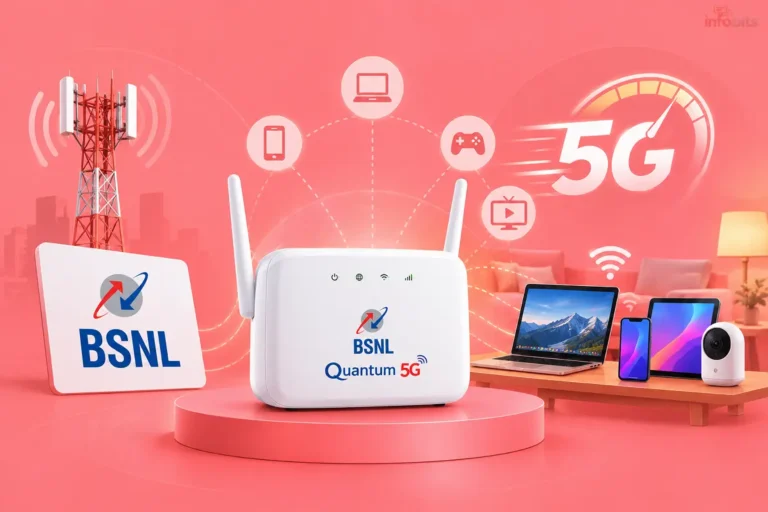
Jio AirFiber and Airtel Xstream AirFiber both use this 5G approach. Jio also runs some AirFiber connections on unlicensed band radio (UBR), which TRAI now reports separately. BSNL has its own version, Quantum 5G FWA, which is SIM-less and aimed at tier-2 and tier-3 cities.
It isn’t a portable hotspot. The outdoor unit is fixed to your address. If you move house, you’ll need a new setup.
AirFiber vs Fiber: Side-by-Side Comparison
| Factor | Fiber (FTTH) | AirFiber (5G FWA) |
|---|---|---|
| How it connects | Glass cable to your home | 5G radio to an outdoor unit |
| Typical speed range | 30 Mbps to 1 Gbps | 30 Mbps to 1 Gbps (Jio), up to 100 Mbps (Airtel) |
| Speed consistency | Very steady | Varies with signal and tower load |
| Typical ping | Low and stable | Usually higher, can fluctuate |
| Upload speed | Often symmetrical on higher plans | Usually lower than download |
| Data limit | Often 3.3 TB on Jio fiber plans | Usually about 1 TB, then speed drops |
| Installation time | Days to weeks, depending on cabling | Often within days |
| Availability | Limited by cable reach | Limited by 5G coverage |
| Weather impact | Minimal | Heavy rain or obstruction can hurt |
| Best for | Gaming, work, heavy households | Homes with no fiber option |
Note: This table is a guide, not a guarantee. Real results depend on your exact spot.
Speed: Advertised vs Real-World
Plan speed is a ceiling, not a promise. Fiber usually comes close to it all day. AirFiber can match it at quiet hours and fall short when many people share the same tower.
A 100 Mbps plan is plenty for most homes either way. It runs two 4K streams, a video call and a few phones without trouble. The difference shows up in the evening rush, when AirFiber speeds are more likely to dip.
Want to know what you’re actually getting? Run a test at different times, not just once. Our speed test tool is a quick way to do it.
Latency and Gaming: Where Fiber Pulls Ahead
Latency (ping) is how long data takes to travel and return. Fiber typically delivers low, steady ping. AirFiber is usually higher and can jump around because radio signals are shared and variable.
For browsing, Netflix and YouTube, you won’t notice. For competitive online games and live trading, you will. Jitter, the swing in ping from moment to moment, hurts more than a slightly higher average.
If you want the smoothest experience, use a LAN cable from the router to your PC. A decent Cat6 LAN cable costs very little on Amazon and removes Wi-Fi from the equation for gaming or work calls.
Reliability: Rain, Congestion and Power Cuts
Three things affect reliability. Here’s how each connection handles them.
- Weather: Fiber is mostly unaffected. AirFiber can slow in heavy rain or if trees and buildings block the signal path.
- Network congestion: AirFiber shares tower capacity with mobile users. Fiber gives you a dedicated line to your home.
- Power cuts: Both need electricity. The ONT or outdoor unit and the router go down when the power does.
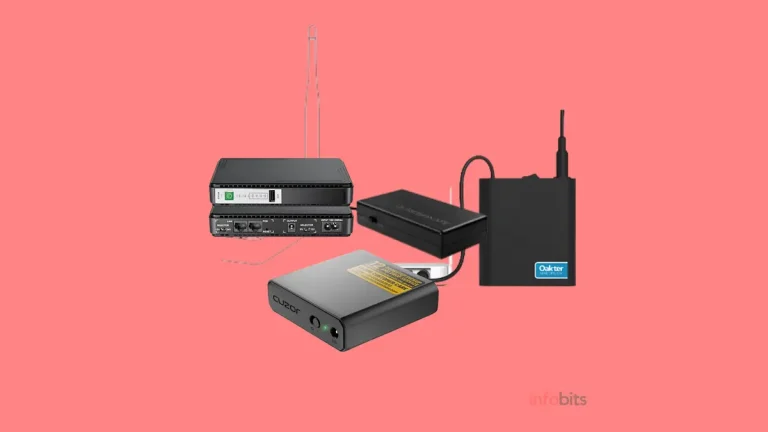
That last point catches many people out. A small DC mini UPS for your router keeps the connection alive for hours during outages, and it costs far less than a full inverter setup. We’ve compared the options in our guide to the best UPS for a Wi-Fi router.
Price: What You’ll Really Pay
Here’s what the published plans looked like in 2026. All prices exclude 18% GST and can vary by city.
| Provider and plan | Speed | Starting monthly price |
|---|---|---|
| JioFiber (wired) | 30 Mbps | around ₹399 |
| JioFiber (wired) | 100 Mbps | around ₹699 |
| Jio AirFiber | 30 Mbps | around ₹599 |
| Jio AirFiber | 100 Mbps | around ₹899 |
| Jio AirFiber Max | 300 Mbps to 1 Gbps | around ₹1,499 to ₹3,999 |
| Airtel Xstream Fiber (wired) | up to 1 Gbps | from around ₹499 |
| Airtel Xstream AirFiber | up to 100 Mbps | roughly ₹699 to ₹999 |
| BSNL Quantum 5G FWA | 100 or 300 Mbps | ₹999 or ₹1,499 |
Notice the pattern. On Jio’s published lists, 100 Mbps costs less on wired fiber than on AirFiber. You often pay a premium for the wireless convenience.
Also budget for extras:
- Installation: Around ₹1,000 has been common for AirFiber, often waived on 12-month plans.
- Booking or deposit: Some providers charge a small booking fee or refundable deposit.
- Long-term prepay: 6- and 12-month plans cut the monthly cost but lock you in.
Always check the final checkout total. It differs from the headline price.
Related: Jio AirFiber vs Airtel Xstream AirFiber: Full Comparison
Data Limits: The Fine Print
Most AirFiber plans advertise unlimited data but apply a fair usage policy. Airtel’s AirFiber has a 1 TB limit, after which speed falls to 2 Mbps. Jio AirFiber plans list about 1,000 GB, while some JioFiber plans list about 3,300 GB.
For a normal family, 1 TB is plenty. It’s roughly 330 hours of HD streaming. But if you download large game updates, run cloud backups or work with big video files, fiber’s higher limit gives you more room.
Availability: Which One Can You Get?
This is often the deciding factor. Fiber depends on whether the cable has reached your street, and in many apartment buildings, whether the provider has building access. AirFiber depends on 5G coverage and a clear signal path to the tower.
Check both before deciding:
- Enter your pincode and address on the Jio, Airtel and BSNL websites.
- Ask neighbours which provider works well in your building.
- Look at your phone’s 5G signal on your balcony and rooftop. Strong 5G outdoors is a good sign for AirFiber.
In a gated society, ask the association too. Some restrict outdoor units or require exclusive fiber contracts.
Installation and Setup
Fiber installation depends on cable access. It can be quick if the line is already at your building. Otherwise, it can take longer.
AirFiber is usually faster. A technician fits an outdoor unit, aims it for the best signal, runs a cable inside and sets up the router. Placement matters a lot here. A few feet of difference can change your speed noticeably.
Ask the technician to show you the signal reading and run a speed test before they leave. This is your best chance to fix a poor placement.
Which Is Better for Your Situation?
Work from home: Fiber, if available. Video calls and VPNs need a steady ping. AirFiber works well too, but keep a mobile hotspot as backup.
OTT streaming: Either. A 100 Mbps connection handles several streams. Jio’s bundled OTT and TV plans can make AirFiber good value.
Online gaming: Fiber. Lower, steadier ping is hard to beat.
CCTV and smart homes: Fiber is easier. Many AirFiber connections use shared IP addresses (CGNAT), which can complicate remote camera access and port forwarding. Ask about a static IP or IPv6 support first.
Rented flat: AirFiber is easier to set up quickly, though you’ll need the owner’s permission for an outdoor unit.
Village or small town: AirFiber, or BSNL’s wireless option, may be the only practical choice. Fiber may not exist yet.
Large house: Either one, but plan for mesh Wi-Fi. A Wi-Fi 6 mesh kit from brands like TP-Link or ASUS spreads coverage far better than a single router in the living room.
Choose Fiber If…
- Fiber is available in your building at a fair price
- You play competitive games or trade online
- You rely on remote CCTV or host anything from home
- You use a lot of data every month
- You want the most stable connection possible
Choose AirFiber If…
- Fiber isn’t available, or the wait is too long
- You need to get online within days
- Your building blocks new cable work
- You get strong 5G outdoors at your address
- You want a bundled TV and OTT plan from Jio or Airtel
Common Mistakes to Avoid
- Paying for a speed you can’t use. Old routers and weak Wi-Fi cap your speed long before the plan does.
- Skipping the availability check. Booking first and discovering poor signal later wastes money.
- Putting the router in a corner. Place it centrally and off the floor.
- Locking into 12 months blindly. Start with a shorter plan if you’re unsure about signal quality.
- Ignoring the outdoor unit position. It’s the single biggest factor for AirFiber quality.
- Forgetting power backup. Outages hit both connections.
Myth vs Fact
| Myth | Fact |
|---|---|
| AirFiber is just a mobile hotspot | It’s a fixed 5G connection with an outdoor unit and dedicated router |
| AirFiber is always slower than fiber | On a good signal, it can match mid-range fiber speeds |
| Fiber never has problems | Cable cuts, ONT faults and local maintenance can still cause outages |
| You can carry AirFiber anywhere | It’s tied to your installed address |
| More Mbps always means better internet | Ping, stability and Wi-Fi quality matter just as much |
Checklist Before You Book
- Checked fiber and AirFiber availability by pincode
- Compared total cost with GST, installation and deposits
- Confirmed data limit and speed after the limit
- Asked about static IP or IPv6 if you use CCTV or remote access
- Checked 5G signal at your balcony or rooftop
- Asked the society for permission if needed
- Planned a UPS for the router
- Choose a plan length you’re comfortable with
Troubleshooting: Slow AirFiber or Fiber
Speeds drop in the evening. Likely tower congestion on AirFiber. Test at different times and note the pattern. If it’s severe, ask the provider to check the outdoor unit alignment.
Good speed near the router, poor in other rooms. That’s a Wi-Fi problem, not an ISP problem. Try a better router position or a mesh system. Our guide on how to boost Wi-Fi speed covers the fixes.
Random disconnects. Restart the router and check cable connections. On AirFiber, check whether the outdoor unit has shifted or been blocked.
High ping in games. Switch to a LAN cable. If it’s still high, the connection itself may be the limit.
Fiber light is red. The ONT has lost the signal. Check the cable for bends, then call support.
Expert Tips
- Test at peak hours, not just when you book.
- Upgrade your router before you upgrade your plan. See our router buying guide and the comparison of Wi-Fi 6 vs Wi-Fi 7.
- If the provider’s router struggles with many devices, a good dual-band Wi-Fi 6 router from TP-Link or ASUS is an inexpensive fix. Check that your provider allows you to use your own.
- Keep a spare mobile data plan for emergencies.
- Keep the plan’s receipts and the technician’s test results in case you dispute a problem later.
What About BSNL and Regional Providers?
BSNL is pushing into both camps. Its Quantum 5G FWA is a wireless option starting at ₹999 for 100 Mbps and ₹1,499 for 300 Mbps.
It started in select cities such as Hyderabad and targets areas lacking fiber. Read our detailed look at BSNL Quantum 5G FWA and the explainer on BSNL Bharat Air Fibre.
In some states, regional fiber providers are strong too. See our guides to BSNL broadband plans, Asianet broadband plans and Kerala Vision broadband plans.
If you’re picking between the two big wireless brands, read Jio AirFiber vs Airtel Xstream AirFiber.
Final Verdict
If fibre is available at a fair price, take it. You get more stable speeds, lower ping and bigger data limits, often for less money.
If it isn’t, AirFiber is a solid answer, not a compromise. Check your signal, pick a plan with room to grow, and make sure the outdoor unit goes in the right spot.
Do that, and you’ll have a fast, dependable connection either way.
Frequently Asked Questions
Fiber uses a physical glass cable to your home. AirFiber uses 5G radio signals to an outdoor unit. Fiber is steadier, while AirFiber is faster to install.
On a strong signal, AirFiber is good enough for streaming, work and browsing. Fiber is still better for stability, ping and heavy use.
Both advertise similar speeds, up to 1 Gbps on some Jio plans. Fiber is more consistent, because AirFiber speed depends on signal and tower load.
Casual gaming works fine. For competitive games, fiber’s lower and steadier ping is the safer choice.
Yes, for many households, especially where fiber isn’t available. It may not suit heavy gamers, remote CCTV users or people who need a public IP.
Not always. On Jio’s published plans, wired fiber at 100 Mbps costs less than AirFiber at the same speed. Check current prices for your city.
Yes. Most plans say unlimited but apply a fair usage limit of around 1 TB. After that, Airtel drops speed to 2 Mbps.
Heavy rain or an obstructed signal path can reduce speed. Fiber is largely unaffected.
No. The outdoor unit and router need power. A mini UPS can keep them running for hours.
No. It depends on 5G coverage and tower capacity. Check availability by pincode on the Jio or Airtel website.
The outdoor unit is installed for one address. For a new home, you’ll usually need a fresh setup and availability check.
Often within a few days, though timing depends on your city and demand.
That depends on the provider. Many supply a router. Ask whether you can connect your own, ideally in bridge or access point mode.
Fiber is the safer pick for video calls and VPNs. AirFiber can work well too if you keep a backup connection.
Fiber, mainly because remote access is easier. Many AirFiber plans use shared IPs, so ask about a static IP or IPv6 first.
As of August 2026, about 13.45 million subscribers used 5G FWA services, with Jio around 9.42 million and Airtel about 4.03 million.
We hope you are interested in our articles and consider following our Facebook, Instagram, and Twitter pages for regular updates.
Also, share this article with your friends and relatives. Bookmark this page for future reference.
Subscribe to our free newsletter to get similar articles and regular updates directly in your Email Inbox.
Subscribe to be the first to learn about new information
Disclosure: If you follow our links to a retailer’s website and make a purchase, we will get an affiliate commission on some, but not all, of the items or services we promote. This will cause no price change for you.
You May Be Interested to Read:
- How to Configure a BSNL FTTH Modem (ONT) for Internet & Voice
- No Internet, Secured Error in Windows 10 & 11: 15 Fixes
- Best Wi-Fi Routers in India: 8 Tested Picks for Every Budget
- BSNL Quantum 5G FWA: Plans, Price, Speed, Availability and Is It Worth It?
- Vzy OTT and Live TV Platform Review: Plans, Channels, Pros and Cons