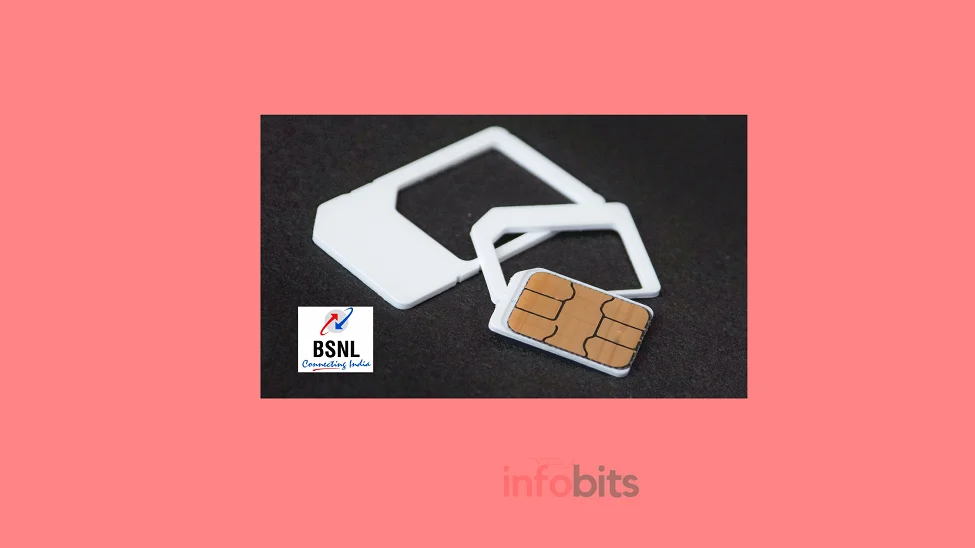
BSNL 4G SIM Upgrade & Activation 2026: Complete Steps
BSNL has quietly become one of India’s most talked-about networks again. With over 97,000 4G towers now live across the country and commercial 5G testing already underway in several circles, a lot of long-time BSNL users are finally getting a signal worth switching to.
If you’re still on an old 2G/3G SIM, though, none of that matters until you upgrade. This guide walks you through the entire process, from checking if your phone even supports 4G, to activating your new SIM, to turning on VoLTE for clearer calls.
Quick Answer: How to Activate a BSNL 4G SIM
- Get a 4G SIM from a BSNL office, CSC, or channel partner (free in most circles).
- If it’s an unpaired SIM, send
RE4G <last 6 digits of new SIM number> <circle code>to 53734 from your old SIM.- Confirm with
RE4G YESwhen BSNL replies.- Wait up to 24 hours (usually much faster) for the swap, then insert the new SIM.
- Turn on 4G/LTE and VoLTE in your phone’s network settings.
Full details, circle codes, and troubleshooting are below.
Related read: How to Get a BSNL Duplicate SIM Card
Where BSNL 4G Actually Stands in 2026
A lot of older guides on this topic (including our own previous version of this one) still say 4G “hasn’t launched everywhere yet.” That’s no longer accurate, so let’s update it.
In September 2025, BSNL activated close to 98,000 4G sites in a single coordinated rollout, built on indigenous technology developed with C-DOT, Tejas Networks, and TCS, making India one of the few countries running a homegrown telecom stack.
The company has since floated tenders for another 20,000–30,000 sites, with expansion continuing through FY27, particularly in rural and semi-urban areas that private telcos have historically underserved.
BSNL has also rolled out VoWi-Fi (Voice over Wi-Fi) nationwide to improve indoor call quality, and early 5G testing is underway in select circles, with a commercial launch targeted in major cities during 2026.
Practical takeaway: coverage is genuinely strong now in rural districts, hill states, and the northeast, areas where BSNL has traditionally had an edge. In dense urban pockets, signal strength can still vary block to block. It’s worth checking your specific area before you upgrade.
Related read: Check BSNL 4G Coverage in Your Area
Step 1: Confirm Your Phone Supports 4G (Band 3 / 1800 MHz)
BSNL’s 4G network runs primarily on Band 3 (1800 MHz). Most phones sold in India since 2017 support this, but it’s worth a 30-second check before you swap SIMs.
Method 1: Check via IMEI:
- Dial
*#06#on your phone to get your 15-digit IMEI number. On dual-SIM phones, use the IMEI for the slot you’ll use for BSNL. - Send an SMS in the format
KYM<IMEI NUMBER>(no space) to 14422. - BSNL replies with your device’s supported bands. If the response includes “LTE FDD Band 1” or “Band 3,” your handset is 4G-ready.
Method 2: Check the spec sheet: If you don’t have the phone’s manual, search the model name on GSMArena and look under the “Network” section for LTE band support.
If your current phone doesn’t support 4G, you’ll need a new handset to actually use the faster speeds. Even after the SIM upgrade, an old 3G-only phone will keep connecting at 3G/2G speeds.
Step 2: Get a BSNL 4G SIM
You have two realistic paths here, and which one applies to you depends on whether you already have a physical SIM in hand.
Option A: You Already Have an Unpaired 4G SIM
If you’ve collected a new 4G SIM from a BSNL office, channel partner, or a BSNL Mela event but it hasn’t been activated yet, you can self-activate it entirely by SMS. No store visit needed. Jump to Step 3.
Related read: How to Convert an eSIM to a Physical SIM in India (Jio, Airtel, Vi, BSNL)
Option B: You Don’t Have a SIM Yet
Visit your nearest BSNL Customer Service Centre (CSC) or an authorised BSNL retailer with:
- Your Aadhaar card (original + photocopy), or another accepted photo ID
- Your existing BSNL number and old SIM
Most circles now issue the 4G SIM free of cost as part of the upgrade drive; others charge a nominal ₹20–₹50.
The executive will typically complete an on-the-spot Aadhaar-based biometric verification and activate the SIM within a few hours. Often faster than the SMS method, since it skips the queue entirely.
Related read: BSNL USSD Codes and SMS Formats for Balance Check & Validity
Step 3: Activate Your BSNL 4G SIM via SMS
This is for unpaired SIMs where BSNL hasn’t already linked the number for you at the counter. Send both SMS messages from your old SIM, not the new one.
Step 3.1: Initiate the swap
Send this to 53734:
RE4G <last 6 digits of new SIM number> <circle code>
Example, for a Kerala customer whose new SIM ends in 456123:
RE4G 456123 KL
Step 3.2: Confirm your request
BSNL will reply asking you to confirm. Reply with:
RE4G YES
to 53734.
Step 3.3: Wait for confirmation
You’ll receive a message confirming your SIM swap request has been registered. The switch itself usually completes within 1 to 24 hours. In practice, most users report it finishing in 2–4 hours.
Your old SIM loses signal once the new one activates; that’s your cue to physically swap the SIM cards.
BSNL Circle Codes for the RE4G SMS
| Circle | Code | Circle | Code |
|---|---|---|---|
| Andhra Pradesh & Telangana | AP | Maharashtra & Goa | MH |
| Assam | AS | Mumbai | MU |
| Bihar & Jharkhand | BR | North East | NE |
| Chennai | CH | Odisha | OR |
| Delhi | DL | Punjab | PB |
| Gujarat | GJ | Rajasthan | RJ |
| Haryana | HR | Tamil Nadu | TN |
| Himachal Pradesh | HP | UP (East) | UE |
| Jammu & Kashmir | JK | UP (West) & Uttarakhand | UW |
| Karnataka | KA | West Bengal & Andaman-Nicobar | WB |
| Kerala & Lakshadweep | KL | Kolkata | KO |
| Madhya Pradesh & Chhattisgarh | MP |
If your circle isn’t listed or you’re unsure which one applies, call BSNL customer care at 1800-180-1503. It’s free from any network.
Before you swap the SIM physically, back up your contacts to your phone’s storage or a cloud account. Contacts stored only on the old SIM’s memory don’t carry over automatically.
Related read: How to Check BSNL 4G Coverage in Your Area: 3 Easy Methods
Step 4: Turn On 4G/LTE Network Settings
Once the new SIM is active and inserted:
- Go to Settings → Mobile Network (or SIM & Network on some Android skins).
- Select your BSNL SIM if you’re using a dual-SIM phone.
- Set the Preferred network type to 4G/LTE (or LTE/3G/2G Auto).
- On dual-SIM phones, most manufacturers only allow 4G on one slot. Make sure BSNL is in that slot if data speed matters to you.
If you’re also setting up mobile data manually, check your BSNL APN settings to make sure the access point name is configured correctly for your device.
Step 5: Activate BSNL VoLTE for Clearer Calls
VoLTE (Voice over LTE) routes your calls over the 4G network instead of falling back to 3G/2G, which means faster call connection and noticeably better voice clarity. It’s a separate step from just enabling 4G data.
Method 1: Activate via SMS
Send ACT VOLTE to 53733. Activation typically completes within 24 hours, though it’s often much quicker.
Method 2: Check Your Network Mode Settings
After activation, make sure your phone’s network mode is set to one of the following:
- VoLTE Enabled
- LTE Preferred
- LTE/WCDMA/GSM Auto
Enable VoLTE on Android
- Go to Settings
- Tap Mobile Networks
- Find the VoLTE toggle and switch it on
Enable VoLTE on iPhone
- Go to Settings → Mobile Data
- Tap Mobile Data Options
- Make sure 4G/LTE is enabled
- Select Voice & Data
Once it’s active, you’ll see a small VoLTE or 4G+ icon in your status bar. Almost every smartphone sold in the last few years supports it.
So if it’s missing, double-check that your recharge plan includes 4G data. VoLTE won’t work on a 2G/3G-only pack even if your SIM technically supports it.
Common Mistakes to Avoid
- Sending the SMS from the new SIM instead of the old one. The RE4G request must come from your existing, currently active number. Not the new SIM you’re trying to activate.
- Forgetting to check circle code accuracy. A wrong circle code is one of the most common reasons the swap request fails silently.
- Assuming VoLTE turns on automatically with 4G. They’re separate settings. You can have full 4G data with calls still falling back to 3G if VoLTE isn’t explicitly enabled.
- Not backing up contacts before the swap. Once the old SIM deactivates, anything stored only on that SIM’s memory is gone.
- Ignoring your recharge plan. 4G speeds and VoLTE calling both require an active 4G-compatible pack. An old 2G/3G-only plan won’t unlock either feature even on a fully activated 4G SIM.
Troubleshooting: SIM Swap Not Working?
No confirmation SMS after Step 3.1: Double-check the circle code and that you sent the message from your old, currently active BSNL number. Retry after 30 minutes if nothing arrives.
Old SIM still has signal after 24 hours: Call 1800-180-1503 or visit your nearest BSNL CSC with your old SIM and ID proof. The swap request may need manual intervention.
New SIM inserted but no signal: Restart your phone, and if that doesn’t help, remove and reseat the SIM. If it’s still not working after a few hours, see our guide on the SIM not provisioned error.
4G shows but no VoLTE icon: Confirm your recharge plan supports 4G data, and re-check the VoLTE toggle in network settings. It sometimes resets after a software update.
Getting a 5G-ready SIM but no 5G option: 5G is still in limited commercial rollout as of 2026. A 5G-ready SIM will simply run on 4G until BSNL activates 5G in your specific circle.
Myth vs. Fact
Myth: “BSNL 4G isn’t available in my area, so upgrading is pointless.” Fact: With ~97,000+ towers now live nationwide, most regions ( especially rural and semi-urban ones) have at least basic 4G coverage. Check the BSNL 4G coverage guide for your specific district before assuming it’s unavailable.
Myth: “I have to visit a BSNL office to upgrade to 4G.” Fact: If you already have an unpaired 4G SIM, the entire activation can be done by SMS from home. A store visit is only required if you don’t have the physical SIM yet.
Myth: “A 4G SIM automatically means I’ll get 4G speeds.” Fact: You also need a 4G-compatible phone, 4G/LTE enabled in network settings, and an active 4G data pack. Missing any one of these keeps you on 3G/2G speeds.
Conclusion
BSNL’s 4G rollout has gone from “promised” to genuinely operational in most parts of the country, and upgrading your old SIM is a five-minute job if you already have the new one in hand.
The SMS-based RE4G method is still the fastest self-service route, while a quick CSC visit with your Aadhaar card works just as well if you need the SIM issued from scratch.
Once you’re on 4G, don’t stop at just enabling data. Turning on VoLTE makes the biggest day-to-day difference in call quality, and it’s a step a lot of users skip.
Frequently Asked Questions:
You currently can’t purchase a BSNL 4G SIM entirely online. You need to collect it in person from a BSNL Customer Service Centre, channel partner outlet, or a promotional event like a BSNL Mela.
In most circles running the active upgrade drive, it’s free. Some circles charge a nominal ₹20–₹50 fee, so it’s worth confirming at your local CSC.
Typically 1 to 24 hours after you complete the SMS confirmation. In-person activation at a CSC with Aadhaar verification is often faster, sometimes completing within a few hours.
Yes, BSNL VoLTE is live across a large number of circles and continues to expand alongside the 4G rollout. You need to activate it separately from basic 4G data.
No, the SIM swap keeps your existing mobile number. Only the physical SIM card and its 4G capability change.
It automatically stops working once the new 4G SIM activates. You don’t need to manually deactivate it.
Yes, both prepaid and postpaid customers follow the same SIM swap and activation process.
Your Aadhaar card (or another valid photo ID accepted for telecom KYC) along with your existing SIM and number.
No. Contacts saved only on the old SIM’s storage don’t transfer. Back them up to your phone or a cloud account before the swap completes.
This usually means VoLTE isn’t enabled. Turn it on separately in your network settings, or activate it by SMS with ACT VOLTE to 53733.
Contact your local BSNL customer service centre, or check BSNL’s coverage information for your specific district before upgrading, since rollout ( while extensive) still varies by location.
BSNL has started testing 5G in select circles, with commercial rollout expected to begin in major cities during 2026. Existing 4G sites are built to be 5G-upgradable.
Refer to the circle code table in this guide, or call BSNL customer care at 1800-180-1503 to confirm.
The activation SMS needs to be sent using your old SIM regardless of your physical location, so travelling doesn’t prevent activation. Just make sure you’re using the correct home circle code, not the code for wherever you currently are.
Standard SMS charges from your existing plan may apply, though many BSNL prepaid and postpaid plans include free SMS that cover this.
A paired SIM is already linked to your number and activated by a BSNL executive at the counter. An unpaired SIM is blank and requires the SMS-based activation process described in this guide.
Yes, but insert it in the slot that supports 4G ( usually SIM slot 1 on most dual-SIM Android phones) to actually get 4G speeds and VoLTE calling.
This is often a network settings issue rather than an activation problem. Manually set the preferred network type to 4G/LTE, or check your APN settings.
Aadhaar-based biometric verification is the standard, fastest method used at BSNL CSCs, though other government-issued photo ID is generally accepted as proof of identity for telecom KYC.
Call BSNL customer care at 1800-180-1503, or visit your nearest BSNL Customer Service Centre with your ID and current SIM for manual assistance.
We hope this guide about how to activate a BSNL 4G SIM helped. Follow us on Facebook and Twitter for more step-by-step BSNL guides.
Subscribe to our free newsletter so that you will get similar articles and regular updates directly in your Email.
Subscribe to be the first to learn about new information
Disclosure: If you follow our links to a retailer’s website and make a purchase, we will get an affiliate commission on some, but not all, of the items or services we promote. This will cause no price change for you.