BSNL Fibre Keeps Disconnecting? 10 Causes and Fixes That Work
Your video call freezes. The lights on the ONT blink. Two minutes later, the internet is back, and then it drops again.
If BSNL fibre keeps disconnecting at your place, you are not alone. Many Bharat Fiber users across India face this. The cause is not always BSNL.
Sometimes it is a bent fibre cord behind the TV. Sometimes it is a weak power adapter. And sometimes it is a real fault on the street. This guide helps you find out which one, usually in about 15 minutes.
Quick answer: BSNL fibre usually keeps disconnecting for one of three reasons. First, a problem at your end, such as an unstable power supply, a bent or dirty fibre cord, or an overheated ONT. Second, a fault on BSNL’s side, such as a damaged cable, a bad joint, or an exchange problem. Third, an account or registration issue. Check the lights on your ONT first. A red LOS light or a PON light that stays off or blinking points to a fibre signal problem. If the lights look normal but the internet is gone, check your router, your account, or ask BSNL to test the line.
First, Find Out What Kind of Disconnection You Have
Not every drop is a fibre problem. Watch your ONT lights during the next drop and match what you see.
- Only Wi-Fi drops. The ONT lights stay normal, and a laptop on a LAN cable still works. The fibre is fine. Your router or Wi-Fi setup is the problem.
- Internet drops, but the ONT lights look normal. The fibre link is up, but the internet session is not. This points to an account, login, or network-side issue. Windows users who see “No Internet, secured” can also read our fix for that error.
- The ONT lights change when the internet drops. PON goes off or blinks, or LOS turns red. This is a fibre link problem, and it is the most common case.
A short phone video of the lights during a drop is very useful. It also helps when you talk to BSNL later.
What the Lights on Your BSNL ONT Mean
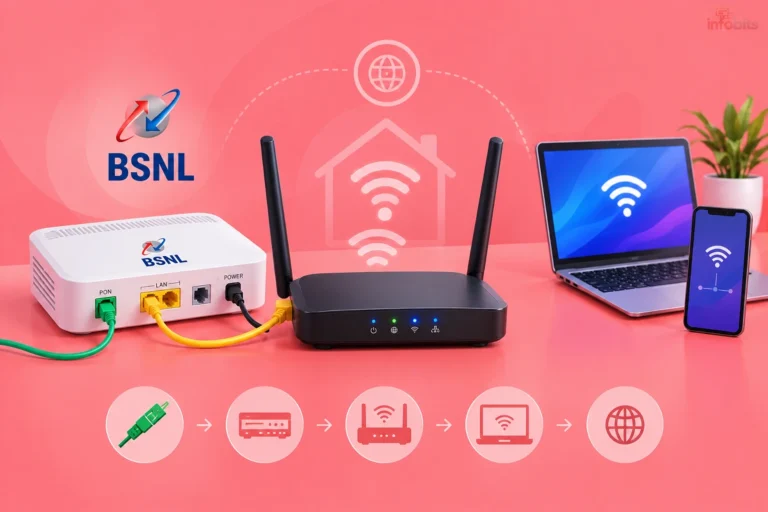
The small box that receives the fibre is called the ONT. Some people call it the ONU or the fibre modem. Light names vary a little by make, so check the labels on your device.
| Light | Normal | Problem sign | What it usually means |
|---|---|---|---|
| Power | Steady green | Off or flickering | Adapter, socket, or voltage problem |
| PON | Steady green | Off, or blinking for more than five minutes | The ONT cannot register with BSNL’s network |
| LOS | Off | Red, steady or blinking | No light, or very weak light, reaching the ONT |
| LAN | Green, blinks with data | Off | Cable to the router is loose, or the router is off |
| Internet or WAN (if present) | Green | Red or off | ONT is online, but there is no internet session |
LOS stands for Loss of Signal. A steady red light often means the signal is cut somewhere before it reaches you. A blinking red light can mean a weak or unstable signal, which is often a cord or connector problem close to the ONT.
After a restart, PON may blink for a minute or two. That is normal. If it is still blinking after five minutes, the ONT is not registering properly.
10 Reasons BSNL Fibre Keeps Disconnecting
Problems inside your home
- Unstable power or a failing adapter. The ONT runs on a small DC adapter. Voltage dips, a loose pin, or an ageing adapter can make it reboot again and again. From an electrical point of view, a fridge compressor or a pump motor starting up is enough to cause a short dip in many homes.
- A bent, pinched, or loose fibre cord. Fibre is thin glass. A sharp bend or a pinch lets light leak out, and the signal weakens. Door hinges, furniture legs, tape, and metal clips are the usual culprits.
- A dirty or damaged connector. Dust or a fingerprint on the connector tip blocks light. The link may work for hours and then drop. It often gets worse after someone moves the cord during cleaning.
- An overheated ONT. Many ONTs live inside cupboards, behind TVs, or under routers. Heat builds up, and the device starts to misbehave, often in the afternoon. Good airflow is a cheap fix.
- A faulty ONT or router. The optical part inside an ageing ONT can weaken over time. A router with wrong settings, old firmware, or too many connected devices can also cause drops that look like fibre problems.
Problems on the street and at the exchange
- A weak signal reaching your home. A long drop cable, many joints, a poor splitter, or a damaged cable can reduce signal strength. The link may work on some days and fail on others, especially when heat or humidity changes. Only BSNL can fix this, and the technician needs an optical power meter to confirm it.
- Cable cuts and road work. Road widening, pole shifting, and digging for other cables often damage fibre. When this happens, many homes on the same street lose service at once. Check with a neighbour before you spend an hour troubleshooting.
- Rain, lightning, and animals. Water can get into joint boxes during the monsoon. Lightning can damage ONTs and adapters. Rats, squirrels, and tree branches can also harm overhead drop cables.
- Faults at the exchange or in the backbone. Equipment problems, planned maintenance, or a cut in the main fibre between towns can drop whole areas. These usually return without any action from you. In rare cases, a faulty ONT at a neighbour’s home can also disturb others on the same fibre branch.
Account and registration problems
- Registration or account issues. After an ONT replacement, the new device must be registered properly in BSNL’s system. A plan that has expired or been suspended for non-payment can also cut service. A slow speed after crossing your monthly data limit is different. That is FUP throttling, not a disconnection, and our BSNL speed guide covers it. You can check your plan details in our BSNL broadband plans guide.
10 Quick Fixes to Try Before You Call BSNL
- Note the lights and the time. Check which lights change when the drop happens. Ask a neighbour on BSNL whether they are down too. If they are, skip to the complaint section.
- Restart the right way. Switch off the router. Unplug the ONT adapter and wait 30 seconds. Plug the ONT back in and wait up to five minutes until PON turns steady green. Then switch the router on.
- Check the power adapter and socket. Use the original adapter only. Try a different wall socket, away from heavy appliances. If you own a multimeter, check that the adapter output is close to the voltage printed on its label, and mind the polarity. A basic digital multimeter makes this check easy, and it helps with many other home electrical jobs too. Our best multimeters in India guide can help you choose.
- Trace the fibre cord. Follow it from the ONT to the wall or window where it enters. Straighten any kinks and move it away from door paths and furniture. Never tape it, staple it, or pull it tight. If the cord itself looks damaged, ask BSNL to replace it. If you prefer to buy one, match the connector type, which is usually a green SC/APC on GPON setups, and choose a single-mode cord.
- Reseat the connector. Gently pull the connector out and push it back until it clicks. Never look into the open end of a fibre cord or the ONT port. The light is invisible, but it can harm your eyes.
- Clean the connector only if it looks dusty. Do not use a cloth, tissue, or your finger. A 2.5 mm one-click fibre cleaning pen costs very little and cleans an SC connector in seconds, but confirm your connector type first. If you are not comfortable, ask the BSNL technician to do it.
- Give the ONT some air. Move it out of the cupboard. Keep it away from heat sources and do not stack it on the router. A small wall-mounted router shelf with open sides (view on Amazon) keeps the ONT off the floor and gives it airflow.
- Test with a LAN cable. Use a laptop on a LAN cable for an hour. If the wired connection stays stable while Wi-Fi drops, your Wi-Fi setup is the problem. Our guides on boosting Wi-Fi speed and fixing Wi-Fi dead zones will help. If only far rooms drop, a dual-band WiFi 6 mesh system such as the TP-Link Deco X50 (view on Amazon) is a sound upgrade over a single router. Read our mesh Wi-Fi guide before you buy.
- Check the optical power, if your ONT shows it. Some ONT admin pages show the received optical power (RX). As a general GPON guide, readings of about -8 to -25 dBm are healthy, -25 to -27 dBm is marginal, and anything weaker than -27 dBm is likely to cause drops. Exact limits vary by equipment, so treat the technician’s reading as final.
- Avoid a factory reset unless BSNL asks for it. A reset can wipe settings that BSNL or your local partner configured. Then even a healthy line may stay offline until someone sets it up again. If you must reset, photograph all your settings first.
Match What You See to the Likely Cause
| What you notice | Likely cause | What to try |
|---|---|---|
| Drops every few minutes, lights flicker | Loose or dirty connector, bad cord, or ONT hardware | Reseat and inspect the cord, then ask for a cord or ONT check |
| Drops when a fridge, AC, or pump starts | Voltage dip | Try another socket, check the adapter, add a UPS |
| Drops only in rain | Water in a joint box or outside cable damage | Complain and mention the rain pattern |
| Does not return after a power cut | ONT stuck or not registering | Restart after five minutes; call BSNL if PON stays off |
| Whole street is down | Cable cut, exchange, or backbone fault | Confirm with neighbours, then complain |
| Drops when a door or cupboard moves | Cord pressed or bent | Re-route the cord |
| Only Wi-Fi devices drop | Router or Wi-Fi issue | Test with a LAN cable, then fix Wi-Fi |
| Drops at about the same time daily | Maintenance, heat, or a heavy appliance | Keep a one-week log and share it with BSNL |
Why Power Backup Matters More With Fibre
Old copper landline phones drew power from the exchange line, so they kept working in a power cut. Fibre carries light, not electricity. Your ONT and router need mains power, so both go dark when the power goes out.
Residents in some towns have raised this exact worry when BSNL moved them from copper landlines to fibre. If you are making that move, our BSNL copper-to-fibre migration guide explains the process.
Power dips matter as much as power cuts. A short dip can reboot an ONT, and each reboot means a fresh login to BSNL’s network. A steady supply removes a whole class of random drops.
A 12V mini UPS made for routers is the simplest fix, since it can keep the ONT and router running through short power cuts. Check the voltage and polarity on both adapters first, then add up their current ratings and choose a UPS with some spare capacity. Our UPS for WiFi router guide compares the options.
Lightning is the other big risk, especially in the monsoon. For everyday protection, plug the ONT and router into a surge-protected power strip. A surge protector cannot stop a direct lightning strike, so unplug the devices during thunderstorms. You can read more about surge protectors and why an RCCB trips during lightning.
Who Fixes What?
| Problem | Who fixes it |
|---|---|
| Power adapter, socket, UPS | You |
| Router and Wi-Fi settings | You |
| Fibre cord inside the home, ONT | BSNL or its local partner |
| Drop cable, joint box, splitter | BSNL only |
| Exchange equipment, backbone fibre | BSNL only |
Knowing this saves time. If your checks point to the last three rows, stop troubleshooting and raise a complaint.
How to Complain to BSNL So It Actually Gets Fixed
- Collect your details. Keep your BSNL landline or FTTH number, the account holder’s name, your address, and the ONT light status handy.
- Call the toll-free number. BSNL lists 1800-4444 for Bharat Fiber, broadband, and landline services. Older BSNL pages also show 198 and 1800-345-1500, so use whichever works in your circle.
- Get the docket number. Ask for the complaint (docket) number and the promised repair time. Save both on your phone.
- Follow up locally. Many areas are served through local BSNL offices or franchise partners. A polite call to them, with your docket number, often speeds things up.
- Escalate if the deadline passes. Write to your circle’s Nodal Officer first. Then appeal to the Appellate Authority of your telecom circle. BSNL’s grievance page says this appeal should be made within 30 days after the redressal time limit ends. You can also file a complaint on the government’s CPGRAMS portal.
TRAI sets the quality rules, but it does not handle individual complaints. Its 2024 quality-of-service rules set a benchmark of fixing 99% of broadband faults within three working days. That is a network-wide target, not a personal guarantee, but it is a fair reference when you follow up.
TRAI also released a consultation paper in August 2026 with draft changes, including a ten-hour repair-time benchmark for wireline broadband and rebates for significant outages. These are proposals for now. Check TRAI’s website before relying on them.
Ask the technician to test the optical power at your ONT and to replace the cord or ONT if the readings look poor. Many stubborn drops end after that one step.
Checklist before you call BSNL
- Photo or video of the ONT lights during a drop
- Dates and times of the last five to seven drops
- Whether your neighbours are affected too
- What you have already tried (restart, cord check, wired test)
- Your BSNL account number or phone number and address
- The optical power reading, if your ONT shows it
Warning Signs You Should Not Ignore
- A hot, swollen, or burnt-smelling adapter or ONT. Unplug it and stop using it.
- A cut, frayed, or sagging fibre cable outside. Do not touch or try to join it. Report it to BSNL.
- A wet ONT or wet cables after rain. Keep the power off, dry the area, and call BSNL.
- Sparks or a tripping RCCB during storms. Unplug your devices and have your home wiring and earthing checked.
Common Mistakes to Avoid
- Restarting again and again within minutes. Give the ONT five minutes to register before you try anything else.
- Pulling the fibre cord tight or bending it sharply. This weakens the signal and can break the glass.
- Using a cheap duplicate adapter with the wrong voltage. It can cause reboots or damage the ONT.
- Factory resetting the ONT without a backup of settings. You may lose settings that BSNL configured.
- Calling BSNL without notes. A log of times and light status gets a faster and better response.
- Blaming fibre for a Wi-Fi problem. Always test with a LAN cable first.
Myth vs Fact
| Myth | Fact |
|---|---|
| Fibre never fails | It is glass. Bends, dirt, power problems, and cable cuts still cause drops. |
| If the lights are green, BSNL is at fault | Your router, Wi-Fi, or account can cause drops even when the lights look normal. |
| A UPS fixes all disconnections | It helps with power cuts and dips only. It cannot repair a cut cable. |
| A factory reset is a safe first step | It can erase settings that BSNL configured and make things worse. |
| FUP throttling means disconnection | FUP slows your speed. The connection stays on. |
Expert Tips
- Keep a simple log for a week. Date, time, and light status. It is your strongest evidence.
- Place the ONT somewhere cool and dry. Keep it away from door paths and kitchen heat.
- Run a speed test when the link is stable. Our Infobits speed test gives you a baseline to compare later.
- After any repair, wait and watch. Ask the technician to stay until PON is steady green and the connection holds.
- Keep a mobile hotspot ready. It saves your work calls while the fault is being fixed.
Fix It, Complain, or Switch? A Simple Decision Guide
- Lights normal, only Wi-Fi drops: Fix it at home. Work on router placement and settings.
- LOS red or PON off after the basic checks: Complain to BSNL and get a docket number.
- The same fault returns three or more times in a month: Escalate in writing to the Nodal Officer and the Appellate Authority.
- Still unreliable after proper escalation: Consider another provider available in your area. Our Jio AirFiber vs Airtel Xstream AirFiber comparison is a good starting point.
Fibre can fail on any network. What differs is how quickly faults get fixed in your area. Ask your neighbours before you decide.
Final Thoughts
Most BSNL fibre drops come down to a few simple things. Power, the fibre cord, and heat cause many of them at home. The rest need BSNL to fix something outside your walls.
Start with the lights, run the quick fixes, and keep a log. If the fault is on BSNL’s side, a clear docket number and good notes give you the best chance of a quick repair.
Frequently Asked Questions
The common causes are a failing power adapter, a bent or dirty fibre cord, an overheated ONT, a damaged cable outside, or a fault at the exchange. Check the ONT lights during a drop. They tell you which side the problem is on.
Blinking is normal for a minute or two after a restart. If it keeps blinking for more than five minutes, the ONT is not registering with BSNL’s network. That points to a fibre or setup problem that BSNL must check.
Check the power adapter, straighten the fibre cord, reseat the connector, and give the ONT airflow. If the drops continue, note the light status and times, and raise a complaint. Frequent short drops often mean a loose connector or a faulty ONT.
Water can enter joint boxes or damaged cables outside, and wet weather can also cause power fluctuations. If drops happen only in rain, tell BSNL clearly. This usually needs a field repair.
Not without backup. The ONT and router both need electricity. A mini UPS can keep them running for a few hours, depending on its battery.
Yes. A sharp bend or pinch lets light leak out, so the signal becomes weak or unstable. Re-route the cable in gentle curves and keep it away from doors.
As a general GPON guide, about -8 to -25 dBm is healthy. Readings weaker than -27 dBm often cause drops. Exact limits depend on the equipment, so ask your technician to confirm.
Not as a first step. A reset can erase settings that BSNL or your local partner configured. Try a normal restart and cable checks first, and reset only if BSNL asks.
Use a laptop on a LAN cable for an hour. If it stays connected while Wi-Fi drops, the problem is your router or Wi-Fi. If the wired connection also drops, or the ONT lights change, raise it with BSNL.
You can call the toll-free number 1800-4444 for Bharat Fiber, broadband, and landline faults. Older BSNL pages also list 198 and 1800-345-1500. Always note the docket number.
TRAI’s 2024 quality rules set a benchmark of fixing 99% of broadband faults within three working days. That is a network-wide target, not a personal guarantee. Ask for the deadline when you get your docket number.
Follow up with the local office, then write to the Nodal Officer and your circle’s Appellate Authority, quoting the docket number. You can also use CPGRAMS. TRAI sets the rules but does not handle individual complaints.
It helps only with power cuts and dips. It cannot fix a bent cord, a dirty connector, or a cable cut outside. Still, it is a smart low-cost addition for any fibre home.
Daily patterns often point to scheduled maintenance, heat building up in the ONT, or a heavy appliance starting at the same time. Keep a log for a week. It helps BSNL find the cause faster.
No. FUP slows your speed after you cross the monthly data limit, but the connection stays on. If the link actually drops, look at power, cords, and the ONT lights.
Yes. Surges through power lines or house wiring can damage the ONT, adapter, or router. Unplug them during thunderstorms, and use a good surge protector for everyday protection.
First, check whether the cause is inside your home. If BSNL-side faults keep returning after proper escalation, look at other providers in your area. Ask neighbours how quickly each provider fixes faults.
We hope you are interested in our articles and consider following our Facebook, Instagram, and Twitter pages for regular updates.
Also, share this article with your friends and relatives. Bookmark this page for future reference.
Subscribe to our free newsletter to get similar articles and regular updates directly in your Email Inbox.
Subscribe to be the first to learn about new information
Disclosure: If you follow our links to a retailer’s website and make a purchase, we will get an affiliate commission on some, but not all, of the items or services we promote. This will cause no price change for you.