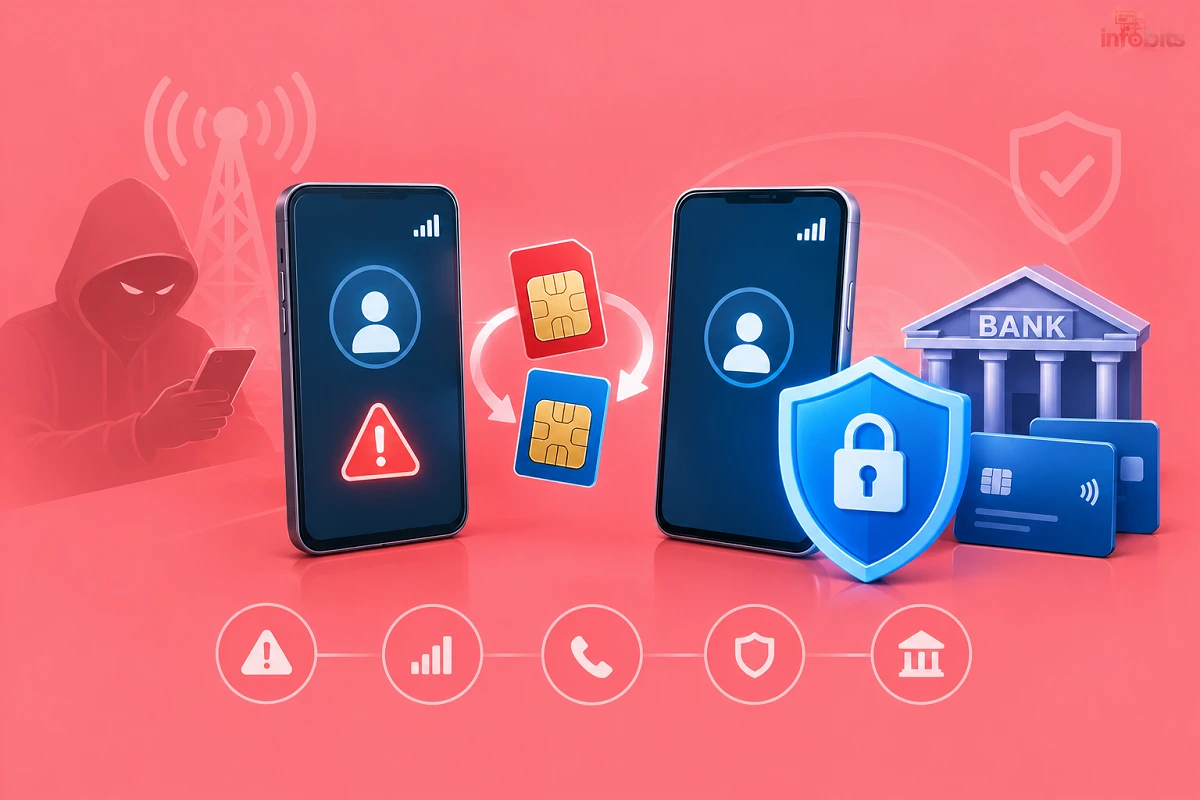
SIM Swap Fraud in India: Warning Signs and How to Protect Your Bank Account
Over the weekend of 4 to 6 July 2026, a mill owner in Nagpur’s Wadhoda area lost ₹9.88 crore from his bank account. According to his complaint, he did not click a link or share an OTP.
Police allege the accused used fake KYC documents to take over his mobile number through an eSIM swap. His number stayed the same, but control of it shifted to the fraudsters.
That is what makes SIM swap fraud so dangerous. It doesn’t depend on you making a mistake. This guide explains how it works, how to spot it early, and what to do in the first hour. I’ll also cover your rights under RBI rules, including what changes on 1 January 2027.
Quick Answer:
- What it is: A criminal gets a duplicate SIM or eSIM for your number. Your calls, SMS and bank OTPs then go to them.
- First warning sign: Your phone suddenly shows no network, while others around you have signal.
- First hour: Call your bank, call your operator from another phone, call 1930, and file at cybercrime.gov.in.
- Best protection: Move key accounts to app-based authentication, turn on all bank alerts, and never share OTPs or SIM details.
What Is SIM Swap Fraud?
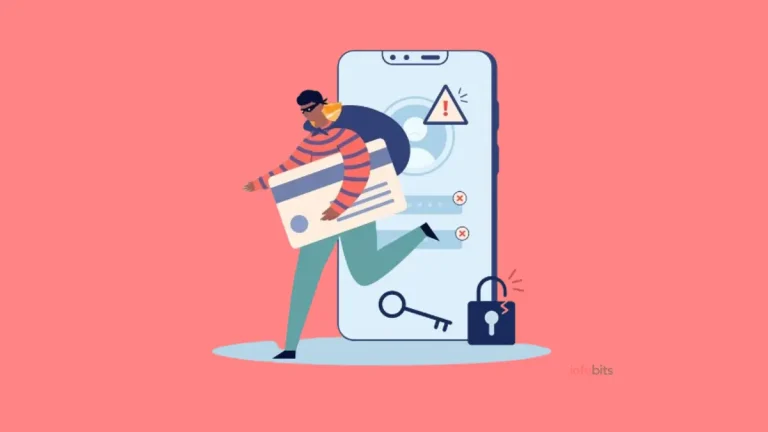
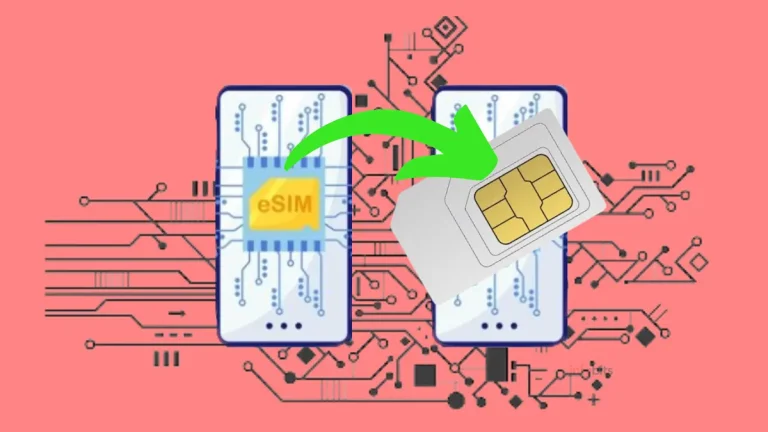
SIM swap fraud happens when a fraudster convinces your mobile operator to move your number to a SIM or e-SIM they control. Your own SIM then stops working. The fraudster receives your calls, SMS and OTPs.
Your mobile number is the key to your digital life. Banks, UPI apps, email and WhatsApp all use it to verify you. Take the number, and a criminal can try to take everything linked to it.
SIM Swap vs e-SIM Swap vs Other Number Takeovers
| Type | How it works | Key sign |
|---|---|---|
| SIM swap | A duplicate physical SIM is issued on your number | Your SIM goes dead |
| e-SIM swap | Your number is activated as an eSIM on the fraudster’s phone | Network loss, no physical card involved |
| Port-out fraud | Your number is moved to another operator using a porting code | Network loss, porting messages |
| Call forwarding trick | You are fooled into forwarding your calls | Calls and OTP calls go elsewhere |
| SIM cloning | SIM data is copied onto another card | Rare with modern SIMs |
How SIM Swap Fraud Works, Step by Step
- Data gathering. The fraudster collects your name, number, bank details and ID details. Sources include phishing, data leaks and misused KYC photocopies.
- The takeover. They get a duplicate SIM or e-SIM issued on your number, often using forged KYC papers.
- Your phone goes dead. Your SIM stops working, so you can’t receive the alerts that would warn you.
- The drain. They reset passwords, log in to net banking or UPI, and approve transfers with the OTPs they now receive.
- The cover-up. The money moves quickly through many accounts. In the Nagpur case, police say it was routed through more than 1,000 bank accounts.
Timing matters. In that case, investigators suspect the accused planned the transfers for a weekend, hoping to move money before anyone could stop it. Banks and offices are slower to react on Saturdays and Sundays.
How Do Fraudsters Get a Duplicate SIM in India?
There is no single method. These are the common routes.
Fake or forged KYC. In the Nagpur case, the accused allegedly used fake KYC documents to gain control of the number. A weak check at a retail outlet is all it takes.
Impersonation calls and messages. Fraudsters pose as your operator or as a regulator. They claim your SIM will be blocked, or that you need a “KYC update” or a “5G upgrade”. The goal is to get a verification code or your SIM details.
A similar pattern appears in the TRAI SIM closure scam, where fraudsters impersonate the regulator to push users into closing their SIMs.
If a caller mentions a “5G upgrade”, our explainer on whether a 5G phone supports a 4G SIM card shows why you rarely need any such change.
Insider help. Past police cases have involved insiders leaking account details. For example, in an older Karnataka case, a bank deputy manager was among seven men arrested for fraud involving duplicate SIM cards.
Malware. SIM swap is not the only way OTPs get stolen. Malicious apps can read your SMS directly. In a recent Gurugram case, a victim lost ₹1.64 lakh after being sent a fake gas bill link and an APK file.
Read our guides on smartphone malware and the best free Android antivirus apps.
Warning Signs of a SIM Swap
Speed matters. Act the moment you notice any of these.
The biggest red flag: sudden loss of network.
Your phone shows “No service” or “Emergency calls only” for no reason. Others near you have a normal signal. A restart doesn’t help.
Other warning signs:
- You get an SMS or email about a SIM replacement, e-SIM activation or porting request you never made.
- Calls and messages stop arriving.
- You see unexpected OTPs or password reset messages for your accounts.
- Your bank sends alerts about a new payee, a new device or a changed mobile number.
- WhatsApp or Telegram logs you out.
- Friends say they got odd messages from you.
- You can’t log in to your email or bank account.
Extra signs for e-SIM:
- You get an email or message about an e-SIM profile you didn’t request.
- Your number goes dead even though you still hold your phone and physical SIM.
Not every network drop is fraud. Tower outages and SIM faults happen too. If you suspect a simple fault, see our guide to the SIM not provisioned error. But if a network drop comes with unexpected alerts, treat it as an emergency.
What to Do in the First Hour
Every minute counts. Here is the order I recommend.
1. Call your bank’s fraud helpline right away.
Use another phone. Ask them to block net banking, UPI and cards. Take a complaint number. Find the number on the back of your debit card or the bank’s official website. Don’t search for it on Google, because fake helpline numbers are a known scam.
2. Contact your mobile operator.
Ask whether a SIM replacement or e-SIM was issued on your number. Request that it be blocked and your number restored. Get a complaint number in writing.
3. Call 1930.
This is India’s national cyber fraud helpline. It sends your complaint into a system that alerts banks to freeze the stolen funds. It works best when you call fast.
4. File online at cybercrime.gov.in.
Choose “Report Financial Fraud.” Use only this exact address. Keep your acknowledgement number.
5. Tell the bank in writing.
Email or submit a written complaint. State clearly that you did not share any OTP, PIN or password.
6. File an FIR.
Visit your local or cyber police station. Carry your ID, bank statements and screenshots.
7. Secure your accounts.
Once you have your number back, change passwords for email, banking and UPI. Remove unknown devices. Do this from a safe device.
What 1930 can and can’t do. It can place a hold on the specific stolen amount, not the fraudster’s whole account. Also, the cybercrime cell tracks and freezes funds but does not directly refund money. Refunds come through your bank.
Speed pays off. In the Nagpur case, police managed to freeze and recover ₹4.21 crore after the fraud was reported promptly.
Your Rights: What RBI Rules Say About Bank Fraud
Current Rules (Until 31 December 2026)
RBI’s 2017 customer protection circular sets liability based on how fast you report. Report within three working days of the bank’s alert and you have zero liability in third-party breach cases. After that, your liability grows.
| When you report | Your liability |
|---|---|
| Within 3 working days | Zero (in qualifying cases) |
| 4 to 7 working days | Limited to the transaction value or a capped amount, whichever is lower |
| After 7 working days | As per your bank’s board-approved policy |
The bank must also give you a temporary credit (shadow reversal) within 10 working days of your notification.
Zero liability is not automatic. It depends on the facts. Report in hours, not days.
What Changes on 1 January 2027
RBI issued new directions on 24 June 2026. They take effect from 1 January 2027. In short:
- Wider scope. “Fraudulent” electronic transactions now include those where a customer is tricked or coerced into acting, not just unauthorised ones.
- Faster resolution. Banks must resolve fraud complaints within 45 calendar days for domestic cases.
- 5-day reporting window. For zero liability in third-party breach cases, you must report within five calendar days.
- New compensation. Eligible individual victims can receive 85% of their net loss or ₹25,000, whichever is less, on losses up to ₹50,000, once in a lifetime. To qualify, you must report to the cybercrime portal or 1930 and to your bank within five calendar days.
- Limited period. The compensation only covers frauds occurring within one year of 1 January 2027.
Two details matter for SIM swap victims. First, the new definition of third-party breach includes telecom service providers.
A SIM swap caused by a telecom lapse may therefore fall under it, though each case turns on its facts. Second, the rules list “not updating your registered mobile number” as customer negligence. Always tell your bank when you change your number.
How to Protect Your Bank Account
You can’t control an operator’s verification process. But you can make yourself a much harder target.
1. Lock Down Your Mobile Number
- Never share OTPs, SIM serial numbers or verification codes. Your operator will not call and ask for them.
- Don’t reply to SMS asking you to confirm a SIM change unless you requested it.
- Ignore “KYC update” and “SIM will be blocked” calls. Hang up and use the operator’s official app or store.
- Ask your operator about extra verification. Some offer account passwords or alternate contacts. Ask what is available for your connection.
- Keep your banking number private. Avoid posting it on social media or giving it to every shop.
A SIM PIN helps if your phone is stolen, but it does not stop a fraudster from getting a duplicate. Our guide to locking your SIM with a PIN explains what it does and doesn’t cover.
2. Lock Down Your Bank
- Turn on SMS and email alerts for every transaction.
- Set low daily limits for UPI, net banking and transfers. Raise them only when needed.
- Disable services you don’t use. Switch off net banking or international transactions if you never use them.
- Ask for app-based authentication. RBI’s rules, effective 1 April 2026, require two-factor authentication for digital payments. SMS OTP remains valid, but banks must be able to offer alternative factors. Ask your bank which options it supports.
- Check your registered contacts. Make sure your bank has your current number and email.
- Learn how UPI binds to your number. Our guide to the UPI payment app explains how it verifies you.
For a broader security checklist, read our guide on how to protect your bank account from hackers.
3. Lock Down Your Identity Documents
Forged KYC is the fuel for SIM swap fraud. Protect your documents.
- Mask your Aadhaar when sharing a copy.
- Write the purpose and date on every photocopy, for example, “For SIM verification only, 21 Oct 2026”.
- Avoid sending ID photos on WhatsApp to strangers.
- Destroy old copies instead of binning them. A cross-cut paper shredder (available on Amazon) is a cheap way to do this.
- Check connections in your name. The government’s Sanchar Saathi portal has a tool called TAFCOP. It shows the mobile connections issued in your name, and an individual can hold a maximum of nine. Our guide to linking Aadhaar to your mobile number gives more context.
An important limit: TAFCOP shows connections issued in your name. It does not tell you whether a replacement SIM was issued on your existing number. For that, ask your operator directly.
4. Move Key Accounts Off SMS
Your email is the master key to your other accounts. Protect it better than your bank.
- Use an authenticator app instead of SMS codes.
- Switch to passkeys where available. See our explainer on Google Passkey.
- Consider a hardware security key for your primary email and cloud accounts. A FIDO2 key such as a YubiKey stops phishing and SIM swap attacks on that account. This is available on Amazon
- Use a password manager so every account has a unique password.
- Turn on WhatsApp two-step verification. It blocks account takeover even if someone gets your SMS code. See how to secure your WhatsApp chat.
Extra Steps for Business Owners and High-Balance Accounts
The Nagpur victim ran a business account with large, frequent transactions. Police say the accused watched the account for seven to eight months to learn its pattern. High-value accounts are a bigger target.
If you hold a large balance or a current account:
- Ask for dual approval on big transfers, where your bank offers it.
- Set a cap on online RTGS and NEFT limits.
- Register more than one contact for alerts, such as a partner or accountant.
- Get your relationship manager’s direct number. It is faster than a call centre on weekends.
- Check your phone signal on weekends and holidays. Fraud is often timed for those days.
- Ask your bank about a call-back verification for large payments.
What Regulators Have Done (and Haven’t)
TRAI’s 7-Day Porting Rule
Since 1 July 2024, operators cannot issue a porting code within seven days of a SIM replacement or swap. This stops fraudsters from quickly porting your number to another network.
The misconception: this rule does not prevent a SIM swap. The swap itself, and OTP theft on the same operator, are untouched by it. For more on porting, see our guide to mobile number porting.
SMS Restriction After a New SIM
Operators typically restrict SMS for the first 24 hours after a SIM is reissued. This is a deliberate anti-fraud measure. It gives you a short window to spot the problem. It doesn’t help if you don’t notice the network drop.
RBI’s Two-Factor Rules
From 1 April 2026, all domestic digital payments must use two-factor authentication. That helps, but if both factors depend on your SIM, the protection is thinner. App-based or device-based factors are stronger.
Sanchar Saathi: Know What It Covers
The Sanchar Saathi portal is useful, but it has limits.
- TAFCOP checks connections in your name.
- CEIR blocks lost or stolen phones. See our guide to finding a lost mobile in India.
- Chakshu reports suspicious calls and messages. But Chakshu does not handle financial fraud or cyber-crime cases. For money lost, use 1930.
Myths vs Facts
| Myth | Fact |
|---|---|
| “I never shared my OTP, so I’m safe.” | In a SIM swap, the OTP goes straight to the fraudster. |
| “TRAI’s 7-day rule stops SIM swap.” | It only blocks porting for seven days. |
| “e-SIMs can’t be swapped.” | e-SIMs rely on the same identity checks. Police allege one was misused in Nagpur. |
| “A SIM PIN prevents this.” | It protects your physical SIM, not the duplicate. |
| “Only rich people are targeted.” | Anyone linked to a bank account can be. High balances are just more attractive. |
| “The cyber cell will refund my money.” | They freeze funds. Refunds come via your bank. |
| “Reporting after a few days is fine.” | RBI timelines and fund freezes both depend on speed. |
Common Mistakes to Avoid
- Ignoring a network drop. Treat it as urgent if it comes with odd alerts.
- Waiting till Monday. Fraudsters plan for weekends.
- Calling a number from Google. Use the bank’s official channels.
- Sharing ID copies freely. Mask and mark every copy.
- Not updating your bank when you change numbers. RBI’s new rules treat this as customer negligence.
- Relying only on SMS OTP. Add an app-based factor wherever possible.
- Giving up after calling 1930. Also inform the bank in writing and file an FIR.
If Your Bank Doesn’t Resolve It
Keep records of every call, complaint number, email and screenshot. If the bank hasn’t resolved your complaint within a month, you can escalate to the RBI Ombudsman. Keep your complaint numbers from the bank, the operator, 1930 and the portal handy.
Your 10-Minute Safety Checklist
- Turn on SMS and email alerts for all bank transactions.
- Set daily UPI and net banking limits.
- Confirm your bank has your current mobile number and email.
- Ask your bank about app-based authentication.
- Move your email and key accounts to an authenticator app or passkeys.
- Turn on WhatsApp two-step verification.
- Check TAFCOP for unknown connections.
- Save your bank’s official fraud helpline in your phone.
- Save 1930 in your phone.
- Review old ID photocopies and destroy the ones you don’t need.
Final Takeaway
SIM swap fraud is quiet, quick and costly. The best defence is early detection and fast reporting.
Treat a sudden loss of network as a warning, not an inconvenience. Call your bank first, then your operator, then 1930. And don’t rely on SMS OTP alone for the accounts that matter most.
Frequently Asked Questions
It’s when a criminal gets a duplicate SIM or e-SIM issued on your number. Your calls, SMS and bank OTPs then reach them instead of you. They use this to access your bank, UPI and email accounts.
The biggest sign is a sudden loss of network while others nearby have signal. You may also get alerts about SIM replacement, or unexpected OTPs and bank messages. Contact your operator from another phone to confirm.
Yes. Fraudsters can use forged KYC, impersonation calls or insider help to get a duplicate. In the Nagpur case, the complaint says the victim did not click any link or share an OTP.
It can put your account at serious risk. With your number, a fraudster can receive OTPs and attempt transfers. Quick action with your bank and 1930 improves the chance of freezing funds.
Not automatically. An e-SIM relies on the same identity checks as a physical SIM. Police allege an e-SIM swap was used in the ₹9.88 crore Nagpur case. Safety depends on strong verification and your own precautions.
Borrow another phone and call your bank to block net banking and UPI. Then contact your operator to ask about a replacement SIM or e-SIM. If money has left your account, call 1930 immediately.
Do both as fast as you can. Your bank blocks further access, and 1930 triggers the fund-freezing process. Reporting to the bank also creates the record that your liability rights depend on.
Not always, but quick reporting helps. Under RBI’s current rules, reporting within three working days gives zero liability in qualifying third-party breach cases. The outcome depends on the facts of your case.
Under the 2017 rules, the zero-liability window is three working days. From 1 January 2027, the window for third-party breach cases becomes five calendar days. In practice, report within hours.
No. It blocks porting for seven days after a SIM swap but doesn’t stop the swap itself. It makes it harder to move your number to another network.
Ask your operator directly. The TAFCOP tool on Sanchar Saathi shows connections issued in your name, not replacements on your existing number. It’s still useful for spotting fake connections taken with your ID.
Not directly. Its Chakshu module reports suspicious calls and messages, but it does not handle financial fraud or cybercrime cases. For money lost, call 1930 and report it at cybercrime.gov.in.
It works, but it’s weaker if someone controls your number. RBI’s rules effective April 2026 keep SMS OTP valid but encourage alternatives. Ask your bank about app-based or device-based authentication.
No. A SIM PIN protects your physical SIM if your phone is stolen. It does not stop a fraudster from getting a duplicate SIM or e-SIM issued by the operator.
It can help. A number you rarely share is harder to target. But it is still tied to a SIM, so keep alerts on and use app-based authentication too.
In a SIM swap, the operator issues a genuine duplicate to the fraudster. In SIM cloning, the data from your SIM is copied onto another card. Cloning is rare with modern SIMs, while SIM swap is the common threat.
Possibly, if a lapse in verification is shown. RBI’s new rules list telecom providers under “third-party breach.” Each case depends on its facts, so file complaints with your bank, operator and the police.
Call 1930 and file a complaint at cybercrime.gov.in under “Report Financial Fraud.” Keep your acknowledgement number. Also inform your bank and operator in writing.
Not necessarily. Both can be targeted. What matters is the operator’s verification process and your own precautions.
Offences like identity theft and cheating by personation can fall under Sections 66C and 66D of the IT Act, and the cheating provisions of the Bharatiya Nyaya Sanhita. A lawyer or the police can advise on the exact sections for your case.
We hope you are interested in our articles and consider following our Facebook, Instagram, and Twitter pages for regular updates.
Also, share this article with your friends and relatives. Bookmark this page for future reference.
Subscribe to our free newsletter to get similar articles and regular updates directly in your Email Inbox.
Subscribe to be the first to learn about new information
Disclosure: If you follow our links to a retailer’s website and make a purchase, we will get an affiliate commission on some, but not all, of the items or services we promote. This will cause no price change for you.
You May Be Interested to Read:
- How to Convert an eSIM to a Physical SIM in India (Jio, Airtel, Vi, BSNL)
- BSNL 4G SIM Upgrade & Activation: Complete Steps
- External SSD vs External HDD: Which Should You Buy in India?
- Why Are RAM Prices So High in India? The AI Memory Shortage Explained
- ChromeOS Flex vs Lightweight Linux: Which Should You Choose?