
What Is UPI and UPI Lite? Full Guide to How UPI Works
Quick Answer: UPI (Unified Payments Interface) is India’s real-time payment system, built by NPCI and regulated by the RBI, that lets you send or receive money instantly between bank accounts using a Virtual Payment Address (VPA) instead of an account number or IFSC code. The standard daily limit is ₹1 lakh (higher for select categories). UPI Lite is a separate on-device wallet for small payments up to ₹1,000 per transaction, capped at a ₹5,000 wallet balance, that skips the PIN step for faster checkout.
Digital payments in India have moved well past internet banking and wallet apps like the early versions of Paytm. UPI is now how most people actually pay for everything from groceries to rent.
This guide explains what UPI and UPI Lite actually are, how a payment moves from your account to someone else’s in seconds, current transaction limits, the safety rules worth following, and how the feature-phone version (UPI 123PAY) fits in for users without a smartphone.
What Is UPI? (UPI Full Form)
UPI stands for Unified Payments Interface – a real-time payment system developed by the National Payments Corporation of India (NPCI) and regulated by the Reserve Bank of India (RBI) and the Indian Banks’ Association (IBA).
UPI lets you move money directly between two bank accounts instantly, using either NPCI’s own BHIM app or any of the dozens of UPI-enabled apps built by banks, payment companies, and digital wallets.
One of UPI’s core advantages is that it lets you link multiple bank accounts to a single app, and switch between them for different payments.
Related: How to Protect Smartphones from Malware
How Does UPI Work? Understanding VPA/UPI ID
Every UPI transaction runs on a Virtual Payment Address (VPA), more commonly called a UPI ID.
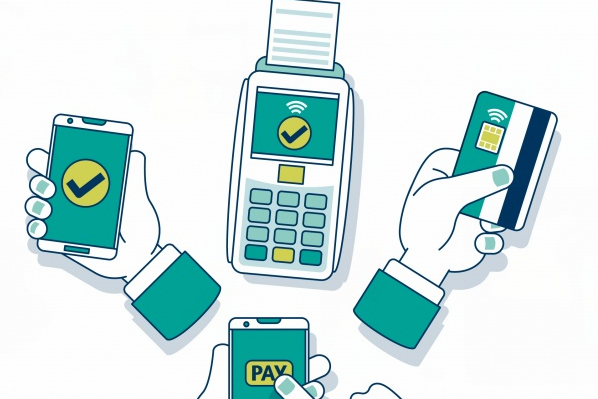
What is a UPI ID / VPA?
A UPI ID works like an email address, typically in the format name@bankname or name@apphandle. You create this once when you register on a UPI app, and it stays linked to your bank account permanently.
Once set up, your UPI ID is the only detail anyone needs to send or receive money from you; no account number, IFSC code, or internet banking login required. You’re essentially transacting between two Virtual Payment Addresses, with the banking system working invisibly behind the scenes.
Is UPI Payment Secure?
UPI is built on the same security backbone as regular internet banking, and it’s overseen directly by NPCI, which manages interbank transactions across the country.
Every UPI transaction uses two-factor authentication:
- Something you have: your registered mobile number, tied to your UPI ID.
- Something you know: your UPI PIN (MPIN), entered at the time of each transaction.
Both layers need to be satisfied for a payment to go through, which is why protecting your UPI PIN matters more than any other single step in staying safe on UPI.
How to Set Up and Use a UPI App
To start making UPI payments, install and register on a UPI-enabled app. Your options include NPCI’s own BHIM app, your bank’s dedicated UPI/mobile banking app, or a third-party app like Google Pay or PhonePe.
Registration is broadly the same across apps, even though the interface differs slightly:
- Download a UPI app from the Google Play Store or Apple App Store.
- Select your preferred language.
- Verify your registered mobile number via OTP.
- Create your UPI ID (VPA).
- Link your bank account.
- Set your UPI PIN using your debit card’s last six digits and expiry date.
Once your UPI ID is created and your bank is linked, you’re ready to send or receive payments.
Setting Up the BHIM App (Example)
- Download and install BHIM from the Play Store or App Store.
- Select your desired language.
- Verify your mobile number and set up a UPI ID or VPA.
- Choose the SIM with the number registered to your bank.
- Set a 4-digit login password for the app.
- Link your bank account.
- Set your UPI PIN using your debit card’s last six digits and expiry date.
- Your account is now registered and ready to use.
Don’t have a smartphone? You can still use UPI through UPI 123PAY, covered in detail further below.
Major UPI Apps in India (2026)
Most Indian banks now offer UPI either through their own app or integrated into their mobile banking app. Popular UPI apps include:
- Google Pay
- PhonePe
- Paytm
- BHIM (NPCI’s own app)
- Amazon Pay UPI
- CRED UPI
- WhatsApp Pay
- iMobile Pay (ICICI Bank)
- SBI YONO / BHIM SBI Pay
- MobiKwik
Many of these apps run periodic cashback offers or reward points on transactions. It is worth comparing if you use UPI frequently for online shopping. Amazon Pay UPI is a solid option if you already shop regularly on Amazon, since its offers stack with regular shopping discounts.
UPI Transaction Limits and Charges (2026)
| Limit Type | Amount |
|---|---|
| Standard daily UPI limit (P2P/P2M) | ₹1,00,000 |
| Special category limit (capital markets, IPO, insurance, education, healthcare, government payments) | Up to ₹5,00,000 |
| Verified merchant limit (select sectors, effective Sept 2026) | Up to ₹10,00,000 |
| Daily transaction count cap | 20 transactions (P2P + P2M combined) |
| New UPI registration limit (first 24 hours) | ₹5,000, regardless of account balance |
A few important notes:
- Some apps enforce a stricter internal cap. Google Pay and PhonePe, for instance, have historically limited some users to 10 transactions/day even though NPCI allows 20. If you hit an app-level limit, switching to another UPI app or your bank’s native app can help.
- Banks can set their own lower limits based on your account history and risk profile. Always check your specific bank’s cap if you’re planning a large transfer.
- UPI itself doesn’t charge individual users for standard P2P or P2M payments. A small wallet interchange fee (roughly 0.5%–1.1%) applies only to certain PPI-wallet merchant transactions above ₹2,000, and it’s paid by the merchant’s payment provider, not the customer.
What Is UPI Lite? Limits and How It Works
UPI Lite is an on-device wallet built into your UPI app, designed for fast, small-value payments without entering your UPI PIN each time.
Current UPI Lite Limits (2026)
| Limit | Amount |
|---|---|
| Per-transaction limit | ₹1,000 |
| Maximum wallet balance | ₹5,000 |
| Cumulative daily spending limit | ₹10,000 |
| PIN required? | No, for eligible transactions |
Note: These limits were raised from the earlier ₹500/₹2,000 caps under an NPCI circular; if you’ve seen older figures elsewhere, this is the current, higher version.
How UPI Lite Works
- Enable UPI Lite within your UPI app and link a bank account.
- Load money into the wallet (up to ₹5,000) using your UPI PIN. This is the only step that needs a PIN.
- Make payments up to ₹1,000 instantly, without entering your PIN again.
- An auto top-up feature can refill your wallet automatically from your linked account once the balance drops below a threshold you set, up to five auto top-ups per day.
Key things to know:
- UPI Lite transactions do not count toward your standard ₹1 lakh daily UPI limit or your 20-transaction count cap. It runs as a parallel rail.
- You can only debit from UPI Lite. All incoming payments and refunds are credited directly to your linked bank account, not the wallet.
- UPI Lite spends do not appear individually in your bank statement or passbook. Only the top-up transaction shows up. You’ll get a periodic SMS summary of your Lite spending instead.
- If your UPI Lite wallet stays inactive for six months, its balance is automatically refunded to your linked bank account.
- UPI Lite X, the fully offline version that lets you transact via NFC even without an internet connection, has since launched and is gradually rolling out across supported banks and devices. A step beyond the “coming soon” offline feature originally planned.
UPI Lite is available across most major apps today, including Google Pay, PhonePe, Paytm, and BHIM. It’s no longer limited to a single bank’s rollout phase.
UPI 123PAY: Using UPI Without a Smartphone
For India’s large base of feature-phone users, NPCI built UPI 123PAY, launched in 2022 as an upgrade to the older, more cumbersome *99# (NUUP) USSD service.
UPI 123PAY supports four ways to transact without a smartphone or internet connection:
- IVR calls: dial a number and follow voice prompts.
- Missed call payments: give a missed call and receive a callback to authorise payment.
- OEM/app-based access: limited UPI functionality built into some feature phones.
- Sound-based (proximity) payments: your phone “listens” for a unique audio code from a merchant’s payment device to complete the transaction.
To register: Dial *99# from the mobile number linked to your bank account, select your bank, verify with your debit card’s last six digits and expiry date, and set a UPI PIN.
Registered UPI 123PAY users can transact up to roughly ₹10,000 per transaction, within the standard ₹1 lakh daily UPI limit. No smartphone or internet connection required at any point.
Safety Tips for UPI Payments
- Never share your UPI PIN with anyone – not with a caller claiming to be customer care, not with someone you trust, and never write it down. If you’re worried about forgetting it, use a password manager instead of noting it on paper.
- Remember: entering your UPI PIN always sends money, never receives it. Any message claiming you need to “enter your PIN to receive a refund/payment” is a scam.
- Verify the amount before approving a collect request. A payment only completes after your explicit approval. Always double-check the amount and sender before tapping confirm.
- Keep your bank or app’s official customer care number saved, sourced from their real website or app, not a number found via a quick search or a message.
- Reject collect requests from strangers. Most apps flag requests from unknown senders with a warning. Take that warning seriously and decline.
Related: How to Protect Your Bank Account From Hackers
Myth vs Fact
Myth: You need to enter your UPI PIN to receive money. Fact: Your UPI PIN is only ever required to send or approve an outgoing payment. If a message tells you to enter your PIN to “receive” money, it’s a scam.
Myth: UPI Lite transactions are still capped at ₹200 per payment. Fact: That was the original 2022 limit. NPCI has since raised it to ₹1,000 per transaction and ₹5,000 maximum wallet balance.
Myth: UPI charges a fee on regular person-to-person payments. Fact: Standard P2P and most P2M UPI payments remain free for users. The small interchange fee that exists applies only to certain wallet-based merchant transactions above ₹2,000, and it’s paid by the merchant’s provider, not the customer.
Final Thoughts
UPI has changed the way people pay in India. You no longer need to share your bank account number or IFSC code for a simple payment. A UPI ID can handle it in seconds. You can use it for everything from everyday purchases to larger bank transfers.
Regular UPI is the main payment system. It works directly with your bank account and uses your UPI PIN to authorize payments. For most users, it is fast, convenient, and easy to set up.
UPI Lite takes a slightly different approach. It is designed for smaller, everyday payments. You load money into the Lite balance first. You can then make eligible payments without entering your UPI PIN each time. That makes it useful for quick purchases.
If you don’t have a smartphone, UPI 123PAY provides another option. It brings UPI payments to compatible feature phones through methods such as IVR calls, missed calls, and sound-based payments.
Whichever method you use, security should remain a priority. Never share your UPI PIN. Don’t enter it just because someone says you need it to receive money. Always check the recipient and amount before approving a payment.
UPI features, limits, and supported services can change over time. So, it’s worth checking your bank or UPI app for the latest details. For everyday digital payments in India, though, UPI remains one of the simplest ways to move money quickly and securely.
Frequently Asked Questions
A UPI ID (or VPA) is a unique virtual address, similar to an email ID, created during UPI registration and linked permanently to your bank account.
No. Each UPI app typically generates its own UPI ID format (for example, name@okhdfcbank vs name@ybl), even if they’re all linked to the same underlying bank account.
₹1,000 per transaction, with a maximum wallet balance of ₹5,000 and a cumulative daily spending cap of ₹10,000.
UPI Lite still typically requires a data connection for top-ups, though UPI Lite X ( the newer offline variant that uses NFC) is designed to work without one on supported devices.
₹1 lakh per day for standard person-to-person and merchant payments, with higher limits up to ₹5 lakh available for select categories like capital markets, insurance, education, and government payments.
No charges apply to standard UPI payments for individual users. A small interchange fee applies only to specific wallet-based merchant transactions above ₹2,000, and it’s borne by the merchant side, not the payer.
UPI Lite is an on-device wallet for small payments up to ₹1,000 that skips the PIN step and doesn’t count toward your daily UPI limit; regular UPI covers larger transactions and always requires PIN authentication.
Yes, through UPI 123PAY, which supports IVR calls, missed-call payments, sound-based transactions, and limited OEM apps on feature phones. Set up by dialling *99# from your registered number.
NPCI allows up to 20 UPI transactions (combined P2P and P2M) per day, though some individual apps impose stricter limits, such as 10 per day.
No. Your UPI PIN should never be written down anywhere, including notes apps. Use a password manager if you’re worried about forgetting it, and rely on your phone’s own lock screen security instead.
If it stays inactive for six months, the remaining balance is automatically transferred back to your linked bank account.
No, adding money into the wallet still requires your UPI PIN. Once loaded, sub-₹1,000 payments skip the PIN for speed, but the initial top-up is always PIN-protected.
We regularly update this guide as UPI limits and features change. Follow Infobits on Facebook, Instagram, and Twitter for regular updates.
Also, subscribe to our free newsletter so that you will get regular updates directly in your Email.
Subscribe to be the first to learn about new information




Thanks for your valuable information.I read your article and it is interesting. Now i feel the role of UPI in my life. In this pandemic situation,this UPI mode transactions is help to increase my payment options more secure and easy.millions of Indians are using UPI mode transactions.here i suggest a simple and highly secured UPI payment app. please download from playstore and app store.