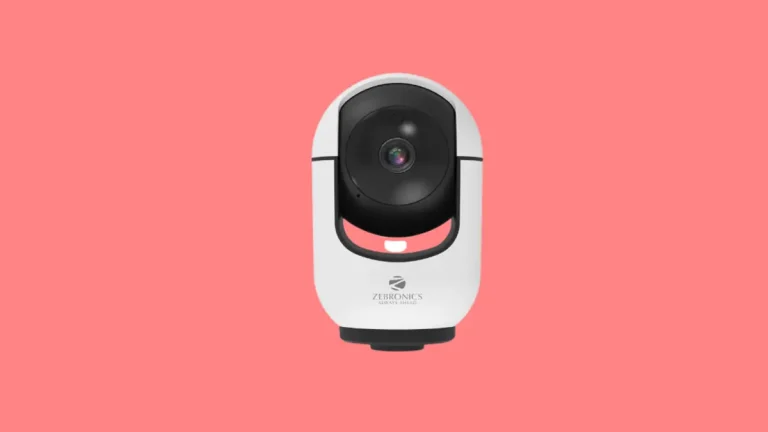
Is My CCTV Camera Legal in India? STQC Certification Explained
You bought a Wi-Fi camera online last year. Now your WhatsApp groups are full of messages saying Hikvision and Dahua are banned, STQC is mandatory, and old cameras are illegal.
So, is your CCTV camera legal in India? In most cases, yes. But the rules have changed, and the confusion is real.
This guide separates three questions that people mix up. Can your camera be sold? Can you keep using it? And where can you point it?
Quick answer: Yes, installing and using CCTV at home is legal in India. Since 1 April 2026, new internet-connected cameras can be sold only if the model has cleared MeitY’s cybersecurity tests (done through STQC) and is registered with BIS. This rule targets makers, importers, and sellers, not people who already own a camera. Your use is still limited by privacy law. Do not record into a neighbour’s home, bathrooms, or bedrooms, and do not record people secretly.
Three Different Legal Questions
Most of the panic online comes from mixing these up. Here they are side by side.
| Your question | Rule that applies | Short answer |
|---|---|---|
| Can a shop sell this camera? | MeitY Essential Requirements and BIS registration | Only if that exact model is compliant (new internet-connected cameras, from 1 April 2026) |
| Can I keep using the camera I already have? | No removal order found | Yes, in general |
| Where can I point it, and what can I do with the footage? | Right to privacy, IT Act, Bharatiya Nyaya Sanhita, DPDP Act | Your own property, yes. Neighbours’ private spaces and secret recording, no |
What Is STQC Certification?
STQC stands for Standardisation Testing and Quality Certification. It is a directorate under the Ministry of Electronics and Information Technology (MeitY). For CCTV, it tests whether a camera model meets MeitY’s Essential Requirements (ER) for security.
In simple words, STQC checks whether a camera can be hacked easily, used to spy on you, or quietly send data where it should not. The test is done per model and per firmware version, not per brand. Reports also say makers must disclose the camera’s chipset and firmware origin.
Three names keep appearing in news stories. Here is who does what.
| Term | What it is | What it means for you |
|---|---|---|
| Essential Requirements (ER) | MeitY’s security rulebook for CCTV | The standard a camera must meet |
| STQC | Government testing body under MeitY | Tests the model and issues the security test report |
| BIS registration (CRO) | Registration under the Compulsory Registration Order, 2021 | Gives the model a registration number that allows sale |
As a buyer, you will rarely see an STQC logo on the box. What you can check is the BIS registration of the exact model, and the compliance label if the maker prints one.
Why did India do this? The stated worry is cybersecurity and footage leaving the country. News reports link it to concerns about foreign-made chips and software inside cameras.
The CCTV Rule Timeline
| Date | What happened |
|---|---|
| 2021 | The Compulsory Registration Order brings CCTV cameras under BIS registration |
| 9 April 2024 | MeitY notifies the Essential Requirements for security of CCTV |
| 22 October 2024 | BIS issues guidelines, and the deadline moves to 9 April 2025 |
| 9 April 2025 | No new BIS licence or model addition without an ER test report |
| 2025 | Stock made or imported before this date could still be sold under a relaxation |
| 16 January 2026 | MeitY withdraws that relaxation |
| 1 April 2026 | Non-compliant cameras can no longer be sold |
| Sept to Oct 2026 | Reuters finds hundreds of online listings missing from BIS’s database, and Amazon and Flipkart begin reviews |
The key date for you is 1 April 2026. After that, a shop cannot clear old non-compliant stock.
Is the Camera I Already Own Illegal?
No, not on the evidence I could find. The rule restricts the manufacture, import, and sale of non-compliant cameras. I could not find any order that tells private owners to remove cameras already installed.
| Your situation | Is it illegal? | What to do |
|---|---|---|
| Camera installed before April 2026 | No removal order found | Keep using it, keep it secure, and plan to replace it on your own timeline |
| Bought after April 2026 from a dealer or website | Legal for you to own. The seller may have broken the rule if the model is not compliant | Check the model on the BIS database and keep the invoice |
| Hikvision, Dahua, or another Chinese-brand camera already installed | Not illegal to use. No brand is named in the rule | Harden its security and watch for firmware support |
| Adding new cameras to an old recorder | New cameras must be compliant | Check compatibility with your recorder first |
| Shop, office, or school | Same sale rule. Data protection duties come later | Plan notices, access control, and retention rules |
What about Hikvision and Dahua? The rule is model-based, so no brand is banned by name. Reports say most of their models are not on the approved list, which stops new sales of those models. Some government bodies have also started replacing such cameras. That is their procurement choice, not a ban on your home camera.
Which Cameras Are Covered?
- IP and network cameras with an NVR: Covered by the security requirements.
- Wi-Fi and smart home cameras: In practice, covered. Reuters’ marketplace check treated home Wi-Fi models, including bulb-style cameras, as covered.
- Analogue cameras with a DVR: Sources differ. The security rule is aimed mainly at network-connected cameras, and some industry sources call analogue cameras exempt. Ask the seller for a BIS registration number for any camera or recorder you buy.
How to Check Whether a Camera Is Compliant Before You Buy
- Note the exact model number. Brand names are not enough. Check the box, the sticker, or the app.
- Search the BIS database. Use BIS’s public registration search at crsbis.in and look up the brand and model.
- Ask the seller for the registration number. You want the BIS registration (R-number), the security test report reference, and the firmware version covered.
- Look for the label. BIS guidelines say compliant models may carry a line on the box or datasheet stating that the camera complies with the Essential Requirements for security.
- Match the firmware. The certificate is tied to a firmware build. Update only from the maker’s official app or website.
- Keep your proof. Save the invoice, the model number, and screenshots of the BIS record in one folder.
Be careful on online marketplaces. A Reuters analysis in September 2026 found that more than 700 of about 770 internet camera listings on Amazon and Flipkart were not in BIS’s public database.
Both platforms began reviewing listings, and some were removed. A listing on a big website is not proof of compliance.
Red flags
- The seller says only that the brand is certified.
- The model is not in the BIS database.
- The certificate lists a series, but not your exact model.
- The listing says STQC certified, but gives no registration number.
- There is no GST invoice.
Is It Legal to Use CCTV at Home? The Privacy Rules
Yes. You do not need a licence to install CCTV at your own home or shop. I did not find a dedicated Indian law that sets rules for home camera placement.
What guides you instead is the right to privacy. The Supreme Court recognised it as a fundamental right in the 2017 Puttaswamy judgment. Surveillance must be reasonable, and it must respect other people’s privacy.
| Where the camera points | Usually fine? | Notes |
|---|---|---|
| Your gate, door, compound, driveway | Yes | This is the core use |
| The road or lane in front of your gate | Generally tolerated | Keep the view limited, and do not zoom in on passers-by |
| A neighbour’s door, window, balcony, or compound | No | Can be challenged as a privacy invasion |
| Shared staircase, corridor, or lift lobby in a flat | Only with society approval | These are common areas |
| Bathroom, bedroom, changing room, trial room | Never | Criminal exposure under the IT Act and the Bharatiya Nyaya Sanhita |
| Living areas inside your home | Yes, with care | Tell your family, staff, and tenants |
| A tenant’s rented room | No | It is the tenant’s private space |
Flats, neighbours, and rentals
In an apartment, common areas belong to everyone. A camera that looks along a shared corridor or at a neighbour’s door should go through the society or RWA, as per its bye-laws.
If your neighbour’s camera watches your door or windows, start with a calm talk. Ask them to change the angle or use privacy masking. If that fails, send a written or legal notice, and complain to the police if private areas are being recorded.
Audio and hidden cameras
Many cameras record sound. Recording people’s conversations without their knowledge adds extra legal and privacy risk. Turn audio off unless you truly need it, and tell people when it is on.
Secret recording is a different matter altogether. Section 66E of the IT Act deals with capturing or sharing images of a person’s private area without consent, and Section 77 of the Bharatiya Nyaya Sanhita covers voyeurism.
If you need a camera for a caregiver or domestic help, keep it visible and tell them. Our guide on integrating indoor cameras into a smart home setup covers sensible indoor placement.
The DPDP Act and Your Footage
Video of an identifiable person is personal data under the Digital Personal Data Protection Act, 2023. But the Act does not apply to personal data processed by an individual for personal or domestic purposes. So a normal home camera is outside its main duties.
Shops, offices, schools, clinics, and housing societies are different. They will need to give notice, protect the footage, and delete it when it is no longer needed.
The DPDP Rules were notified in November 2025, but these main duties start on 13 May 2027. The Act allows penalties of up to ₹250 crore for serious lapses such as failing to protect personal data.
The practical lesson is simple. Even if you are exempt, treat footage as sensitive. Limit who can see it, and do not post clips of people online.
How to Secure the Camera You Already Own
Legal to use does not mean safe to use. These steps matter most for older or uncertified cameras.
- Change the default password. Use a long, unique one.
- Turn on two-step verification in the camera app, if it is offered.
- Update the firmware. Use only the maker’s official app or website.
- Switch off what you do not use. This includes remote access you never need, UPnP, and open ports on your router.
- Put cameras on a separate network. If your router supports a guest network, use it, so a hacked camera cannot reach your phone and laptop.
- Prefer wired cameras where you can. They are steadier than Wi-Fi. For outdoor runs, an outdoor-rated Cat6 cable from brands like FEDUS on Amazon is a sensible choice. Our guide on how to install a CCTV system shows the wiring basics.
- Record locally and limit access. If your camera records to a memory card, choose a high-endurance microSD card made for continuous recording, because ordinary cards wear out quickly. Our memory card guide explains the ratings. For a DVR or NVR, a surveillance-grade hard disk like Seagate Skyhawk available on Amazon is built for non-stop writing.
- Reset second-hand cameras before use, and avoid cameras from unknown sellers.
Your phone is the key to your camera app, so keep it clean too. Read our guide on protecting your phone from malware. Camera and router attacks are real, as we explained in our article on a router malware campaign.
Power matters as well. A small UPS keeps your recorder and router alive during power cuts, so you do not lose footage when you need it most. See our UPS for WiFi router guide and our note on surge protectors.
Warning Signs Your Camera May Be Compromised
- The camera light or motor moves when you are not using it
- Unknown logins appear in the app
- The camera suddenly goes offline and comes back with settings changed
- Your internet data usage jumps without a reason
- The app asks for permissions that do not make sense
If you see these, unplug the camera, reset it, change your passwords, and update the firmware before using it again.
Common Mistakes to Avoid
- Thinking no STQC logo means your camera is illegal. The rule is on sale, and the proof is a BIS record, not a sticker.
- Trusting brand names. Compliance is checked model by model.
- Assuming a marketplace listing is safe. Always check the model yourself.
- Pointing a camera into a neighbour’s space. It can turn a security measure into a legal problem.
- Hiding cameras in private areas. This can become a criminal matter.
- Never updating firmware. An uncertified or old camera needs extra care, not less.
- Keeping footage forever. Keep it only as long as you need it.
- Skipping the invoice. You will need proof if you ever have to claim support or show you bought in good faith.
Myth vs Fact
| Myth | Fact |
|---|---|
| Hikvision and Dahua are banned by name | No brand is named. The rule works model by model, and reports say most of their models are not approved |
| I must remove my old cameras | I found no order that requires it. The rule is on new sales |
| An STQC sticker makes a camera safe forever | Certification covers a tested firmware version. You still need updates and strong passwords |
| Home CCTV needs a government licence | It does not. Society approval may be needed for common areas |
| Amazon and Flipkart only list legal cameras | A Reuters analysis found most checked listings missing from BIS’s database |
| Cameras inside my own home are always fine | Not in bathrooms or bedrooms, and not if they record people secretly |
Expert Tips
- Keep a camera file. Save the invoice, model number, BIS number, and firmware version for every camera.
- Choose wired where possible. A wired camera does not depend on Wi-Fi. If you must use Wi-Fi, a good mesh Wi-Fi system gives steadier coverage.
- Test your recordings. Once a month, play back a clip to be sure it is being saved.
- Tell people. A visible sign tells visitors and staff that cameras are in use. A simple CCTV in operation board available on Amazon costs very little.
- Export clips properly. If you may need evidence, save the original file with its date and time, and do not edit it.
Keep, Upgrade, or Replace? A Simple Decision Guide
- Keep it: The camera still gets firmware updates, you use a strong password, and it sits on a separate network.
- Upgrade soon: The maker has stopped updates, the app is discontinued, or you need to add more cameras.
- Replace now: The brand is unknown, the camera acts strangely, or it watches a sensitive area such as a bedroom or a child’s room.
- Buying new: Pick a verifiable model first, then the brand. If you want a ready-made home setup, kits from Indian brands such as CP Plus or Qubo (see the options on Amazon) are a sensible place to start, but check the exact model on the BIS database before you buy. Our guide to the best security cameras for home in India can help you compare features.
Final Thoughts
Owning and using CCTV in India is legal. The 2026 rule changes what can be sold, not what you already have on your wall.
Your real responsibility is how you use the camera. Point it at your own property, protect the footage, and check the exact model before you buy a new one.
Note: This is general information, not legal advice. Rules and enforcement are still changing, so check official sources for your own case.
Frequently Asked Questions
Yes. You do not need a licence to put CCTV cameras at your own home or shop. You must still respect other people’s privacy, so do not record into a neighbour’s home or into bathrooms and bedrooms.
For sellers, yes. Since 1 April 2026, new internet-connected CCTV cameras must meet MeitY’s security requirements, be tested through STQC, and be registered with BIS before they can be sold in India. The duty falls on makers, importers, and sellers, not on home users.
STQC is a testing directorate under MeitY. For CCTV, it tests a specific camera model and firmware against MeitY’s Essential Requirements for security, such as secure boot and encrypted communication. A passed test report is used to register the model with BIS.
No. The rule restricts the manufacture, import, and sale of non-compliant new cameras. I could not find any order that makes owners remove cameras already installed. Keep them secure, and plan upgrades with compliant models.
No rule names these brands. The requirement applies model by model, and reports say most of their models are not on the approved list, so new sales of those models are not allowed. Check the BIS database for the latest status.
Not automatically. A Reuters analysis in September 2026 found that more than 700 of about 770 internet camera listings on the two sites were not in BIS’s public database, and both platforms began reviewing listings. Check the exact model before you buy.
Note the exact model number and search for it in the BIS public registration database at crsbis.in. Then ask the seller for the BIS registration number, the security test report reference, and the firmware version covered.
Yes, in practice. A Wi-Fi security camera is an internet-connected camera, and Reuters’ marketplace check treated home Wi-Fi models, including bulb-style cameras, as covered.
Sources differ. The new security requirements are aimed mainly at network-connected cameras, and some industry sources call analogue cameras exempt. Ask the seller for a BIS registration number for any camera and recorder you buy.
No law that I found specifically bans it. Covering your gate and your parked vehicle is generally tolerated. Avoid zooming in on passers-by or capturing neighbours’ doors, windows, and compounds.
A camera that captures your door, windows, or private spaces can be challenged as a privacy invasion. Talk to the neighbour first, then send a written or legal notice. If it records private areas, you can complain to the police.
For common areas such as corridors, staircases, and lobbies, yes. Society or RWA approval is the safe route, because a camera that looks along a shared corridor affects other residents. Check your society’s bye-laws.
Recording people’s conversations without their knowledge adds extra legal and privacy risk. Turn audio off unless you really need it, and tell people when it is on. Get legal advice for workplaces.
Not for purely personal or household use by an individual. Shops, offices, schools, clinics, and societies are different, and their main duties under the DPDP Rules start on 13 May 2027.
Secretly recording people in private spaces such as bedrooms, bathrooms, or changing rooms is a crime. Section 66E of the IT Act and Section 77 of the Bharatiya Nyaya Sanhita can apply. If you need a camera for caregiver safety, keep it visible and disclosed.
Yes, if it is original, unaltered, and properly preserved. Electronic records usually need a certificate under Section 63 of the Bharatiya Sakshya Adhiniyam. Export the clip with its date and time, and ask a lawyer how to present it.
You do not have to. Replace it when it stops getting firmware updates, cannot use a strong password, or guards a sensitive area. Until then, change default passwords, update firmware, and keep it off your main network.
I found no general law that requires one for a private home. A visible sign is still good practice. Businesses should plan for notice duties as the DPDP Rules start in 2027.
We hope you are interested in our articles and consider following our Facebook, Instagram, and Twitter pages for regular updates.
Also, share this article with your friends and relatives. Bookmark this page for future reference.
Subscribe to our free newsletter to get similar articles and regular updates directly in your Email Inbox.
Subscribe to be the first to learn about new information
Disclosure: If you follow our links to a retailer’s website and make a purchase, we will get an affiliate commission on some, but not all, of the items or services we promote. This will cause no price change for you.