BSNL IPTV vs IFTV: What’s the Real Difference?
If you’re a BSNL Bharat Fiber user and you’ve heard both “IPTV” and “IFTV” thrown around, you’re not imagining things. BSNL genuinely runs two different TV services under two very similar-sounding names, and which one you can actually get depends entirely on where you live.
Quick answer: BSNL IPTV is a paid, locally-operated service where BSNL partners with a different regional vendor (like Skypro, Cinesoft, or E2 Info Solutions) in each telecom circle, typically costing ₹100–₹400/month depending on the channel pack. BSNL IFTV is a free, centralised, nationwide service built entirely around BSNL’s own “BSNL Live TV” app (confirm with BSNL), bundled at no extra cost for Bharat Fiber (FTTH) customers wherever it’s been rolled out.
This guide breaks down exactly how each works, what each actually costs, which channels you get, how to check whether IFTV has reached your circle yet, and which one to pick if both happen to be available where you live.
Quick Answer Comparison Table
| BSNL IPTV | BSNL IFTV | |
|---|---|---|
| Full form | Internet Protocol Television | Intranet Fibre TV (also called Interactive Free TV in some BSNL circulars) |
| Cost | Paid; ₹100 to ₹400+/month depending on pack | Free for all FTTH/Bharat Fiber subscribers |
| Operator model | Local, circle-specific vendors (Skypro, Cinesoft, E2 Info Solutions, City Online Media, etc.) | Centralised; run directly by BSNL nationwide |
| App used | Varies by circle/vendor | Single unified “BSNL Live TV” app everywhere |
| Channel count | 160–350+ FTA channels, plus pay packs | 400–600+ live channels, no extra cost |
| Data usage | Counted separately per vendor’s system | Doesn’t count against your broadband data quota |
| Device needed | Android TV, Android TV Box, or a BSNL set-top box | Android TV or any device running the BSNL Live TV app |
| Availability (2026) | Long-running, but limited to specific circles/districts | Expanding rapidly; live in 9+ circles and growing |
| Login method | Vendor-specific account/STB activation | Mobile number + OTP |
What Is BSNL IPTV?
IPTV (Internet Protocol Television) is the general industry term for delivering TV channels over an internet connection instead of traditional cable, satellite dish, or terrestrial antenna.
Rather than tuning into a broadcast signal, your TV or set-top box receives channels as data packets over your broadband line, using multicast IP delivery so multiple households can stream the same live channel simultaneously without a quality drop.
BSNL’s version of this has actually been running since 2020, well before IFTV existed, but it grew in a very specific way: circle by circle, through local partners, not as a single unified national product.
How BSNL IPTV Actually Works Behind the Scenes
This is the detail most articles gloss over, and it’s the key to understanding everything else about this service. BSNL doesn’t run IPTV content delivery itself. Instead, it licenses out IPTV Service Provider (IPTSP) status to different regional companies in different states:
- Kerala – BSNL partnered with Cinesoft (technology) and Bhoomika (content).
- Andhra Pradesh – Delivered via City Online Media Pvt. Ltd. under the brand name “Ulka TV.”
- Tamil Nadu (Nagercoil, Tirunelveli, Tenkasi, Tuticorin) – Delivered through E2 Info Solutions.
- Several other circles – Delivered through Skypro, the same partner now also powering much of the IFTV rollout.
This matters practically: your BSNL IPTV app, login process, and even channel list can look completely different depending on which state you’re in, because you’re really using a different vendor’s platform with BSNL’s broadband as the delivery pipe.
Related read: Know About BSNL IPTV Plans and How to Get Them
BSNL IPTV Plans and Pricing (2026)
| Plan | Approx. Price/Month | Channels |
|---|---|---|
| Basic Pack | ₹100–₹130 | ~160 Free-to-Air (FTA) channels |
| Pack 1 | ~₹100 | 160 FTA + 24 pay channels |
| Pack 2 | ~₹200 | 160 FTA + 56 pay channels |
| HD Starter | ~₹270 | 211 channels (includes HD) |
| HD Bonanza | ~₹400 | 223 channels (includes HD) |
Exact pricing and channel counts vary by circle and vendor, so always confirm the live pack details for your specific state through your local BSNL office or customer care before subscribing.
What You Need to Use BSNL IPTV
- An active BSNL FTTH (Bharat Fiber) broadband connection
- An Android TV, or a regular TV paired with an Android TV Box
- Alternatively, a BSNL-provided set-top box for customers without a smart TV
Because IPTV streams live HD channels continuously, a stable, high-bandwidth connection matters more here than for typical browsing. If you’re on a basic ISP-provided router, you may notice buffering during peak evening hours.
Upgrading to a dual-band Gigabit router (available on Amazon) and hardwiring your Android TV or box with a Cat6 Ethernet cable instead of relying on Wi-Fi noticeably reduces lag on IPTV streams.
What Is BSNL IFTV?
IFTV stands for Intranet Fibre TV. BSNL’s own description also refers to it as “Interactive Free TV” in some official communications.
Unlike IPTV, this one is built, branded, and operated entirely by BSNL as a single national product, and it was launched specifically to compete with the free live-TV bundles that private fiber ISPs like JioFiber had already been offering.
BSNL first unveiled IFTV at the India Mobile Congress in 2024, running pilot launches in Madhya Pradesh and Tamil Nadu before expanding, circle by circle, to Punjab, Chandigarh, Gujarat, Himachal Pradesh, Rajasthan, Uttar Pradesh East, and Kerala.
Rollout has continued steadily through 2025 and into 2026, with BSNL stating plans to eventually make it available nationwide.
The One Technical Detail That Actually Matters Here
IFTV runs over BSNL’s intranet, not the open internet. That is the entire reason it doesn’t eat into your broadband data allowance.
Instead of your FTTH connection fetching video from an external content delivery network the way YouTube or Netflix would, the video is delivered through BSNL’s own internal fibre network infrastructure, which is also why it’s able to stream without buffering even during peak hours in circles where it’s active.
How to Set Up BSNL IFTV
- Confirm your BSNL FTTH connection is active and your circle has IFTV live (see the circle list below).
- Download the BSNL Live TV (or Skypro) app from the Google Play Store on your Android TV.
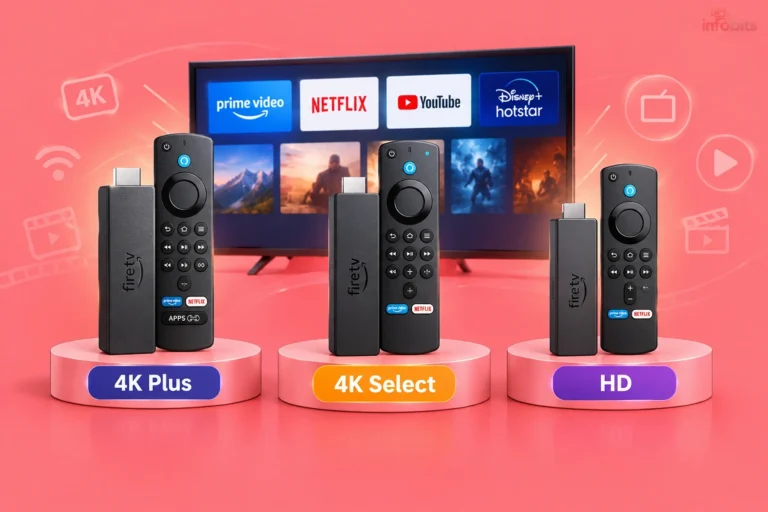
- If you don’t own an Android TV, plug in a streaming stick like a Fire TV Stick (available on Amazon) or the budget-friendly Xiaomi TV Stick 4K (available on Flipkart) to turn any existing TV into a smart device capable of running the app.
- Open the app and log in using your registered BSNL mobile number and an OTP.
- Start streaming; no separate subscription, activation call, or set-top box required.
Related read: Top Streaming Devices in India: Turn Any TV into a Smart TV
BSNL IFTV Circle Availability (as of 2026)
IFTV has expanded steadily since its 2024 launch. As of 2026, it’s confirmed live in:
- Madhya Pradesh
- Tamil Nadu
- Punjab
- Chandigarh
- Gujarat
- Himachal Pradesh
- Rajasthan
- Uttar Pradesh (East)
- Kerala
BSNL has publicly stated intentions to extend coverage to Maharashtra, Bihar, Jharkhand, and additional circles, with a stated long-term goal of full nationwide availability.
Because rollout dates shift, the most reliable way to confirm current availability in your circle is to check directly with your local BSNL customer service or the official BSNL website.
Related read: How to Increase BSNL Internet Speed: Broadband, FTTH & Mobile Data Fixes
BSNL IPTV vs IFTV: The Core Differences Explained
1. Cost: Paid vs Completely Free
This is the single biggest practical difference. IPTV is a paid add-on; you’re subscribing to a specific channel pack from a third-party vendor operating under BSNL’s brand.
IFTV is free for any BSNL FTTH subscriber in a circle where it’s available, positioned by BSNL specifically as a no-cost value-add to broadband, similar to how JioFiber bundles free OTT access.
2. Operating Model: Fragmented vs Centralised
IPTV’s vendor-by-vendor structure means your experience ( the app, the interface, even the channel numbering) can look entirely different if you move from one BSNL circle to another.
IFTV solves this by being the same BSNL Live TV app with the same login flow everywhere it’s deployed, which is a meaningfully better experience for anyone who’s used both.
3. Channel Count and Content
IPTV packs typically run from 160 FTA channels at the basic tier up to around 223 channels on the top HD pack.
IFTV, being positioned as a flagship free feature, generally offers a larger baseline ( commonly cited between 400 and 600+ live channels ) plus Video on Demand (VoD) content including movies and web series, all without an extra fee.
4. Data Usage
IPTV channel delivery is generally metered as part of your regular data-linked infrastructure per the vendor’s system. IFTV’s intranet-based delivery is explicitly designed to not count against your broadband data usage, since it never leaves BSNL’s internal network to reach you.
5. Availability
IPTV has actually been running longer (since 2020) but remains limited to specific circles and, within some circles, specific districts. IFTV launched later (2024) but is expanding faster and with a clearer stated goal of full national coverage, since it doesn’t depend on negotiating a fresh vendor partnership for every new region.
6. Device and Setup
Both services are largely App-based and work on Android TV without a mandatory set-top box, though IPTV does offer a BSNL set-top box option for non-smart TVs, while IFTV is typically accessed via the BSNL Live TV app installed directly or through a plug-in streaming stick.
Related read: Difference Between Google TV and Android TV: Which Is Better?
Which One Should You Choose?
If Both Are Available in Your Circle
Start with IFTV since it’s free. There’s no cost risk in trying it first. If you find its channel lineup or regional content selection doesn’t fully meet your needs, IPTV’s paid packs may offer specific regional or premium channels IFTV doesn’t carry yet.
If Only IPTV Is Available
You’ll need to subscribe to a paid pack, but you still get a legitimate, ad-supported live TV experience without needing a DTH dish or separate cable connection, and without a mandatory long-term contract in most circles.
If Only IFTV Is Available
This is the easier decision: it costs nothing extra on top of your existing Bharat Fiber connection, so there’s little reason not to activate it immediately.
If You Want to Cut Cable/DTH Completely
Pair either service with a proper smart TV setup. If you’re shopping for a new TV specifically to run BSNL Live TV natively, a modern Google TV handles both IFTV and IPTV apps well out of the box.
Related read: IPTV vs Cable TV: Which Is Better for You?
Bonus: Don’t Confuse IFTV With BiTV
BSNL also runs a third, related service called BiTV (Direct-to-Mobile TV), launched around the same time as IFTV. It’s worth knowing the distinction:
| IFTV | BiTV | |
|---|---|---|
| Delivered to | TV (via app or streaming device) | Mobile phones directly |
| Requires | BSNL FTTH connection | Any active BSNL mobile connection, including basic ₹99 voice-only plans |
| Partner | Primarily Skypro | OTT Play |
| Channel count | 400–600+ | 300–450+ |
If your question was really about watching live TV on your phone rather than your television, BiTV (not IPTV or IFTV) is the service you’re looking for.
Common Mistakes to Avoid
- Assuming IFTV is available everywhere just because it’s a “national” BSNL service. Rollout is genuinely circle-by-circle; always verify local availability before expecting it to work.
- Confusing the paid IPTV vendor app with the free BSNL Live TV app. They are not interchangeable, and downloading the wrong one for your circle will lead to a failed login.
- Not checking data usage assumptions. If you’re on IPTV rather than IFTV, don’t assume your streaming is automatically excluded from your data plan. This depends on your local vendor’s setup.
- Skipping the router/cabling upgrade for IPTV. Because IPTV runs over your regular broadband connection rather than BSNL’s intranet, a weak Wi-Fi signal will cause buffering that IFTV users typically won’t experience.
Myth vs Fact
| Myth | Fact |
|---|---|
| “IPTV and IFTV are just two names for the same BSNL service.” | They’re structurally different; different operators, different pricing models, and different underlying delivery networks. |
| “IFTV is available across all of India already.” | As of 2026, it’s live in a growing but still limited set of circles, with nationwide coverage stated as a future goal, not a current reality. |
| “You need a set-top box for both services.” | Neither service strictly requires one on an Android TV; set-top boxes are typically only needed for older, non-smart TVs. |
| “IFTV counts against your broadband data like any other streaming app.” | IFTV runs on BSNL’s intranet specifically so it does not consume your regular broadband data allowance. |
Related read: BSNL FTTH Plans: Bharat Fiber Prices, SPARK Plan & Bharatnet Udyami Scheme
Conclusion
BSNL IPTV and IFTV solve a similar problem. Bringing live TV to Bharat Fiber customers over the internet. But they do it through genuinely different business models.
IPTV is the older, paid, locally-operated service with pricing and channel packs that vary by state, while IFTV is BSNL’s newer, free, centrally-run answer to what private fibre competitors have offered for years.
If you’re a Bharat Fiber subscriber trying to decide between the two, the practical answer is simple: check whether IFTV has reached your circle first, since it costs nothing to activate, and treat paid IPTV packs as a fallback or supplement rather than your starting point.
Frequently Asked Questions
BSNL IPTV is a paid service run by different local vendors in each telecom circle, while BSNL IFTV is a free, centrally-operated service available to all Bharat Fiber customers through one unified app, wherever it has been launched.
Yes, BSNL IFTV is bundled at no extra cost for BSNL FTTH (Bharat Fiber) subscribers in circles where the service has been rolled out.
BSNL IPTV plans typically range from around ₹100 for a basic pack of roughly 160 free-to-air channels up to ₹400 for an HD Bonanza pack with 200+ channels, though exact pricing varies by circle.
As of 2026, BSNL IFTV is confirmed live in Madhya Pradesh, Tamil Nadu, Punjab, Chandigarh, Gujarat, Himachal Pradesh, Rajasthan, Uttar Pradesh (East), and Kerala, with further expansion planned.
No, IFTV is delivered over BSNL’s intranet rather than the open internet, so it does not count against your regular broadband data usage.
Neither service strictly requires a set-top box if you have an Android TV; set-top boxes are mainly offered for older, non-smart televisions, and non-smart TVs can also use a streaming stick instead.
Download the “BSNL Live TV” app from the Google Play Store on your Android TV, then log in using your registered BSNL mobile number and a one-time password (OTP).
BSNL IPTV plans generally range from about 160 free-to-air channels on basic packs up to 211–223 channels on HD packs, depending on the region and vendor.
BSNL IFTV typically provides between 400 and 600+ live TV channels for free, along with Video on Demand content, depending on the circle.
BSNL IFTV works natively only through its Android-based app, so non-Android smart TVs typically need a plug-in device like a Fire TV Stick or Xiaomi TV Stick to access it; IPTV availability on other smart TV platforms depends on the local vendor’s app support.
BSNL IPTV is delivered through different regional partners depending on your state. Examples include Skypro, Cinesoft (Kerala), City Online Media/Ulka TV (Andhra Pradesh), and E2 Info Solutions (parts of Tamil Nadu).
No; IFTV delivers live TV to your television via an app or streaming device, while BiTV delivers live TV directly to mobile phones and works even on basic voice-only BSNL plans.
No, IFTV requires an active BSNL FTTH (Bharat Fiber) connection, since it’s delivered through BSNL’s fiber intranet rather than as a standalone app service.
Because BSNL IPTV is operated by different local vendors in different circles, the app, login process, and even channel list can vary significantly by region.
BSNL hasn’t announced plans to discontinue IPTV, and both currently coexist; however, IFTV’s free pricing and faster rollout suggest it may become the more widely used option over time.
Contact BSNL customer care or your local BSNL office directly, since circle-by-circle rollout status changes and isn’t always reflected consistently across third-party websites.
This depends on the local vendor’s setup in your circle; unlike IFTV, IPTV data handling isn’t uniformly excluded from your broadband quota across all regions.
A stable connection with good local Wi-Fi coverage or a wired Ethernet connection to your Android TV or box is recommended, particularly for HD channel packs on IPTV, to avoid buffering during peak hours.
Both services are primarily designed for television viewing; if you want live TV on your phone specifically, BSNL’s separate BiTV service is built for that purpose.
BSNL has publicly stated an intention to expand IFTV nationwide following its circle-by-circle rollout, though a confirmed date for full national coverage has not been announced.
We hope you are interested in our articles and consider following our Facebook, Instagram, and Twitter pages for regular updates.
Also, share this article with your friends and relatives. Bookmark this page for future reference.
Subscribe to our free newsletter to get similar articles and regular updates directly in your Email Inbox.
Subscribe to be the first to learn about new information
Disclosure: If you follow our links to a retailer’s website and make a purchase, we will get an affiliate commission on some, but not all, of the items or services we promote. This will cause no price change for you.