Vega OS vs Fire OS: What Changes for Indian Users in 2026?
Two Fire TV Sticks can look identical, carry almost the same name, and run completely different software. One runs Android. The other doesn’t, and that changes what you can install.
If you’re buying a Fire TV Stick in India, this matters. If you already own one, it probably doesn’t, yet.
Quick Answer:
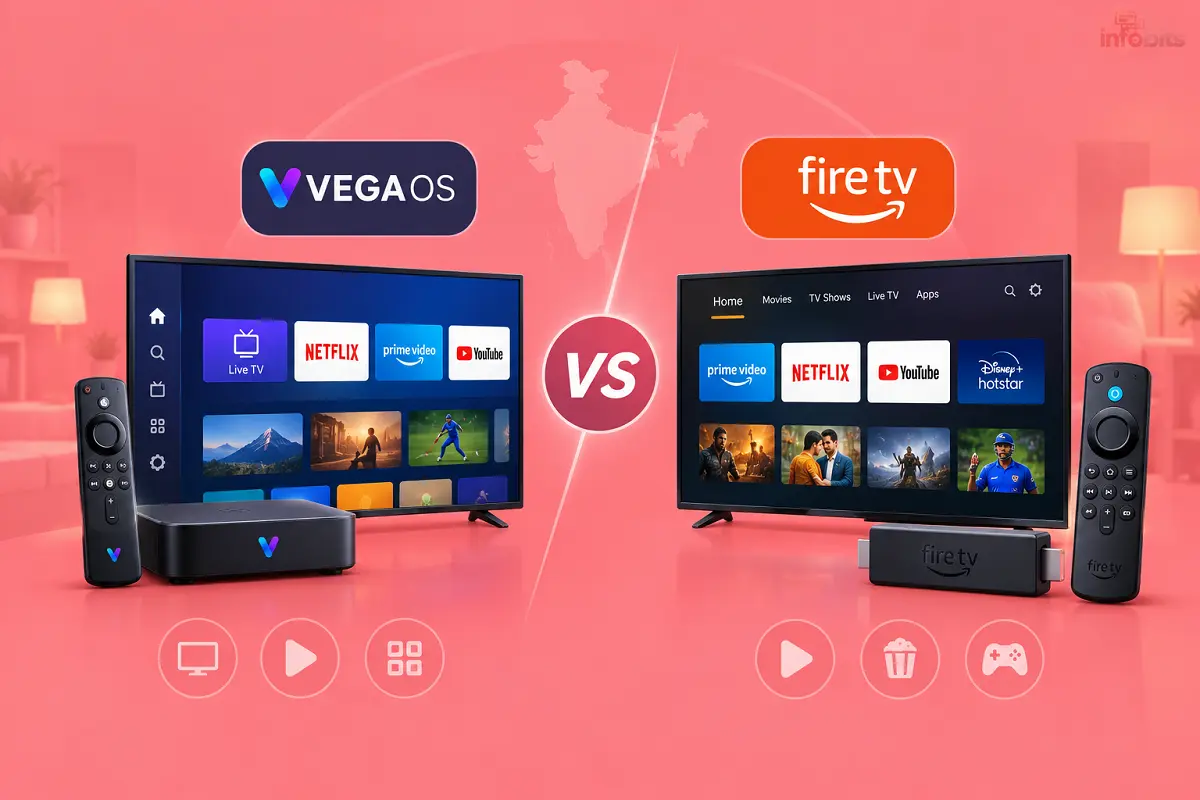
Fire OS is Amazon’s older system, built on Android. It runs Android apps and supports sideloading.
Vega OS is Amazon’s newer Linux-based system. It’s faster on cheap hardware, but it can’t run Android APKs, and its app library is much smaller.
Vega OS vs Fire OS: At a Glance
| Fire OS | Vega OS | |
|---|---|---|
| Built on | Android (AOSP) | Linux, with apps built for Vega |
| Sideloading APKs | Yes | No |
| Downloader app | Yes | No |
| App library | Tens of thousands | A few thousand at most |
| Speed on low-end sticks | Can feel slow | Snappier |
| Main Indian OTT apps | Yes | Most, but check yours |
If you only watch Netflix, Prime Video, YouTube and JioHotstar, either works. If you use anything outside the Amazon Appstore, read on.
What Is Vega OS?
Vega OS is Amazon’s in-house operating system for Fire TV. It first shipped on the Fire TV Stick 4K Select in 2025, and it’s built around apps written for Vega, not Android.
Amazon’s reasoning is clear. Android is heavy for cheap sticks. A lighter system launches apps faster and keeps Amazon in control of the experience.
The home screen looks familiar. Alexa is still there. The difference is underneath.
Which Fire TV Devices Run Which OS?
| Device | OS | Notes |
|---|---|---|
| Fire TV Stick 4K Select | Vega | Launched in India at ₹5,499 (MRP) in October 2025 |
| Fire TV Stick HD (2026, 2nd gen) | Vega | Wi-Fi 6, rounded corners, “Fire TV” printed on the stick |
| Fire TV Stick HD (2024, 1st gen) | Fire OS | Wi-Fi 5, squared corners, no text on the stick |
| Fire TV Stick 4K Plus | Fire OS | Still sideload-capable |
| Fire TV Stick 4K Max | Fire OS | Reported as the only stick left on Fire OS in the newest lineup |
| Fire TV Cube | Fire OS | Premium option |
| Fire TV Stick 4K (2026) | Vega | Launched globally in September 2026; India availability not confirmed |
| Fire TV smart TVs | Fire OS (so far) | Check before buying |
Amazon’s lineup is changing quickly. Treat this table as a snapshot and verify before you buy.
Watch out for the two “Fire TV Stick HD” models. They share a name but not an OS. Check the box and the stick itself.
How to Check Which OS Your Fire TV Runs
- Open Settings.
- Go to My Fire TV.
- Open About.
- Read the software version.
If it says Vega OS, you’re on Vega. If it shows a Fire OS version, you’re on Android-based software.
What Changes for Indian Users?
1. Sideloading is gone on Vega
On Fire OS, you could enable Developer Options, install the Downloader app and load APK files. Vega blocks that. Amazon’s Developer Mode on Vega is meant for developers testing Vega apps. It doesn’t install Android APKs.
Why would an Indian user sideload? Legitimate reasons include:
- Apps that never reached the Amazon Appstore, such as some regional OTT, DTH or telecom apps
- Utilities like a file manager or a custom launcher
- Apps your ISP or broadcaster distributes outside the store
A note on piracy. Many people use sideloading for pirated IPTV or cracked apps. That’s illegal, and those apps often carry malware and scams. Vega’s lockdown shuts that door, and Amazon would argue that’s part of the point.
2. The app library is much smaller
One April 2026 analysis counted roughly 1,257 apps on Vega against 30,000+ on Fire OS. The big names are there. Niche apps often aren’t.
For India, this matters because our streaming scene is full of small regional and utility apps.
3. Indian OTT support: mostly fine, with gaps
Reviews confirm JioHotstar, Netflix, Prime Video, YouTube, ZEE5, SonyLIV, and Amazon MiniTV on Vega. FanCode is less clear. Reviews disagree, and sports apps matter during cricket and football seasons.
Before you buy: open the Amazon Appstore on Amazon or a friend’s Vega device and search for every app you use. Don’t assume.
4. BSNL Cinema Plus users should check each app
If you use BSNL’s Cinema Plus bundle (see our BSNL Cinema Plus guide), your apps may include regional services like Hoichoi, ManoramaMAX or Chaupal. I couldn’t confirm all of these on Vega. Search the App Store for each one first.
5. VPN support exists, but check it
At launch, VPNs didn’t work on Vega. Some providers, including NordVPN, have since added support. If a VPN matters to you, confirm your provider has a Vega app.
6. Picture and audio features may differ
Some Vega models have fewer video and audio features. Reviews of the 4K Select note it falls back to HDR10 on Dolby Vision content. Reports on the newest 4K stick say it also lacks Dolby Vision and Dolby Atmos decoding. If you own a Dolby Vision TV, that matters. Check the spec sheet.
7. Speed is better on cheap hardware
This is Vega’s big win. Reviewers describe faster app launches and a cleaner interface on the same cheap hardware. If you have a laggy built-in smart TV platform and mostly use mainstream apps, that’s useful.
Will My Existing Fire TV Stop Working?
No. Amazon has not announced a plan to convert Fire OS devices to Vega, and there’s no forced update. Your current stick keeps its Android base and its sideloading.
Treat that as “true today,” not “guaranteed forever.” Software policy can change.
Which Fire TV Should You Buy in India?
| If you… | Choose |
|---|---|
| Want the most freedom (sideloading, widest app choice) | Fire TV Stick 4K Max, Fire TV Stick 4K Plus (while stock lasts) or Fire TV Cube |
| Have a Dolby Vision or Atmos setup | A Fire OS model such as the 4K Max |
| Watch only Netflix, Prime, YouTube, JioHotstar | A Vega stick is fine and faster |
| Want the cheapest 4K option for a spare TV | 4K Select (check street price) |
| Need an app that isn’t on Amazon’s App Store | Look at Android-based alternatives |
| Use a niche regional or ISP app | Check the App Store first, or avoid Vega |
Stock changes quickly. If you want a Fire OS stick, check what’s actually listed on Amazon today.
For a model-by-model breakdown, read our Fire TV Stick 4K Plus vs 4K Select vs HD comparison.
Alternatives If You Want Android Freedom
Other Android-based options include Google TV devices and many smart TVs from brands like Sony, TCL, Xiaomi and Mi. Some Google TV and Android TV boxes support sideloading and a wider app library. Check availability and price in India before recommending any.
Common Mistakes
- Buying a “Fire TV Stick HD” without checking which generation it is.
- Assuming “4K Select” and “4K Plus” are the same OS.
- Following an Android “jailbreak” guide on a Vega stick.
- Assuming an Indian app is available just because Netflix and Prime are.
- Buying for Dolby Vision without checking the model’s features.
Final Thoughts
The main difference between Vega OS and Fire OS is the balance between speed and flexibility. Amazon’s new Vega OS is designed to deliver a faster, simpler experience on budget Fire TV devices. Fire OS, which is based on Android, offers a much larger app library and supports installing compatible Android APKs outside the Amazon Appstore.
For most Indian households that mainly watch Netflix, Amazon Prime Video, YouTube and JioHotstar, a Vega OS device can be a good choice. However, check app availability before buying, especially if you use regional OTT platforms, sports streaming services or apps included with your broadband or DTH connection. Support for some apps, including SonyLIV and FanCode, needs to be verified on the specific device.
If you want to sideload apps, use specialised streaming utilities or retain greater control over your device, a Fire TV Stick running Fire OS or a suitable Android TV/Google TV device is the better option. Also check the picture and audio specifications if your television supports Dolby Vision or Dolby Atmos.
Your existing Fire OS device does not need to be replaced just because Amazon is introducing Vega OS. There is no announced forced upgrade to Vega OS for existing devices.
Ultimately, neither operating system is best for everyone. Before buying a Fire TV Stick in India in 2026, compare the exact model, supported apps, features and price. Choose Vega OS for a simpler streaming experience, or Fire OS for greater app freedom.
Frequently Asked Questions
It’s Amazon’s new Linux-based operating system for Fire TV, replacing the Android-based Fire OS on newer devices.
No. It doesn’t run Android APK files.
Fire OS is Amazon’s older system, built on Android. It supports sideloading and a very large app library.
The Fire TV Stick 4K Select, the 2026 Fire TV Stick HD and the new Fire TV Stick 4K (2026).
The Fire TV Stick 4K Plus, Fire TV Stick 4K Max, the 2024 Fire TV Stick HD and the Fire TV Cube.
Go to Settings, My Fire TV, About, and read the software version.
No. Vega blocks APK sideloading, and the Downloader app doesn’t work for Android APKs.
Amazon hasn’t announced that. There’s no forced update for existing Fire OS devices.
Reviews report that they work on Vega.
Reports conflict. Check the Amazon Appstore for the app before you buy.
Some providers have added Vega apps. Confirm your provider supports it.
Reviews say it launches apps faster on cheap hardware.
Some models fall back to HDR10 or lack Dolby decoding. Check each model’s specs.
It suits mainstream-app users with a slow TV interface. Skip it if you need sideloading or Dolby Vision.
The 2024 model runs Fire OS and supports sideloading. The 2026 model runs Vega OS and has Wi-Fi 6.
It launched in several markets in September 2026, with more planned for late October. I couldn’t confirm an India launch.
Major ones like JioHotstar and ZEE5 are likely fine. Regional apps need checking in the App Store.
Installing legitimate apps is fine. Using pirated apps or streams is illegal.
A Fire OS device such as the 4K Max, or an Android-based alternative.
It’s a compromised upgrade: faster and simpler, but less flexible in terms of Apps.
We hope you are interested in our articles and consider following our Facebook, Instagram, and Twitter pages for regular updates.
Also, share this article with your friends and relatives. Bookmark this page for future reference.
Subscribe to our free newsletter to get similar articles and regular updates directly in your Email Inbox.
Subscribe to be the first to learn about new information
Disclosure: If you follow our links to a retailer’s website and make a purchase, we will get an affiliate commission on some, but not all, of the items or services we promote. This will cause no price change for you.
You May Be Interested to Read:
- Best Wi-Fi Routers in India: 8 Tested Picks for Every Budget
- Double NAT Explained: How to Check and Fix It on Indian Broadband
- Best OTT Subscription Bundle in India: Plans, Prices and Which One to Pick
- BSNL IPTV & IFTV: Plans, Free Channels, and How to Register
- Amazon MiniTV: Free Streaming App, Shows & How to Watch