How to Set Up Your Own Router With a BSNL ONT (Bridge Mode Guide)
Quick Answer:
You can use your own router with a BSNL ONT in three ways. Bridge mode is the cleanest: the ONT passes your connection straight through, and your router dials the PPPoE login itself. It needs four things: your PPPoE username and password, your VLAN ID, access to the ONT’s admin page, and a router that supports PPPoE.
If that sounds like too much, there are two easier options. You can leave the ONT as it is and use your router as a Wi-Fi access point. Or you can plug the router into the ONT and accept double NAT. Both are covered below, so you can pick the one that fits.
Why Use Your Own Router at All?
The router BSNL gives you is built to be cheap and good enough. It’s fine for basic browsing. It often struggles with a full house of phones, TVs and laptops.
A better router gives you:
- Stronger, more even Wi-Fi. Newer Wi-Fi 6 routers cover more rooms and handle more devices.
- More control. Parental controls, guest networks, QoS and a proper firewall.
- Cleaner remote access. Port forwarding and VPN setups are simpler with a single NAT layer.
- Upgrade freedom. You can change the router without touching the ONT.
Not sure which router to buy? Our guide to the best Wi-Fi routers in India covers options by budget.
Note: ONT menus differ by brand and firmware, so treat the field names below as a guide and match them to what you see on your screen.
ONT, Modem and Router: What Each One Does
People mix these up, so here’s the short version.
- ONT (or ONU): The box where your fibre cable ends. It converts light signals into a normal network connection. You can’t remove it.
- Router: The device that creates your home network and Wi-Fi, and handles the internet login.
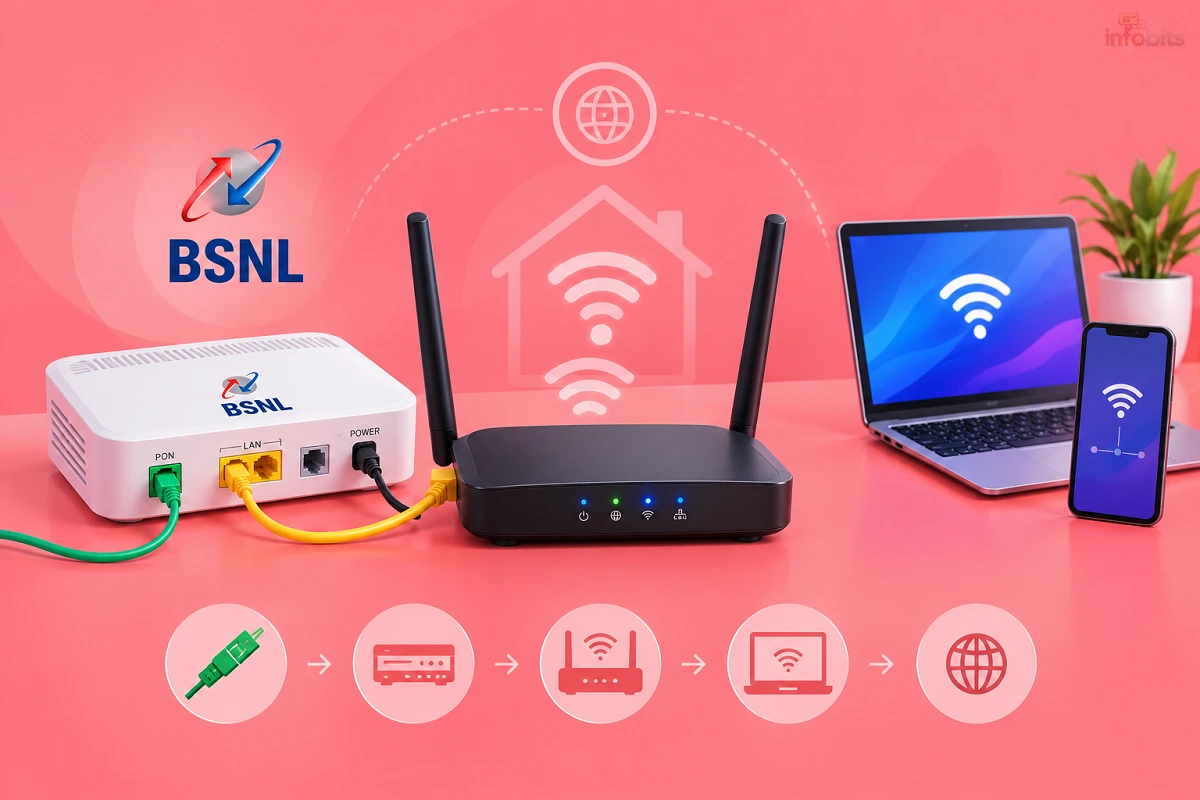
- Combo unit: Most BSNL ONTs are both. They convert the fibre signal and also work as a router with Wi-Fi.
Bridge mode turns the router half of that combo unit off. The ONT then only does its first job, and your own router takes over the rest.
Three Ways to Use Your Own Router
| Option | What you do on the ONT | What your router does | Difficulty | Best for |
|---|---|---|---|---|
| A. Access point | Nothing. Turn off its Wi-Fi if you like | Wi-Fi only, DHCP off | Easy | Better Wi-Fi with no risk |
| B. Router behind ONT (double NAT) | Nothing. Turn off its Wi-Fi if you like | Full router, connects to the ONT’s LAN port | Easy | Quick setup, casual use |
| C. Bridge mode | Create a bridge connection | Full router, logs in with PPPoE | Medium | Gaming, VPN, port forwarding, a single clean network |
Option A is the safest. Option C is the best technical result. Option B sits in the middle and works fine for many homes.
Before You Start
Gather these first. Bridge mode goes wrong when people start without them.
- Your PPPoE username and password. They’re on your BSNL installation paperwork, SMS or bill. The password is commonly
password, but check yours. Our BSNL FTTH modem configuration guide explains the username format. - Your VLAN ID. Open the ONT’s WAN page and read it from your existing internet connection. Don’t guess it.
- The ONT’s admin login. Check the sticker on the device. Defaults for common brands are in the same guide.
- A router that supports PPPoE. Almost all do. Check that it has a WAN port.
- A LAN cable and a computer. Use a wired connection for setup, so a wrong setting doesn’t lock you out.
- A screenshot of your current WAN settings. Include the MAC addresses. You may need them later.
- About 30 minutes.
Two warnings. If your plan includes a BSNL landline (VoIP), keep the voice connection on the ONT exactly as it is. And if you use BSNL IPTV, test it after any change, because it may not work behind your own router.
Option A: Use Your Router as an Access Point (Easiest)
This keeps the ONT doing everything and only replaces the Wi-Fi. There’s no PPPoE, VLAN or bridge setting to touch.
- Log in to your own router and switch its mode to Access Point. If it has no such mode, turn DHCP off and set its LAN IP to an unused address in the ONT’s range, such as 192.168.1.2.
- Connect a LAN cable from a LAN port on the ONT to a LAN port on your router. Don’t use the router’s WAN port.
- Give your router’s Wi-Fi a name and password.
- Log in to the ONT and turn its Wi-Fi off, so the two networks don’t compete.
That’s it. You get better Wi-Fi coverage, and the ONT still handles the BSNL login, so voice and IPTV keep working.
Option B: Router Behind the ONT (Double NAT)
Here, your router works as a full router, but it sits behind the ONT’s own router. That creates two layers of NAT, which is why it’s called double NAT.
- Connect a LAN cable from a LAN port on the ONT to the WAN port on your router.
- Set your router’s WAN type to Automatic IP (DHCP).
- Set up the Wi-Fi name and password on your router.
- Turn the ONT’s Wi-Fi off.
It works. The downside is that port forwarding needs to be set up on both devices, and some online games, VPNs and camera apps can have trouble. If you hit those limits, move to Option C.
Option C: Bridge Mode, Step by Step
Bridge mode removes the second NAT layer. Your router receives the BSNL connection directly and logs in itself. Follow these steps in order.
Step 1: Back Up and Write Everything Down
Log in to the ONT’s admin page. Save a backup of its configuration if it offers one. Then open the WAN or Internet Connection page and note your VLAN ID, PPPoE username and the WAN MAC address. Take screenshots of every connection, including voice.
If anything goes wrong, those screenshots are how you get back.
Step 2: Create a Bridge Connection
Go to Network > Internet Connection (called WAN on some models) and add a new connection. A typical bridge setup looks like this:
| Setting | Value |
|---|---|
| Mode | Bridge |
| Enable VLAN | Yes |
| VLAN ID | The same as your current internet connection |
| 802.1p | null or 0 |
| MTU | 1500 |
| Service Mode | Internet |
| LAN DHCP | Turned off |
| Port binding | Bind the LAN port you’ll use (and others you want bridged) |
Save it. Don’t delete anything yet.
Step 3: Remove the Old PPPoE Connection
Once the new bridge connection is saved and showing, delete the old internet (PPPoE) connection. Leave your voice connection alone. Leave any management or TR-069 connection alone unless BSNL tells you otherwise.
Order matters. Some ONTs give each new connection a new MAC address, and a clash between the bridge MAC and the old PPPoE MAC can stop the link from working. If your ONT shows MAC addresses on the WAN page, make sure the bridge’s last digits differ from the old PPPoE entry.
Step 4: Connect Your Router
Plug a LAN cable from the bonded LAN port on the ONT into the WAN port of your router. Log in to the router and set the WAN connection type to PPPoE.
- Username: your BSNL PPPoE username
- Password: your BSNL PPPoE password
- MTU: 1492 is the usual PPPoE value. BSNL guidance often uses 1460 if some sites or VPNs fail to load.
- VLAN on the router: usually leave it off, because the ONT already adds the VLAN tag.
Save and wait a minute. The router’s status page should show a connected state and an IP address.
Step 5: Match the MAC Address if Login Fails
If the PPPoE login is rejected but your details are correct, set your router’s WAN MAC address to the MAC your old PPPoE connection used on the ONT. Many users report that BSNL checks the device or WAN MAC. Restart the router after changing it.
Step 6: Turn Off the ONT’s Wi-Fi
In bridge mode, the ONT’s Wi-Fi no longer gives internet anyway. Disable it so it doesn’t confuse devices or add radio interference.
Step 7: Test It
Open a few websites, run a speed test, and check the BSNL speed with our BSNL speed test guide. Compare against your plan speed on a wired device first. If a landline is on your plan, make a test call.
Brand Notes: Netlink, Syrotech, Huawei and Others
Menus differ, but the idea is the same. A few common points:
- Netlink: Usually the simplest. The WAN page lets you pick Bridge mode directly.
- Syrotech: Some units have a bridge quirk where the bridge MAC clashes with the PPPoE MAC. Create the bridge first, then delete the old PPPoE entry, and check the MAC digits.
- Huawei: The login and menu structure differ from the others, and some units are tightly locked by the provider. Be ready to ask BSNL for help.
- Other brands (DASAN, HFCL, VSOL, Alphion): Look for a WAN connection type labelled Bridge. If the option is missing or greyed out, the ONT may be locked.
If you can’t find bridge settings, ask your local BSNL office or franchise to put the ONT in bridge mode. It’s a routine request for them.
What You Lose in Bridge Mode
Be clear about the trade-offs before you commit.
- BSNL support has less visibility. If something fails, support may ask you to put the old setup back before they troubleshoot.
- IPTV may not work. BSNL IPTV can depend on settings in the ONT. Read our BSNL IPTV guide and test it after switching.
- Landline stays on the ONT. Voice is separate and should keep working if you don’t touch its connection, but test it.
- Remote management by BSNL. Some provider tools reach your ONT. Keep any management connection intact.
If your plan bundles voice or IPTV and you rely on them, Option A is the safer choice.
Troubleshooting
| Problem | Likely cause | What to try |
|---|---|---|
| PPPoE login fails | Wrong username, password or MAC | Re-check details, then clone the old WAN MAC onto the router |
| Router shows no IP | VLAN mismatch or bridge not bound to the port | Confirm the VLAN ID and that the LAN port is bound to the bridge |
| Internet works, but some sites fail | MTU too high | Lower the PPPoE MTU to 1460 |
| PON light red | Fibre fault, not a settings problem | Call BSNL; see our ONT configuration guide |
| Two Wi-Fi networks interfering | ONT Wi-Fi still on | Turn off the ONT’s Wi-Fi radio |
| Port forwarding doesn’t work | Double NAT, or no public IP | Use bridge mode and check that your WAN IP is public |
| Can’t log in to ONT after changes | Your PC is on the wrong IP range | Set a static IP such as 192.168.1.10 on your PC and use the cable |
| Everything stopped | Wrong bridge settings | Restore from your backup or screenshots, or reset the ONT |
A factory reset wipes the ONT. It removes your VLAN, PPPoE and voice settings. Only reset if you have the details written down or BSNL can reconfigure it.
Common Mistakes to Avoid
- Starting without your VLAN ID and PPPoE details. You can’t finish without them.
- Deleting the old connection first. Create and save the new one before removing the old.
- Using the router’s LAN port instead of WAN. In bridge mode, the ONT connects to the router’s WAN port.
- Leaving two DHCP servers running. In Option A, turn DHCP off on your router.
- Forgetting voice. Deleting the voice connection can kill your landline.
- Skipping the backup. A screenshot of each page is enough.
Myth vs Fact
| Myth | Fact |
|---|---|
| Bridge mode makes your internet faster | It doesn’t change your plan speed. It removes double NAT and gives your router control |
| You must use bridge mode to use your own router | Options A and B work without it |
| BSNL blocks all third-party routers | BSNL’s login is standard PPPoE, so most routers work. Some ONTs are locked down, so check |
| Bridge mode is unsafe | It’s safe if your router has a decent firewall and a strong admin password |
| A new router fixes a slow plan | Your plan speed and fibre quality set the ceiling |
Security Tips for Your New Setup
- Change your router’s default admin password straight away.
- Use WPA2 or WPA3 for Wi-Fi.
- Turn off remote management on the router if you don’t need it.
- Keep router firmware updated.
- Don’t leave the ONT admin page on its default password, as covered in our ONT guide.
Choosing a Router for BSNL Fibre
Pick a router that has a WAN port, supports PPPoE, and has Wi-Fi 6 if your devices are recent. A single gigabit WAN port is enough for most BSNL plans.
A dual-band Wi-Fi 6 router from TP-Link or ASUS is a sensible upgrade for most Indian homes, and it supports PPPoE out of the box. See our full list of best Wi-Fi routers in India.
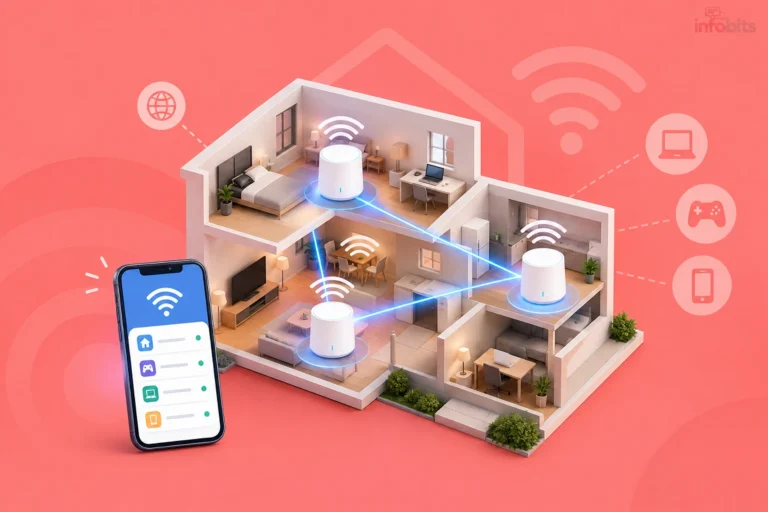
If your home has thick concrete walls or multiple floors, one router may not be enough. Read our mesh Wi-Fi guide before buying. A mesh kit covers large homes far better than a single router in the living room.
Use a wired link where you can. A short Cat6 LAN cable (available on Amazon) between the ONT and router is cheap and avoids bad cables causing slowdowns.
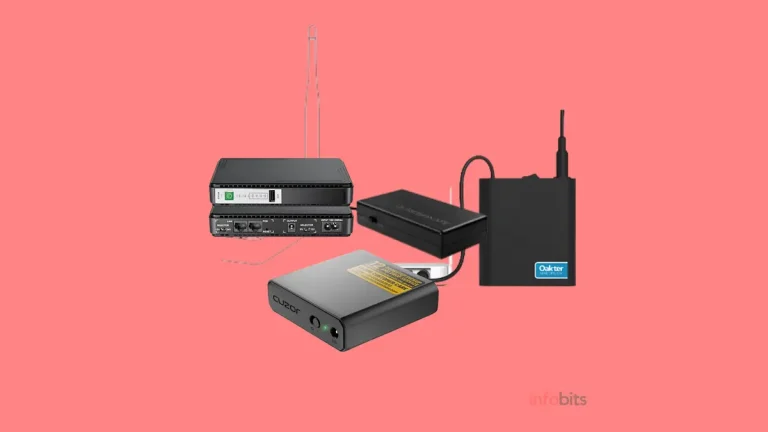
Finally, protect the setup from power cuts. Fibre needs power at the ONT and the router. A small DC mini UPS keeps both running for hours.
Setup Checklist
- Wrote down the PPPoE username and password
- Noted the VLAN ID from the existing WAN connection
- Took screenshots of all WAN connections, including voice
- Backed up the ONT configuration if possible
- Chose Option A, B or C
- Created the bridge connection before deleting the old one
- Left the voice and management connections alone
- Connected the ONT to the router’s WAN port (Options B and C)
- Turned off the ONT’s Wi-Fi
- Tested speed, calls and IPTV
Final Thoughts
Most people don’t need bridge mode. If you just want better Wi-Fi, Option A takes ten minutes and carries almost no risk. If you want a single clean network for gaming, VPNs or remote access, bridge mode is worth doing carefully.
Whichever you choose, write down your VLAN ID and PPPoE details first, change one thing at a time, and keep your backup screenshots.
If a red PON light or a lockout stops you, that’s the moment to call BSNL rather than keep tweaking. For plan changes, see how to change your BSNL broadband plan, and compare options in our BSNL broadband plans guide.
Frequently Asked Questions
Yes. You can use it as an access point, plug it behind the ONT, or set the ONT to bridge mode and let your router handle the login.
In bridge mode, the ONT stops acting as a router and passes the connection through. Your own router then handles the PPPoE login, NAT and Wi-Fi.
Yes. Your router needs them to log in. They’re on your BSNL installation paperwork, bill or SMS, and the password is commonly password.
Open the ONT’s WAN page and read it from your existing internet connection before you change anything. If it isn’t visible, ask your local BSNL office.
No. Your plan speed stays the same. Bridge mode removes double NAT and gives your own router control, which can help with gaming, VPNs and port forwarding.
Double NAT happens when two routers each translate addresses. It’s fine for browsing and streaming but can break port forwarding, some VPNs and some online games.
It should, if you leave the voice connection on the ONT untouched. Test it with a call after setup.
Not always. IPTV may depend on ONT settings, so test it, and use Option A if you rely on it.
Common causes are a wrong username or password, a VLAN mismatch, or a MAC address check. Try cloning the old PPPoE WAN MAC onto your router.
1492 is the standard PPPoE value. If some websites or VPNs fail to load, try 1460.
Only BSNL can provide that. Static IPs need a request through your exchange. Bridge mode lets your router use a public IP if BSNL assigns one.
It resets your VLAN, PPPoE and voice settings, so only do it if you have those details or BSNL can reconfigure the device.
Yes, and you should if your own router handles Wi-Fi. This stops two networks competing on the same channels.
Some offices or franchises are reluctant. A written request to your local exchange or franchise usually helps.
Yes, provided you change the default admin password, use WPA2 or WPA3, and keep the router’s firmware updated.
We hope you are interested in our articles and consider following our Facebook, Instagram, and Twitter pages for regular updates.
Also, share this article with your friends and relatives. Bookmark this page for future reference.
Subscribe to our free newsletter to get similar articles and regular updates directly in your Email Inbox.
Subscribe to be the first to learn about new information
Disclosure: If you follow our links to a retailer’s website and make a purchase, we will get an affiliate commission on some, but not all, of the items or services we promote. This will cause no price change for you.
You May Be Interested to Read:
- BSNL APN Settings: Correct Internet APN for 4G & 5G (Step-by-Step)
- How to Increase BSNL Internet Speed: Broadband, FTTH & Mobile Data Fixes
- BSNL IPTV vs IFTV: What’s the Real Difference?
- How to Check BSNL 4G Coverage in Your Area: 3 Easy Methods
- How to Convert an eSIM to a Physical SIM in India (Jio, Airtel, Vi, BSNL)