ERPNext Review 2026: Real Business Experience, Pricing & Verdict
Quick answer: ERPNext is a free, open-source ERP built by the Indian company Frappe Technologies. It handles accounting, inventory, sales, HR, and manufacturing in one system, and it’s especially strong for Indian businesses because of built-in GST support.
The software costs nothing, but self-hosting needs technical know-how, and Frappe Cloud hosting starts at a few hundred rupees a month. It’s a good fit if you want full control over your ERP without paying per-user licence fees; less so if you want something you can hand to a non-technical team on day one.
This review isn’t a rewrite of ERPNext’s own marketing page. Most of it is built around a real deployment: Sooraj Kenoth, Director at Wahni Green Technologies, has been running ERPNext inside his company for years, customising it, breaking it, fixing it, and living with its Pros and Cons.
We’ve combined that first-hand experience with what’s changed in ERPNext’s biggest release yet, version 16, plus current 2026 pricing for Indian businesses, so you can decide if it’s worth your time.
What Is ERPNext?
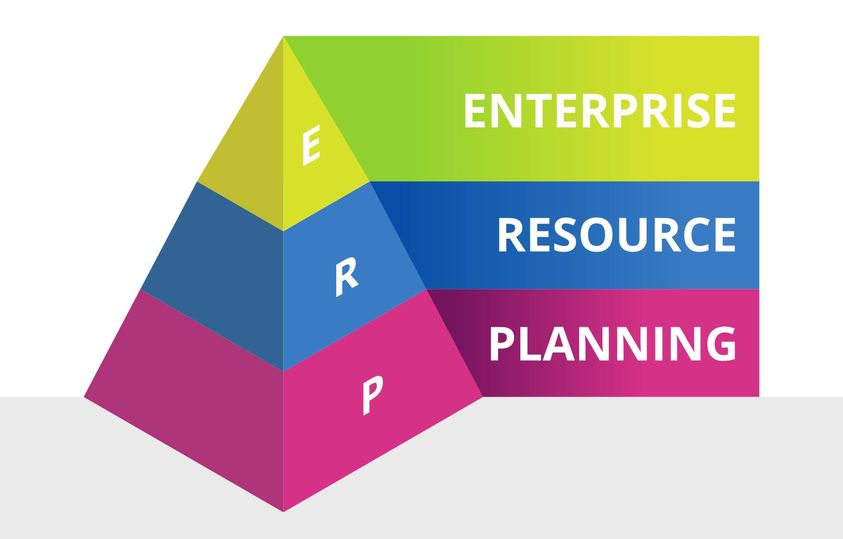
Enterprise Resource Planning, or ERP, is software that pulls every part of running a business ( accounts, stock, sales, HR, projects) into one place instead of ten disconnected spreadsheets and apps.
ERPNext is an open-source ERP that does this job, and it’s built on the Frappe Framework, a Python-based low-code platform.
It was first created in 2008 by Web Notes Technologies to give small and mid-sized businesses an ERP they could actually afford. Today it’s maintained by Frappe Technologies, an Indian company, and it’s one of the most widely used open-source ERPs in the world, with particularly strong adoption across India and Southeast Asia.
Because it’s open-source under the GPLv3 licence, you can self-host it for free, inspect the source code, and modify it however you need. There’s no per-user licence fee. A rare thing in the ERP world, where most vendors charge per seat, per month, forever.
Related: Best Supermarket Billing Software in India: Tested & Compared
What to Check Before Picking Any ERP
An ERP isn’t like accounting software you can swap out next year. Once your operations run through it, switching becomes genuinely painful.
A hundred times harder than replacing a billing tool, in our experience. So before you commit to ERPNext or anything else, three things matter more than any feature list.
- It should bend to your workflow, not the other way round. Every business has its own quirks, and a rigid system forces you to change how you work just to fit the software.
- It should cover most of your needs out of the box. The less custom development you need on day one, the lower your total cost.
- You shouldn’t be locked to one vendor. If your provider disappears or the pricing changes overnight, you need a realistic way out, which usually means open-source.
Beyond that, look for an active user community (so you’re not stuck when support is slow), offline resilience if your internet isn’t reliable, a clean way to add features later, and solid integration with tools you already use.
ERPNext scores well on most of these, which is a big part of why it’s held on to its popularity.
ERPNext Modules at a Glance
| Module | What It Covers | Best For |
|---|---|---|
| Accounting | GST invoicing, ledgers, multi-currency, bank reconciliation | Finance teams needing GST-native reporting |
| CRM & Sales | Leads, quotations, sales orders, call/email tracking | Sales teams managing a multi-step pipeline |
| Inventory & Stock | Multi-warehouse stock, batch/serial tracking, reorder rules | Distributors and retailers |
| Manufacturing | BOM, work orders, production planning, subcontracting | Small to mid-size manufacturers |
| HR & Payroll | Attendance, payroll, leave, recruitment | In-house HR teams |
| Projects | Task tracking, timesheets, billing by project | Service and project-based businesses |
| Buying | Purchase orders, supplier scorecards, RFQs | Procurement-heavy operations |
| Asset Management | Asset tracking, depreciation, maintenance schedules | Asset-intensive businesses |
Each of these modules can be turned on or off independently, so you’re not forced into paying for or configuring features you’ll never touch.
Real-World Experience: Running ERPNext Day to Day
Reading a feature list only tells you so much. What actually matters is how an ERP behaves once real invoices, real customers, and real mistakes start flowing through it. Here’s what that’s looked like inside Wahni Green Technologies.
Accounts and Billing
Once the basic customer and product data is entered, ERPNext takes over the rest. Quotations, purchase orders, and invoices are generated automatically using saved templates, so the person doing data entry doesn’t need to understand the underlying accounting logic.
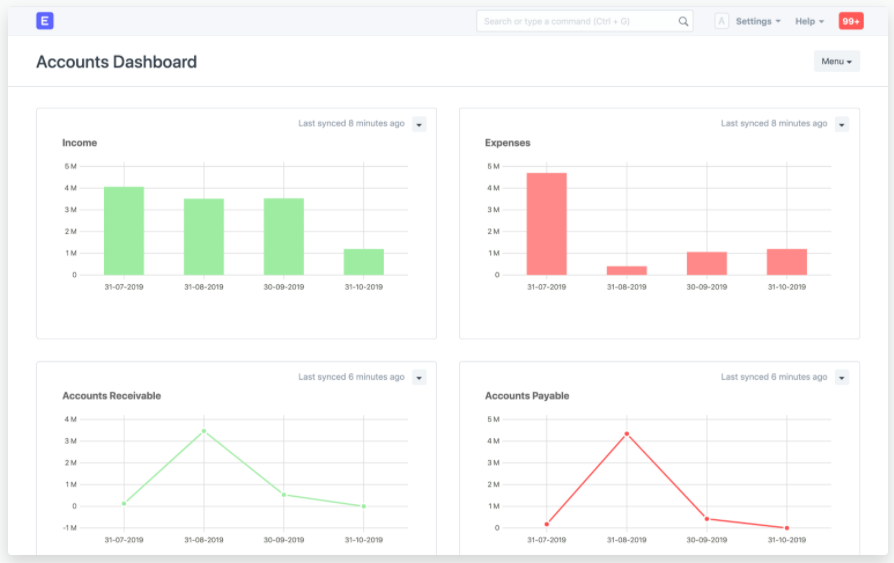
That separation matters more than it sounds. It means your sales staff can raise a quote without needing to know how tax computation or terms and conditions work behind it.
The real value shows up later, in the patterns. Once revenue and expense data is entered consistently, ERPNext gives you a clear read on where money is actually going, which customers cost more to serve, how many visits it takes to close a deal, and how payment delays affect a customer’s risk profile.
The catch is that this only works if data entry stays disciplined, since a few sloppy entries early on can throw off reports much later.
CRM and Customer Communication
For a business that wants every customer interaction logged, ERPNext’s call and email integration covers most of the ground. You can track and record calls, emails, and messages against a customer record instead of losing that history in someone’s personal inbox.
WhatsApp integration is technically possible but gets expensive quickly, since the cost sits with WhatsApp’s own business API pricing rather than anything ERPNext controls.
If your sales team is fielding a lot of customer calls through ERPNext’s CRM module, a dedicated business VoIP headset makes a genuine difference to call quality and reduces the number of “can you repeat that” moments during a pitch – Explore business headsets on Amazon.
HR and Multi-Entity Management
ERPNext supports something less commonly discussed. Managing multiple legal entities or virtual offices under one instance, each with its own account managers, salary structures, and vacancy tracking.
This is genuinely useful for businesses running a gig-style associate model (independent contractors working under the company’s umbrella, similar to how ride-hailing or delivery platforms manage their fleets) without needing separate software for each arm.
Project Management
This is the module that tests your team’s discipline the most. ERPNext can track every resource used on a project ( tools, materials, and hours ) down to the smallest item, but only if people actually log it as they go.
Confusion and accounting mismatches mostly disappear once each team member enters their own usage directly instead of routing everything through one accountant; the gap is training, not the software.
Purchase, Sales, and Stock
Once quotations and proposals are linked, a lot of manual work disappears. Purchase orders, product serial tracking, and warranty lookups all follow automatically from earlier steps in the sales cycle.
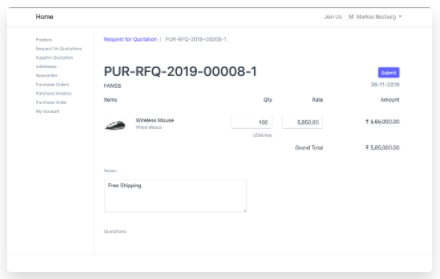
That means when a customer calls about a warranty issue, the support team can pull up the full history ( what was sold, when, and under what terms ) without digging through email threads.
For businesses running the inventory module seriously, a barcode scanner paired with ERPNext’s stock module cuts down manual entry errors significantly during receiving and dispatch – Check good barcode scanners on Amazon.
User Experience and Interface
ERPNext’s dashboard gives you key metrics in one view, and the menu-based navigation makes it reasonably easy to jump between modules without much training. The interface works across desktops, tablets, and phones, which matters if your team is checking stock or approving requests on the move.
That said, “reasonably easy” isn’t the same as “intuitive for a first-time user.” The learning curve is real, especially for people who’ve never used ERP software before. Expect a few weeks of adjustment for a non-technical team, not a few days.
Customisation and Integrations
This is arguably ERPNext’s strongest card. You can modify existing modules, add custom fields, build entirely new forms (called “DocTypes” in ERPNext), and design custom reports without touching the core codebase. If you or someone on your team knows Python or JavaScript, there’s very little you can’t eventually build.
ERPNext also connects to third-party tools through REST and SOAP APIs, so linking it to your accounting software, payment gateway, or e-commerce platform is usually a matter of configuration rather than custom development.
It plugs reasonably well into other open-source tools too, including PLM systems and IoT platforms, if you’re trying to build a fully open-source operations stack.
What’s New in ERPNext v16 (2026)
ERPNext v16 was released in January 2026 and is widely considered the most significant upgrade in the platform’s history, built with contributions from 600-plus developers and more than 50 new features.
If your business is still running an older version, or you’re evaluating ERPNext fresh, this release changes the calculus meaningfully.
| Area | What Changed | Why It Matters |
|---|---|---|
| Performance | “Frappe Caffeine” performance overhaul, roughly 2x faster page loads | Large datasets in accounting and stock stop feeling sluggish |
| Financial Reporting | Custom, formula-driven Financial Report Templates for P&L, Balance Sheet, Cash Flow | Finance teams can build compliant, region-specific reports without a developer |
| Purchasing | Purchase Expense Booking | Fewer manual reconciliation steps when calculating COGS |
| Manufacturing | Phantom BOMs, improved subcontracting and MRP planning | Better fit for multi-stage, outsourced production |
| Stock | Automatic closing stock posting, landed cost on more document types | Cleaner month-end closing for periodic accounting |
| HR | Better shift and attendance management, more flexible payroll rules | Less manual correction in payroll runs |
| Security | Stronger role-based access, field-level data masking, improved audit trails | Easier to meet compliance requirements as you scale |
| Interface | Redesigned workspace, cleaner default print formats | A more modern first impression for new users |
Overall, version 16 addresses several of the rough edges that older ERPNext reviews (including earlier versions of this one) used to flag: slower performance under load and dated-looking print formats among them.
What We Like About ERPNext
- No per-user licence fees. You pay for hosting and implementation, not for every additional employee who logs in.
- Genuinely deep customisation. The DocType system lets you build forms and workflows the base software never anticipated.
- Strong for Indian compliance. GST invoicing, e-invoicing, e-way bills, and GSTR filing support are built in, not bolted on.
- Active community. Forums are responsive, and documentation has improved substantially over the years.
- Scales down as well as up. A two-person firm and a two-hundred-person manufacturer can both run on ERPNext, just with different modules switched on.
- Mobile-friendly. The interface holds up reasonably well on tablets and phones, not just desktop browsers.
- v16 performance gains are real. The speed complaints in older reviews are largely addressed.
What We Didn’t Like
- The learning curve is steep for non-technical staff. Menu structures aren’t always intuitive, and some tasks need more clicks than they should.
- Self-hosted upgrades can be tricky. If you’re not comfortable with server administration, version upgrades are a real friction point.
- Manufacturing still has rough edges. Production planning tools have improved in v16 but remain more complex than dedicated MES software.
- Support depends heavily on your plan. Community forums are good, but fast, guaranteed support usually means paying for it.
- New businesses are sometimes wary of it. Because it doesn’t carry the brand weight of SAP or established players, some decision-makers need convincing before they’ll trust it with core operations.
ERPNext Pricing in India (2026)
Unlike most ERPs, there’s no single “ERPNext price.” What you pay depends entirely on how you deploy it.
| Deployment Option | Software Cost | What You Actually Pay For |
|---|---|---|
| Self-hosted | ₹0 (GPLv3 licence) | Server, sysadmin time, backups, security; real but often underestimated |
| Frappe Cloud (managed) | Plan-based, not per-user | Roughly $10–20/month entry-level shared plans, scaling with usage; dedicated server plans from around $125/month |
| Implementation partner | ₹0 for software | One-time setup: ₹75,000–₹1,50,000 for a small business, ₹1,50,000–₹3,00,000 for a mid-size multi-location company, ₹3,00,000–₹5,00,000+ for a larger enterprise rollout |
A few things worth knowing before you budget:
- “Free” doesn’t mean zero cost. Self-hosting looks cheapest on paper, but once you count server administration, backups, and upgrade effort, published three-year comparisons put self-hosting close to ₹11 lakh against roughly ₹3.2 lakh for a managed Frappe Cloud setup at ten users, once labour is factored in.
- Data migration is usually underbudgeted. Moving historical records from Tally, Excel, or another ERP typically runs ₹15,000–₹50,000 depending on data volume and quality.
- GST configuration needs to be right from day one. Indian businesses have compliance requirements ( GST-compliant invoicing, tax templates, statutory reports ) that generic global pricing guides don’t account for, and getting this wrong is expensive to fix later.
- Budget internal time too. Even with a partner handling implementation, expect your own team to spend 40–80 hours on requirements gathering, testing, and training.
If your business is small and your workflows are simple, self-hosting on a modest VPS can work fine for a technically comfortable team. If you’d rather not manage servers, Frappe Cloud or a certified implementation partner is the more realistic route.
If you’re going the self-hosted route, a reliable UPS or power backup unit for your server room isn’t optional in most parts of India. A sudden power cut mid-database-write is one of the more common causes of ERP data corruption we’ve seen.
ERPNext vs Odoo vs Tally
This is one of the most common questions Indian businesses actually ask before choosing an ERP, so it’s worth addressing directly instead of assuming you’ve already decided.
| Factor | ERPNext | Odoo | Tally |
|---|---|---|---|
| Licence cost | Free (GPLv3), unlimited users | Community free; Enterprise apps cost $24–36/user/month | One-time or annual licence, per-device |
| Scope | Full ERP: accounting, CRM, HR, manufacturing | Full ERP with a larger app marketplace | Primarily accounting, GST, and basic inventory |
| Indian GST compliance | Strong, native | Good, but less India-specific out of the box | Excellent. This is its core strength |
| Interface polish | Functional, improved significantly in v16 | More polished, generally considered more modern | Simple, familiar to Indian accountants |
| Best for | Cost-sensitive SMEs needing full ERP | Businesses wanting a big app ecosystem and willing to pay per user | Small firms needing accounting and GST only, not full ERP |
| Manufacturing depth | Solid, improved in v16 | Generally considered stronger for complex manufacturing | Very limited. No production planning or shop-floor tracking |
Summary: If all you need is accounting, GST filing, and basic stock, Tally still does that job efficiently and your accountant probably already knows it.
If you’ve outgrown that ( multiple departments, manufacturing, a sales pipeline, HR ), you’re choosing between ERPNext and Odoo, and that decision usually comes down to budget. ERPNext wins on total cost of ownership; Odoo often wins on interface polish and app marketplace breadth.
Implementation Process and Deployment Options
Rolling out ERPNext follows a fairly standard ERP implementation path, though the open-source nature changes how much of it you can do in-house.
- Assess and plan. Map your current processes, decide which modules you actually need, and set a realistic timeline. Most Indian implementations run three to six months depending on scope.
- Configure the system. Set up forms, fields, workflows, and GST tax templates to match how your business actually operates, not a generic default.
- Migrate your data. Move customer records, stock, and historical accounting data in carefully. This is where most implementation delays happen if it’s rushed.
- Train and test. Run your team through the system in a sandbox environment before anything touches live data.
- Go live. Roll it out in full, ideally with a support window from your implementation partner for the first few weeks.
On deployment, you have three realistic paths: self-hosted (full control, needs a capable in-house or contracted sysadmin), Frappe Cloud (managed hosting, no server headaches, predictable monthly cost), and managed hosting through a third-party partner (a middle ground; more control than pure cloud, less hassle than pure self-hosting).
Common Mistakes to Avoid
- Skipping the process mapping step. Jumping straight into configuration without documenting your actual workflow leads to a system that fights your team instead of helping it.
- Under-training staff. A powerful ERP with untrained users produces bad data, and bad data makes every report downstream useless.
- Migrating dirty data. Moving inconsistent or duplicate records from your old system into ERPNext just moves the mess; it doesn’t fix it.
- Ignoring GST configuration until go-live. Tax templates should be tested with real invoice scenarios well before your first live billing cycle.
- Choosing self-hosting without a sysadmin plan. If nobody on your team can comfortably manage backups and upgrades, factor that cost in upfront, not after something breaks.
Myth vs Fact
| Myth | Fact |
|---|---|
| “ERPNext is completely free to run.” | The software licence is free; hosting, implementation, and ongoing admin time are not. |
| “Open-source means less secure.” | ERPNext v16 added field-level data masking, stronger role-based access, and improved audit trails; open-source doesn’t mean under-maintained. |
| “It’s only for small businesses.” | ERPNext scales from two-person firms to enterprises with hundreds of employees; the modular structure supports both. |
| “You need to be a developer to customise it.” | Basic customisation (custom fields, forms, reports) is doable by a non-developer; bigger changes need Python/JavaScript knowledge. |
| “Tally and ERPNext do the same job.” | Tally is accounting-and-GST-focused; ERPNext is a full ERP covering sales, HR, manufacturing, and projects alongside accounting. |
Who Should (and Shouldn’t) Use ERPNext
A good fit if you:
- Want a full ERP without ongoing per-user licence costs
- Need strong native GST and Indian compliance support
- Have (or can hire) some in-house technical capacity, or a budget for an implementation partner
- Are comfortable with a few weeks of learning curve for your team
Probably not the right fit if you:
- Only need basic accounting and GST filing. Tally will serve you better and cheaper
- Need a polished, minimal-training interface from day one with no technical involvement at all
- Run complex, high-volume manufacturing where dedicated MES-level shop-floor control is non-negotiable
Our Verdict
ERPNext remains one of the strongest open-source ERPs available, and the case for it has actually gotten stronger with version 16. Faster performance, better financial reporting tools, and a more modern interface address several of the complaints long-time users used to have.
It’s not the ERP for a business that wants to hand a system to an untrained team and expect zero friction, but for a business willing to invest a bit of setup time, it delivers a genuinely complete ERP without the licensing costs that make proprietary systems painful at scale.
For Indian businesses specifically, the native GST support and the fact that Frappe itself is an Indian company (with an active local partner ecosystem) make ERPNext a particularly practical choice compared to global alternatives built around different compliance assumptions.
Frequently Asked Questions
The core ERPNext software is free and open-source under the GPLv3 licence, with no per-user charge. You do pay for hosting (either your own server or Frappe Cloud) and, in most cases, for implementation and configuration support.
Yes. ERPNext’s modular structure lets a small business start with just accounting and inventory and add HR or manufacturing later, so the initial setup doesn’t have to be overwhelming.
Based on 2026 market data, a small business implementation typically runs ₹75,000–₹1,50,000, a mid-size multi-location rollout ₹1,50,000–₹3,00,000, and a larger enterprise deployment ₹3,00,000–₹5,00,000 or more, depending on modules and customisation.
Yes, ERPNext has native support for GST invoicing, e-invoicing, e-way bills, and GSTR filing, and India is considered one of its strongest markets.
It depends on what you need. Tally is excellent for accounting and GST specifically. ERPNext is a broader ERP covering sales, HR, manufacturing, and projects, so it’s the better choice once your needs go beyond accounting.
Both are strong open-source ERPs. ERPNext generally wins on total cost of ownership since there are no per-user Enterprise fees; Odoo is often considered to have a more polished interface and a larger app marketplace.
Yes, you can install ERPNext on your own server at no software cost. You’ll need someone comfortable with Linux server administration to manage security, backups, and upgrades.
Frappe Cloud is Frappe’s official managed hosting service for ERPNext. It handles installation, upgrades, monitoring, and maintenance, and pricing is plan-based rather than per-user.
Most Indian implementations take between three and six months, depending on the number of modules, the complexity of customisation, and how much historical data needs to be migrated.
There’s a real learning curve, especially for people who’ve never used ERP software. Most teams need a few weeks of structured training before they’re comfortable, and the menu structure can feel confusing to first-time users.
Yes, with version 16’s improvements to production planning, subcontracting, and Phantom BOMs, ERPNext handles multi-stage manufacturing reasonably well, though very complex, high-volume shop floors may still need supplementary MES tools.
ERPNext v16, released in January 2026, brought roughly 2x faster performance, customisable financial report templates, Purchase Expense Booking, improved manufacturing and subcontracting tools, and stronger security controls like field-level data masking.
Basic customisation like custom fields, new forms called DocTypes, and custom reports is achievable without deep coding knowledge. More advanced workflow automation typically needs someone familiar with Python or JavaScript.
Yes, ERPNext supports REST and SOAP APIs, so it can connect with accounting tools, payment gateways, e-commerce platforms, and other third-party systems.
Yes. The Projects module handles task tracking, timesheets, and project-based billing, which makes ERPNext workable for consultancies, agencies, and other service firms, not just product-based businesses.
You can rely on ERPNext’s generally responsive community forums, or purchase a professional support plan directly from Frappe or a certified implementation partner for guaranteed response times.
Data safety depends on how well you secure and back up your own server. ERPNext v16 added stronger role-based access and audit trails, but the responsibility for server-level security sits with whoever manages your hosting.
Yes, data migration from Tally is a standard part of most ERPNext implementations, though it needs to be planned carefully. A budget of ₹15,000–₹50,000 can be expected for migration depending on data volume, and expect to spend time validating the migrated records before go-live.
Please consider following our Facebook, Instagram, and Twitter pages for regular updates.
We hope you are interested in this article. Subscribe to our free newsletter so that you will get regular updates about this type of information directly in your Email.
Subscribe to be the first to learn about new information
Disclosure: If you follow our links to a retailer’s website and make a purchase, we will get an affiliate commission on some, but not all, of the items or services we promote. This will cause no price change for you.