Windows on ARM: Is a Snapdragon Laptop Good for Students in India?
Every Snapdragon laptop ad makes the same two promises. Battery that lasts for days and a thin, silent body. For a student, that sounds perfect.
Then reality kicks in. Your college lab runs software from years ago. Your tax-filing token needs a driver. And your seniors keep saying, “just buy Intel.”
So who is right? Both, depending on your course. This guide explains how Windows on ARM works, which student tools run well and which break, what these laptops cost in India, and how to test everything before the return window closes.
Quick answer: A Snapdragon laptop is a good choice for students whose work is browser-based, Office-based or general coding. It is a risky choice if your course needs x86-only engineering software, lab hardware with special drivers, Linux dual-boot or a Tally-and-DSC workflow. In India, Snapdragon models also cost roughly ₹20,000 to ₹45,000 more than an Intel or AMD laptop with similar RAM. If you cannot confirm your key apps before buying, choose Intel or AMD.
What Is Windows on ARM?
Most Windows laptops use Intel or AMD chips, which run the x86 and x64 instruction sets. Snapdragon laptops use an ARM-based chip, the same design family that powers your phone. They run a version of Windows 11 built for that chip, called Windows on ARM.
The experience looks the same. You get the Start menu, File Explorer, Microsoft Office and Chrome. The difference sits underneath, where every app and driver must either be built for ARM or be translated to run on it.
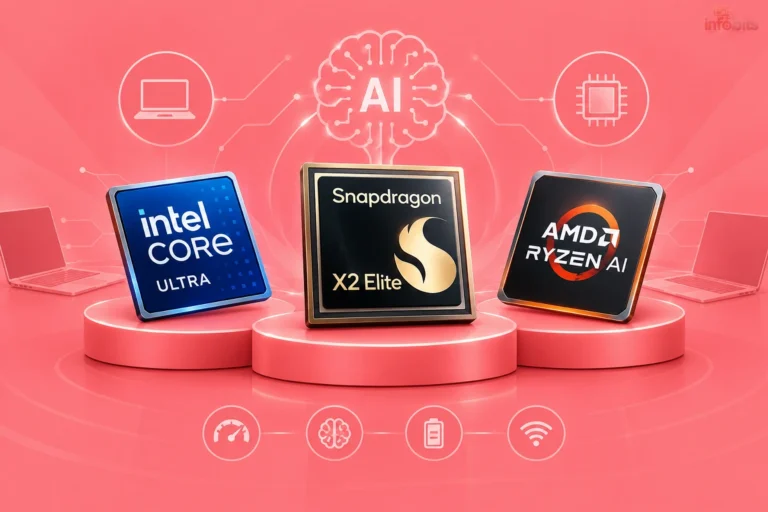
For a deeper look at the chips, see our comparison of Core Ultra, Ryzen AI and Snapdragon X2 Elite. This article answers a narrower question: will it work for your studies?
How Windows on ARM Runs Your Apps
Your software takes one of three paths.
| Path | What happens | What it means for you |
|---|---|---|
| Native Arm64 apps | The app is built for ARM and runs at full speed | Best experience. Chrome and VS Code are examples |
| Emulated x86 or x64 apps | Windows translates the app on the fly using its Prism emulator | Usually works, but slower than native |
| Unsupported software | The app needs a custom driver or deep system access | Does not work, and emulation cannot fix it |
Microsoft’s documentation says emulation covers user-mode code only, and any kernel-mode component must be built for Arm64. That one rule explains most student-level problems. A normal app usually works. An app or lab device that installs its own driver may not.
The ecosystem is improving. PCWorld reported in August 2026 that Windows on Arm passed 7,000 compatible apps and games, though it said gaps remain.
Student Software Check: What Works and What Doesn’t
This table covers tools students commonly use. Statuses come from vendor and Microsoft pages where we could find them. Where we found nothing official, we say so. Software changes fast, so always confirm your exact version.
| Software | Status on Snapdragon | Note |
|---|---|---|
| Chrome, Edge, Microsoft 365 | Works well | Everyday study apps are mostly ARM-ready |
| VS Code, WSL2, Docker Desktop | Works well | VS Code is native. WSL2 and Docker are widely reported to run well |
| Python and Java development | Works well | Mainstream tools have Arm64 builds. Check niche libraries |
| MATLAB | Works via emulation | MathWorks says R2026a is supported through Prism, with no native Arm version yet |
| Photoshop, Premiere Pro | Native Arm versions exist | Check your version and any plug-ins |
| AutoCAD | Reportedly supported (2026) | Microsoft Q&A answers say Autodesk now lists Arm64 for AutoCAD 2026. Colleges often teach older versions, so confirm |
| SolidWorks | Unclear | We found no official Arm support. Reports of it running under emulation are anecdotal |
| Rhino | Not supported in the latest report | McNeel staff said Rhino has no Arm support and no roadmap in a 2024 thread. Check for updates |
| Proteus, Multisim, Keil, Vivado, TallyPrime | Unverified | We found no official Arm statements. Test with a trial. Microcontroller and FPGA tools often depend on USB drivers |
| Respondus LockDown Browser | Works | Runs on Arm through emulation, and a July 2026 release added Windows Arm support. Your college may use a different tool |
| VMware Workstation | Not supported | Broadcom community replies say it targets x86. Hyper-V runs on Windows 11 ARM |
| Lab hardware with its own drivers | Risky | An Analogue Devices student forum thread describes a Snapdragon owner unable to install ADALM2000 drivers |
| Games with kernel anti-cheat | Blocked | Covered in our chip comparison |
Is a Snapdragon Laptop Good for Your Course?
| Your stream | Typical tools | Verdict |
|---|---|---|
| Arts, humanities, law, theory-based courses | Browser, Office, PDFs, video lectures | Good fit |
| Commerce, BBA, CA | Excel, Tally, GST and tax portals, DSC tokens | Test first. Check Tally and your token’s ARM driver |
| Computer science and IT | VS Code, Python, Java, Git, WSL, Docker | Good fit for most. Weak if you want Linux dual-boot or VMware |
| Electronics, electrical, mechatronics | MATLAB, simulation tools, microcontroller and FPGA kits | Test first. Driver-heavy labs are the biggest risk |
| Mechanical, civil, architecture | AutoCAD, SolidWorks, Revit, Rhino, STAAD | Risky. Prefer Intel or AMD unless faculty confirm Arm support |
| Design, film, media | Photoshop, Premiere Pro, Figma | Mixed. Adobe has Arm builds, but check plug-ins |
If your stream lands in the “test first” or “risky” rows, ask a senior or faculty member which software versions they use, then check each one.
Where Snapdragon Laptops Win for Students
- Battery life. You can leave the charger in your hostel room. Our student laptop guide lists the HP OmniBook 5 OLED, and buyers there report it lasting multiple days between charges.
- Light and quiet. That same model is fanless and weighs about 1.29 kg, which is easy to carry between lectures.
- Enough power for study work. Browsing, documents, video calls and coding in VS Code feel smooth.
- Handy AI extras. Background blur and live captions run on the laptop itself. They are nice to have, but they are not a reason to buy. Chatbots like ChatGPT run in the cloud on any laptop.
Where They Fall Short
- Drivers and lab kits. USB programmers, serial adapters, FPGA boards and measurement kits need Arm64 drivers. Without them, the device will not work.
- Linux and dual-boot. Phoronix found in March 2026 that Ubuntu on a Snapdragon X Elite laptop remained frustrating. Qualcomm has since announced Debian support for Snapdragon X2 later in 2026 and Ubuntu in early 2027, with no retroactive support for first-generation chips. If you plan to dual-boot, read our dual-boot vs virtual machine guide, and note that our Linux Mint install guide suits Intel and AMD laptops.
- Virtual machines. VMware Workstation is out. Hyper-V and WSL2 cover many needs.
- Soldered memory. Most thin laptops cannot be upgraded later. Buy 16 GB from day one. Our RAM guide explains why it matters.
- Price. See the next section.
Snapdragon Laptop Prices in India vs Intel and AMD
Snapdragon laptop listings in India ranged from ₹68,990 to ₹2,04,990 when checked on October 7, 2026. Here are examples next to picks from our student guide.
| Laptop | Chip | RAM and storage | Approx. price |
|---|---|---|---|
| HP OmniBook 5 OLED (our guide) | Snapdragon X | 16 GB, 512 GB | ₹80,000 |
| Acer Aspire 16 AI | Snapdragon X | 16 GB, 512 GB | ₹89,999 |
| Lenovo IdeaPad Slim 5x | Snapdragon X Plus | 16 GB, 1 TB | ₹96,999 |
| ASUS Zenbook A14 | Snapdragon X | 16 GB, 512 GB | ₹86,990 |
| Lenovo Yoga Slim 7 | Snapdragon X2 Plus | 16 GB, 512 GB | ₹1,20,490 |
| ASUS Vivobook 15 (our guide) | Intel Core i5-13420H | 16 GB, 512 GB | ₹47,000 |
| Dell 15 (our guide) | Intel Core 3-100U | 16 GB, 512 GB | ₹66,990 |
So you pay a premium for battery life and weight, not for extra speed in everyday study work. Prices move fast in 2026, so check live listings. Our No-Cost EMI guide explains how EMI offers really work.
The 15-Minute Compatibility Test Before You Buy
Do this before you pay, and again inside the return window.
- Write down your must-run software from the syllabus or lab manual. Include versions and any USB devices.
- Open each vendor’s system requirements page and look for “Arm64” or “Windows on Arm.” No mention is a warning sign.
- Email the vendor if the page is unclear. Ask directly whether they support Windows on Arm.
- Ask your college IT team which exam and proctoring tools they use, and whether Arm laptops are accepted.
- Check your hardware, including printer, USB-serial adapters, programmers, drawing tablet and DSC token.
- After buying, install everything and run it. Press Ctrl+Shift+Esc, open the Details tab, right-click a column header, choose Select columns and turn on Architecture. ARM64 means native. x64 or x86 means emulated.
- If an app misbehaves, right-click it, open Properties, go to the Compatibility tab and try Microsoft’s emulation settings. If it still fails, return the laptop.
Snapdragon or Intel and AMD? Quick Decision Guide
| Factor | Snapdragon fits if… | Intel or AMD fits if… |
|---|---|---|
| Software | Your tools are web, Office, VS Code, or confirmed on Arm | You rely on x86-only engineering, CAD or EDA tools |
| Hardware | You use standard USB devices | You use lab kits, programmers or tokens without Arm drivers |
| Linux | WSL2 is enough for you | You plan to dual-boot Linux |
| Budget | You can pay extra for battery and weight | You want the most RAM and power per rupee |
| Daily routine | You carry the laptop all day | You mostly study at a desk |
Tips If You Go Snapdragon
- Buy 16 GB RAM and 512 GB storage. Anything less feels tight on a laptop you cannot upgrade.
- Choose a seller with an easy return window. Install your apps on day one.
- Prefer web or Arm-native versions. They run fastest.
- Use lab PCs for x86-only software. Keep your files in the cloud or on a portable SSD to move them between machines. Our external SSD vs HDD guide helps you choose.
- Add ports. Thin laptops have few. A USB-C hub with HDMI and USB-A, like the UGREEN Revodok available on Amazon, helps in classrooms with projectors.
- Carry a compact charger. A 65 W GaN USB-C charger available on Amazon works with most thin laptops.
- Protect it. A padded laptop sleeve like the Sounce Protective Laptop Bag Sleeve available on Amazon is cheap insurance in a crowded backpack.
- Keep Windows updated. Windows updates bring emulation and driver improvements. Our after-installing Windows 11 checklist covers first-day setup.
- Protect the battery. See whether it is safe to use a laptop while charging.
Which Laptop Should You Shortlist?
- Snapdragon pick: The HP OmniBook 5 OLED on Amazon is the Snapdragon option in our student guide.
- Safer all-rounder: The Lenovo Smartchoice V15 (view on Amazon) with an i5-13420H and 16 GB RAM runs everything and costs far less.
- Tight budget: The Lenovo IdeaPad Slim 3 with Ryzen 5 offers 16 GB RAM at a friendlier price.
See our best i5 laptops under ₹50,000 and the laptop buying guide for more options.
Common Mistakes to Avoid
- Buying first and checking software later. Do the 15-minute test before you pay.
- Assuming drivers will work. Emulation cannot rescue a missing Arm64 driver.
- Choosing 8 GB RAM. You cannot add more later.
- Expecting college labs to match your laptop. Lab PCs are usually x86, so software versions may differ.
- Planning to install Linux later. Support is still catching up.
- Trusting battery claims alone. Marketing figures use easy video tests.
- Skipping the return window. Test everything while you can still return it.
Myth vs Fact
| Myth | Fact |
|---|---|
| Snapdragon laptops cannot run normal Windows apps | Most run natively or through emulation. Driver-dependent software is the main limit |
| A Snapdragon laptop is like a Chromebook | It runs full Windows 11 with desktop apps |
| Emulation makes everything slow | Many apps feel fine, but heavy tasks are slower than native |
| I can install Linux later | Linux support is still a work in progress, and first-generation chips will not get retroactive Qualcomm support |
| AI features make it better for studies | They are background extras. Cloud AI tools work on any laptop |
| Snapdragon laptops are cheaper because they are efficient | In India they usually cost more than Intel or AMD with similar RAM |
Troubleshooting Quick Reference
| Problem | Likely cause | What to try |
|---|---|---|
| Installer refuses to run | The installer checks for the processor type | Look for an Arm64 installer or a web version |
| App opens, then crashes | Emulation quirk | Change emulation settings on the Compatibility tab |
| Lab device not detected | No Arm64 driver | Ask the maker, or use a lab PC |
| Emulated app feels slow | Heavy workload under emulation | Look for a native build, or lighten the task |
| Game is blocked | Kernel-level anti-cheat | Use an Intel or AMD laptop for that game |
| VM will not start | VMware Workstation unsupported | Use Hyper-V or WSL2 |
Conclusion
So, is a Snapdragon laptop good for students? For many, yes. For some, it is a costly mistake.
If your work is browsing, Office and coding, you will enjoy the battery life and light body. If your course depends on x86-only engineering software, lab hardware, or Linux dual-boot, an Intel or AMD laptop is the safer choice.
Our advice is simple. Write your software list, check each tool, and buy only where you can return it. For most Indian students, that test decides the answer.
Frequently Asked Questions
Yes, if your work is mostly browsing, Office, general coding and video calls. It is risky if your course needs x86-only engineering software, lab hardware with special drivers or Linux dual-boot. Check your must-have software before buying.
Most of it. Native Arm64 apps run at full speed, and Windows 11 emulates many x86 and x64 apps. Software that needs a custom driver usually does not work.
It is the version of Windows 11 built for ARM-based processors such as Qualcomm Snapdragon. It looks like normal Windows, but apps and drivers must be built for ARM or run through emulation.
It depends on the branch. Software-focused work is fine, but electronics, mechanical and civil students should check CAD, simulation tools and lab hardware first. Driver-heavy labs are the biggest risk.
Mostly yes. VS Code is native, and WSL2 and Docker are widely reported to run well. The main drawbacks are weak Linux dual-boot support and no VMware Workstation.
Not reliably yet. Reviewers found Ubuntu on Snapdragon X Elite frustrating in early 2026. Qualcomm has announced Debian support for Snapdragon X2 later in 2026 and Ubuntu in the first half of 2027, with no retroactive support for first-generation chips.
Yes. Both are mainstream apps with Arm-ready versions, so everyday study work is well covered.
Yes, through emulation. MathWorks says MATLAB R2026a is supported on Windows on ARM through Prism, but there is no native Arm version yet, and earlier releases are not fully qualified.
Reports in 2026 say Autodesk now lists Arm64 as supported for AutoCAD 2026. Confirm this on Autodesk’s system requirements page, and check which version your college uses.
VMware Workstation is not supported on Snapdragon laptops, according to Broadcom community replies. Hyper-V and WSL2 work on Windows 11 Arm, and you should check VirtualBox’s current release notes before relying on it.
Some does. Respondus LockDown Browser runs on Arm through emulation, and its July 2026 release added support for Windows Arm devices. Ask your college which proctoring tool it uses before you buy.
Open Task Manager, go to the Details tab, right-click a column header and add the Architecture column. ARM64 means native, while x64 or x86 means emulated.
Yes, emulated apps run slower than native ones. Many everyday apps feel fine, but heavy tasks such as large simulations or video exports feel the difference more.
Usually, yes. Listings in October 2026 ranged from about ₹69,000 to over ₹2 lakh, while strong 16 GB Intel and AMD student laptops start near ₹47,000.
It is tight. Choose 16 GB, because most thin laptops use soldered memory that you cannot upgrade later.
RAM is usually soldered and cannot be upgraded. Storage depends on the model, so check reviews or the service manual before buying.
Yes. Microsoft offers a Windows 11 ARM64 ISO, and Snapdragon X series laptops support booting from it. Use the ARM version, not the regular x64 ISO. Our Windows USB install guide covers the basic steps.
Choose Snapdragon if your tools are web-based, Office-based or confirmed on ARM, and you want battery life and a lightweight device. Choose Intel or AMD if you need engineering software, lab hardware, Linux dual-boot or the lowest price.
We hope you are interested in our articles and consider following our Facebook, Instagram, and Twitter pages for regular updates.
Also, share this article with your friends and relatives. Bookmark this page for future reference.
Subscribe to our free newsletter to get similar articles and regular updates directly in your Email Inbox.
Subscribe to be the first to learn about new information
Disclosure: If you follow our links to a retailer’s website and make a purchase, we will get an affiliate commission on some, but not all, of the items or services we promote. This will cause no price change for you.
You May Be Interested to Read:
- How to Fix Red Tint on Monitor or Laptop Screen (Windows & Mac): Complete Guide
- How to Turn On Laptop Keyboard Light (Windows & Mac): Complete Guide
- How to Fix WiFi Dead Zones Without Buying a New Router (10 Ways)
- SATA SSD vs NVMe SSD: Which Should You Buy?
- Why Are RAM Prices So High in 2026? The AI Memory Shortage Explained