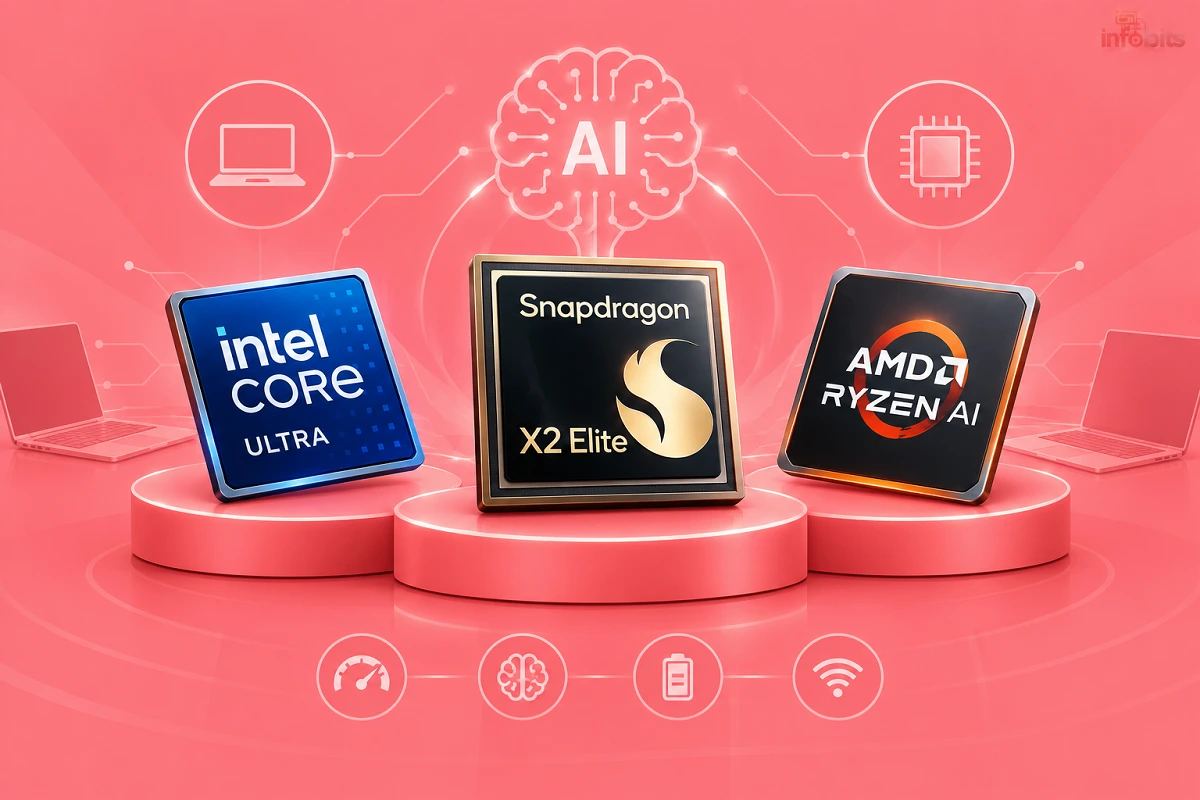
Core Ultra vs Ryzen AI vs Snapdragon X2 Elite: Which AI Laptop Processor Should You Choose?
Every laptop ad now says “AI PC”. Few of them tell you which chip is inside, or whether it matters for what you actually do.
Three families compete for your money in 2026: Intel Core Ultra Series 3, AMD Ryzen AI 400, and Qualcomm Snapdragon X2 Elite. They look similar on a spec sheet, but they behave very differently once you install your software and unplug the charger.
This guide cuts through the marketing. You will see what each chip is good at, where it falls short, and which one fits a student, an office user, a creator, or a gamer.
Quick Answer:
- Choose Snapdragon X2 Elite if you want a thin, light laptop with strong battery life, and your apps are web-based or confirmed to work on Windows on Arm.
- Choose Intel Core Ultra Series 3 if you want the best integrated graphics in a thin laptop and full compatibility with every Windows app.
- Choose AMD Ryzen AI 400 if you want strong multi-core performance and good value, especially with a discrete graphics card.
If you remember one thing, make it this. Software compatibility and battery size matter more than the NPU number printed on the box.
What Is an “AI Laptop Processor”?
Every chip in this comparison contains three engines. The CPU handles general tasks. The GPU handles graphics and some AI work. The NPU (neural processing unit) is a small, efficient engine for AI tasks that run on the laptop itself.
NPU speed is measured in TOPS (trillion operations per second). Microsoft’s Copilot+ PC label requires an NPU of at least 40 TOPS. All three chips below clear that bar.
What do NPUs actually do today? Mostly background jobs, such as webcam blur and eye contact, noise removal on calls, live captions, and some on-device search and writing features. Most AI tools people use daily, like chatbots, still run in the cloud and do not need an NPU at all.
The Three Contenders at a Glance
| Intel Core Ultra Series 3 | AMD Ryzen AI 400 | Snapdragon X2 Elite | |
|---|---|---|---|
| Codename | Panther Lake | Gorgon Point | Oryon (3rd gen) |
| Architecture | x86 | x86 | Arm |
| Launched | January 2026 | January 2026 | Laptops from April 2026 |
| Max CPU cores | Up to 16 | Up to 12 | Up to 18 |
| NPU (peak) | Up to 50 TOPS | Up to 60 TOPS | 80 TOPS (up to 85 on some models) |
| Top graphics | Arc B390 (Xe3) | Radeon 890M (RDNA 3.5) | Adreno X2-90 |
| Windows app support | Full | Full | Good, but not complete |
| Strongest at | Graphics plus compatibility | Multi-core value | Efficiency and portability |
Specs vary by model. The top chips in each family get the best numbers, and cheaper models in the same family are slower.
Intel Core Ultra Series 3 (Panther Lake)
Intel’s 2026 laptop family is its first built on the new 18A process. Early reviews called it a strong comeback, mostly for battery life and graphics.
What it does well
- The best integrated graphics of the three, on models with Arc B390. That means light gaming and video editing without a separate GPU.
- Full x86 compatibility. Every Windows program, driver, and peripheral is tested on Intel first.
- Up to 50 TOPS from the NPU. Intel also counts the GPU’s AI power, which brings the whole platform to roughly 180 TOPS.
Where it falls short
- The NPU is the weakest of the three on paper. For heavy local AI work, the GPU does more.
- The naming is confusing. “Core Ultra” covers several generations, and the cheaper Core Series 3 chips (no “Ultra” in the name) have a much smaller NPU and are not Copilot+ class.
Best for: students, professionals, and creators who want one laptop that runs everything.
AMD Ryzen AI 400 (Gorgon Point)
The Ryzen AI 400 series builds on last year’s Ryzen AI 300 chips. It uses the same Zen 5 cores and RDNA 3.5 graphics, with higher clock speeds and a faster NPU.
What it does well
- The top model, the Ryzen AI 9 HX 475, has a 12-core CPU and a 60 TOPS NPU.
- Strong multi-core performance for video export, coding, and heavy multitasking.
- Wide choice of laptops across price points, including gaming models with discrete graphics.
Where it falls short
- It is mostly a refresh, not a new design. If you find a Ryzen AI 300 laptop at a good discount, you lose very little.
- Only the top HX models reach 60 TOPS. Lower models are rated at 50 TOPS.
- Not every laptop with “Ryzen” in the name is a Copilot+ PC. Older Ryzen 8000-series chips have a far weaker NPU.
Best for: value buyers, gamers, and anyone who wants strong performance without paying a premium.
Qualcomm Snapdragon X2 Elite
Qualcomm’s second-generation Windows chip is an Arm processor, the same family of design used in smartphones. It aims at battery life and efficiency first.
What it does well
- Up to 18 cores and the highest NPU rating of the three, at 80 TOPS.
- Strong efficiency, so thin laptops stay cool and quiet. Many models weigh around 1 kg.
- Performance stays closer to full speed on battery than on most x86 laptops.
Where it falls short
- It runs Windows on Arm. Most modern apps work, but some older software, specialist tools, and certain drivers do not.
- Games with kernel-level anti-cheat, such as Valorant, are blocked. Gaming in general is the weakest area.
- Early prices in India have been high, and memory is soldered, so you cannot upgrade it later.
Best for: frequent travellers and office users whose software is confirmed to work.
Round-by-Round Comparison
1. Everyday Performance
For web browsing, Office, video calls, and streaming, all three feel fast. You will not notice a difference in daily use. The gap appears in heavy work. Snapdragon X2 Elite and the top Ryzen chips lead in multi-core tasks, while Intel’s lead is in graphics.
2. Battery Life
This is closer than the marketing suggests. Snapdragon laptops usually last long and keep their speed on battery. Intel’s Panther Lake has matched them in several tests, especially on models with large batteries. Ryzen laptops are good but tend to trail slightly.
The battery size in watt-hours often matters more than the chip. A laptop with an 80 Wh battery will usually beat a 50 Wh model, whatever is inside.
3. AI and NPU Performance
On paper, the order is Snapdragon (80 TOPS), then Ryzen (up to 60), then Intel (up to 50). In practice, the Windows AI features most people use today run comfortably on all three.
If you plan to run local language models, RAM matters more than TOPS. Aim for 16 GB at minimum and 32 GB if you can afford it.
4. App Compatibility
This is where the x86 chips win. Intel and AMD laptops run everything. Snapdragon laptops run most apps natively or through emulation, but you should check three things:
- Your most important software, by name, on Windows on ARM.
- Printer, scanner, and VPN drivers.
- Digital Signature Certificate (DSC) USB tokens. Many Indian users depend on these for GST, income tax, and MCA filing. Check that your token vendor offers ARM drivers before you buy.
5. Gaming
Intel’s Arc B390 and AMD’s Radeon graphics both handle light and medium gaming well. Snapdragon is the weakest, with fewer compatible titles and blocked anti-cheat games. For serious gaming, buy a laptop with a dedicated graphics card instead.
6. Price and Value in India
Snapdragon X2 laptops have launched in India at premium prices. Some HP OmniBook models start around ₹1.25 lakh, and the Zenbook A14 sits at a higher price. Intel and AMD offer far more choice, from mid-range to flagship.
Memory and storage costs have been rising through 2026, so prices move quickly. Always check live prices before you decide.
Which Chip Should You Choose? A Decision Guide
| If you are a… | Best pick | Why |
|---|---|---|
| Student | Intel Core Ultra or Ryzen AI | Full software support, wide price range |
| Frequent traveller | Snapdragon X2 Elite | Light body, long battery |
| Office or business user | Snapdragon or Intel | Efficiency or full compatibility |
| CA, accountant, or tax professional | Intel or AMD | DSC tokens and Tally-type software |
| Video editor or creator | Intel (Arc) or Ryzen | Strong graphics and multi-core |
| Gamer | Ryzen AI with dedicated GPU | Best x86 gaming ecosystem |
| Developer | Intel or AMD | Full tool and virtualisation support |
| Budget buyer | Ryzen AI 5 or Snapdragon X2 Plus | Good value at the lower end |
Students should also read our article on best laptops for students.
Buying Checklist
Before you buy any AI laptop, check these seven things.
- [1] RAM: 16 GB minimum. 32 GB if you plan local AI work.
- [2] Battery size: look for 70 Wh or more if battery life matters.
- [3] Exact chip name: “Core Ultra X7 358H” is not the same as “Core Series 3”.
- [4] NPU rating: 40 TOPS or more for Copilot+ features.
- [5] Software list: write down your five key apps and verify each.
- [5] Display: OLED looks great but uses more power than IPS.
- [6] Service support: check that your brand has a service centre in your city.
Our guide on choosing a laptop covers the basics, and the DDR RAM types explained help you understand memory.
Common Mistakes When Buying an AI Laptop
- Buying on TOPS alone. A higher number does not mean a faster laptop.
- Ignoring app compatibility on Snapdragon. Test before you commit.
- Assuming “AI PC” means Copilot+. It does not always.
- Forgetting soldered memory. Most thin laptops cannot be upgraded later, so buy extra RAM now.
- Choosing by battery claims. Marketing numbers use easy video tests. Real use is lower.
- Skipping the warranty details. Check what the manufacturer covers and where service is available.
Myth vs Fact
| Myth | Fact |
|---|---|
| More TOPS means a faster laptop. | TOPS only measures NPU speed, not overall performance. |
| Snapdragon laptops cannot run normal Windows apps. | Most run well, but some software and drivers still do not. |
| You need an NPU for ChatGPT or Gemini. | Those run in the cloud and work on any laptop. |
| Intel always means better compatibility. | It does for x86, but AMD is equal on that front. |
| ARM always wins on battery. | Intel’s newest chips have matched it in several tests. |
| All “Ryzen AI” laptops are equal. | Models range from 50 to 60 TOPS, with different cores and graphics. |
Expert Tips
- Pick the laptop, not the chip. Cooling, battery size, and display quality shape daily experience as much as the processor.
- Read reviews of your exact model. Two laptops with the same chip can perform very differently.
- Wait for stock if prices look inflated. Memory costs have pushed prices up, and they may ease.
- Buy a good charger. A 65 W GaN USB-C charger (available on Amazon) is easy to carry and works on all three platforms.
- Add ports with a hub. Thin laptops have few ports. A USB-C hub with HDMI and data ports, like the UGREEN Revodok USB-C Hub available on Amazon, helps in this regard.
- Use Wi-Fi 7 properly. Many of these laptops support it, so pair them with a good router. Our guide to Wi-Fi 6 vs Wi-Fi 7 explains the difference.
- Back up to fast storage. An external SSD or HDD is a quick way to protect files and free up space.
- Check laptop charging habits. Read our detailed article on whether it’s safe to use a laptop while charging to protect your battery.
Where to Find Each Type of Laptop in India
You can find laptops with all three platforms on Amazon India, Flipkart, and brand stores. Look at ASUS, HP, Lenovo, Dell, and Acer for each family.
If your current laptop runs Windows 10, our post on Windows 10 support ending explains why an upgrade may be worth considering.
Conclusion
There is no single best AI laptop processor. There is a best one for you.
Pick Snapdragon X2 Elite for portability and battery, if your apps are confirmed. Pick Intel Core Ultra Series 3 for graphics and full compatibility. Pick Ryzen AI 400 for multi-core power and value.
Whichever you choose, buy 16 GB of RAM or more, check the battery size, and test your key apps before the return window closes.
Frequently Asked Questions
It depends on your needs. Snapdragon leads on portability and battery, Intel on graphics and compatibility, and AMD on multi-core value.
An NPU is a small chip engine that runs AI tasks efficiently on the laptop. It handles features like background blur and live captions without draining the battery.
Microsoft requires at least 40 TOPS from the NPU. All three chips in this comparison meet that.
No. TOPS measures only the NPU’s AI throughput. Overall speed depends on the CPU, GPU, memory, and cooling.
Intel Core Ultra Series 3 reaches up to 50 TOPS, Ryzen AI 400 up to 60 TOPS, and Snapdragon X2 Elite 80 TOPS or more.
Most do, through native Arm versions or emulation. Some older software, specialist tools, and certain drivers may not work.
It depends on the token vendor. Check that your token has Arm-compatible drivers before you buy.
Not really. Many games run, but performance is limited, and some titles with anti-cheat are blocked.
Snapdragon laptops usually lead, but Intel’s latest chips have matched them in some tests. Battery size matters as much as the chip.
Intel Core Ultra or Ryzen AI laptops are safest because of full software support. Snapdragon suits students with web-based or confirmed apps.
No. It is mainly a refresh with higher clocks and a faster NPU. A discounted Ryzen AI 300 laptop is still a good buy.
Core Ultra Series 3 is the full Panther Lake family with a roughly 50 TOPS NPU. Core Series 3 chips are value parts with a much smaller NPU.
No. These services run in the cloud and work on any laptop with internet access.
Choose 16 GB at minimum. Pick 32 GB if you want to run local AI models or heavy creative software.
Often not. Many thin laptops use soldered memory, so you should buy the amount you need at purchase.
Yes. Brands like HP and ASUS have launched models in India, though prices are premium.
Intel’s Arc graphics and Ryzen’s multi-core strength both work well. Check that your editing software supports your chosen platform.
We hope you are interested in our articles and consider following our Facebook, Instagram, and Twitter pages for regular updates.
Also, share this article with your friends and relatives. Bookmark this page for future reference.
Subscribe to our free newsletter to get similar articles and regular updates directly in your Email Inbox.
Subscribe to be the first to learn about new information
Disclosure: If you follow our links to a retailer’s website and make a purchase, we will get an affiliate commission on some, but not all, of the items or services we promote. This will cause no price change for you.
You May Be Interested to Read:
- Best i5 Laptop Under 50000 in India: Unbeatable Value
- How to Turn On Laptop Keyboard Light (Windows & Mac): Complete Guide
- How to Install Linux Mint or Zorin OS From a USB Drive: Step-by-Step Guide
- SSD vs HDD: Which Actually Matters More for PC Speed?
- ChromeOS Flex vs Lightweight Linux: Which Should You Choose?