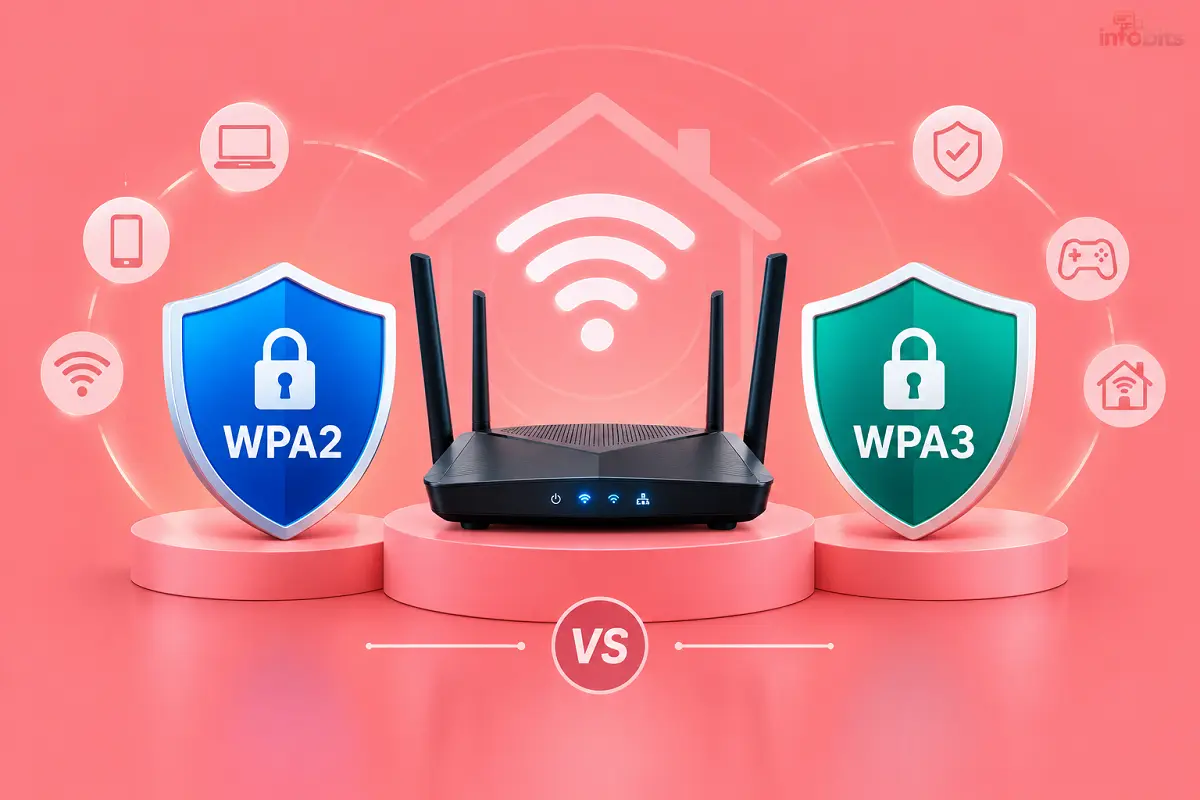
WPA2 vs WPA3 for Home Routers in India: Which Should You Use?
Open your router settings, and you’ll see a list: WPA2, WPA3, WPA2/WPA3, maybe even “WEP.” Most people leave it alone. That’s usually fine, but not always.
Here’s the immediate suggestion for you. Use WPA2/WPA3 mixed mode if your router offers it. Use WPA2-AES with a strong password if it doesn’t. Don’t switch to WPA3-only until every device in your home supports it.
Quick Answer: WPA2 or WPA3?
Your situation Best setting Router supports WPA3, mix of old and new devices WPA2/WPA3 mixed mode Router supports WPA3, all devices are recent WPA3-Personal Router supports only WPA2 WPA2-AES (also shown as WPA2-PSK [AES] or CCMP) Router shows WEP, WPA or TKIP Change it today Open network (no password) Never at home If you only read one row, read the last three.
What Are WPA2 and WPA3?
Both are security standards that protect the traffic between your phone and your router. They stop neighbours and strangers from reading what you send over Wi-Fi.
WPA2 arrived in 2004. It became the default on almost every home router. WPA3 was finalised in 2018 and fixes known weaknesses in how WPA2 handles passwords.
WPA2 vs WPA3: The Real Differences
| Feature | WPA2-Personal | WPA3-Personal |
|---|---|---|
| Released | 2004 | 2018 |
| Password handshake | PSK | SAE (more attack-resistant) |
| Offline password guessing | Possible if someone captures the handshake | Much harder |
| Forward secrecy | No | Yes |
| Management frame protection | Optional | Required |
| Open network protection | None | Encrypts traffic on open networks (OWE) |
| Older device support | Excellent | Limited on old hardware |
| Smart home setup | Manual | Easier (Wi-Fi Easy Connect, for supported devices) |
Don’t let jargon scare you. Here’s what the three big ones mean in simple language.
Better password protection. With WPA2, someone nearby can record your connection handshake and try millions of password guesses offline, at their own pace. WPA3’s SAE method forces each guess to go through your router. That makes weak-but-not-terrible passwords far harder to crack.
Forward secrecy. Say someone records your traffic today and learns your password next year. On WPA2, they might decrypt the old recording. On WPA3, they can’t.
Protected management frames. These stop attackers from kicking your devices off Wi-Fi with fake “disconnect” messages.
A Myth to Clear Up: “WPA3 Is 192-bit”
You’ll see “192-bit security” in some articles. That applies to WPA3-Enterprise, used in offices. Home WPA3-Personal uses the same 128-bit AES strength as WPA2. The real gain at home is how passwords are handled, not bigger keys.
Is WPA2 Still Safe at Home?
Yes, if you do three things:
- Use AES (CCMP), never TKIP.
- Use a long, random password. Aim for 14+ characters or a passphrase of four unrelated words.
- Keep your router firmware updated.
WPA2 with a strong password is still secure in practice. WPA3 is meaningfully better, but WPA2 isn’t “broken.”
Where WPA2 is weaker: weak or reused passwords. If your Wi-Fi password is your phone number, your house name or “12345678,” WPA3 helps a lot. Better still, change the password.
Is WPA3 Slower?
For most homes, no. Speed depends on your plan, Wi-Fi band, distance and router quality. Some very old routers and low-power IoT gadgets may struggle with WPA3’s heavier handshake. On modern hardware, you won’t notice a difference.
WPA2/WPA3 Mixed Mode: The Smart Choice for Most Indian Homes
Mixed mode (also called “transition mode”) lets both types of devices join:
- A new phone or laptop connects with WPA3.
- An older smart plug, TV or printer connects with WPA2.
This matters in India because many homes run a mix. A new Wi-Fi 6 phone sits next to a 2016 smart TV and an old CCTV camera. WPA3-only mode would lock some of those out.
The compromised solution: mixed mode isn’t as strict as pure WPA3, because the WPA2 door stays open. For most households, that’s a fair price for everything working.
Will My Devices Work With WPA3?
| Device | Usually works with WPA3? |
|---|---|
| Recent Android phones | Often yes; check your Android version |
| Recent iPhones | Yes, on modern iOS versions |
| Windows 10/11 laptops with newer Wi-Fi cards | Often yes |
| Older laptops and desktop Wi-Fi dongles | Often no |
| Smart TVs (2018 or earlier) | Often no |
| CCTV cameras, smart plugs, bulbs, printers | Varies widely; many are WPA2-only |
Support often depends on the Wi-Fi chip and its driver, not just the device’s age. When in doubt, test.
Easy test: switch to mixed mode, reconnect one device at a time and note which ones fail. If something drops, you’ll know which one is the old holdout.
Do Indian ISP Routers Support WPA3?
It depends on the model and the firmware. Many ISP-provided routers are locked down and offer limited settings. Newer Wi-Fi 6 routers usually support WPA3, since Wi-Fi 6 certification generally requires it. Older Wi-Fi 5 or ISP gateways may show only WPA2.
How to check: log in to your router admin page, open the wireless or security settings, and look at the authentication or encryption dropdown. If you see “WPA3-Personal” or “WPA2/WPA3,” your router supports it. If you see only “WPA2-PSK,” it doesn’t.
If your ISP’s router doesn’t offer WPA3 and you want it, you have two options:
- Ask the ISP whether a firmware update or a newer router is available.
- Buy your own router and run it behind the ISP’s ONT. Our guide to setting up your own router with a BSNL ONT walks through bridge mode, and configuring a BSNL FTTH modem covers the ONT side.
Some ISP-managed features, such as set-top box integration or landline over the router, may not carry over when you replace the gateway. Check before you switch.
How to Switch Your Router to WPA3 or Mixed Mode
Menus vary by brand, but the steps are similar.
- Connect to your router’s Wi-Fi or by cable.
- Open the admin page in your browser. The address is often printed on the router’s label.
- Log in with the admin credentials. If you’ve never changed them, change them now.
- Go to Wireless, Wi-Fi or Security settings.
- Find the Authentication, Security Mode or Encryption option.
- Choose WPA2/WPA3-Personal (mixed) or WPA3-Personal.
- Keep encryption on AES.
- Save. The router may restart and disconnect everything.
- Reconnect your devices and test each one.
Safety tip: write down your current Wi-Fi settings before you change them. If something goes wrong, you can revert.
Common mistake: setting WPA3-only, then wondering why the smart TV or camera “can’t find Wi-Fi.” Switch back to mixed mode.
Settings That Matter More Than WPA2 vs WPA3
The protocol is only one part of home Wi-Fi security. These matter just as much:
- Change the admin password. Default logins are the easiest way in.
- Use a long Wi-Fi password. Four random words beat a short “clever” password.
- Turn off WPS. It’s a convenience feature with a long record of security problems.
- Update firmware. Many fixes arrive here.
- Disable remote management unless you really need it.
- Use a guest network for visitors and cheap smart gadgets.
- Hide nothing. Hiding your network name (SSID) adds almost no security.
If you do nothing else this week, change the admin and Wi-Fi passwords. That helps more than switching to WPA3 with a weak password.
Should You Buy a New Router for WPA3?
Probably not just for WPA3. Buy one if:
- Your router is several years old and gets no firmware updates.
- Your ISP router has weak coverage or slow Wi-Fi.
- You’re moving to a faster plan and need Wi-Fi 6.
If you’re shopping, WPA3 support will come with most newer routers anyway. Our Wi-Fi router buying guide for India explains what else to check, and our best Wi-Fi routers in India picks list helps you choose.
A Wi-Fi 6 router with WPA3 and automatic updates, like TP-Link WiFi 6 AX1500 available on Amazon, is a sensible upgrade for a home with many devices.
WPA2 vs WPA3: Which One for Which Home?
Small flat, two phones and a laptop: Mixed mode. Simple and safe.
Family home with a smart TV, CCTV and smart plugs: Mixed mode. Old IoT devices are the usual problem.
Work-from-home setup with recent hardware: WPA3-Personal on a separate network, if every device supports it.
Rental with an ISP router that only offers WPA2: WPA2-AES with a strong password, plus the other settings above.
Home with lots of guests: Use a guest network. It matters more than the protocol.
Security Checklist
- [1] Wi-Fi security set to WPA2-AES, WPA2/WPA3 or WPA3
- [2] No WEP, WPA, or TKIP
- [3] Wi-Fi password of 14+ characters
- [4] Router admin password changed
- [5] WPS turned off
- [6] Firmware up to date
- [7] Guest network enabled for visitors and smart gadgets
- [8] Remote management disabled
Final Thoughts
WPA3 is better than WPA2, but WPA2 isn’t the end of the world. For most Indian homes, WPA2/WPA3 mixed mode is the right balance. It gives newer devices the stronger protection without shutting older ones out.
If your router only offers WPA2, don’t panic. Use AES, pick a strong password and keep the firmware current. Then consider an upgrade next time you’re buying a router anyway.
Related reading: Wi-Fi router buying guide, AirFiber vs fibre in India and how to protect your bank account from hackers.
Frequently Asked Questions
Yes. WPA3 handles passwords more securely, adds forward secrecy and requires protected management frames. WPA2 is still acceptable with AES and a strong password.
Yes, if you use AES (not TKIP), a long, unique password and updated firmware.
It lets WPA3 devices connect with WPA3 and older devices connect with WPA2 on the same network.
Only if every device you own supports it. WPA3-only will lock out WPA2-only devices.
On modern hardware, you’re unlikely to notice. Some very old routers or low-power gadgets may struggle.
Open the wireless security settings in your router admin page. If WPA3 or WPA2/WPA3 appears in the dropdown, it does.
It varies by model and firmware. Check the admin page, or ask your ISP about a newer router.
Often yes, but the steps differ by ISP, and some ISP features may not carry over. See our bridge mode guide for BSNL ONTs.
Only through mixed mode. A WPA3-only router won’t accept devices that support only WPA2.
It likely doesn’t support WPA3. Switch the router to WPA2/WPA3 mixed mode.
Many IoT devices only support WPA2. Use mixed mode, or put them on a separate WPA2 network.
They’re encryption methods. AES is the secure one. TKIP is outdated and weak.
Only WPA3-Enterprise is. Home WPA3-Personal uses 128-bit AES, and its improvement is in password handling.
No protocol is unbreakable, and early WPA3 implementations had flaws that vendors patched. Strong passwords and firmware updates still matter.
It adds almost no protection. Spend that effort on a strong password instead.
A long passphrase of several unrelated words, or a random string of 14+ characters. Avoid phone numbers and names.
Not necessarily. First, check for a firmware update. Replace the router if it’s old, unsupported or slow.
Wi-Fi 6 devices are generally required to support WPA3, but check your router’s settings to confirm.
Yes. Put visitors and cheap smart devices there to keep them away from your laptops and phones.
The admin password. Then the Wi-Fi password.
We hope you are interested in our articles and consider following our Facebook, Instagram, and Twitter pages for regular updates.
Also, share this article with your friends and relatives. Bookmark this page for future reference.
Subscribe to our free newsletter to get similar articles and regular updates directly in your Email Inbox.
Subscribe to be the first to learn about new information
Disclosure: If you follow our links to a retailer’s website and make a purchase, we will get an affiliate commission on some, but not all, of the items or services we promote. This will cause no price change for you.
You May Be Interested to Read:
- Best UPS for WiFi Router & Modem in India(Tested Picks)
- Fire TV Stick 4K Plus vs 4K Select vs HD: Which Should You Buy in India?
- Should You Buy a Laptop Now in 2026? The Memory Price Problem Explained
- Tata Play Smart Live TV App Review: Is Dish-Free TV Worth It?
- How to Track Amazon Price History Before You Buy