Tata Play Smart Live TV App Review: Is Dish-Free TV Worth It?
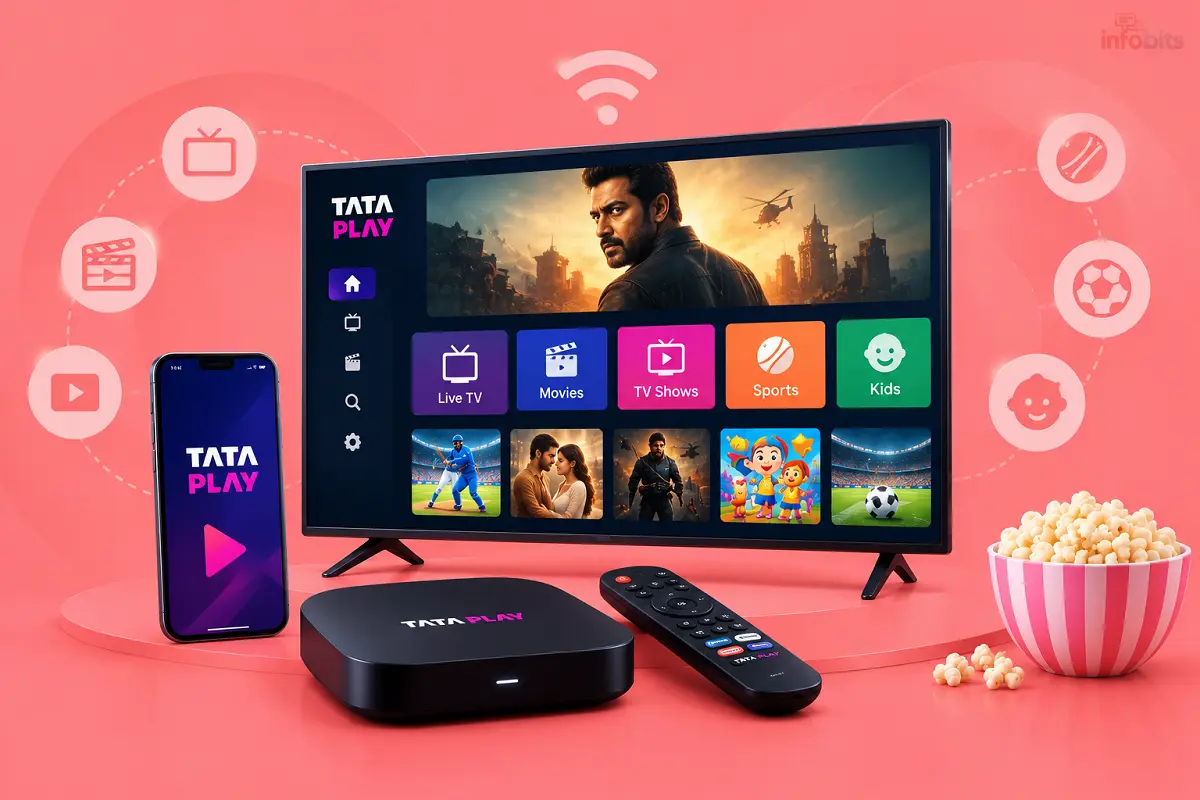
Tata Sky is now Tata Play, and its newest idea is dropping the dish. The Tata Play Smart app promises 500+ live TV channels on your Smart TV over the internet. No dish, no set-top box, no wires.
Sounds neat. But does it really replace a DTH connection? This review covers what the app offers, what it costs you in real terms, what users complain about, and who should (and shouldn’t) switch.
Quick verdict: Tata Play Smart is a good fit if you have a Smart TV, a stable broadband connection and want to skip dish installation. Skip it if your internet is weak or capped, your TV isn’t smart, or you want a fixed, easy-to-predict bill.
What Is the Tata Play Smart App?
Tata Play Smart is Tata Play’s live TV app. Tata Play (formerly Tata Sky) describes it as a way to watch 500+ live channels on a Smart TV without a dish or set-top box.
There are really two jobs in one name:
- For new users: a “dish-free TV connection” watched on a Smart TV and mobile over the internet.
- For existing DTH users: the old Tata Play mobile app, now renamed Tata Play Smart. It still handles recharge, pack changes and live TV on your phone.
Don’t confuse it with Tata Play Binge. Binge is Tata Play’s OTT app (30+ apps like Zee5 and Sun NXT in one subscription). Smart is for live TV channels.
Key Features at a Glance
| Feature | What Tata Play says |
|---|---|
| Channels | 500+ live channels (sports, news, movies, shows, regional) |
| Equipment | No dish, no set-top box, no wires. A Smart TV plus internet |
| Where you can watch | Smart TV, mobile and laptop |
| TV-style controls | TV guide, quick channel switching, channel numbers via remote, favourites |
| Account tools | Recharge, add or remove channels, raise service requests, chat support |
| Languages (mobile app) | English, Hindi, Bengali, Kannada, Malayalam, Marathi, Tamil, Telugu |
| Quality | HD clarity mentioned. 4K isn’t mentioned in the listings |
One feature stands out: you can press channel numbers on your remote like normal TV. That’s a small thing, but it makes the switch from DTH feel less strange.
How It Works (and What You Need)
The app streams channels over your home internet. So you need:
- A Smart TV that supports the app.
- A stable internet connection, ideally broadband or fibre.
- A Tata Play account with an active plan.
No technician, no rooftop dish, no drilling. For renters or people who move often, that alone is a big win.
Check before you subscribe: The app listings talk about “Smart TV” but don’t show a clear list of supported TV brands and models. Search your TV’s app store for “Tata Play Smart” first. Tata Play’s separate Binge app lists Android TV, LG, Samsung, VIDAA and Fire TV, but that isn’t a guarantee for the Smart app.
Price: What We Know and What We Don’t
Here’s the honest part. We could not find one flat, published monthly price for the dish-free service on the store pages. Tata Play says only that you can pick “easy and affordable” plans based on what you like to watch.
That suggests pack-based pricing, similar to DTH. For reference, Tata Play’s regular DTH packs range from small regional packs of about ₹9 to premium packs up to about ₹538 a month, with popular options like Hindi Super Value HD at about ₹176. The dish-free plans may differ, so confirm the exact quote on Tata Play’s site before you pay.
Use this simple cost check:
- Yearly cost = (monthly pack price × 12) + any extra internet cost
- Savings vs DTH = the set-top box and dish kit you won’t buy. Recent price lists put a basic SD DTH kit at around ₹1,499 and an HD kit at around ₹2,499.
Also ask: Does the quoted price include taxes and any network fees? Can I change packs any time? Is there a lock-in period? Some users complain about channels being added to packs and lock-in periods on the same Tata Play account, so read the pack screen carefully.
The Hidden Cost: Internet Data
Live TV over the internet uses real data. HD video typically uses roughly 1.5 to 3 GB per hour (varies by app and quality).
Here’s what that can mean:
| Daily viewing | Hours per month | Approx. data per month |
|---|---|---|
| 2 hours | 60 | 90-180 GB |
| 4 hours | 120 | 180-360 GB |
| 6 hours | 180 | 270-540 GB |
These are estimates, but they show the point. If your broadband has a monthly data limit (FUP), a family that watches 4+ hours a day could hit it. Unlimited fibre is close to a must. Mobile hotspot data is a poor way to run a TV.
If you’re shopping for a connection, our IPTV vs cable TV explainer covers how internet-based TV differs from cable.
Pros and Cons
What works well
- No dish, no set-top box and no installation visit.
- A familiar TV-style layout, with a guide and channel-number entry.
- One app for live TV, recharge and account management.
- Watch on a Smart TV, mobile or laptop.
- Easy to move with you if you change homes.
What to watch out for
- It depends on your broadband. Weak or capped internet means buffering or high data use.
- Supported TVs aren’t clearly listed, so test on your own TV first.
- Pricing isn’t shown as a simple flat plan on the store pages.
- App store ratings are mixed (see below), with complaints about billing and support.
- Live streaming can lag behind satellite TV by a few seconds, which matters for live cricket.
What Users Are Saying
As of early October 2026, the Tata Play Smart mobile listing on Google Play showed about 4.0 stars from a very large number of reviews, while the Apple App Store showed about 2.8 stars from roughly 15,000 ratings. Ratings change daily, so check the live numbers.
Common complaints we saw across reviews:
- Recharge confusion: some users say recharge validity runs out earlier than expected, and some want clearer 6-month or yearly options.
- Account mapping trouble: mobile numbers not linked correctly, which blocks recharge.
- Support frustration: automated chat replies with no easy route to a human.
- Auto-added channels: some users say channels were added to their pack and cost more.
- Refunds: some report refunds going to a wallet, not the bank account.
To be fair, many of these are about Tata Play’s service in general, not only the dish-free app. They are still worth knowing before you sign up.
Why Is Tata Play Going Dish-Free? (Context)
It’s not a random move. India’s private pay-DTH base fell to about 4.91 crore in March 2026, after losing about 78.7 lakh active subscribers in a year, according to TRAI data reported this week. Tata Play still holds the largest share at about 30.9%.
At the same time, internet TV is growing. Airtel’s IPTV base grew to about 36 lakh by March 2026. Jio offers JioTV+, and Dish TV launched VZY. So Tata Play Smart is its answer to a market that’s moving off the dish.
Tata Play Smart vs DTH vs Airtel IPTV vs JioTV+
| Tata Play Smart | Tata Play DTH | Airtel IPTV | JioTV+ | |
|---|---|---|---|---|
| Needs dish / set-top box | No | Yes | No (uses Airtel’s box and broadband) | No (via JioHome/app) |
| Channels | 500+ | 600+ | 350+ at launch, bundled with streaming apps | 1,000+ live channels |
| Works without broadband | No | Yes | No | No |
| Best for | Tata Play fans with Smart TV and good internet | Areas with weak internet | Airtel broadband users | Jio users |
| Watch out for | Pricing clarity and TV support | Equipment and installation | Tied to Airtel plans | Tied to the Jio ecosystem |
Channel counts come from each company’s own descriptions, and channel lineups change.
If you’re still weighing options, see our best DTH services in India and our VZY review for another dish-free option.
Who Should Use Tata Play Smart?
Good fit if you:
- Have a Smart TV and reliable, unlimited broadband.
- Move homes often or rent.
- Already use Tata Play and like its channel packs.
- Want fewer wires and no installation visit.
Think twice if you:
- Live in an area with patchy internet or power cuts.
- Have a data-capped plan.
- Use a non-smart TV and don’t want to buy a streaming device.
- Watch lots of live sports and hate any delay.
- Want one clear flat monthly price.
How to Get Started (Step by Step)
- Check that your Smart TV’s app store lists Tata Play Smart.
- Test your internet speed on the TV or a nearby device. Aim for a steady connection, not just a high number.
- Look at the channel list for the channels your household watches.
- Get the plan quote from Tata Play’s official site, including taxes and any lock-in.
- Install the app on the TV and sign in following the on-screen steps.
- Try it for a few days across peak evening hours before cancelling your old DTH.
Don’t cancel your DTH on day one. Run both for a week if you can.
Fixes for Buffering and Lag
- Use an Ethernet cable to the TV instead of Wi-Fi if possible.
- Place the router close to the TV or use a mesh extender.
- Switch to the 5 GHz Wi-Fi band for TVs that sit near the router. It is better to have a dual-band Wi-Fi router like TP-Link Archer AC1200 or a mesh system, which are easily available on Amazon.
- Close other heavy downloads while watching.
- Update the TV’s software and the app.
- Restart the router and TV if the stream stutters.
If your TV’s built-in speakers sound thin for sports and movies, a soundbar is a cheap upgrade. See our best soundbars under ₹10,000.
Myth vs Fact
Myth: No dish means a much cheaper TV bill. Fact: You save on equipment and installation, but the channel pack and your internet still cost money.
Myth: Any Smart TV will run it. Fact: Support depends on your TV platform. Check the app store first.
Myth: Internet TV is always the same quality as satellite. Fact: Quality depends on your connection, and live streams can lag a few seconds behind satellite.
Myth: Tata Play Smart and Tata Play Binge are the same. Fact: Smart is live TV. Binge is an OTT bundle.
Common Mistakes to Avoid
- Cancelling DTH before testing the app on your TV and evening internet.
- Ignoring data limits on your broadband plan.
- Skipping the channel list. Check that your must-have channels are included.
- Not reading pack changes. Review what’s added before you confirm a recharge.
- Using Wi-Fi from a far room and then blaming the app for buffering.
Final Verdict
Tata Play Smart is a sensible dish-free option for Smart TV households with strong, unlimited broadband. You skip the dish and the box, and you get a familiar TV-style experience from a large, established brand.
But it isn’t for everyone. Pricing isn’t shown clearly on the store pages, TV support isn’t clearly listed, and user ratings point to billing and support pain points. Test it on your own TV and compare the exact channels and monthly cost against your current DTH before you switch.
If you’re unsure, run it alongside your current connection for a week, then decide.
Frequently Asked Questions
It’s Tata Play’s live TV app. It offers 500+ channels on a Smart TV, mobile and laptop over the internet, with no dish or set-top box. It’s also the renamed Tata Play mobile app.
Yes. Tata Sky was renamed Tata Play in 2022. Many people still search for the old name.
Yes, with the dish-free connection. You need a Smart TV, an internet connection and a Tata Play account with an active plan.
Tata Play says 500+ live channels. Channel lineups change, so check that your favourites are included.
We couldn’t find a single flat price on the store pages. Plans appear to be pack-based, so check Tata Play’s official site for your exact quote.
The app is built for Smart TVs. For a non-smart TV, you would need a compatible streaming device, so confirm app support first.
The listings don’t show a clear list of brands. Search your TV’s app store for Tata Play Smart. Tata Play’s Binge app supports Android TV, LG, Samsung, VIDAA and Fire TV.
Yes. Smart is for live TV channels. Binge is an OTT subscription with 30+ apps.
Yes. The Tata Play mobile app, now called Tata Play Smart, lets existing customers recharge, manage packs and watch live TV on mobile.
Roughly 1.5 to 3 GB per hour for HD, depending on the stream. Four hours a day can reach about 180- 360 GB a month.
A steady, reliable connection matters more than a headline number. A stable broadband or fibre line is the safest choice.
No. Unlike DTH, it needs the internet, so an outage stops live TV.
Internet streams can run a few seconds behind satellite. Test it during a live match to see how noticeable it is for you.
The listings mention HD, not 4K. Tata Play’s Binge+ set-top box is its 4K option.
Common complaints include recharge validity confusion, account-linking issues, hard-to-reach support and channels being added to packs.
Airtel IPTV and JioTV+ are tied to their own broadband ecosystems. Tata Play Smart works as a standalone app. Compare the exact channels and prices you need.
Only after testing. Run both for about a week and compare channels, picture quality and monthly cost.
Use the in-app chat or Tata Play’s official website. Tata Play lists 1800 208 6633 as its customer line.
We hope you are interested in our articles and consider following our Facebook, Instagram, and Twitter pages for regular updates.
Also, share this article with your friends and relatives. Bookmark this page for future reference.
Subscribe to our free newsletter to get similar articles and regular updates directly in your Email Inbox.
Subscribe to be the first to learn about new information
Disclosure: Some links on this page may earn us a small commission at no extra cost to you. Plans, prices and channel lists change often, so please confirm details on Tata Play’s official website. We have no affiliation with Tata Play.