Integrating Indoor Cameras Into a Smart Home Setup in India (A Practical Guide)
An indoor camera is usually the second smart home device people buy, right after a smart speaker. It’s cheap, it’s simple to install, and it answers a very specific question: what’s happening at home right now.
But “buy a camera, download an app” only gets you halfway to a setup that actually works.
In an Indian home, the two things that quietly wreck a camera setup are the two things most guides don’t mention at all: what happens to your recording the moment the power goes out, and whether your camera is even legal to buy anymore under the certification rules that came into force this April.
This guide covers both, along with the parts every camera guide covers: choosing a camera, connecting it to your smart home, storage, placement, and privacy. But written specifically for how homes, internet connections, and power supplies actually work in India.
Quick Answer: What You Need to Know Before Buying
- Check STQC certification first. Since April 1, 2026, internet-connected CCTV and camera products sold in India must carry STQC (Standardisation Testing and Quality Certification) approval under MeitY’s rules. Several well-known brands have models that no longer qualify; more on this below.
- Local storage matters more than cloud in India. A camera that only records to the cloud goes blind the moment your internet or power drops, which is exactly when a break-in is most likely to happen.
- Wi-Fi cameras need 2.4 GHz, not 5 GHz, and roughly 2–3 Mbps of stable upload bandwidth per camera for smooth live viewing.
- Domestic help, bedrooms, and shared walls with neighbours all raise separate legal and ethical questions from “can I put a camera in my own living room”, covered in the privacy section below.
Important: The 2026 CCTV Certification Rules You Need to Know About
If you researched indoor cameras even a year ago, this section didn’t exist, and it’s the single biggest thing that’s changed.
From April 1, 2026, India requires all internet-connected CCTV and surveillance cameras to carry STQC certification before they can be legally sold, under rules first announced by MeitY in 2024.
Cameras must disclose the country of origin of their core chipset, and the government has been declining certification for products built around Chinese-origin chipsets over concerns about unauthorised remote access.
As a result, several major brands, including most Hikvision and Dahua models, and TP-Link’s internet-connected camera range, are no longer sold new in India, though a small number of specific models with non-Chinese chipsets have passed certification.
A few things worth knowing if this affects you:
- Cameras you already own keep working. The rules apply to new sales and certification, not to devices already installed in your home. There’s no requirement to remove an existing camera.
- Indian brands have moved fast to fill the gap. CP Plus, Qubo (by Hero Group), and a handful of others now account for the large majority of the consumer camera market, and are STQC-certified across most of their current lineup.
- Always ask for the STQC certificate before buying, especially if a listing or shop is still offering an older-generation Hikvision, Dahua, or TP-Link Tapo model. If the seller can’t produce one, don’t buy it, not just for legal reasons, but because an uncertified model is exactly the kind of product the certification process exists to catch.
- Expect prices to be a bit higher than what older guides quote. Industry estimates put the increase at roughly 15–20% on mid-range and premium cameras as manufacturers shift to alternative chipsets and absorb testing costs.
If you’re buying your first camera in 2026, this is genuinely the first filter to apply, before resolution, before brand, before price.
Choosing the Right Indoor Camera
Once you’ve confirmed a camera is certified, the rest of the decision comes down to five things.
Resolution. 1080p is the practical minimum for identifying a face at a few metres. 2K or higher is worth paying extra for on a camera covering a large living room or an entryway, since digital zoom on playback gets pixelated fast at 1080p.
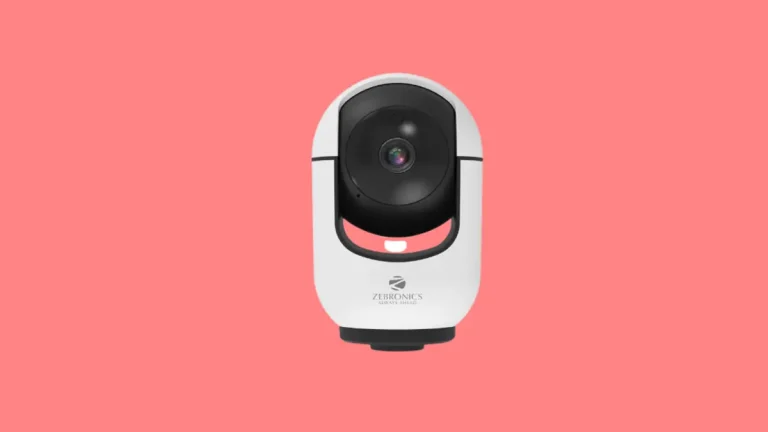
Field of view and movement. A fixed-lens camera covers one direction; a pan-tilt camera can be steered from the app and physically rotates to cover a wider area, which suits a single camera trying to watch an entire living-cum-dining space. Fixed cameras are cheaper and have one fewer moving part to fail.
Night vision. Standard IR night vision gives black-and-white footage in the dark, which is fine for detecting movement but not for identifying colours of clothing. Starlight or full-colour night vision sensors cost more but are genuinely useful if you need to describe what someone was wearing.
Motion detection quality. Basic motion detection triggers on anything that moves, including curtains, reflections, and pets. AI-based person/pet detection (now common even in the ₹2,000–₹4,000 range) cuts down false alerts dramatically and is worth prioritising over resolution if you have to choose.
Two-way audio. Useful for talking to a domestic worker or family member on camera, or simply telling a pet to get off the sofa. Nearly universal now, but check the speaker is loud enough to hear across a room, not just through the phone.
If you’re shopping for your first camera, a certified 1080p Wi-Fi camera with person detection and two-way audio in the ₹2,000–₹3,500 range from an Indian brand like CP Plus or Qubo covers the needs of most single-room setups without overspending on features you won’t use.
See our best indoor security cameras for Indian homes guide for current model-by-model picks.
Cloud Storage vs Local Storage: Why This Choice Matters More in India
Every camera gives you a choice: record to the cloud, record locally (SD card or NVR), or both. Most guides present this as a convenience trade-off. In India, it’s closer to a reliability decision.
Cloud storage is convenient. Footage survives even if someone steals the camera itself, and you can review clips from anywhere.
But it depends on two things staying alive at the exact moment you need them most: your internet connection and your router’s power supply.
A break-in that starts by cutting the mains power to a building, a common tactic, takes a cloud-only camera offline before it records anything useful.
Local storage is the more reliable primary layer for Indian homes. A microSD card (most cameras support 64GB–256GB) gives you roughly 3–5 days of continuous 1080p footage before it loops and starts overwriting, or considerably longer if you’re recording only on motion trigger.
For a multi-camera setup, an NVR (network video recorder) with a dedicated hard drive is more robust and easier to review than juggling SD cards.
The most resilient setup treats local storage as primary and cloud as a secondary, “just in case the camera itself is damaged or stolen” backup. Many modern cameras support both simultaneously.
On power cuts specifically: if you’re serious about a camera continuing to record through an outage, put the camera and your router on the same inverter or UPS backup circuit as your Wi-Fi.
A camera with battery backup is a good option, but it’s only as useful as the router it’s talking to. A camera with three hours of battery is pointless if the router loses power in the first ten minutes.
Setting Up Your Camera: Step by Step
- Confirm the camera has STQC certification and check the box or listing for the mark before opening the package.
- Check your Wi-Fi signal strength at the exact spot you plan to mount the camera, not just where your router sits. Most cameras need a 2.4GHz network specifically; many routers broadcast both bands under the same name, which confuses setup. If you’re not sure which band you’re on, temporarily rename your 2.4GHz network during setup so you can select it directly.
- Install the manufacturer’s app first and complete the camera’s own setup, firmware update, Wi-Fi pairing, and basic settings before trying to connect it to Alexa, Google Home, or any automation.
- Set your recording mode: continuous, motion-triggered, or scheduled. Motion-triggered recording is the practical default for most homes. It saves storage and makes footage easier to scan later.
- Tune motion sensitivity and zones. Mask out areas that cause false triggers. A window with moving curtains, a spot where a ceiling fan’s shadow falls, or a corner where a pet sleeps.
- Connect to your smart home platform, if you use one. For Alexa, this means enabling the camera’s brand “Skill” in the Alexa app. For Google Home, you link the camera brand’s account from within the Google Home app. Apple HomeKit has very limited camera options actually sold in India, so most Indian households end up on Alexa or Google Home by default, rather than an active choice.
- Test it properly, walk through the covered area at different times of day, check night vision after dark, and confirm you actually receive a push notification, not just a log entry in the app.
Related: How to Install a CCTV Camera at Home?
Where to Place Indoor Cameras in an Indian Home
Placement advice from US-focused guides (which usually default to “front door, backyard, driveway”) doesn’t map well to apartments and independent houses in India. A few pointers that do:
- Main living area, facing the entrance door, is the single highest-value placement for most flats, as it covers who comes and goes without needing a separate doorbell camera.
- Hallways and passages connecting bedrooms are useful for elderly-parent or child monitoring without placing a camera inside a bedroom itself.
- Kitchen, if you have domestic help cooking unsupervised, is a common and reasonable placement, but see the privacy section before doing this without a conversation.
- Avoid bedrooms and bathrooms entirely, even for “just in case” reasons. Beyond the obvious privacy concerns, footage from these spaces carries the highest legal exposure if it’s ever leaked, hacked, or subpoenaed.
- Watch what’s in the background of the frame, a camera aimed at your front door that also happens to capture a neighbour’s balcony or window can create a genuine privacy dispute, even if that was never the intent.
- Route cables through existing conduits or POP false ceilings if you’re using a wired camera, rather than surface-mounting cable runs, which both look untidy and are more vulnerable to tampering.
Related: Best GPS Tracker for Kids in India to Track Your Child Efficiently
Privacy and Legal Considerations for Home Cameras in India
This is the section most existing guides skip entirely, and it matters more than most buyers expect.
Recording in your own home for personal security is generally permitted. India doesn’t have a dedicated law banning home CCTV, and the Digital Personal Data Protection Act, 2023 (DPDP Act) carries an exemption for personal or domestic use, which covers most home camera use.
That exemption gets narrower once other people are involved. A few situations worth knowing about specifically:
- Domestic help and household staff: courts have taken the view that constant, covert monitoring of people working in your home, particularly in areas like their sleeping or changing space, if any, can cross into a privacy violation, even inside your own property. The safer, and simply more respectful, approach is to tell domestic staff which areas are under camera coverage.
- Other family members and co-residents: installing hidden cameras in shared living spaces without the knowledge of adult co-residents has been challenged in Indian courts as a violation of the right to privacy, even within a family home.
- Sharing or leaking footage: Section 66E of the IT Act penalises capturing or distributing images that violate someone’s privacy, and doing so without consent can carry criminal consequences. This applies even to footage from a legally installed camera if it’s shared inappropriately afterwards.
- Cloud storage and data location: if your camera’s cloud service stores footage on servers outside India, that footage is still subject to the DPDP Act’s rules once the Act’s operative provisions take full effect (phased in through May 2027), particularly around consent notices and data retention.
None of this means you need a lawyer to buy a camera for your living room.
It does mean: don’t point cameras into bedrooms or bathrooms, don’t hide cameras from adult household members, and if domestic staff work in a monitored space, a short conversation costs you nothing and avoids a genuinely avoidable problem.
Internet and Network Requirements
A camera is only as good as the network carrying its footage.
- Bandwidth: budget 2–3 Mbps of stable upload speed per camera for smooth live viewing; motion-triggered clip uploads need less sustained bandwidth than continuous streaming.
- Band: nearly all consumer indoor cameras use 2.4GHz Wi-Fi specifically, because it penetrates walls better than 5GHz, even though it’s slower. This isn’t a limitation to work around; it’s the right choice for a stationary camera.
- Router placement: if a room shows a weak signal on your phone, it’ll be worse for a camera with a smaller, cheaper antenna. A ₹1,500–₹3,000 Wi-Fi extender or mesh node is often the fix, and it’s worth solving before blaming the camera for dropped connections.
- Multiple cameras: beyond 4–5 Wi-Fi cameras on one router, consider a mesh system or a camera brand with a dedicated hub, since each camera is a separate, always-on Wi-Fi client competing for the same bandwidth as your phones and laptops.
Common Mistakes to Avoid
- Buying a camera without checking STQC certification. The single most common new mistake in 2026, and the easiest one to avoid by simply asking before you pay.
- Relying on cloud storage alone, with no local SD card or NVR backup, in a country where power cuts are still a routine part of life.
- Placing the camera and router on the same unprotected power circuit with no inverter or UPS backup defeats the point of a “24/7 monitoring” camera.
- Skipping the motion-zone setup, leading to alert fatigue from pets, curtains, and passing headlights, is the most common reason people eventually stop checking their camera notifications altogether.
- Installing a camera in a shared or private space. A domestic worker’s area, a bedroom, a bathroom, without a conversation first.
Related: Best Smart Switches for Home in India
Expert Tips
- Start with one camera in your highest-traffic room before wiring up the whole house. It’s the cheapest way to learn your Wi-Fi’s real-world coverage and your own tolerance for notifications.
- Pair your camera with a smart plug on the router itself, so you can remotely power-cycle the router if it hangs, a surprisingly common fix for “camera shows offline” that doesn’t require you to be physically home.
- If you’re monitoring elderly parents, prioritise two-way audio and a loud, clear speaker over resolution; being able to say “I saw you, are you okay?” matters more in the moment than 4K detail.
- Review your motion-detection zones every season. Furniture gets rearranged, curtains change, and a zone that worked in summer can start misfiring once heavier monsoon curtains go up.
Conclusion
Setting up an indoor camera in 2026 in India starts with a filter most guides still don’t mention: confirm it’s STQC certified before you buy, because the rules that took effect this April have genuinely reshaped which brands you can legally purchase new.
Beyond that, the fundamentals that matter most for a reliable setup are the same ones Indian homes have always needed more than most. Local storage as your primary safety net rather than the cloud alone.
A power backup plan that covers both the camera and the router, and a placement and privacy approach that respects everyone living in or working in your home, not just the people you’re trying to protect.
Get those right, and the rest — resolution, brand, app polish — is genuinely a matter of preference and budget.
Frequently Asked Questions
Yes. Installing a camera in your own home for personal security is generally covered under the domestic-use exemption in India’s data protection law. The legal questions get more specific around bedrooms, bathrooms, domestic staff, and shared spaces with co-residents, covered above.
STQC (Standardisation Testing and Quality Certification) is a government-mandated certification that internet-connected CCTV and camera products in India must now carry, in effect since April 1, 2026. It checks the origin of core chipsets and tests for security vulnerabilities. Buying an uncertified camera isn’t just a compliance issue. It also means you’re buying a product the government has specifically flagged as a potential security risk.
No. The certification rules apply to new sales, not to devices already installed. Your existing camera will keep functioning; you just won’t be able to buy the same uncertified model new going forward.
No. The large majority of indoor cameras connect directly to your home Wi-Fi and don’t require a separate hub. A hub becomes more relevant if you’re running a larger system with multiple sensor types (door/window sensors, motion sensors) alongside cameras.
For most Indian homes, local storage (SD card or NVR) should be your primary recording method, since it keeps working through internet outages and doesn’t depend on a live connection at the exact moment something happens. Cloud storage works well as a secondary backup, particularly if you’re worried about the camera itself being stolen or damaged.
Roughly 2–3 Mbps of stable upload bandwidth per camera is enough for smooth live viewing. Most home broadband connections in India comfortably exceed this, even with a few cameras running.
Yes, most cameras sold in India today support Alexa and Google Home through the brand’s own app integration or skill. Apple HomeKit compatibility is far less common among cameras actually sold in the Indian market.
Only if the camera and your router are both on a backup power source, such as an inverter or UPS. A cloud-only camera with no local storage and no backup power will go dark during an outage, which is exactly when you’re most likely to need it.
It’s common practice, but it’s worth telling your domestic staff that the area is monitored rather than doing it covertly. Beyond the legal grey area around covert monitoring, it’s simply the more respectful approach, and it avoids disputes later.
1080p is the practical floor for identifying a face at a few metres away. If the camera will cover a larger room or an entryway from a distance, 2K resolution holds up much better when you zoom in on playback.
On a typical 128GB card recording continuous 1080p footage, expect roughly 3–5 days before the oldest footage starts getting overwritten. Motion-triggered recording (rather than continuous) stretches this significantly further, often to several weeks.
Local recording to an SD card or NVR continues without internet. You’ll lose live remote viewing, push notifications, and cloud backup until the connection is restored, but the camera keeps recording locally.
Generally not, if the camera is entirely inside your own home and not capturing their private space (their windows, balcony, or entrance) in the frame. If your camera’s field of view extends into a neighbour’s private area, that’s worth adjusting the angle to avoid, regardless of your original intent.
A fixed camera covers one static area and is generally cheaper and more reliable, with fewer moving parts. A pan-tilt camera can be steered remotely to cover a wider area from a single unit, useful for larger rooms, but it’s a slightly more complex device with more that can eventually wear out.
Most apartments and small homes are well covered with 1–3 cameras: one facing the main entrance/living area, and additional ones for specific concerns like a nursery, an elderly parent’s room approach, or a kitchen with domestic help.
We hope you found this guide useful. Follow our Facebook, Instagram, and Twitter pages for regular updates.
Also, share this article with your friends and relatives. Bookmark this page for future reference.
Subscribe to our free newsletter to get similar articles and regular updates directly in your Email Inbox.
Subscribe to be the first to learn about new information
Disclosure: We will receive an affiliate commission on some, but not all, of the products or services we recommend if you follow our links to a retailer’s website and make a purchase.