Is Vyapar Worth It in 2026? A Genuine Vyapar App Review (Pricing, Features, Pros & Cons)
Quick Answer: Is Vyapar Worth Buying?
Yes, for most small retailers, kirana stores, freelancers, and service businesses in India, Vyapar is worth buying. It handles GST billing, inventory, and basic accounting well, and the paid plans start under ₹1,000 a year for mobile.
It’s not the right pick if you need multi-user staff permissions, deep third-party integrations, or an iOS app, since Vyapar currently runs only on Android and Windows. We’ll break down exactly where it shines and where it struggles below.
What Is the Vyapar App?
Vyapar is a billing, accounting, and inventory management app built specifically for small and medium Indian businesses. It’s made by Simply Vyapar Apps Pvt Ltd, a Bengaluru-based company, and works on both Android mobile and Windows desktop, online or offline.
At its core, Vyapar lets you create GST-compliant invoices, track stock, record expenses, and generate financial reports without needing any formal accounting background. Over a crore business owners in India reportedly use it today, mostly shopkeepers, wholesalers, and freelancers moving away from notebooks and Excel sheets.
We downloaded the app, ran it alongside a mock retail business for a few weeks, and cross-checked our experience against hundreds of verified user reviews on platforms like G2, Capterra, and Trustpilot. Here’s what we found.
Key Features: What You Actually Get
1. GST Billing and Invoicing
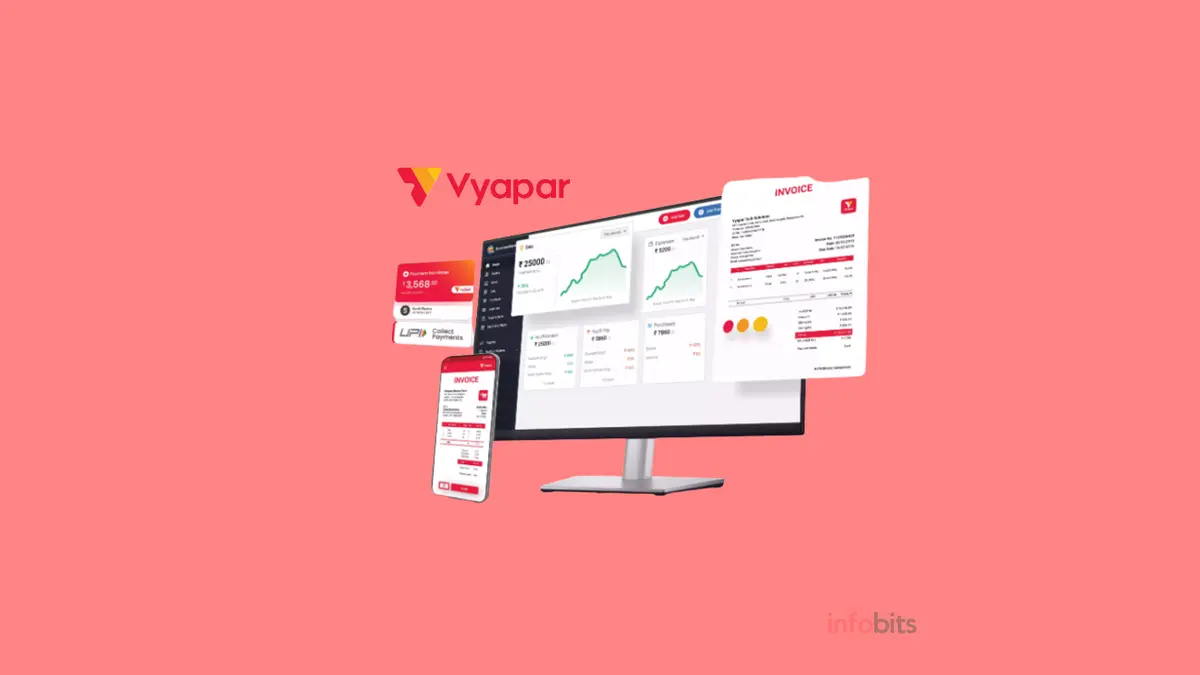
You can generate a professional, GST-compliant invoice in under a minute. Vyapar auto-calculates CGST and SGST, supports 14+ invoice templates, and lets you add your logo and brand colours for free.
You can also create quotations, purchase orders, delivery challans, credit notes, debit notes, and proforma invoices from the same dashboard. E-invoices and e-way bills can be generated directly through the app, which usually takes a few seconds compared to 5–10 minutes on the government portal.
2. Inventory Management
Stock tracking is one of Vyapar’s stronger areas. You get real-time stock levels, low-stock alerts, batch and expiry tracking, and barcode generation and scanning support.
This is particularly useful for pharmacies and grocery stores that need to track expiry dates closely. You can also set item-wise pricing and apply different rates for different customers.
3. Accounting and Expense Tracking
Vyapar records sales, purchases, expenses, receivables, and payables in one place, and generates reports like profit and loss, balance sheet, and party-wise statements. You don’t need double-entry bookkeeping knowledge to use it.
It also integrates with TallyPrime, so if your accountant already works in Tally, data transfer becomes easier at month-end.
4. WhatsApp and Multi-Channel Invoice Sharing
You can send invoices directly to a customer’s WhatsApp or mobile number instead of printing them. Several users we checked with liked this for cutting down paper costs and speeding up payment collection.
That said, this is also one of the more commonly reported bug areas, which we cover honestly in the cons section below.
5. Online Store and Payment Collection
Vyapar lets you set up a free digital storefront so customers can browse and order without visiting your shop. You can accept payments through UPI, cards, and other online modes, alongside cash and cheque.
6. Offline-First, Cloud-Backed
The app works fully offline and syncs your data automatically once you’re back online. This matters a lot in India, where internet connectivity in smaller towns can be inconsistent.
Vyapar Pricing in 2026 (What It Actually Costs)
Vyapar’s pricing is genuinely one of its biggest strengths compared to full accounting suites. Here’s the current breakdown.
| Plan | Platform | Approx. Price | Best For |
|---|---|---|---|
| Free | Android mobile | ₹0 forever | Solo shop owners just starting out |
| Silver | Mobile only | From ₹699/year | Small retailers needing sync and no branding |
| Silver | Desktop | From ₹3,399–3,420/year | Shops billing from a PC or a laptop |
| Silver | Desktop + Mobile | From ₹4,010/year | Businesses billing from both counter and phone |
| Gold/Platinum | Desktop + Mobile | Custom pricing | Growing businesses needing unlimited firms, e-way bills, TCS/TDS |
The Android app’s free version covers basic billing and inventory for life, which is unusual in this category. Desktop plans include a 7-day free trial before you’re charged.
If you buy directly from the company, you can use the referral code 6ZVMGN7 at checkout for extra validity days. Check current Vyapar pricing directly, since plans and discounts do get revised throughout the year.
For context, this pricing sits well below international alternatives. QuickBooks Online and Zoho Books both cost meaningfully more per year when converted to rupees, though they offer broader integrations that Vyapar doesn’t match yet.
Related: Best Supermarket Billing Software in India
Pros: Where Vyapar Genuinely Delivers
- Fast, beginner-friendly billing: most first-time users create their first invoice within minutes, no training needed
- Strong GST and e-invoicing support: automatic tax calculation and quick e-way bill generation
- Works offline: critical for shops in areas with patchy internet
- Affordable entry point: the free Android tier alone covers most solo shop needs
- Good inventory depth: batch, expiry, and barcode tracking rival costlier tools
- Responsive setup support: several reviewers mention smooth onboarding help from the Vyapar team
Cons: Where Vyapar Falls Short
We think a genuine review has to include the rough edges too, so here’s what actual users flagged repeatedly across G2, Capterra, and Trustpilot in 2025–2026.
- WhatsApp invoice glitches: some users report invoices sending as blank files, or showing a “due balance” even after full payment, which can confuse customers
- No iOS app: Vyapar is Android and Windows only, so iPhone-only shop owners are out of luck
- Mouse-dependent billing on desktop: You can’t always select items by keyboard shortcut at a busy counter, which slows down fast-paced retail billing
- Customer support is inconsistent: many reviews praise fast setup help, but a noticeable share of long-term users report slow or unresolved support tickets, especially for account-specific issues
- Duplicate customer names: You currently can’t save two customers with the same name, even if their phone numbers differ
- Occasional sync and data glitches: a handful of long-time users reported mismatched entries after auto-sync, so it’s worth exporting backups periodically
None of these is a dealbreaker for most small shops, but if your business depends on flawless WhatsApp automation or fast keyboard-driven billing, test the free trial thoroughly before committing to an annual plan.
If your billing counter still relies on a shaky old printer, pairing Vyapar with a reliable thermal invoice printer (see the options on Amazon) noticeably speeds up walk-in billing during rush hours.
Who Should Actually Use Vyapar?
Retail and supermarket stores get the most value, since Vyapar handles high transaction volumes, discounts, and loyalty pricing well. Pharmacies and medical shops benefit from the expiry and batch tracking, which helps avoid selling expired stock.
Freelancers and service businesses can use it purely for professional invoicing and payment tracking without needing the inventory features at all. Wholesalers, distributors, and small manufacturers get sales and purchase management, though very complex multi-warehouse operations may eventually outgrow it.
Construction businesses can track raw material stock and set up pre-orders, which helps with long project timelines. Startups and new SMEs often use the built-in digital store to test-sell products before investing in a full e-commerce setup.
User Experience and Interface
The dashboard is clean and doesn’t require any accounting background to navigate. Most features are reachable within two or three taps, and the app supports customizable invoice themes and personalised branding.
New users do sometimes ask for more in-app tutorials, since the sheer number of settings and report types can feel like a lot at first. A short onboarding walkthrough would help here, and it’s a gap compared to some competitors that offer guided setup wizards.
Vyapar vs Alternatives: How It Compares
| Feature | Vyapar | Zoho Books | TallyPrime | myBillBook |
|---|---|---|---|---|
| Starting price (approx.) | ₹699/year | Higher, subscription-based | Higher, one-time + AMC | Comparable, free tier available |
| Offline billing | Yes | Limited | Yes | Yes |
| GST e-invoice/e-way bill | Yes | Yes | Yes | Yes |
| iOS app | No | Yes | No | Yes |
| Best for | Solo shops, small retail | Growing businesses need integrations | Traditional accountants, larger firms | Small retail, a similar niche to Vyapar |
If you’re deeply comparing options, Zoho Books makes more sense once you need multi-app integrations (like syncing with Zoho CRM or Zoho Inventory), TallyPrime remains the standard if your accountant already works in it, and myBillBook is Vyapar’s closest direct competitor with very similar pricing and an iOS app advantage.
You can check the latest Vypar pricing here.
Common Mistakes to Avoid When Using Vyapar
- Skipping the free trial before buying desktop plans – always test billing speed on your actual product catalogue first
- Not exporting backups regularly – protect yourself against the occasional sync issue mentioned above
- Ignoring the referral code at checkout, you could get extra validity for free
- Ignoring user role settings – restrict what staff can edit to avoid accidental price or stock changes
- Not updating the app regularly – several reported bugs get fixed in later updates
Myth vs Fact
Myth: Vyapar is completely free forever. Fact: Only the basic Android mobile version is free for life. Desktop and premium features need a paid annual plan.
Myth: Vyapar can only be used by tech-savvy business owners. Fact: It’s built specifically for non-technical shop owners, with most users learning the core billing flow within a day.
Myth: You need internet access to use Vyapar. Fact: It works fully offline and syncs automatically once you’re back online.
Expert Tips for Getting More Out of Vyapar
Set up your item catalogue completely before your first billing day; retyping items on the fly at the counter is where most new users lose time. Turn on low-stock alerts immediately for fast-moving items so you never miss a reorder point.
For shops with high daily footfall, a compact barcode scanner (like NETUM Bluetooth CCD Barcode Scanner) paired with Vyapar’s barcode billing feature cuts checkout time significantly compared to manual entry.
If you manage staff, set clear user roles from day one rather than giving everyone full access, since this is one of the more common regret points in long-term reviews. And export a backup of your data monthly, even though Vyapar syncs to the cloud automatically.
Should You Buy Vyapar? A Quick Decision Guide
- Buy it if: you run a small retail shop, pharmacy, or service business in India and need affordable, offline-capable GST billing
- Buy it if: you’re moving off paper registers or Excel and want something simple within a day of setup
- Consider alternatives if: you’re on iOS only, need deep third-party software integrations, or run a large multi-branch operation with complex staff permission needs
- Test the free trial first if your business relies heavily on fast keyboard-driven billing or automated WhatsApp invoicing at scale
Our Final Verdict
Vyapar remains one of the most practical billing and accounting apps for small Indian businesses in 2026, mainly because it solves the actual problems shop owners have.
Fast GST invoicing, simple inventory tracking, and offline reliability, at a price that doesn’t strain a small business budget. It’s not flawless, and the WhatsApp automation bugs and inconsistent support experiences some users report are worth being aware of.
For most retailers, freelancers, and small service businesses looking for their first proper billing software, Vyapar earns a genuine recommendation. If your needs are more complex, it’s worth trialling myBillBook or Zoho Books side by side before you commit to an annual plan.
Frequently Asked Questions
The basic Android mobile version is free for life. Desktop and premium mobile features need a paid annual subscription.
Vyapar earns revenue through annual subscription fees for its premium desktop and mobile plans.
It’s used for GST billing, inventory management, POS, purchase tracking, customer management, and overall day-to-day business accounting.
Vyapar is developed and run by a private company, Simply Vyapar Apps Pvt Ltd, based in Bengaluru.
Yes, Vyapar works fully offline and automatically syncs your data once your internet connection returns.
Yes, you can generate and scan barcodes directly within the app for faster billing.
No, Vyapar currently supports only Android mobile and Windows desktop. There’s no iOS app as of 2026.
It’s designed mainly for small and medium businesses across retail, services, wholesale, pharmacy, and manufacturing. Very large or highly complex operations may need a bigger ERP system.
Yes, Vyapar supports multiple firms and locations, letting you track inventory and sales separately for each branch.
Vyapar integrates with TallyPrime, which helps if your accountant already works in Tally for year-end filing.
Yes, the desktop version offers a 7-day free trial of premium features before you need to pay.
Vyapar uses SSL encryption and follows standard data security practices, though, as with any billing app, avoid storing sensitive card details manually.
The most repeated issues are WhatsApp invoice bugs, inconsistent customer support response times, and the lack of keyboard shortcuts for fast billing on desktop.
Yes, both are supported and typically generate in seconds through the app instead of the government portal directly.
Both target similar small-business customers at similar price points; myBillBook currently has the edge of offering an iOS app, while Vyapar has a slightly deeper inventory and batch-tracking feature set.
Yes, though user role customisation is more limited compared to larger accounting platforms, which is a common feature request from long-term users.
It generates GSTR-1, GSTR-2, GSTR-3B, and GSTR-4 reports that simplify the filing process, though actual filing still happens through the GST portal or your accountant.
Yes, especially the free Android tier, which covers professional invoicing and payment tracking without needing the inventory features at all.
We hope you are interested in our articles similar to this Vyapar app review and consider following our Facebook, Instagram, and Twitter pages for regular updates.
Subscribe to our free newsletter to get similar articles and regular updates directly in your Email Inbox.
Subscribe to be the first to learn about new information
Also, share this article with your friends and relatives. Bookmark this page for future reference.
Disclosure: We will receive an affiliate commission on some, but not all, of the products or services we recommend if you follow our links to a retailer’s website and make a purchase.
Image Credit: Vyapar