BSNL Public WiFi Plans: How to Get and Use BSNL Hotspots
BSNL runs one of the largest public Wi-Fi hotspot networks in India, branded BSNL 4G Plus, with tens of thousands of access points spread across the country.
If you’ve ever wondered how to actually connect to one ( whether you’re a BSNL mobile customer, a broadband subscriber, or don’t use BSNL at all), this guide walks through every access method, current voucher pricing, and a genuinely useful update most guides on this topic miss.
BSNL now offers free national Wi-Fi roaming for FTTH customers at any hotspot in the country.
Quick answer: BSNL mobile customers can connect to BSNL 4G Plus hotspots using their SIM for authentication, often at no extra cost against their existing data plan. Non-BSNL users get 30 minutes of free access per session, after which they need a paid hotspot voucher starting around ₹9–₹19. BSNL broadband (FTTH) customers can connect for free using their broadband login, and can now also register for free roaming access at any hotspot nationwide.
What Is BSNL 4G Plus Public WiFi?
BSNL 4G Plus is BSNL’s public Wi-Fi hotspot service, deployed at railway stations, bus stands, markets, educational institutions, and other high-footfall public locations across India.
It works through Wi-Fi data offloading. Instead of using your mobile data connection, your phone or laptop connects to a nearby BSNL hotspot for high-speed browsing, often faster than standard mobile data in crowded areas.
Three distinct groups can use it, each with a different access method:
- BSNL mobile customers, who can authenticate directly using their SIM in many cases.
- BSNL broadband (FTTH) customers, who get hotspot access as part of their existing broadband subscription, and can now also roam nationally.
- Non-BSNL users, who get a short free trial per session and then need to buy a voucher to continue.
BSNL Public WiFi Hotspot Voucher Plans
BSNL’s hotspot vouchers are revised periodically, and ( worth checking directly ) exact pricing and data allowances have varied across telecom circles and over time, so treat the figures below as a general guide and always confirm the live rate on the captive portal screen when you connect, since that reflects your specific location’s current offer.
Standard retail hotspot vouchers (available at most hotspots nationwide):
| Plan | Price | Typical Data | Typical Validity |
|---|---|---|---|
| BSNL WiFi 9 | ₹9 | 1 GB | 1 day |
| BSNL WiFi 19 | ₹19 | 2–3 GB | 2–3 days |
| BSNL WiFi 39 | ₹39 | 7 GB | 7 days |
| BSNL WiFi 59/79 | ₹59–₹79 | 15–45 GB | 15–26 days |
| BSNL WiFi 69/99 | ₹69–₹99 | 30–75 GB | 28–30 days |
Higher-data vouchers, offering up to roughly 150GB with 28-day validity, are also available in select circles at prices up to around ₹1,999. This is useful if you rely on a hotspot as your primary connection rather than occasional top-ups.
If you’re a regular BSNL mobile customer using the offload service, hotspot usage typically bills directly against your existing mobile account rather than requiring a separate voucher purchase. See Section 3.
Related: Know About Attractive BSNL Broadband Plans and FTTH Plans
How to Connect: BSNL Mobile Customers
If you have an active BSNL SIM, you have two ways to connect, depending on your device.
Method A: EAP (SIM) Authentication
Works on most modern smartphones that support EAP-SIM authentication.
- Turn on Wi-Fi on your phone.
- Search for available networks and select BSNL 4G Plus from the list.
- Choose the SIM authentication (EAP) option and select your BSNL SIM slot if your phone is dual-SIM.
- Tap Connect. Once authentication succeeds, you’re online. No manual login required.
Method B: Non-EAP (Captive Portal) Authentication
Use this if your device doesn’t support EAP-SIM authentication. This is the standard method for laptops and many non-EAP mobile devices.
- Select the BSNL WiFi SSID. You’ll be redirected to a captive portal login page automatically.
- Enter your BSNL mobile number and tap Get PIN.
- Enter the PIN sent to your mobile number and tap Login.
- If your current plan allows data usage at hotspots, you’ll be connected immediately, and usage is billed against your mobile account.
Method C: BSNL 4G Plus App
- Download BSNL 4G Plus from the Play Store or App Store.
- Register the app using your BSNL mobile number.
- If you have a dual-SIM phone, make sure your BSNL SIM is in the first slot.
- Enable mobile user offload in the app, and you’re ready to connect automatically at any hotspot going forward.
How to Connect: Non-BSNL Mobile Users
You don’t need a BSNL SIM to use BSNL’s public hotspots. Anyone can connect, though the process and cost differ slightly from BSNL customers.
Via Mobile Browser
- Turn on Wi-Fi and select the BSNL WiFi SSID.
- You’ll be redirected to the captive portal, where you’ll see two options: Free WiFi and Premium WiFi.
Free WiFi gives you a complimentary session, typically capped at 30 minutes:
- Enter your mobile number and tap Get PIN.
- Enter the PIN you receive and log in.
Premium WiFi requires a paid voucher (see Section 2 for current pricing):
- Using a coupon: Select Premium WiFi, enter your coupon number and mobile number, then tap Subscribe.
- Paying online: Select Pay Online, choose a plan, enter your mobile number, tap Get PIN, enter the PIN you receive, and complete the payment to start browsing.
Via the BSNL WiFi App
The process mirrors the browser method above, just through a dedicated app instead of the captive portal page:
- Download and install the BSNL WiFi app (distinct from BSNL 4G Plus) from the Play Store or App Store.
- Register using your mobile number.
- Choose Free WiFi (30-minute session) or Premium WiFi (paid voucher or online payment) as above.
How to Connect: BSNL Broadband (FTTH) Customers
If you’re a BSNL DSL or FTTH broadband customer, you can use BSNL public Wi-Fi hotspots under the BSNL Broad Fi offering, drawing on your existing broadband plan rather than paying separately.
This is a genuinely useful perk if you already pay for BSNL broadband at home. You effectively get nationwide hotspot access included.
Before you start, make sure your mobile number is registered against your broadband account. If it isn’t, visit your nearest BSNL customer service centre to get it linked.
Via Mobile Handset
- Turn on Wi-Fi and select the BSNL Broad Fi SSID.
- Set the Phase 1 authentication method to PEAP.
- Set the Phase 2 authentication method to MSCHAPv2.
- Enter your broadband user ID and password.
- You’ll be redirected to the captive portal to verify your mobile number via OTP as a second authentication step.
- Submit and receive a PIN, then enter it to complete the connection.
Via the BSNL WiFi App
Follow the identical steps above (PEAP/MSCHAPv2 authentication, broadband credentials, OTP verification), but select the BSNL Broad Fi option inside the BSNL WiFi app instead of connecting through your phone’s Wi-Fi settings directly.
Free National WiFi Roaming for FTTH Customers
This is the single biggest update to BSNL’s public Wi-Fi offering in recent years, and it’s worth calling out clearly since it’s genuinely useful and easy to miss.
BSNL now offers free National Wi-Fi Roaming to its FTTH broadband customers, letting you connect to any BSNL hotspot nationwide at no extra charge, drawing on the same high-speed access you already pay for at home.
Previously, FTTH customers were limited to using their high-speed internet only at their home router’s location.
With National Wi-Fi Roaming, you can get the same speed and access anywhere BSNL has a hotspot, which is useful while travelling, in rural areas with weak mobile coverage, or simply while out and about in a city with good BSNL hotspot density.
To activate it:
- Visit the registration page at
portal.bsnl.in/ftth/wifiroaming. - Enter your FTTH connection number and your registered mobile number.
- Verify via OTP.
- Once registered, you can connect directly to any BSNL Wi-Fi hotspot without re-entering your credentials each time.
This is separate from the standard BSNL Broad Fi captive-portal login described in Section 5. Broad Fi works per-session with PEAP/MSCHAPv2 authentication, while National Wi-Fi Roaming is a one-time registration that then works seamlessly at any hotspot going forward.
Finding a BSNL WiFi Hotspot Near You
BSNL maintains an online hotspot locator listing access points by circle and city, covering tens of thousands of locations nationwide. Railway stations, bus terminals, markets, and educational campuses are among the most common.
If you’re planning to rely on a hotspot for travel or regular use, it’s worth checking the locator for your route or area beforehand rather than assuming coverage, since hotspot density still varies significantly between urban and rural regions.
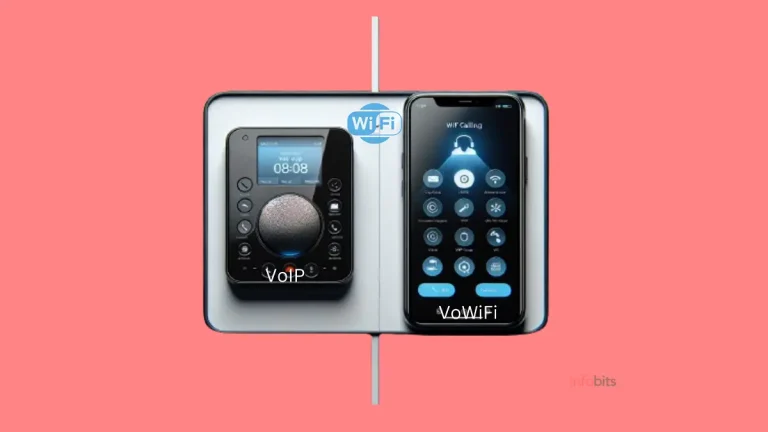
BSNL Wings vs BSNL Public WiFi vs VoWiFi: What’s the Difference?
These three BSNL services all involve Wi-Fi in some way, but they solve completely different problems, and it’s easy to mix them up.
| BSNL Public WiFi (4G Plus) | BSNL Wings | VoWiFi (Wi-Fi Calling) | |
|---|---|---|---|
| What it does | Gives you internet data access at public hotspots | Gives you a separate VoIP phone number | Improves call quality on your existing SIM over Wi-Fi |
| Needs a BSNL SIM? | No (though BSNL customers get easier access) | No | Yes, a BSNL SIM |
| What you get | Data only | Voice/video calling, no SMS | Voice calls and SMS, same as normal |
| Where it works | Only at BSNL hotspot locations | Anywhere with internet | Anywhere with Wi-Fi, using your existing number |
If you just want internet access on the go, you want BSNL Public WiFi (this article). If you want an entirely separate calling number without a SIM, see our BSNL Wings registration guide.
If you already have a BSNL SIM and just want better call quality indoors, BSNL’s nationwide VoWiFi rollout handles that automatically through your phone’s Wi-Fi calling setting. No separate registration needed.
Common Connection Problems and Fixes
“I’m not getting the PIN on my mobile number.” This is usually a temporary delay on BSNL’s SMS gateway rather than a problem with your registration. Wait a few minutes and request the PIN again; if it repeatedly fails, try switching between the app and browser-based captive portal login, since one occasionally works when the other doesn’t.
“My BSNL SIM isn’t authenticating automatically via EAP.” Not all devices support EAP-SIM authentication for Wi-Fi. If it’s not connecting automatically, fall back to the non-EAP captive portal method (Section 3, Method B) instead. It works on virtually any device.
“I bought a voucher, but I’m still not getting internet access.” Double-check that you’re connected to the correct SSID. “BSNL WiFi,” “BSNL 4G Plus,” and “BSNL Broad Fi” are separate networks with separate login flows, and using the wrong one for your account type is a common mistake.
“My free 30-minute session ended, and I want to continue without paying.” Free access is limited to one 30-minute session per number per visit; you’ll need a paid voucher to continue browsing beyond that window at the same hotspot.
“National Wi-Fi Roaming registration isn’t going through.” Make sure the mobile number you’re entering is the one registered against your FTTH account. A mismatch here is the most common reason registration fails. If your number was changed recently, get it updated at a BSNL customer service centre first.
If you found this guide helpful, please share it with friends and family who use BSNL’s public WiFi network.
Related: BSNL IPTV & IFTV 2026: Plans, Free Channels, and How to Register
Frequently Asked Questions
For most casual users, a mid-tier voucher (around ₹39–₹79) offering roughly a week to a month of validity with several GB of data is the best balance of cost and convenience. If you’re a BSNL FTTH customer, registering for free National Wi-Fi Roaming is a better option than buying vouchers at all.
BSNL mobile customers using the offload service usually have hotspot usage billed directly to their existing mobile account. Non-BSNL users can pay online through the captive portal or app, or redeem a prepaid coupon.
Yes. Anyone, regardless of which mobile operator they use, gets a free 30-minute session per visit at BSNL Wi-Fi hotspots. Beyond that, a paid voucher is required to continue.
No. Non-BSNL users can connect too, though BSNL mobile customers generally get a smoother authentication process and may not need a separate voucher at all.
It’s a free service exclusively for BSNL FTTH broadband customers that lets them access any BSNL Wi-Fi hotspot nationwide using their existing broadband subscription, without paying separately for hotspot data.
BSNL 4G Plus is aimed at mobile customers and non-BSNL users connecting via SIM authentication or vouchers. BSNL Broad Fi is specifically for BSNL broadband (FTTH/DSL) customers, authenticated using their broadband login instead.
Yes. Laptops typically use the non-EAP captive portal method. Connect to the relevant SSID, and you’ll be redirected to a login page where you can authenticate with your mobile number and PIN, or your broadband credentials if using Broad Fi.
Not necessarily. Pricing and data allowances can vary slightly by telecom circle, and BSNL periodically revises these plans. Always check the live pricing shown on the captive portal at the specific hotspot you’re connecting to.
No. BSNL public WiFi provides internet data access at hotspot locations. BSNL Wings is a completely separate VoIP calling service that gives you a phone number to make and receive calls without a SIM card.
BSNL maintains an online hotspot locator tool that lists access points by circle and city. Search it for your specific area or travel route before relying on hotspot coverage.
No current retail vouchers offer truly unlimited data; even the higher-tier vouchers cap out at a fixed data allowance (up to roughly 150GB in select circles) rather than being unlimited.
This is typically a temporary SMS delivery delay. Wait a few minutes and request it again; if the issue persists, try switching between the app and browser-based login methods.
If you feel this article is helpful, please share it with your friends and relatives.
Alternatively, follow our Facebook and Twitter pages for instant updates.
Subscribe to our free newsletter so that you will get similar articles and regular updates directly in your Email.
Subscribe to be the first to learn about new information
Disclosure: If you follow our links to a retailer’s website and make a purchase, we will get an affiliate commission on some, but not all, of the items or services we promote. This will cause no price change for you.