Soundbar Buying Guide 2026: Choose the Right Soundbar for Your TV
If your TV’s dialogue keeps disappearing under background music, you don’t need a new TV; you need a soundbar. Built-in TV speakers have gotten thinner and weaker every year, simply because there’s no physical room left inside a slim TV chassis for a decent speaker.
A soundbar fixes that in one box, but the market is genuinely confusing. Wattage numbers are inflated, “Dolby Atmos” means different things at different prices, and half the connectivity terms sound identical until you actually try to hook one up to your TV.
This guide cuts through that. We’ll walk through exactly what to check: room size, channels, connectivity, and budget. So you can buy once and buy right.
Quick Answer: What Should You Actually Buy?
For a normal Indian bedroom or living room (up to 200 sq ft), a 2.1 or 3.1 channel soundbar with 80–150W and HDMI ARC is enough to fix TV dialogue and add real bass. For a larger living room or a dedicated movie setup, step up to a 5.1 system with a wireless subwoofer, and only chase Dolby Atmos if your ceiling is flat and you watch a lot of Atmos-mixed content. Everything below explains why.
What Is a Soundbar?
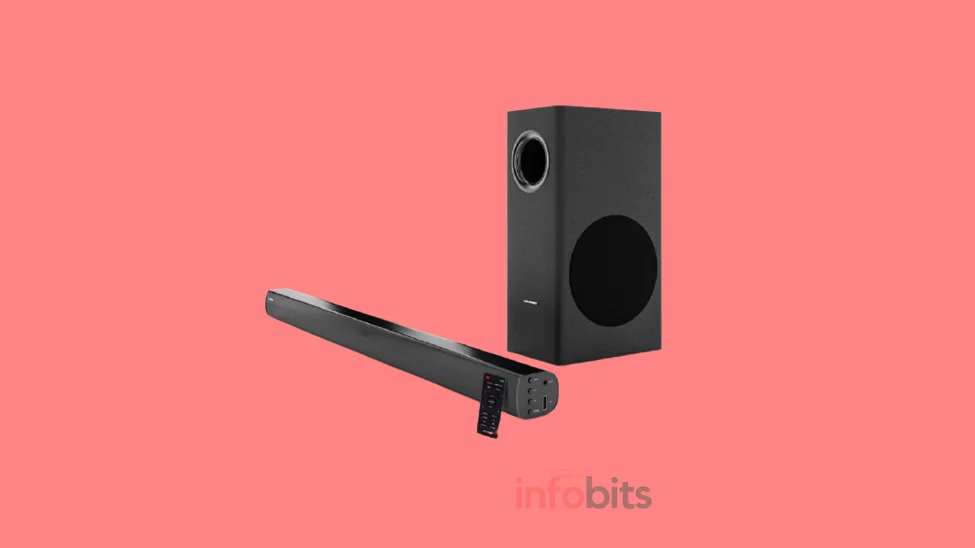
A soundbar is a single, long speaker unit that sits below or above your TV and replaces its built-in speakers.
Inside that slim housing are multiple small speakers (drivers) plus the processing chips that shape the sound, so you get noticeably clearer dialogue and fuller audio without wiring up a full speaker system.
Most modern soundbars pair with a wireless subwoofer for bass, and some add small satellite speakers for genuine surround sound. The whole point is simple. TV speakers fire sound backward or sideways into the wall, while a soundbar fires it straight at you.
Do You Actually Need One?
Not every TV needs a soundbar. If you’re happy with the sound and mostly watch during the day with low volume, you can skip it.
You probably need one if any of these sound familiar:
- You keep raising the volume just to catch dialogue
- Your TV is a slim OLED or QLED with little room for speakers
- You watch a lot of movies, sports, or OTT content in the evening
- Gaming or music through your TV sounds flat and thin
If two or more of these apply, a soundbar will be one of the most noticeable upgrades you make to your setup; often more noticeable than upgrading the TV itself.
Soundbar vs Home Theatre vs Bluetooth Speaker
People often compare these three options without realising they solve different problems. Here’s how they actually stack up for a typical Indian home.
| Factor | Soundbar | Home Theatre (5.1/7.1) | Bluetooth Speaker |
|---|---|---|---|
| Setup effort | Plug and play, minutes | Wiring, receiver, calibration | Instant pairing |
| Sound quality | Good to very good | Best (true surround) | TV audio, weak for movies |
| Space needed | Minimal, one shelf | Dedicated room/rack space | Minimal |
| Best for | Most households | Dedicated home theatre rooms | Casual, portable use |
| Typical price (India) | ₹3,000–₹1,00,000 | ₹25,000+ | ₹1,500–₹15,000 |
If you want the full breakdown of when a proper 5.1 setup is worth the extra cabling and cost, our detailed soundbar vs home theatre comparison covers that trade-off in depth.
How to Choose: Channel Configuration Explained
The numbers you see on soundbar boxes such as 2.1, 3.1, 5.1, 5.1.2 describe exactly how many speakers are doing what. Once you understand the code, spec sheets stop being confusing.
- First digit: number of main speakers (left, right, and sometimes a dedicated centre channel for dialogue)
- Second digit: subwoofer for bass. A
.1means there’s a dedicated bass unit. - Third digit (if present): height or “up-firing” speakers used for Dolby Atmos
So a 5.1.2 soundbar has five main speakers, one subwoofer, and two speakers that bounce sound off your ceiling for height effects.
A basic 2.1 bar has just left and right speakers plus a subwoofer, fine for casual TV watching, but it won’t give you a dedicated centre channel for dialogue.
Our recommendation: don’t buy a plain 2-channel (no dedicated centre) soundbar if dialogue clarity is your main complaint. A 3-channel or higher model has a real centre speaker built specifically to carry voices, which makes a bigger difference than most people expect.
Wattage and Room Size: What You Actually Need
Wattage is the most misunderstood spec on the box. More watts do not automatically mean better or louder sound. How the drivers are tuned matters just as much as raw power.
That said, it’s still a useful starting filter once you know your room size.
| Room Size | Recommended Total Wattage | Good For |
|---|---|---|
| Bedroom (up to 120 sq ft) | 40–80W | Casual TV, dialogue clarity |
| Mid-size living room (120–250 sq ft) | 80–150W | Movies, everyday viewing |
| Large living room (250–400 sq ft) | 150–300W | Movie nights, parties |
| Open-plan/hall (400+ sq ft) | 300W+ with subwoofer | Home theatre-style setup |
A few practical notes worth keeping in mind while you shop:
- Hard floors and bare walls reflect sound, so you’ll need less power than a heavily carpeted room of the same size
- If you live in an apartment with thin walls, prioritise a soundbar with a night mode or dialogue enhancement feature over one with the highest watt number.
- Adding a wireless subwoofer usually does more for perceived “fullness” than jumping 50W higher on the main bar.
Dolby Atmos, DTS:X, and Surround Sound – Do You Need Them?
Dolby Atmos and DTS:X are audio formats designed to place sound around and above you, rather than just left-to-right. They matter most if you watch a lot of Atmos-mixed content on streaming platforms and have a flat ceiling for the sound to bounce off.
There’s an important distinction most first-time buyers miss: true Atmos uses physical up-firing speakers that actually push sound toward the ceiling, while virtual Atmos on budget bars just processes regular audio to simulate height using software.
Virtual Atmos is a nice bonus at lower prices, but it isn’t the same experience. If height effects are a priority for you, true Atmos soundbars generally start higher up the price ladder.
If you mostly watch dialogue-heavy shows, cricket, or news, you can comfortably skip Atmos altogether and put that budget toward a better centre channel or subwoofer instead.
Connectivity: HDMI ARC, eARC, Optical, and Bluetooth Explained
Connectivity decides how well your soundbar talks to your TV, and getting it wrong is the single most common buying mistake. Here’s what each option actually does.
| Connection | What It Does | Best For |
|---|---|---|
| HDMI ARC | Single cable, TV remote controls soundbar volume | Most modern TVs (recommended default) |
| HDMI eARC | Higher bandwidth version of ARC, supports lossless Atmos | Newer TVs, true Atmos soundbars |
| Optical (TOSLINK) | Reliable, no volume sync with TV remote | Older TVs without HDMI ARC |
| Bluetooth | Wireless streaming from phone/laptop | Music, not ideal for movie sync |
| Wi-Fi | Connects to home network for streaming apps | Multi-room audio setups |
Before you buy, check your TV’s ports for a port labelled HDMI ARC or eARC. This is genuinely worth doing before you place an order.
If your TV is older than about eight years, it may only have optical output, which still works fine but skips the convenience of controlling volume with your TV remote.
If your TV doesn’t have a free HDMI ARC port or you need a longer run to the soundbar, a good-quality high-speed HDMI cable rated for eARC (available on Amazon) is a small, inexpensive addition worth keeping in your cart alongside the soundbar itself.
Active vs Passive Soundbars
Soundbars also split into two categories based on whether they have a built-in amplifier, and this decision affects both cost and setup complexity.
Active soundbars come with the amplifier and processing built in, so you plug it straight into power and your TV. No separate receiver needed. This is what almost every consumer soundbar sold in India today is, and it’s the right choice unless you’re specifically building a custom multi-component system.
Passive soundbars skip the built-in amplifier, which means better raw speaker quality but the added cost and complexity of an external receiver. Unless you’re an audio enthusiast assembling a dedicated setup, stick with an active model. It’s simpler, cheaper to get right, and covers what 95% of households need.
Soundbar Placement: Getting the Position Right
Even the best soundbar will underperform if it’s placed badly, so this is worth getting right before you finalise your purchase. Ideally, position it directly below or above your TV screen, centred, and without anything blocking the front-facing drivers.
Avoid tucking the soundbar deep inside a cabinet. It muffles the sound and blocks the sides from projecting properly. If you’re planning to use Dolby Atmos height effects, keep the space above the soundbar completely open, since a cabinet or shelf overhead will absorb the upward-firing sound before it reaches your ceiling.
For a full room-by-room placement walkthrough, including wall-mounting vs shelf placement, see our dedicated guide on soundbar placement for the best listening experience.
Budget Guide: What You Get at Each Price Point in India
Soundbar prices in India span an enormous range, and knowing what to expect at each tier saves you from overpaying or underbuying.
| Budget | What You Get | Best For |
|---|---|---|
| Under ₹5,000 | Basic 2.0/2.1, Bluetooth, modest bass | First upgrade from TV speakers |
| ₹5,000–₹15,000 | 2.1/3.1, HDMI ARC, wireless subwoofer | Most bedrooms and mid-size living rooms |
| ₹15,000–₹30,000 | True 5.1 or virtual Atmos, eARC, app control | Movie-focused living rooms |
| ₹30,000+ | True Dolby Atmos with up-firing speakers, premium drivers | Dedicated home theatre setups |
A genuinely useful rule of thumb: spending around ₹7,000–₹10,000 gets you a dedicated subwoofer, which is usually the single biggest audible upgrade over a bare 2.0 bar.
Below ₹2,000, be cautious. Many “soundbars” at that price are essentially Bluetooth speakers in a bar-shaped housing and won’t meaningfully outperform your TV.
If you’re shopping in the ₹5,000–₹15,000 bracket and want a reliable starting point, check current listings on Amazon for well-reviewed 2.1 and 3.1 channel soundbars with wireless subwoofers from established brands. This segment tends to offer the best value-for-money jump over bare TV speakers.
For curated picks at specific budgets, see our roundups of the best soundbars under ₹10,000 and the best soundbars in India across every budget.
TV and Soundbar Compatibility Checklist
Run through this quick checklist before you finalise a purchase, so you’re not stuck with a mismatch after unboxing:
- Does your TV have a free HDMI ARC or eARC port?
- Does the soundbar width roughly match your TV’s width (for a clean look)?
- Does your TV support the audio format the soundbar is built for (Dolby Digital, Atmos, DTS)?
- Is there a power outlet near the placement spot?
- If wall-mounting, does the soundbar come with a wall-mount kit or bracket?
Common Mistakes to Avoid
A few buying mistakes come up again and again, and they’re easy to sidestep once you know to look for them.
- Chasing watts over features: A 300W soundbar with poor dialogue processing can sound worse than a well-tuned 100W model.
- Ignoring HDMI ARC/eARC: Buying a soundbar without checking your TV’s ports first is the most common regret buyers report.
- Skipping the subwoofer: Bass carries a lot of the “cinematic” feeling. Don’t assume the main bar alone will deliver it.
- Overbuying Atmos for a small room: True height effects need a flat ceiling and enough vertical space; in a small bedroom, the benefit is minimal.
- Not checking return policy: Sound is subjective. Buy from a retailer with a reasonable return window so you can test it in your actual room.
Myth vs Fact
Myth: Higher wattage always means louder, better sound. Fact: Driver quality, tuning, and cabinet design affect perceived loudness and clarity as much as the wattage number on the box.
Myth: You need Dolby Atmos to get “good” sound. Fact: A well-tuned 3.1 or 5.1 system without Atmos still delivers a huge upgrade over TV speakers. Atmos is a bonus, not a requirement.
Myth: Bluetooth is enough for movies. Fact: Bluetooth can introduce slight audio lag with video, which is why HDMI ARC/eARC is the recommended connection for TV viewing.
Myth: A soundbar replaces a full home theatre experience. Fact: A great soundbar gets you close, but a true 5.1/7.1 system with separate rear speakers still wins on genuine surround placement.
Expert Tips Before You Buy
- Test soundbars in-store where possible. Dialogue clarity is easier to judge in person than from a spec sheet.
- Prioritise HDMI eARC if you’re future-proofing for lossless Atmos content
- Match the soundbar’s width to your TV size for the cleanest look
- Read the return/replacement policy carefully, since online sound quality perception varies by room
- Don’t ignore app-based EQ controls. A soundbar you can fine-tune to your room will outperform a “louder” one you can’t adjust
Related: Best 32 Inch Smart TVs in India (2026): Tested Picks
Conclusion
Buying the right soundbar comes down to matching three things: your room size, your TV’s connectivity, and how you actually watch dialogue-heavy shows, action movies, music, or gaming.
Get those three right, and the channel count, wattage, and Atmos question mostly answer themselves.
Start with HDMI ARC or eARC as your connectivity baseline, pick a channel configuration with a real centre speaker if dialogue clarity is your priority, and add a subwoofer the moment your budget allows it.
That combination alone will outperform most TV speaker setups by a wide margin, whatever price point you land on.
Frequently Asked Questions
For a bedroom up to around 120 sq ft, 40–80W total output is usually enough for clear, comfortable dialogue without disturbing neighbours through thin walls.
HDMI ARC is generally better because it lets you control soundbar volume with your TV remote and supports more audio formats than optical, though optical remains a reliable fallback for older TVs.
A built-in subwoofer works fine for casual viewing, but a separate wireless subwoofer delivers noticeably deeper, more room-filling bass for movies and music.
The first number counts the main speakers, and the number after the decimal point indicates whether there’s a dedicated subwoofer for bass.
It’s worth it if you regularly watch Atmos-mixed content and have a flat ceiling in a mid-to-large room, but it’s not essential for everyday TV or dialogue-heavy viewing.
Yes, most soundbars connect to smartphones, laptops, and gaming consoles via Bluetooth or auxiliary inputs, not just televisions.
Active soundbars have a built-in amplifier and are plug-and-play, while passive soundbars need an external receiver but generally offer better raw speaker quality.
Check the back of your TV for HDMI ARC, HDMI eARC, or optical audio output; most TVs from the last eight to ten years support at least one of these.
Not necessarily. A well-tuned mid-range soundbar with good dialogue processing can outperform a pricier model that focuses purely on raw wattage.
Directly below or above the TV, centred, with nothing blocking the front drivers, and ideally not tucked deep inside a closed cabinet.
Yes, many soundbars work fine without one, though bass will be noticeably lighter compared to a system that includes a dedicated subwoofer.
Around ₹3,000–₹5,000 gets you a genuine, noticeable improvement, though the ₹7,000–₹10,000 range is where a dedicated subwoofer typically becomes available.
Yes, many modern soundbars include low-latency modes and dedicated gaming EQ presets that sharpen footsteps and directional cues.
Bluetooth works for casual use, but HDMI ARC/eARC is recommended for movies since it avoids the slight audio-video sync lag Bluetooth can introduce.
A 5.1 system is generally considered the practical minimum for genuine surround sound, while 3.1 is a solid middle ground for most living rooms.
Yes, many newer soundbars support Wi-Fi connectivity for multi-room audio and streaming apps, in addition to standard TV connections.
Aim for a soundbar roughly 80–100 cm wide to visually match a 55-inch TV, though slightly smaller is fine if width matching isn’t a priority for you.
No, only soundbars specifically built with up-firing drivers (true Atmos) or Atmos decoding (virtual Atmos) support it. Check the spec sheet carefully before assuming.
Both work well; wall-mounting suits wall-mounted TVs and saves space, while a stand or shelf placement is simpler and doesn’t require drilling.
With normal use, a good-quality soundbar typically lasts 7–10 years, though warranty coverage and build quality vary significantly by brand and price tier.
We hope you are interested in this article and consider following our Facebook and Twitter pages for regular updates. Also, don’t forget to share this article with your friends and relatives.
Subscribe to our free newsletter so that you will get regular updates directly in your Email.
Subscribe to be the first to learn about new information
Disclosure: If you follow our links to a retailer’s website and make a purchase, we will get an affiliate commission on some, but not all, of the items or services we promote. This will cause no price change for you.