SATA SSD vs NVMe SSD: Which Should You Buy?
Buying an SSD used to be simple. SATA was the cheap one, NVMe was the fast one, and you picked based on budget.
In 2026, it is less clear. SSD prices have climbed sharply because AI data centres are soaking up flash memory, and the old price gap between the two types has shrunk. In some listings, a budget NVMe drive now costs about the same as a branded SATA drive.
So which one should you buy? This guide explains the real differences in plain language, shows what you will and will not notice in daily use, and helps you choose the right drive for your laptop, PC, or console.
Quick Answer:
- Buy NVMe if your laptop or PC has an M.2 slot that supports it. In most cases, it costs about the same, and it is faster.
- Buy SATA if your device only has a 2.5-inch drive bay or an older M.2 slot that supports only SATA.
- Check compatibility first. The wrong type may simply not work in your machine.
For everyday use like browsing, Office, and streaming, both feel fast. Either one is a huge upgrade over a hard disk.
What Is the Difference Between SATA and NVMe?
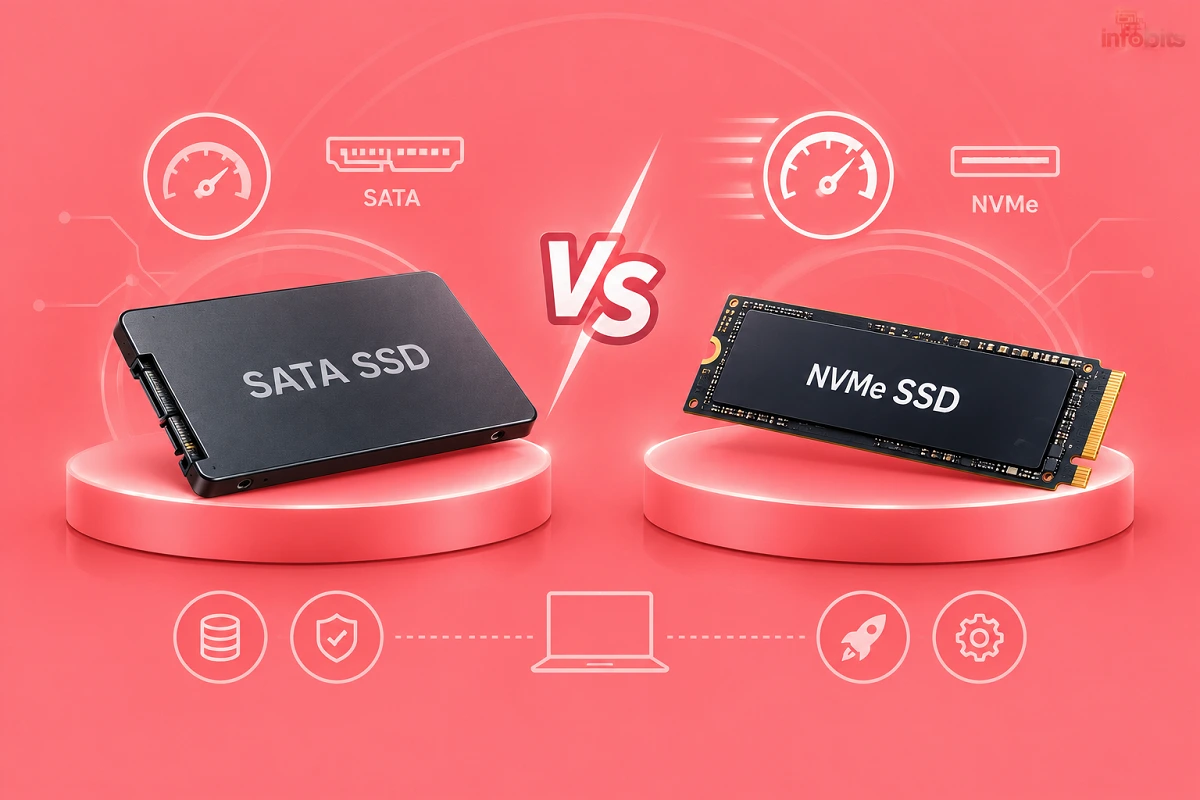
Both are types of SSDs, meaning storage with no moving parts. The difference is how the drive talks to the rest of your computer.
SATA is an older connection, originally designed for hard disks. It tops out at about 550 MB/s in real use.
NVMe is a newer protocol that runs over PCIe lanes, the same fast connection used by graphics cards. It is designed for flash memory from the start, so it is much faster and handles many tasks at once.
Think of SATA as a single-lane road and NVMe as a multi-lane motorway. A normal journey does not always need the motorway, but when traffic is heavy, the wider road wins.
Speed Comparison at a Glance
| Type | Connection | Typical read speed | Typical use |
|---|---|---|---|
| SATA SSD | SATA III | Up to about 550 MB/s | Older PCs, upgrades, bulk storage |
| NVMe Gen3 | PCIe 3.0 x4 | Up to about 3,500 MB/s | Budget laptops, older PCs |
| NVMe Gen4 | PCIe 4.0 x4 | Up to about 7,000 MB/s | Most modern laptops, PCs, PS5 |
| NVMe Gen5 | PCIe 5.0 x4 | 10,000 MB/s and above | High-end desktops, heavy workloads |
| HDD (for reference) | SATA | About 100 to 200 MB/s | Cheap bulk storage |
These are best-case numbers. Real speeds depend on the drive, the controller, the laptop’s cooling, and the task.
What Will You Actually Notice?
This is where many guides oversell. Moving from a hard disk to any SSD is a dramatic change. Moving from SATA to NVMe is a much smaller one for most people.
Where you will notice NVMe:
- Copying large files, such as videos, games, and backups
- Loading very large projects in video, photo, or 3D software
- Heavy multitasking with big files open at once
- Installing large games and updates
Where you will barely notice a difference:
- Booting Windows
- Opening Chrome, Word, or Excel
- Everyday browsing and streaming
- Most game loading times
For a typical student or office user, a good SATA SSD feels almost as quick as NVMe. The gap shows up in heavy workloads.
SATA vs NVMe: Full Comparison
| SATA SSD | NVMe SSD | |
|---|---|---|
| Speed | Up to about 550 MB/s | 3,500 to 14,000+ MB/s |
| Everyday feel | Fast | Very fast, hard to tell apart |
| Heat | Low | Higher, especially Gen4 and Gen5 |
| Form factor | 2.5-inch drive or M.2 | Almost always M.2 |
| Compatibility | Works on almost any PC from the last 15 years | Needs an NVMe-capable M.2 slot |
| Price | Similar to NVMe now, often higher per GB | Often equal or better value |
| Best for | Older machines, 2.5-inch bays | Modern laptops, PCs, PS5 |
SSD Prices in 2026: Why the Old Rules Have Changed
SSD prices have been rising through 2026. The cause is a shortage of NAND flash, the memory used inside SSDs, as AI servers buy huge amounts of storage. TrendForce forecasts another 15% to 20% rise in NAND contract prices for the fourth quarter of 2026.
Two things follow for buyers.
1. NVMe is no longer clearly more expensive. In US price listings tracked in September and October 2026, a budget Gen4 NVMe drive was priced at or below a well-known SATA drive of the same size. India’s market moves differently, so always compare both types on the same day.
2. Waiting may not help. Analysts do not expect a quick return to 2025 prices. If your drive is slow or failing, buying now is reasonable. Just buy the capacity you need, not more.
Prices in India have also risen, and they vary a lot between sellers. Check Amazon, Flipkart, and a few computer retailers before you decide.
Which One Does Your Device Support?
This matters more than speed. Check before you buy.
Step 1: Find your model. Look up your laptop or motherboard model on the manufacturer’s website.
Step 2: Check the storage specification. Look for phrases like “M.2 2280 PCIe NVMe” or “2.5-inch SATA”.
Step 3: Check your current drive. Free tools like CrystalDiskInfo show whether your drive is “NVM Express” or “Serial ATA”.
Step 4: Check the size. M.2 drives come in lengths such as 2230, 2242, and 2280. Most laptops use 2280, while handheld PCs often use 2230.
Watch Out: “M.2” Does Not Always Mean NVMe
M.2 is just the shape of the connector. Some M.2 drives use SATA, and some older laptop slots accept only SATA. A few slots accept both. Reading the specification sheet avoids an expensive mistake.
Older PCs
PCs made before about 2015 often lack an M.2 slot, and some cannot boot from NVMe even with an adapter card. For these, a 2.5-inch SATA SSD is the safe choice.
Decision Guide: Which Should You Buy?
| Your situation | Best choice | Why |
|---|---|---|
| Old laptop with a 2.5-inch bay | SATA SSD | Simple, safe upgrade over a hard disk |
| Modern laptop with M.2 slot | NVMe (Gen3 or Gen4) | Faster, often the same price |
| Student or office user | Either, whichever is cheaper | You will not feel much difference |
| Video editor or creator | NVMe Gen4 | Faster file work and exports |
| Gamer with a PC | NVMe Gen4 | Large game installs, smoother loading |
| PlayStation 5 owner | Gen4 NVMe with heatsink | Console requirement |
| Old desktop or home media PC | SATA SSD | Compatibility and low heat |
| External or portable storage | Portable SSD (USB) | Depends on the enclosure, not the interface |
If you are planning a laptop upgrade, our guides to choosing a laptop and the best laptops for students show what storage to look for.
Do You Need Gen5?
Probably not. Gen5 drives are the fastest, but they run hot, cost more, and need good cooling. In real use, most people cannot tell them apart from Gen4. Choose Gen4 unless you have a clear reason to spend more.
Buying Checklist
Before you pay, tick off these points.
- [1] Compatibility: confirm your slot supports NVMe or SATA.
- [2] Size: 2280 for most laptops, 2230 for handhelds.
- [3] Capacity: at least 512 GB, and 1 TB if you can afford it.
- [4] Brand: choose a known brand with Indian service support, such as Samsung, Crucial, Kingston, WD, or SanDisk.
- [5] Warranty: look for three to five years.
- [6] Seller: buy from an authorised seller to avoid fakes.
- [7] Cooling: for a PS5 or a desktop, add a heatsink if the drive does not include one.
- [8] Price check: compare the same capacity of both types on the same day.
Common Mistakes to Avoid
- Buying NVMe for a SATA-only slot. It will not work.
- Assuming M.2 means NVMe. Check the interface, not the shape.
- Buying an unknown brand because it is cheap. Fake or poor-quality drives are a real risk on marketplaces.
- Chasing speed numbers. Peak speeds rarely match daily use.
- Choosing too small a drive. SSDs slow down and wear faster when nearly full. Leave some free space.
- Forgetting a backup. Any drive can fail. A backup is not optional.
- Skipping the heatsink on a PS5. The console requires one.
Myth vs Fact
| Myth | Fact |
|---|---|
| NVMe will make my whole PC feel much faster. | Only if you move big files or run heavy software. Everyday tasks feel similar. |
| SATA is obsolete. | It is slower, but still fully usable and sometimes the only option. |
| NVMe wears out faster. | Both use the same type of memory. Lifespan depends on the drive and the workload. |
| All M.2 drives are NVMe. | Some M.2 drives use SATA. |
| Gen5 is always better. | It runs hotter and costs more, with little benefit for most people. |
| SATA is always cheaper. | In 2026, that is no longer reliably true. |
Expert Tips
- Check before you cut costs. An SSD from an unknown brand may save a little money, but a failed drive costs you your data.
- Watch for DRAM-less drives. Some budget NVMe drives skip a cache chip. They are still fine for normal use but can slow down during long writes.
- Keep your drive cool. A thin heatsink or thermal pad stops Gen4 drives from slowing down in a hot laptop.
- Use an enclosure for old drives. A USB enclosure turns an old SSD (view options on Amazon) into a portable backup.
- Clone instead of reinstalling. A cloning cable or enclosure lets you move Windows to the new drive.
- Test new drives. Free tools such as CrystalDiskInfo help you check a new drive’s health and capacity.
- Back up before upgrading. Read our guide on configuring backup and restore in Windows.
Our guide to formatting disks with a disk format tool helps if you need to prepare a new drive, and installing Windows from a USB drive covers a clean install.
How to Install a New SSD (Quick Overview)
- Back up your files.
- Power off and unplug the laptop or PC.
- Open the back panel or case.
- Find the storage bay or M.2 slot.
- Insert the new drive and secure it with the screw.
- Close the case, start the PC, and install or clone Windows.
- Format and initialise the drive if it is a secondary disk.
Always check your laptop’s manual first. Some makers use sealed bottoms or warranty stickers, so confirm what is allowed.
Best Uses for SATA and NVMe Drives
Good uses for SATA:
- Upgrading an old laptop with a 2.5-inch bay
- Adding extra storage to a desktop
- Building a home media PC. See our guide on turning your old PC into a media centre.
Good uses for NVMe:
- Main drive in a modern laptop or PC
- Video editing and large project files
- Gaming PCs and the PS5
Where to Buy in India
Amazon India and Flipkart stock the major brands, and computer retailers often have competitive prices. Check the seller carefully, keep the invoice, and register the warranty.
Protect your new drive from power surges too. Our guide to surge protectors explains what to buy.
Conclusion
For most people in 2026, an NVMe SSD (view the options on Amazon) is the better buy because it is often the same price and clearly faster in heavy work.
If your device only supports SATA, a good SATA SSD (view options on Amazon) is still a big upgrade over a hard disk.
It is worthwhile to know the best-selling internal Solid State Drives on Amazon in this context.
Check your slot, pick a trusted brand with a real warranty, and buy the capacity you need. Do the compatibility check first, and the rest of the decision becomes easy.
Frequently Asked Questions
SATA uses an older connection that tops out near 550 MB/s. NVMe uses PCIe lanes and is several times faster.
Yes, if your device supports it and the price is similar. For light daily use, you may not feel a big difference.
For heavy tasks like large file transfers and video editing, yes. For browsing and Office, the gap is small.
No. An NVMe drive needs an NVMe-capable M.2 slot, and a 2.5-inch SATA bay will not accept it.
Not always. M.2 is only the shape. Some M.2 drives use SATA, so check the specification.
Look up your model’s specification sheet, or use a tool like CrystalDiskInfo to see your current drive type.
Not reliably. With prices rising across the board, a budget NVMe can match or beat a branded SATA drive of the same size.
A shortage of NAND flash, driven by heavy demand from AI data centres, has pushed prices up.
Analysts do not expect a quick return to earlier prices. If you need the storage now, buying is reasonable.
Gen4 and Gen5 drives run warm, so a heatsink helps in desktops. A PS5 requires one.
For most people, no. It runs hotter and costs more, with little everyday benefit over Gen4.
A Gen4 NVMe M.2 drive with a heatsink that meets Sony’s requirements.
A 2.5-inch SATA SSD is the safe choice, unless the laptop has an NVMe-capable M.2 slot.
Yes, for older devices and 2.5-inch bays. They are far faster than hard disks.
512 GB is a practical minimum, and 1 TB is more comfortable for games, photos, and videos.
They have a limited number of writes, but normal users rarely reach it. Choose a known brand with a good warranty.
Buy from authorised sellers, choose known brands, and check the drive’s health and real capacity after it arrives.
Yes. A USB enclosure turns a SATA or NVMe SSD into a portable drive. Match the enclosure to the drive type.
We hope you are interested in our articles and consider following our Facebook, Instagram, and Twitter pages for regular updates.
Also, share this article with your friends and relatives. Bookmark this page for future reference.
Subscribe to our free newsletter to get similar articles and regular updates directly in your Email Inbox.
Subscribe to be the first to learn about new information
Disclosure: If you follow our links to a retailer’s website and make a purchase, we will get an affiliate commission on some, but not all, of the items or services we promote. This will cause no price change for you.
You May Be Interested to Read:
- External SSD vs External HDD: Which Should You Buy in India?
- SSD vs HDD: Which Actually Matters More for PC Speed?
- Core Ultra vs Ryzen AI vs Snapdragon X2 Elite: Which Should You Choose?
- How to Enable TPM 2.0 in BIOS (Step-by-Step Guide for Windows 11 PCs)
- Ryzen 3 vs Core i3 (2026): Which Budget CPU Should You Actually Buy?